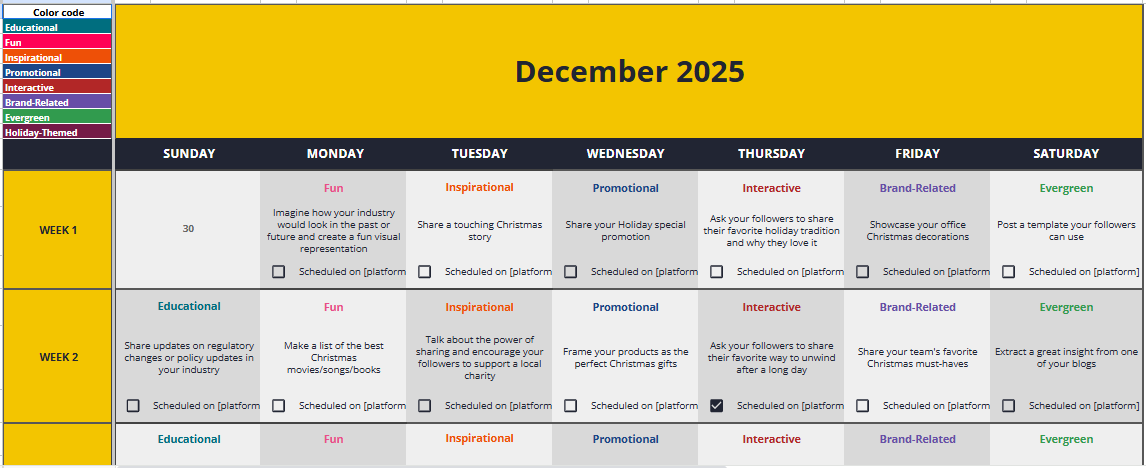
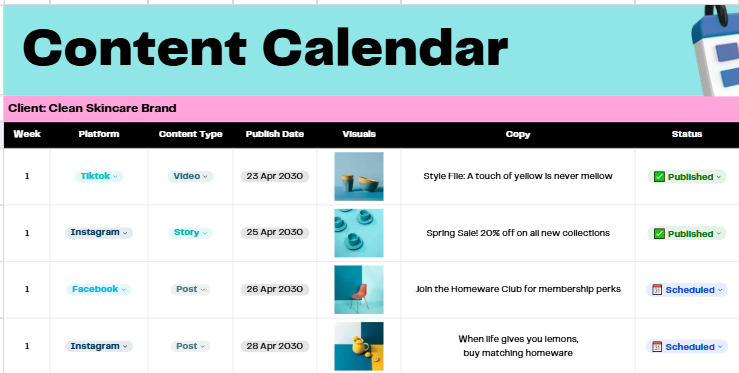
40 of the Best Free Content Calendar Templates

Last Updated: December 2, 2025

40 of the Best Free Content Calendar Templates

Staying consistent with content isn’t easy. Most creators and marketing teams face roadblocks that slow them down from coming up with new ideas to managing multiple channels at the same time.

In fact, a major challenge for many small teams is the simple act of planning and posting regularly. When deadlines pile up and ideas run dry, keeping a steady flow of content becomes harder than it should be.

If your team struggles with consistency or last-minute posting, a content calendar can make a huge difference. It helps you organize ideas, schedule ahead, and avoid the stress of scrambling for content at the final hour.

To make things easier, we’ve collected 40 free content calendar templates you can start using right away. Browse through, pick your favorites, and make content planning simpler and more efficient.

1. Social Media Content Calendar

This calendar is built to simplify and streamline content scheduling perfect for solo creators, small teams, or agencies juggling multiple social platforms. It brings all content planning into one clean, easy-to-edit sheet.
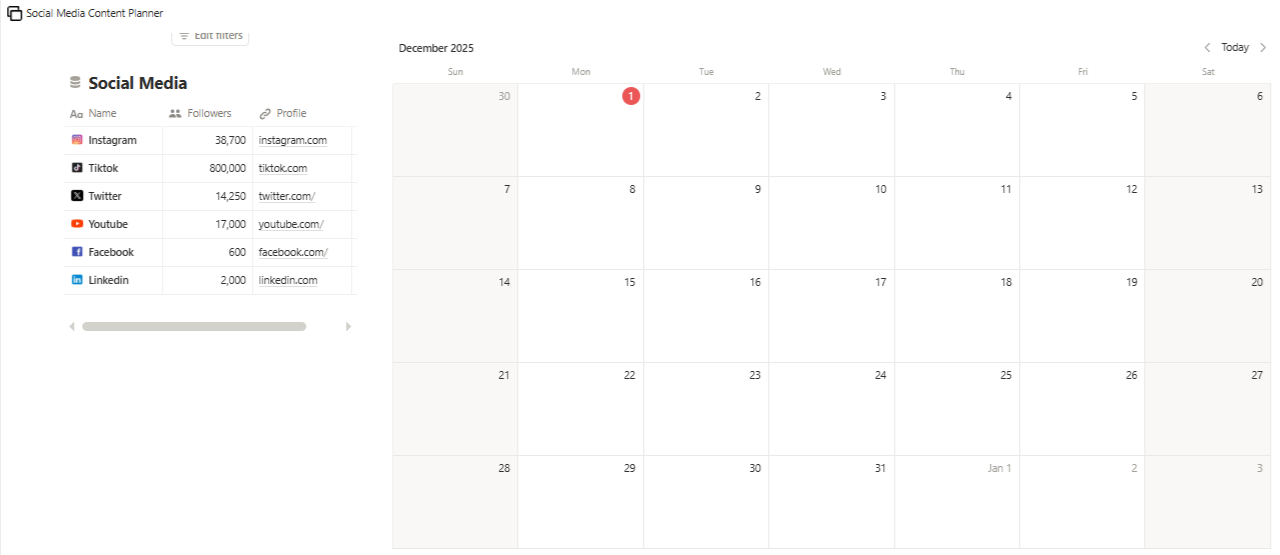
Social Media Content Planner

A fully editable calendar in Google Sheets, Excel, or PDF. Includes fields for date/time, platform, content type, caption, media link, status, and notes. Offers a simple one-page view of your entire posting schedule.

Ideal for creators and small teams managing multiple social channels. Great for campaigns, launches, and consistent day-to-day posting. Keeps your content organized, reduces last-minute stress, and gives you a clear pipeline of what’s planned, drafted, and scheduled, making your workflow smoother and more efficient.

Download

2. Monday.com’s Content Calendar Template

If your team already uses Monday.com, this template makes it easy to bring your entire content workflow into one place. It’s designed to help you plan, track, and manage posts across any platform or campaign without switching tools.
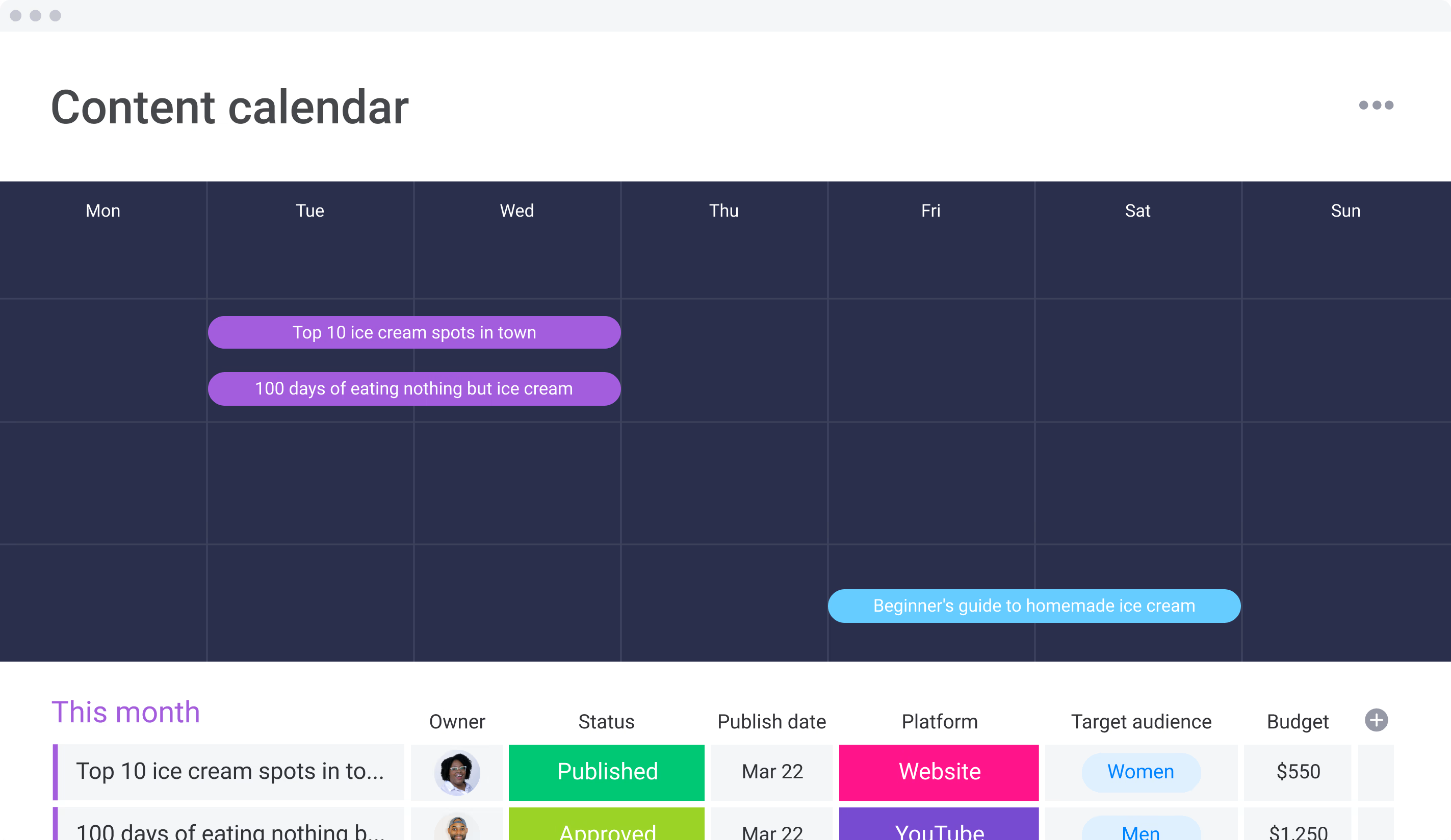
Monday

Built by the Monday.com team, the template supports real-time collaboration, task updates, and status tracking. You can assign work, set deadlines, and monitor progress as your content moves from idea to draft to published.

A key advantage is automation, you can set reminders, trigger notifications, and create custom workflows to keep projects running smoothly. The template also offers multiple viewing options, including a simple table, Kanban-style boards, and a visual timeline, so your team can manage content the way they prefer.

Download

3. Adobe’s Social Media and Schedular Calendar

Adobe Express offers an interactive content calendar that’s more advanced than a basic spreadsheet. You can plan, schedule, and review posts in a simple drag-and-drop layout.
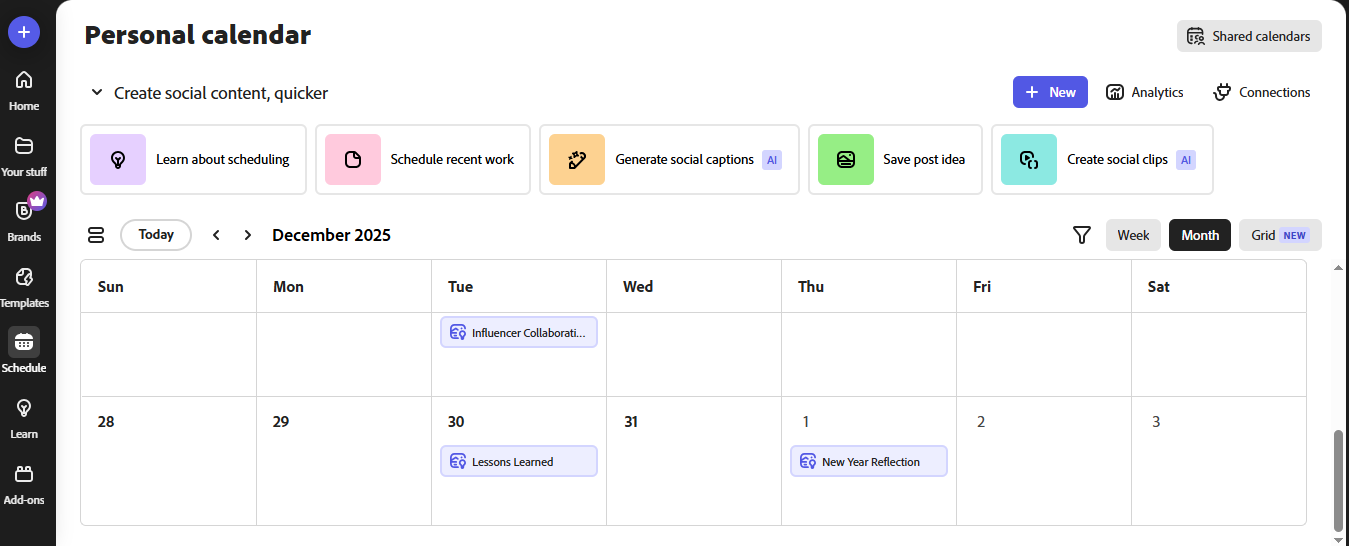
Adobes Social Media Calendar and Scheduler

You can schedule for:

  • Facebook
  • Instagram
  • LinkedIn
  • Pinterest
  • TikTok
  • X/Twitter

It also connects with Metricool, letting you monitor post performance directly from your calendar. A free Adobe Express account (and optional Metricool login) is required for full functionality.

Download

4. Marketing Content Calendar Template

This Google Sheets template gives you a simple monthly view to plan all types of marketing content in one place. You can map out campaigns, launches, blog posts, social updates, and client deliverables across the entire month.
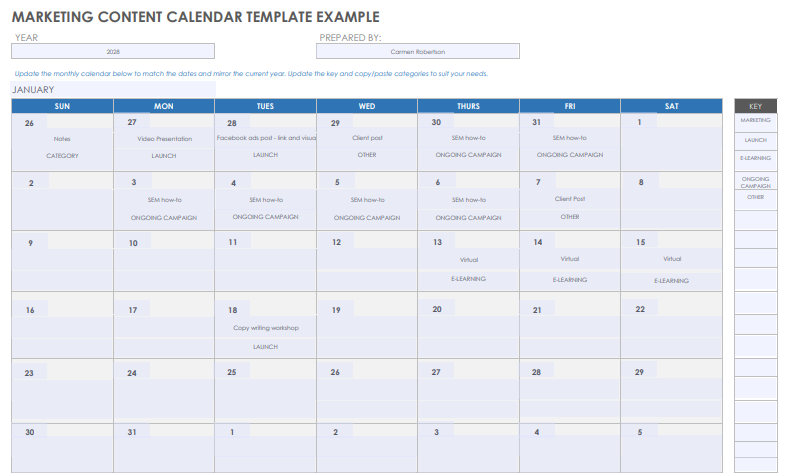
Marketing Content Calendar Template

It includes editable fields for dates, content types, notes, and status updates, helping you stay organized and consistent with your marketing schedule. The calendar is easy to customize, making it suitable for teams managing multi-channel campaigns or solo marketers planning their weekly workload.

Downloadable directly in Google Sheets, it’s a quick and flexible way to keep your marketing plan structured and on track.

Download

5. Blogging Editorial Calendar Template

This Google Sheets template helps you plan blog content month by month, keeping your ideas, topics, and deadlines organized in a simple layout. Each month includes space for dates, article topics, and related events, making it easier to map out seasonal posts or long-term content plans.
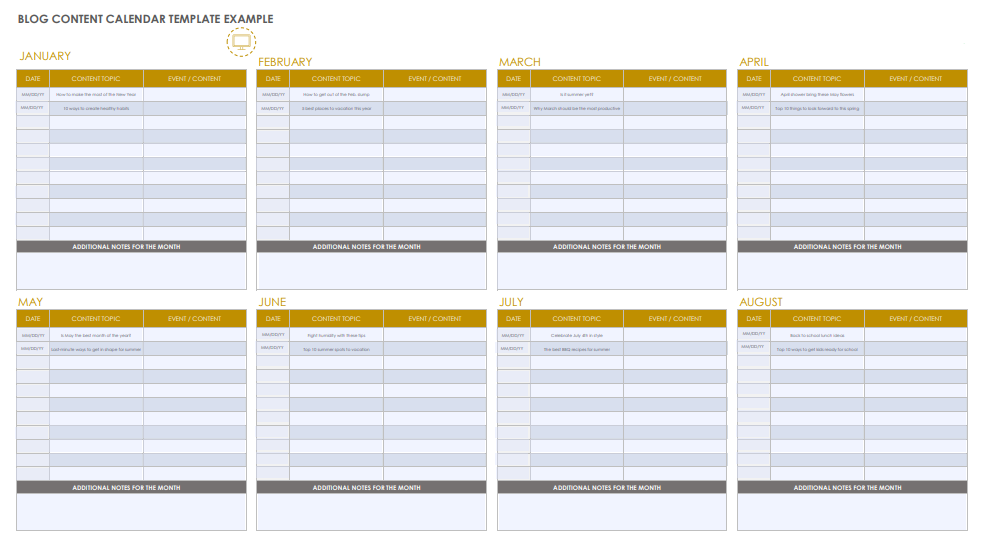
Blogging Editorial Calendar Template

It’s fully editable, so you can adjust categories, reorder topics, and expand sections as needed. Ideal for bloggers, content writers, and teams who want a clear overview of upcoming articles and publishing timelines.

Downloadable in Google Sheets, it’s a practical tool for maintaining a consistent blogging schedule throughout the year.

Download

6. Asana Content Calendar Template

Asana’s content calendar is great for individuals or small teams managing a limited number of projects. Once you create a free Asana account, you can start organizing ideas, scheduling posts, and planning weekly or monthly content in a visual layout.
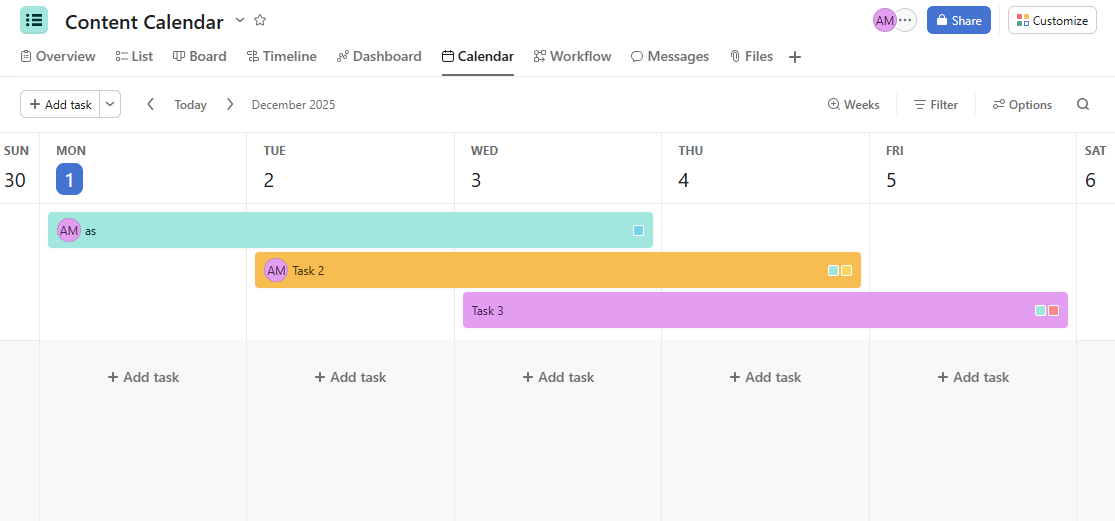
Asana Content Calendar Template

Because it’s built on a project-management platform, you get features a normal spreadsheet can’t offer like drag-and-drop scheduling, custom fields for platforms, and workflow tracking. You can also assign tasks to teammates, making it easy for writers, designers, and editors to collaborate and complete content steps in order.

This template gives you a clear view of what’s planned, what’s coming up, and who’s responsible for each piece of content.

Download

7. SEO Content Calendar Example

This SEO calendar helps you plan search-focused content more efficiently. It includes space to organize topics, target keywords, publish dates, and content status so you can see your entire SEO pipeline in one place.
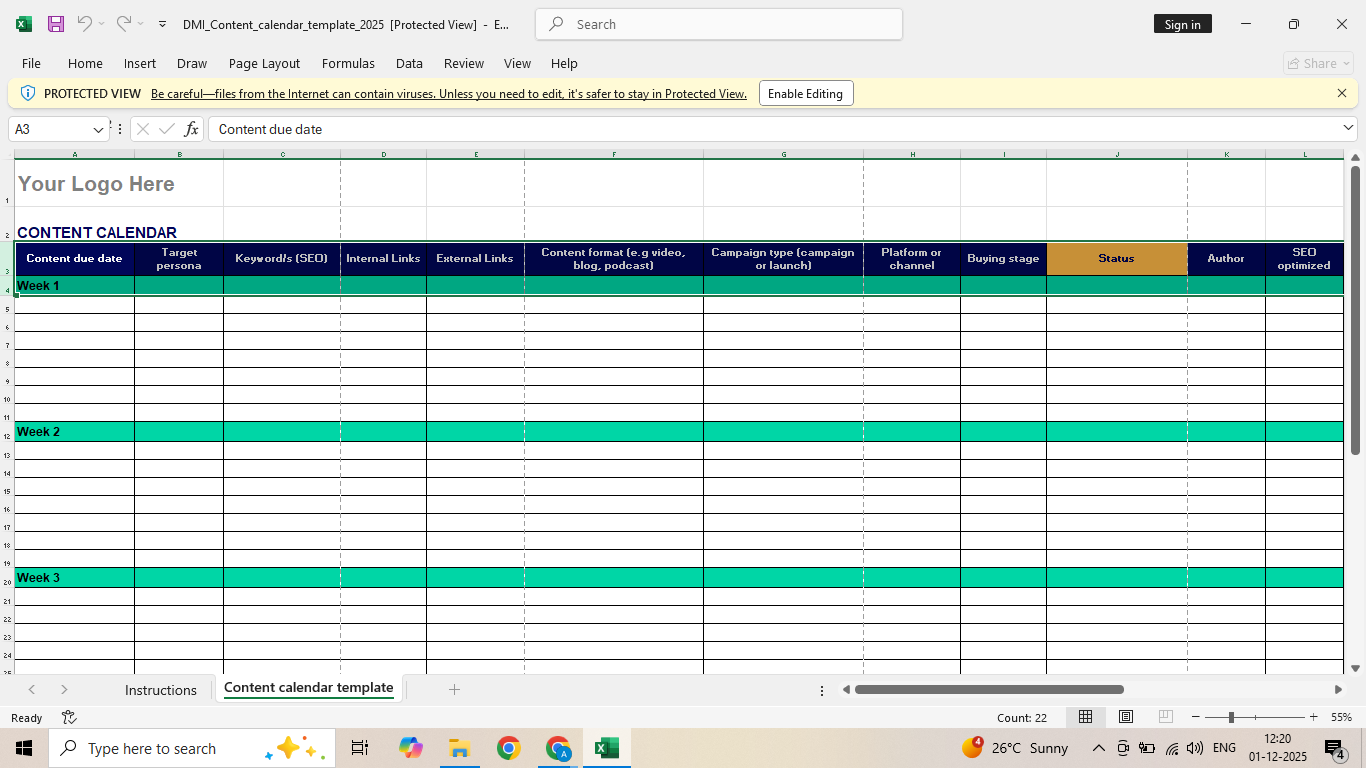
SEO Content Calendar Example

You can track each piece from idea to draft to published, making it easier to stay consistent and ensure every article aligns with your keyword strategy. Ideal for bloggers, content teams, and marketers managing multiple SEO tasks each month.

This template keeps your workflow organized and helps you prioritize content that supports long-term search performance.

Download

8. HootSuite’s Social Media Content Calendar

This Google Sheets calendar from HootSuite lets you plan content across five major platforms, including Facebook, Instagram, Twitter, LinkedIn, and TikTok. It’s fully customizable, so you can adjust the channels and categories to match your strategy.
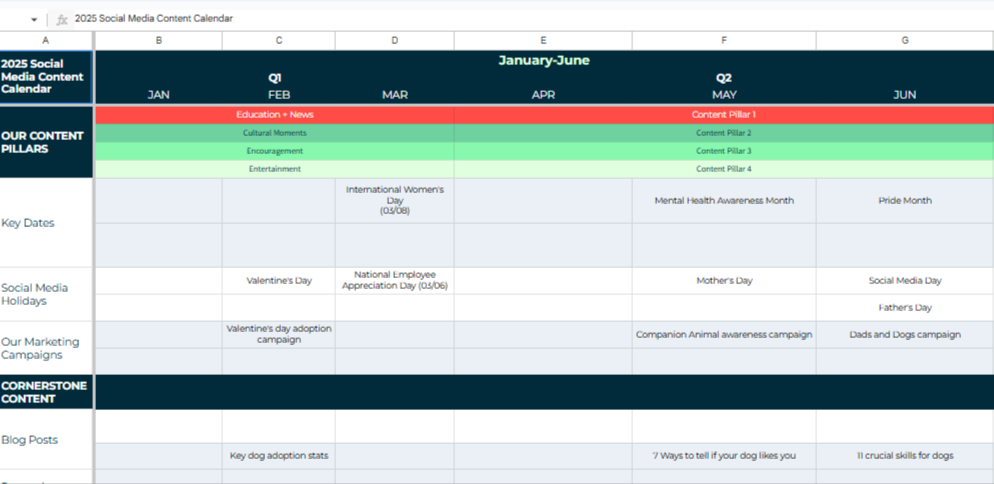
HootSuites Social Media Content Calendar

The template includes monthly, weekly, and campaign views, along with an evergreen content section for storing long-lasting ideas and blog links. It’s a simple way to organize posts, track key dates, and keep your social content consistent throughout the year.

Download

9. ClickUp Content Calendar

Like other project-management tools, ClickUp offers a built-in content calendar you can use once you create a free account. It includes multiple viewing options and helps teams stay organized across channels.
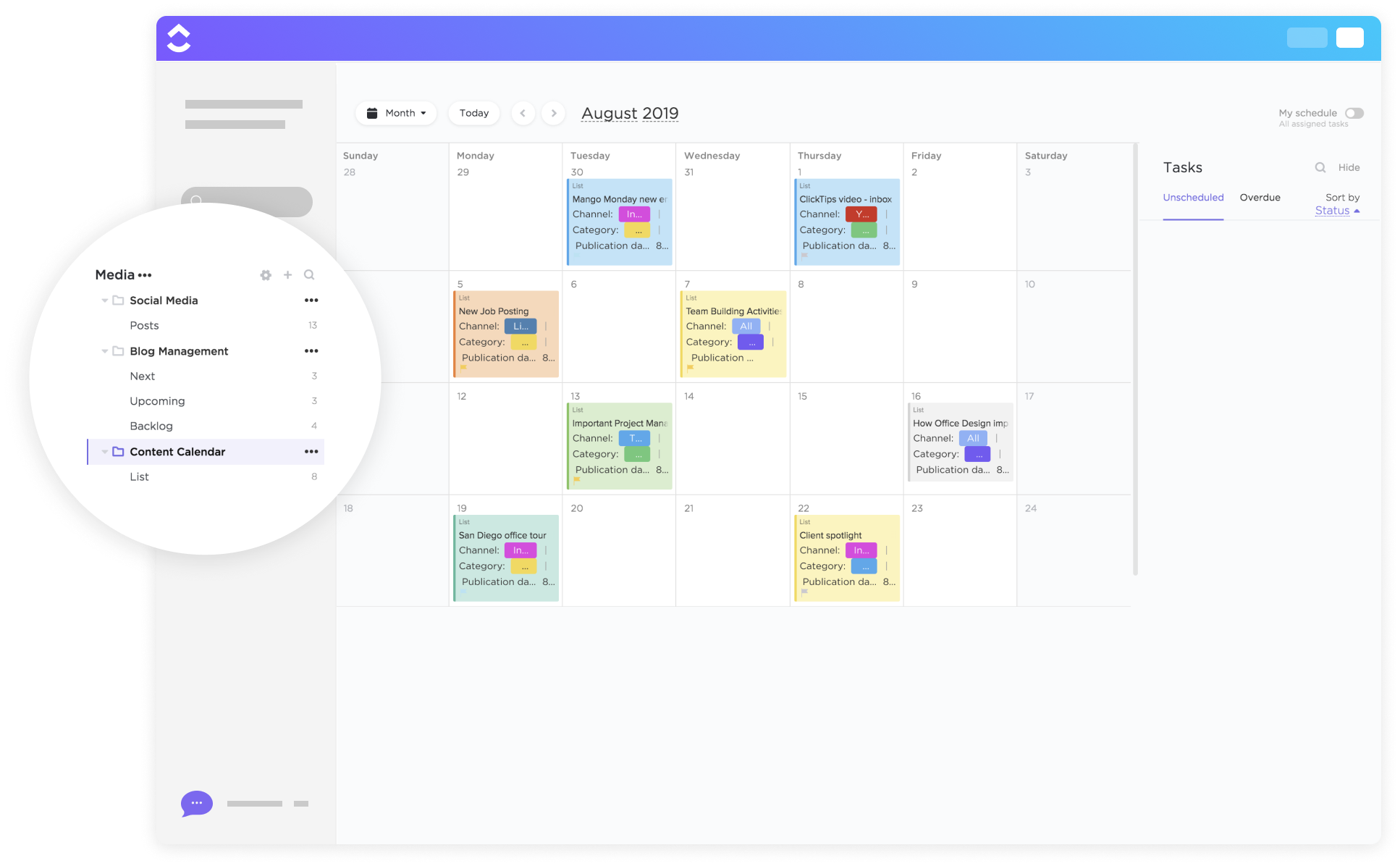
ClickUp Content Calendar

With this template, you can:

  • Plan and organize content by platform, date, and status
  • Store ideas for upcoming posts and campaigns
  • Assign tasks to teammates and track progress
  • Prioritize content based on goals or external trends
  • Switch between list, calendar, and timeline views

Download

10. Later’s Content Calendar Template

Later offers a simple downloadable content calendar that helps creators and marketers plan posts ahead of time. You can map out content themes, posting dates, and platforms in a clean monthly layout, making it easier to stay consistent across Instagram, TikTok, Facebook, and other channels.
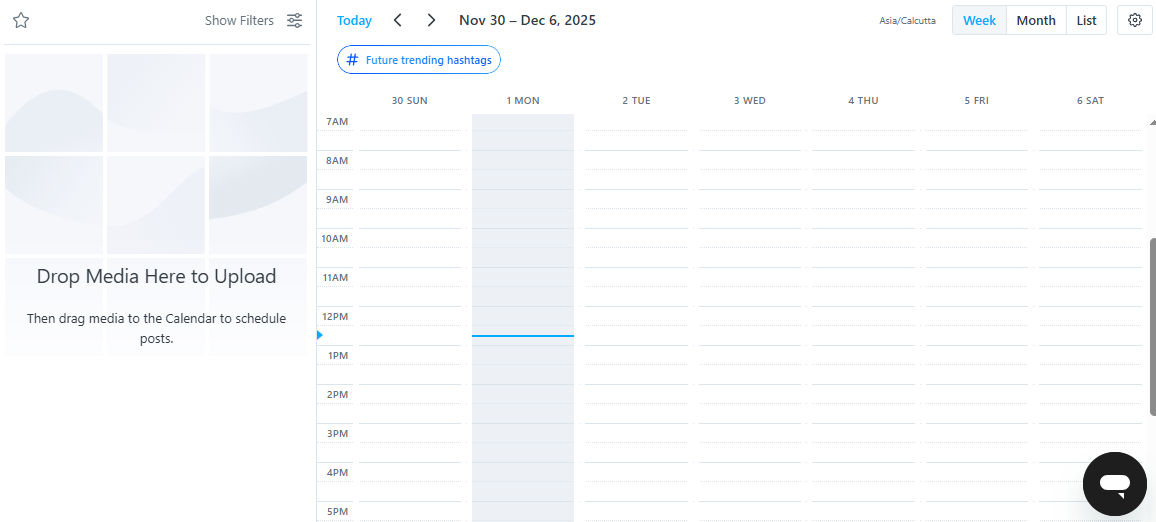
Laters Content Calendar Template

The template is ideal for organizing campaigns, tracking seasonal events, and avoiding last-minute posting. It’s fully customizable and easy to share with your team, giving everyone a clear view of your upcoming social media schedule and strategy.

Download

11. Hallam’s Social Media Content Calendar Example

Digital agency Hallam releases an updated version of its social media and PR calendar every year, and this edition provides a clear monthly layout packed with relevant events, awareness days, and campaign opportunities. Each month includes national and international dates you can use to build timely and engaging content.
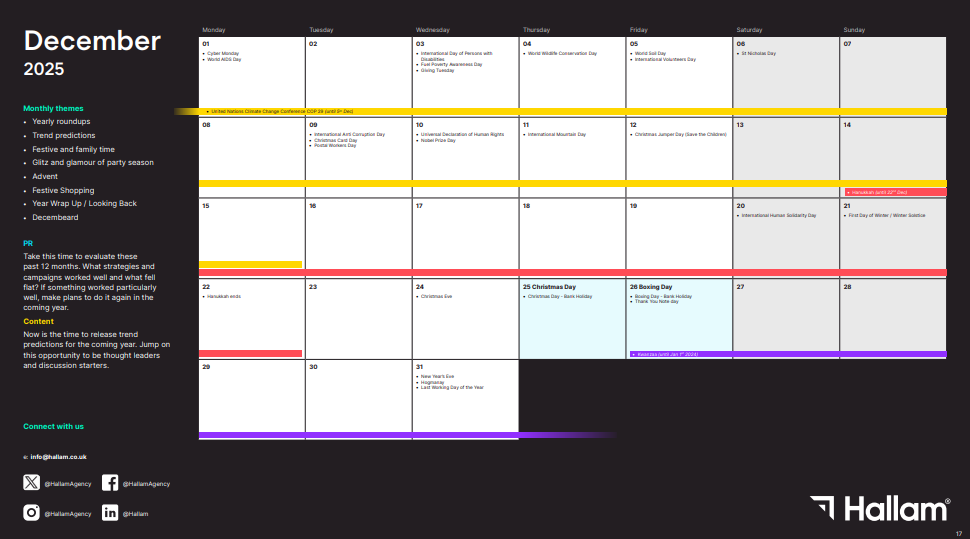
Hallams Social Media and PR Calendar Example

The calendar also features themed sections and monthly tips to help guide your planning and spark new ideas. It’s a practical tool for staying organized and ensuring your content aligns with seasonal trends all year round.

Download

12. Socially Powered’s Content Calendar

Created by marketing consultant Erin Cell, this Google Sheets calendar gives you an organized weekly structure for planning posts across multiple platforms. It includes sections for themes, content ideas, links, notes, and even a dedicated area for Twitter posts with character counts.
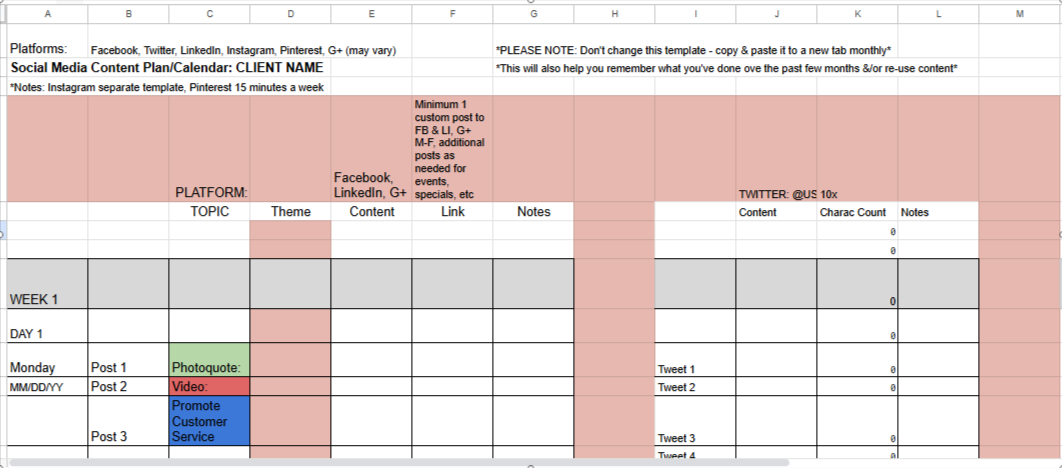
Socially Powereds Content Calendar Template

The template also comes with built-in posting prompts, such as “Fun Fact” and “True/False,” which help spark ideas when you’re unsure what to post. It’s a simple but helpful tool for staying consistent and inspired throughout your social media schedule.

Download

13. Multipurpose Content Calendar Example

This template from Monday.com is designed to help you organize and manage content plans across any channel. It provides a clear monthly view where you can map out posts, track publishing dates, assign owners, and monitor status all in one place.
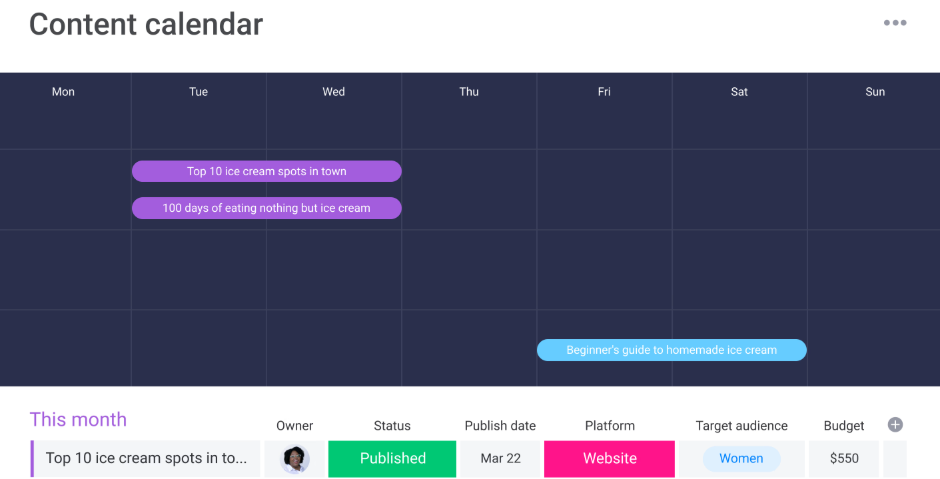
Multipurpose Content Calendar Template

It also includes built-in automations to save time, sending reminders as deadlines approach and helping you keep projects on track. With multiple viewing options, including table, Kanban board, and timeline, this template makes it easy to manage your content workflow the way that suits you best.

Download

14. HootSuite’s Social Media Editorial Calendar

This is another simple content calendar from HootSuite, designed to help you plan individual content pieces more efficiently. You can duplicate the template for each month and map out your content week by week.
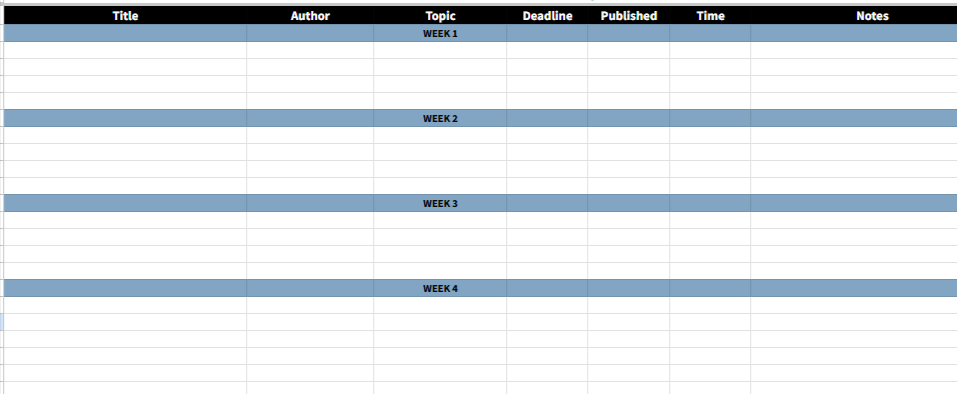
HootSuites Social Media Editorial Calendar

The calendar includes space for:

  • Title
  • Author
  • Topic
  • Deadline
  • Published
  • Time
  • Notes

If needed, you can also add extra fields like links to assets or details about the content type by creating a new column or two.

Download

15. HubSpot’s Social Media Content Calendar

This social media calendar from HubSpot helps you plan your posting schedule in one organized spreadsheet. You can customize it by month and use it to map out weekly or monthly campaigns with ease.
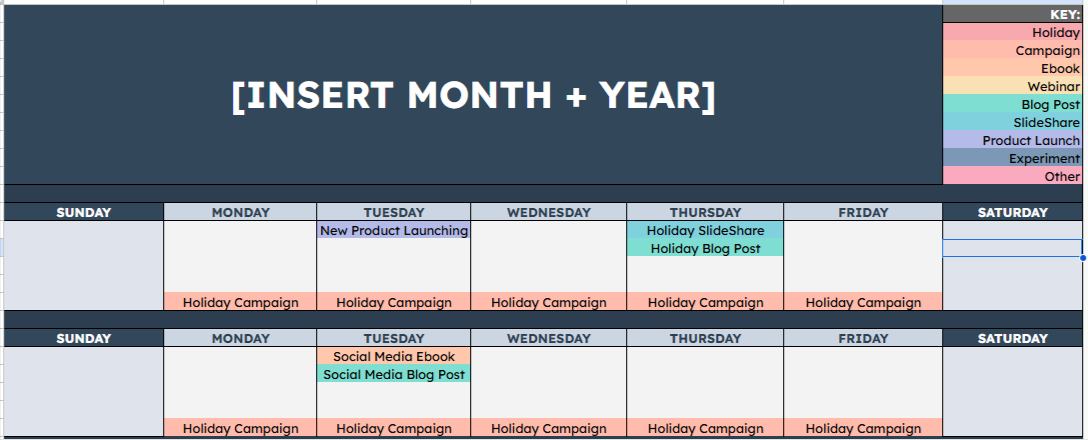
HubSpots Social Media Content Calendar

It includes multiple tabs to support different parts of your social strategy, from daily posts to larger monthly plans. You’ll also get dedicated sections for each platform, making it simple to organize content across all your channels in one place.

Download

16. Examiner’s Social Media Content Calendar

Social Media Examiner offers a simple Google Sheets calendar designed to help you plan content across multiple platforms day by day. Each month includes dedicated rows for Facebook, Twitter, Instagram, Pinterest, and YouTube, giving you a clear overview of what to post on each channel.
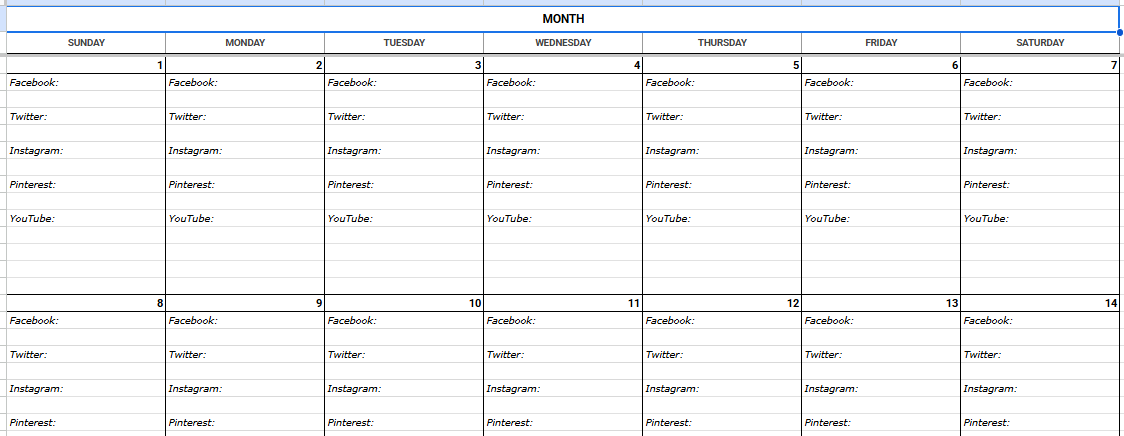
Examiners Social Media Content Calendar Template

While it’s not as visually styled as some other templates, it’s highly detailed and practical especially for teams that publish large volumes of content. The clean layout makes it easy to stay organized and maintain consistency across all platforms.

Download

17. Social Media Calendar for Small Business

Small Business Trends offers a free content calendar designed specifically for small businesses. It’s based on the same planning system their own marketing team uses, making it a practical tool for brands that want a clear posting structure each day of the week.
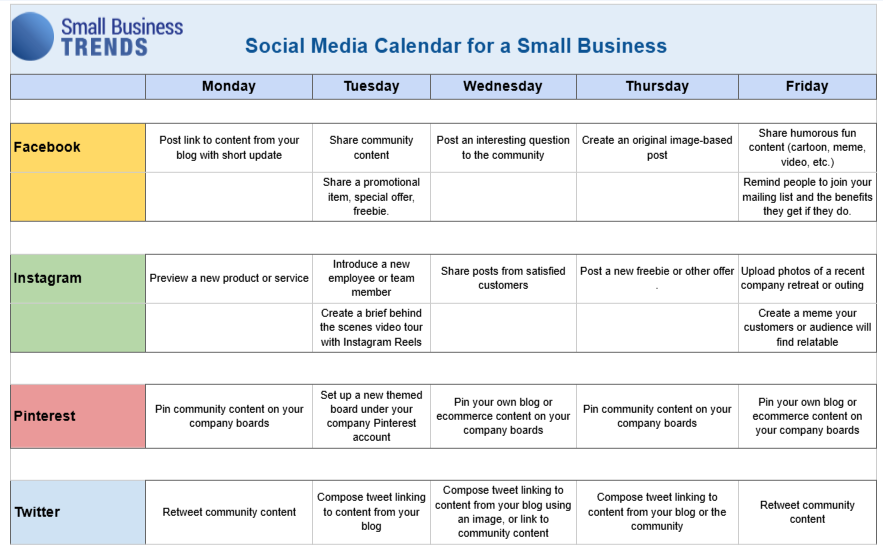
Social Media Calendar for Small Businesses

The calendar is available in PDF, Excel, and Word formats, with sections for multiple platforms and daily prompts to help generate ideas. It’s an easy way for small teams to stay organized, post consistently, and keep their social channels active with relevant content.

Download

18. Vertex24’s Content Calendar Template

Vertex24 offers a free content calendar template designed to help you plan and track the progress of your social media tasks. It includes both a standard monthly calendar view and a detailed Gantt-style layout, giving you a clear visual breakdown of each post’s timeline and status.
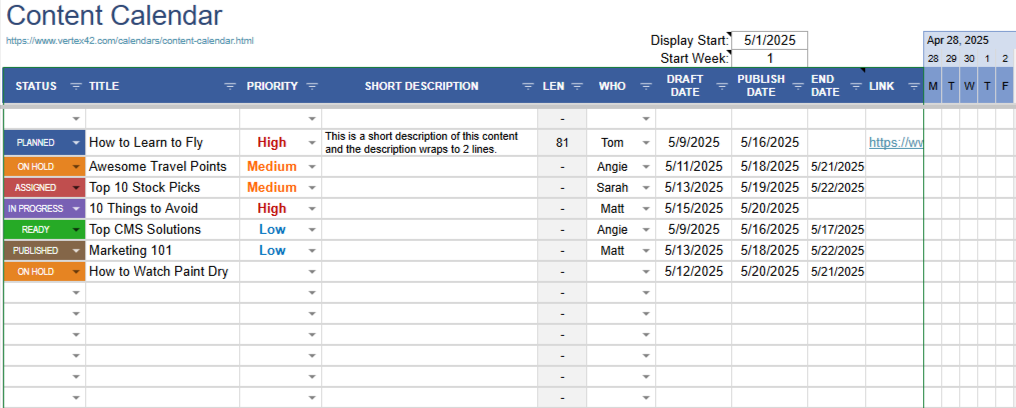
Vertex24s Content Calendar Template

The template also comes pre-filled with major US holidays and events, providing quick inspiration for timely content ideas. It’s a practical option for teams that want a simple way to manage deadlines, track drafts, and keep their content workflow organized.

Download

19. Template.Net’s Content Calendar Example

Template.net provides a customizable content calendar designed to help teams plan and organize posts for multiple platforms. It includes editable sections for dates, content types, hashtags, and authors, giving you a clear snapshot of your posting schedule across channels like Facebook, Instagram, LinkedIn, Pinterest, and more.
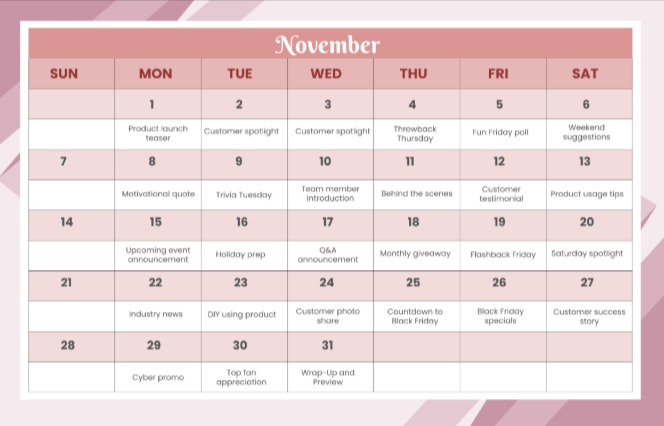
Template

The template is available in Word, Google Docs, Apple Pages, and PDF formats, making it easy to download and adapt to your workflow. Just fill in each column to create a simple, shareable overview of your content strategy for the month. Here you can check main calendar categories.

Download

20. CoSchedule’s Social Media Content Calendar

CoSchedule offers a free content calendar spreadsheet that helps you plan daily posts across multiple social platforms in one place.
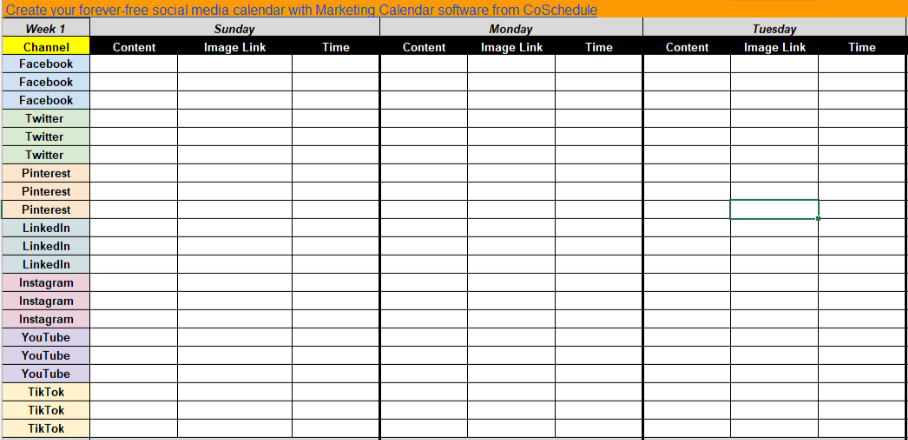
CoSchedules Social Media Content Calendar Template

This template lets you:

  • Schedule posts by channel, day, and time
  • Filter daily posts by platform
  • Color-code content by category
  • Add monthly notes for important topics
  • Spot posting gaps using a clear monthly view

Download

21. SocialBee’s Social Media Content Calendar

SocialBee provides weekly social media calendars for every month of the year, with built-in sections for seven major social platforms:

  • Facebook
  • Twitter
  • Instagram
  • LinkedIn
  • Pinterest
  • Google My Business
  • TikTok
SocialBees Social Media Content Calendar

Each platform section includes fields for hashtags, visuals, notes, due dates, and analytics, making it easy to record all the details for each post. You can also add publish dates, final URLs, and content ideas directly into the sheet.

As with any spreadsheet-based template, everything is fully customizable, so you can adjust it to match your posting process and social media workflow.

Download

22. Jotform’s Social Media Calendar Example

Jotform isn’t a traditional content planning tool, but it offers a useful social media calendar within its collection of “marketing sheets.” You’ll need a Jotform account to access it, but the free plan lets you create up to five forms.
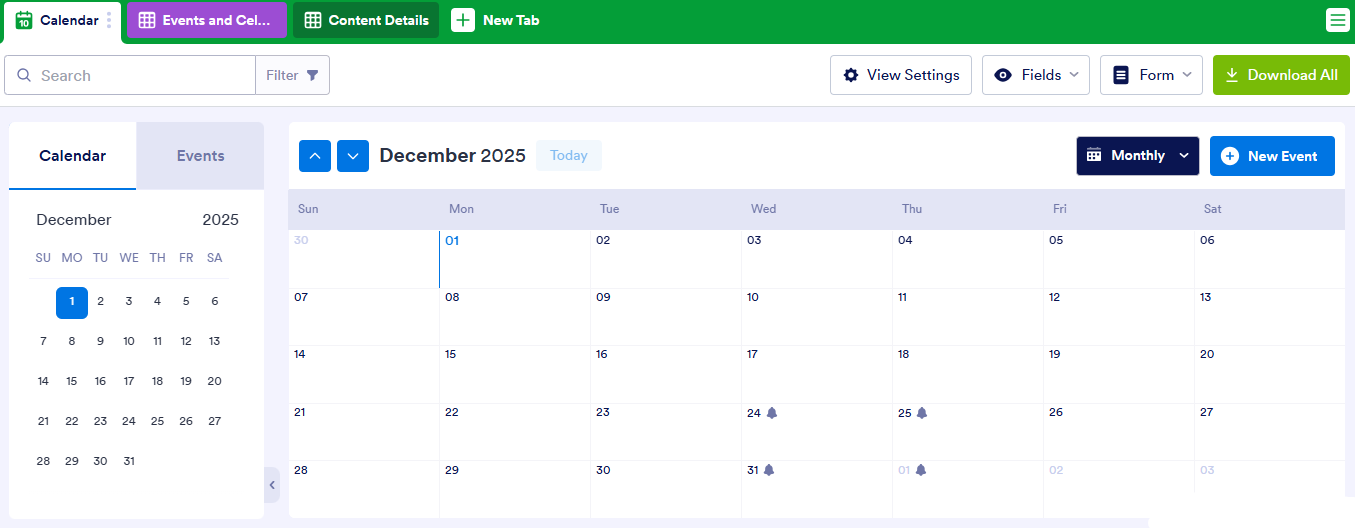
Jotforms Social Media Calendar Example

Once you enter details for each post such as content type, platform, and scheduled date Jotform automatically organizes everything into a color-coded spreadsheet. The calendar view can then be shared with your team and accessed across devices, making scheduling and coordination much easier.

Download

23. Loomly’s Social Media Content Calendar

Loomly, a popular social media management tool, offers a helpful Google Sheets content calendar that makes it easy to plan, create, and track posts across multiple platforms. The template is simple to customize and gives you a clear monthly overview of your content.
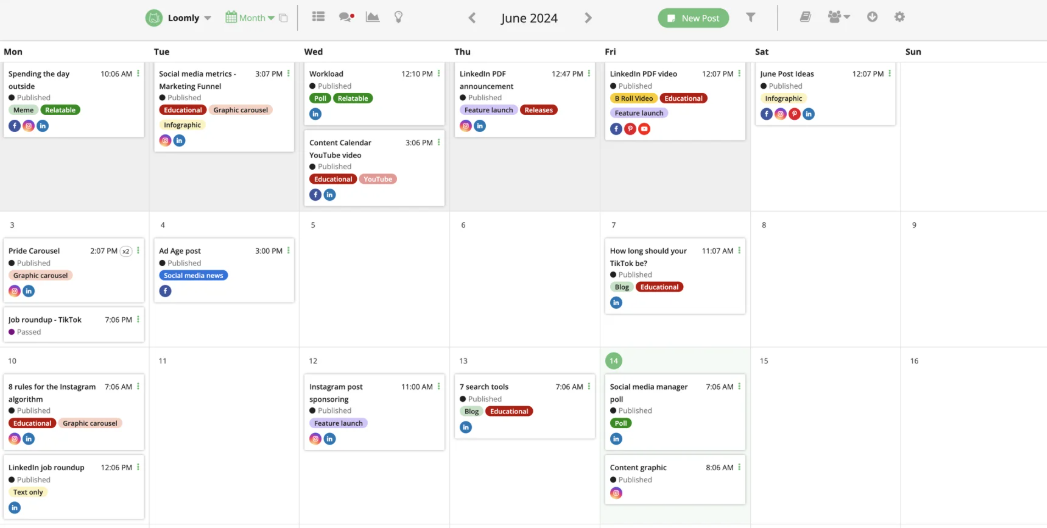
Loomlys Social Media Content Calendar

It includes dedicated columns for media assets, post copy, hashtags, and even a built-in character counter, which is especially useful for platforms like Twitter. There’s also a comments section, making it easy for team members to leave notes and collaborate on individual posts.

Download

24. Airtable Content Calendar Example

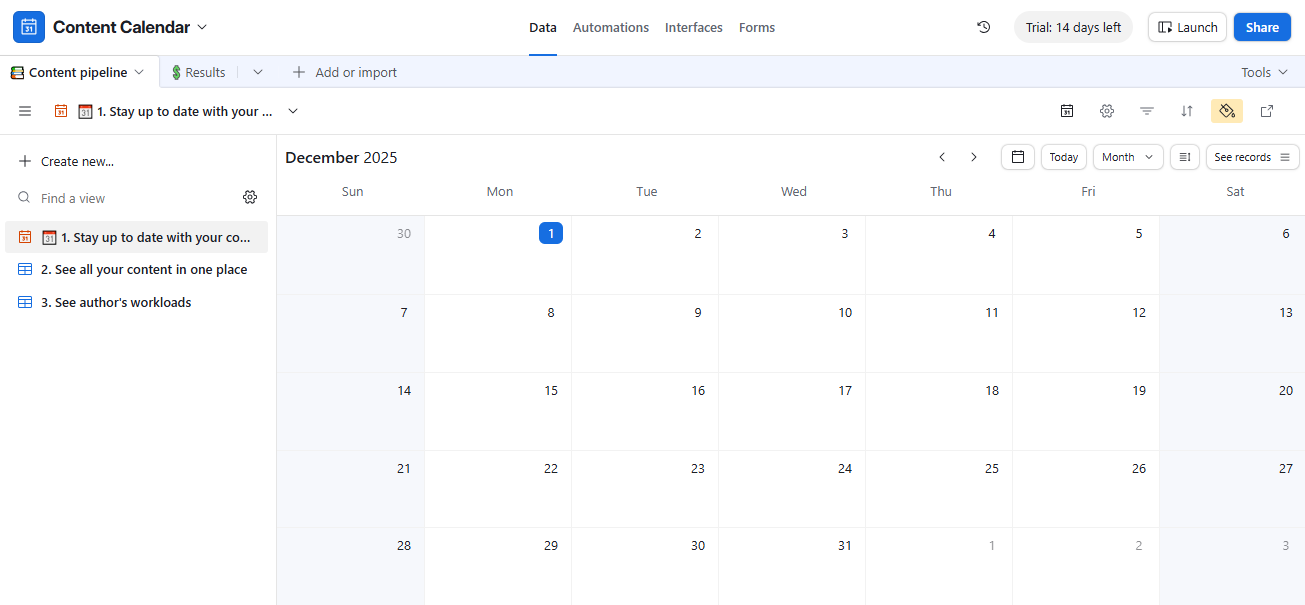
Airtable works as both a spreadsheet and a database, making it a great option for planning and managing your content in one organized platform.
Airtable Content Calendar Example

With this content calendar, you can:

  • Assign tasks and track deadlines using multiple calendar views
  • Get a clear, big-picture overview of your content pipeline
  • Publish scheduled posts with a single click

You’ll need an Airtable account to use the template, but if your team has up to five users, the free plan is more than enough.

Download

25. Miro’s Social Media Content Calendar

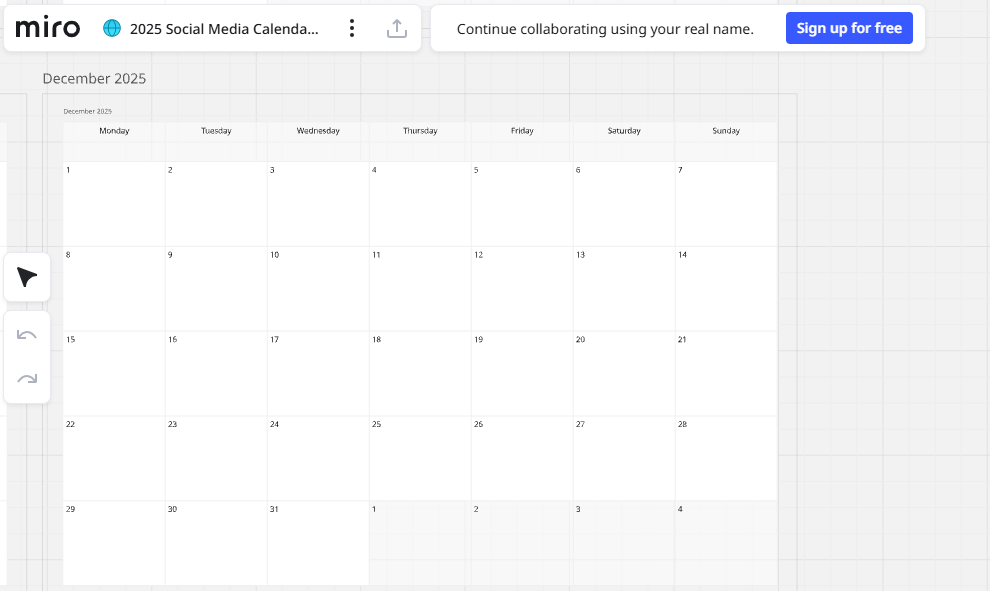
Miro is an online whiteboard platform that gives you more flexibility than a traditional spreadsheet, making it easy to customize the calendar to your team’s workflow and planning style.
Miros Social Media Content Calendar

Miro’s social media calendar includes:

  • The date, time, and timezone for each scheduled post
  • Social networks where each post will be published
  • Space for copy, visuals, and media assets
  • Relevant links, tags, and references
  • Geo-targeting details
  • Indicators for organic or paid posts
  • Sections for feedback, notes, and approvals

You’ll need a Miro account to use the template, but the free plan includes three editable boards and unlimited collaborators, perfect for small teams.

Download

26. Canvas Monthly Content Calendar

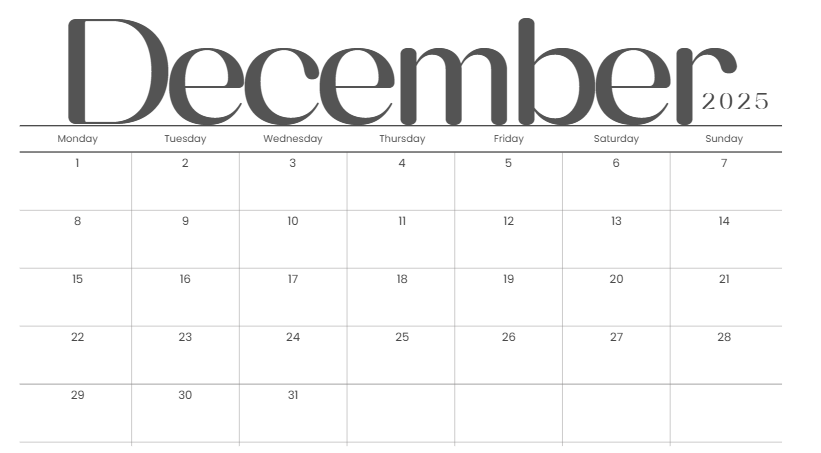
Canva offers a customizable monthly planner that works perfectly as a visual content calendar. You can edit every part of the layout dates, colors, notes, reminders, and daily content slots making it easy to map out campaigns, posts, and ideas for the entire month. Since it’s built inside Canva, you can design your graphics and plan your schedule in the same place, which helps keep your workflow simple and organized.
Canvas Monthly Content Calendar

The calendar also connects with Canva’s Content Planner, allowing you to schedule posts directly to platforms like Instagram, Facebook, LinkedIn, and Pinterest. Whether you’re managing personal content or coordinating with a team, this template gives you a clean overview of your month and helps you stay consistent with your posting routine.

Download

27. Wrike’s Content Calendar for Projects

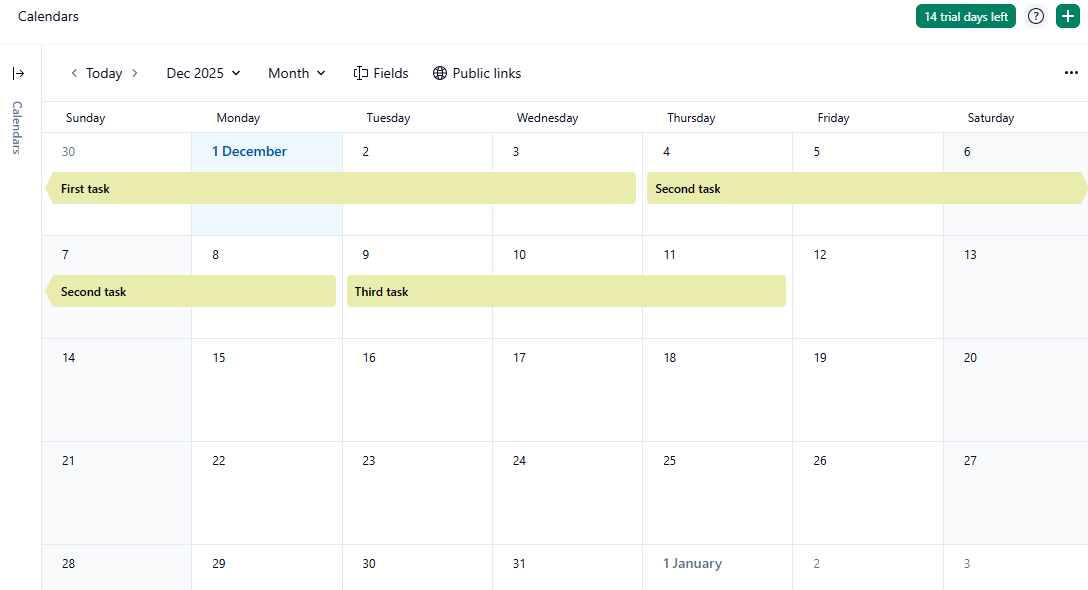
Wrike offers a structured content calendar that helps teams plan and organize content projects in one place. It’s useful for managing blogs, social posts, videos, and campaign assets.
Wrikes Content Calendar for Projects

You can assign tasks, set deadlines, and track progress with custom statuses. Team members can also leave comments, add files, and collaborate directly on each content item.

Visual dashboards and workflow automation make it easy to monitor production and keep everything on schedule. It’s a simple way to stay organized from idea to publish.

Download

28. Semrush Content Calendar for Blog Posts
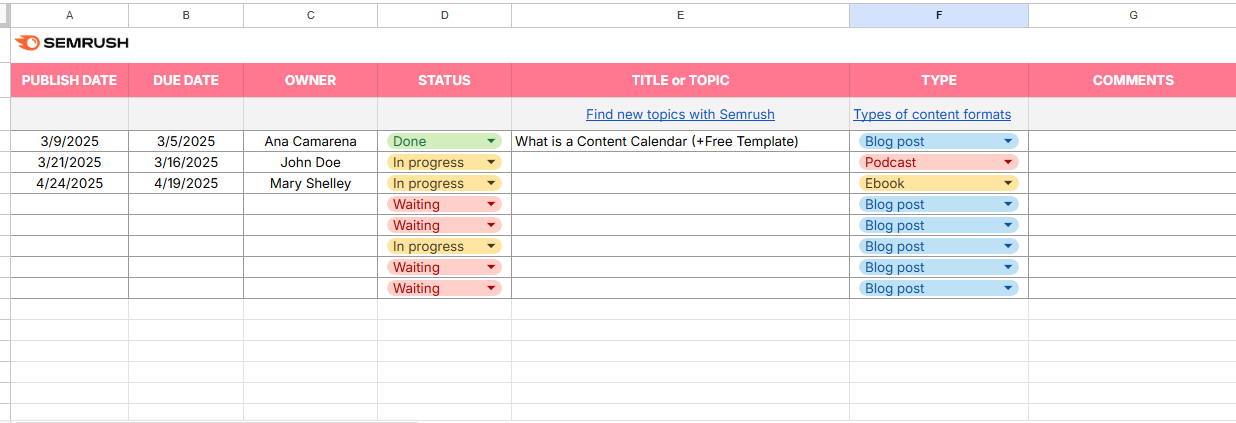
Semrush Content Calendar for Blog Posts

Semrush offers a simple editorial calendar template that helps you plan and organize blog posts in one place. It includes sections for titles, publish dates, authors, and status, making it easy to track each post from idea to completion.

The calendar is useful for scheduling content ahead of time, managing deadlines, and keeping your blog consistent month after month. It’s a straightforward tool for bloggers and content teams who want a clear overview of their publishing schedule.

Download

29. Zapier Content Calendar Example

Zapier offers a simple spreadsheet-based content calendar that helps you plan and track blog posts, social media updates, newsletters, and other content types in one place. It includes fields for topics, authors, publish dates, channels, and status, making it easy to manage each piece from idea to completion.
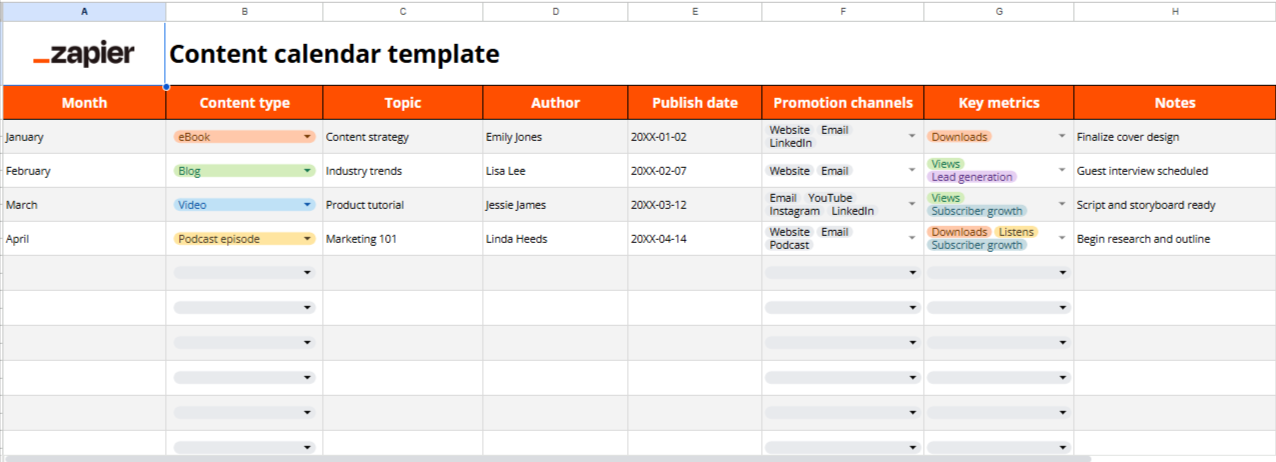
Zapier Content Calendar Example

Because the template works with Zapier’s automation tools, you can also connect it to other apps to streamline tasks like scheduling, publishing, or sharing content. It’s a practical option for teams who want an organized calendar with automation built in.

Download

30. Video Content Calendar Example

Coefficient’s Video Content Calendar helps you plan, organize, and schedule all your video content in one place. It’s built for Google Sheets and Excel, making it easy to track ideas, production timelines, and publish dates.
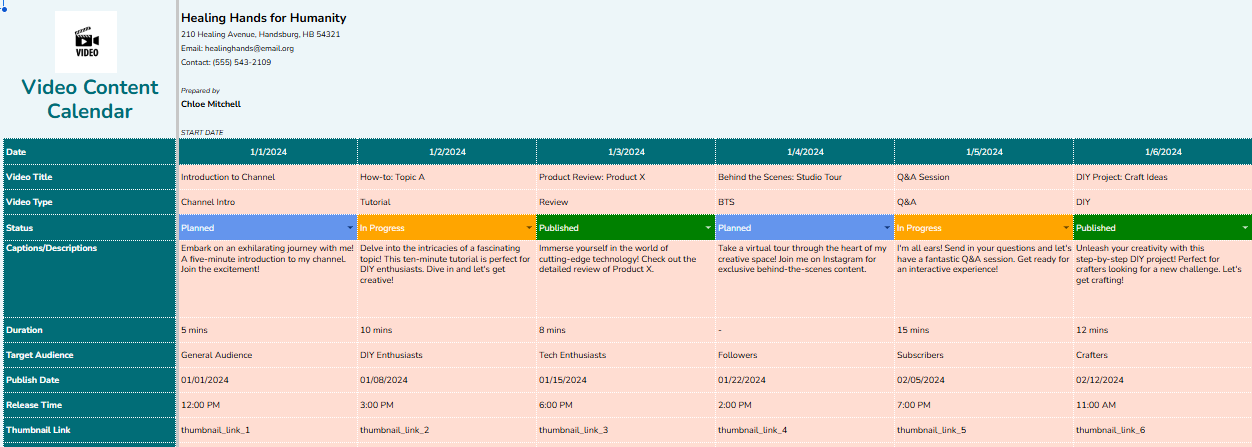
Video Content Calendar Example

The template gives you a clear overview of upcoming videos, their status, and the platforms they’ll appear on helping creators stay consistent and avoid last-minute production stress.

The calendar includes space for:

  • Video titles and topic ideas
  • Production and editing timelines
  • Publish dates and channels
  • Status tracking (draft, editing, scheduled, published)
  • Notes, assets, and reference links

Download

31. Podcast Content Calendar Template
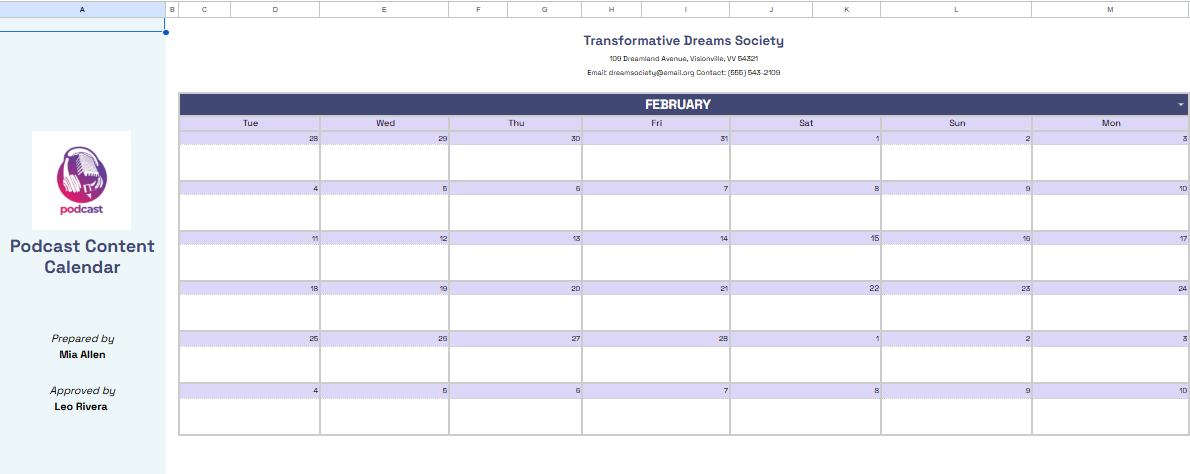
Podcast Content Calendar Template

This template helps podcasters plan, organize, and schedule every podcast episode from idea to release.

The calendar includes space for:

  • Episode title and topic ideas
  • Guest details (if any), recording date, and publish date
  • Status tracking (research → recording → editing → published)
  • Promotion plan and associated content (social-media posts, show notes, etc.)
  • Notes, links, and additional metadata (assets, transcripts, campaign tags)

Use this template to maintain consistency, avoid last-minute rushes, and keep your podcast production workflow organized.

Download

32. Email Content Calendar Example

Coefficient.io offers a simple email content calendar template that helps you plan and schedule newsletters, promotions, and automated email campaigns. It includes sections for send dates, subject lines, audience segments, and content status, giving you a clear overview of your email plan.
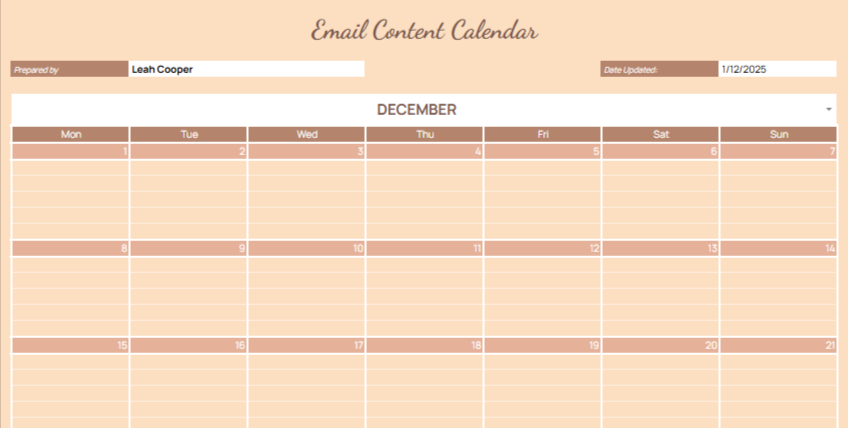
Email Content Calendar Example

The template works in Google Sheets or Excel, making it easy to edit and share with your team. It’s a practical way to stay consistent with email marketing, avoid overlapping sends, and plan around key events or product launches.

Download

33. Newsletter Content Calendar Template

This Template.net newsletter calendar offers a simple monthly layout for planning upcoming email content. It includes editable fields for dates, themes, key messages, and call-to-action notes, making it easy to outline what each newsletter will cover.
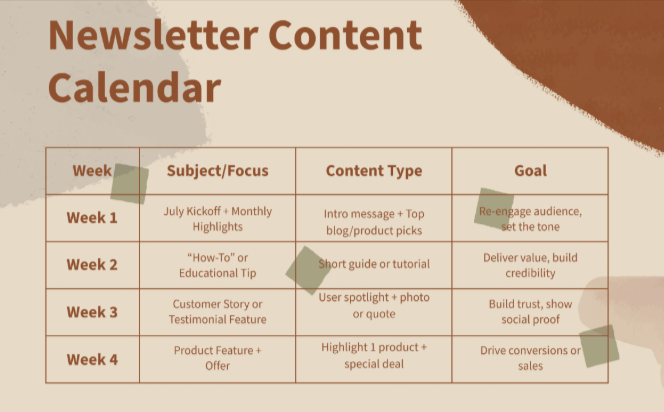
Newsletter Content Calendar Template

You can customize the template online or download it in multiple formats such as Google Sheets, Excel, Word, or PDF. It’s a practical tool for staying organized, preparing newsletters ahead of time, and keeping your email schedule consistent.

Download

34. Education Content Calendar Example

This education-focused content calendar from Template.net is designed to help teachers, educators, and academic content creators plan lessons, blog posts, or course materials throughout the year. It provides editable fields for dates, topics or modules, content type, and notes so you can easily organize weekly or monthly content flow.Education Content Calendar Example
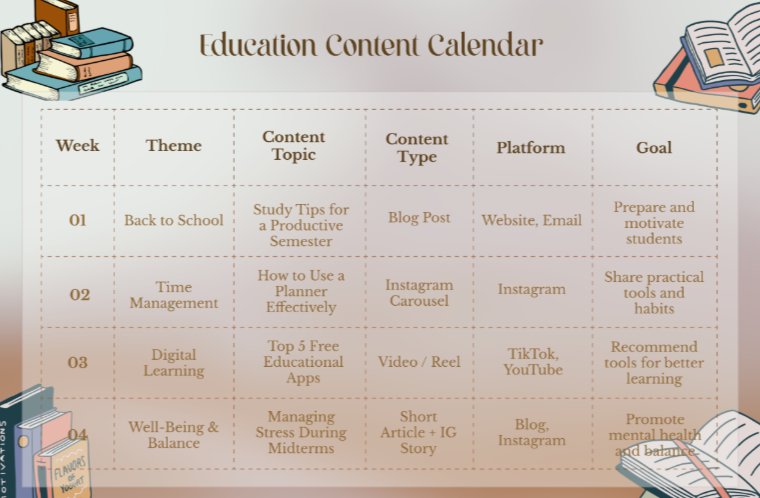
You can download or edit it online in multiple formats (Google Sheets, Excel, Word, PDF), making collaboration and schedule adjustments simple. It’s a handy tool for anyone managing educational content, course schedules, or academic publishing timelines.

Download

35. Hive’s Content Calendar Example

Hive provides a powerful content calendar template that helps teams plan, schedule, and track content across platforms. With Hive, you can outline themes, set publication dates/times, and monitor content performance all in one flexible dashboard.
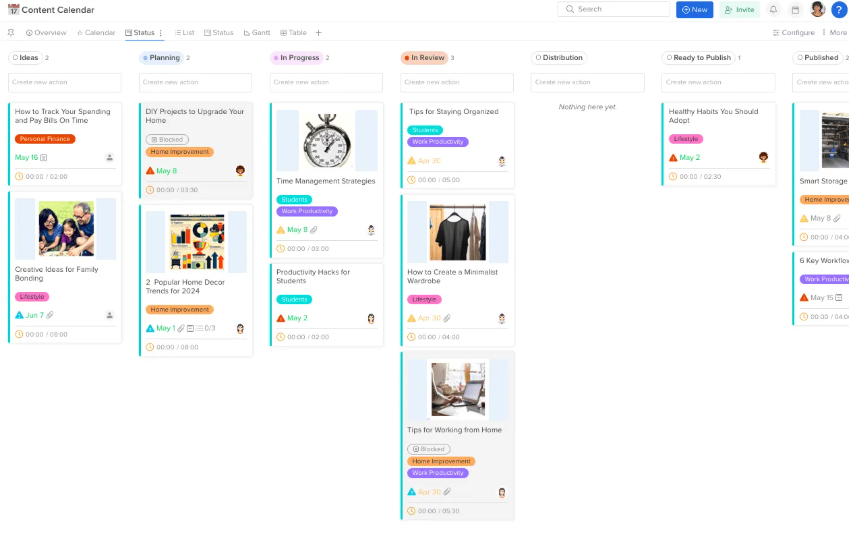
Hives Content Calendar Example

The template supports collaboration you can assign tasks, attach media, add comments, and manage approvals directly. It’s well-suited for content creators, marketers, and social-media teams who want a streamlined, organized workflow from content idea to publish.

Download

36. Weekly Content Calendar Template

Here anothers Canva’s Weekly Content Calendar template gives you a neat, week-by-week layout that makes it easy to map out posts, content ideas, and publishing schedules at a glance. You can plan social media posts, blog posts, or other content types and since it’s built in Canva, you can also design visuals directly in the same place
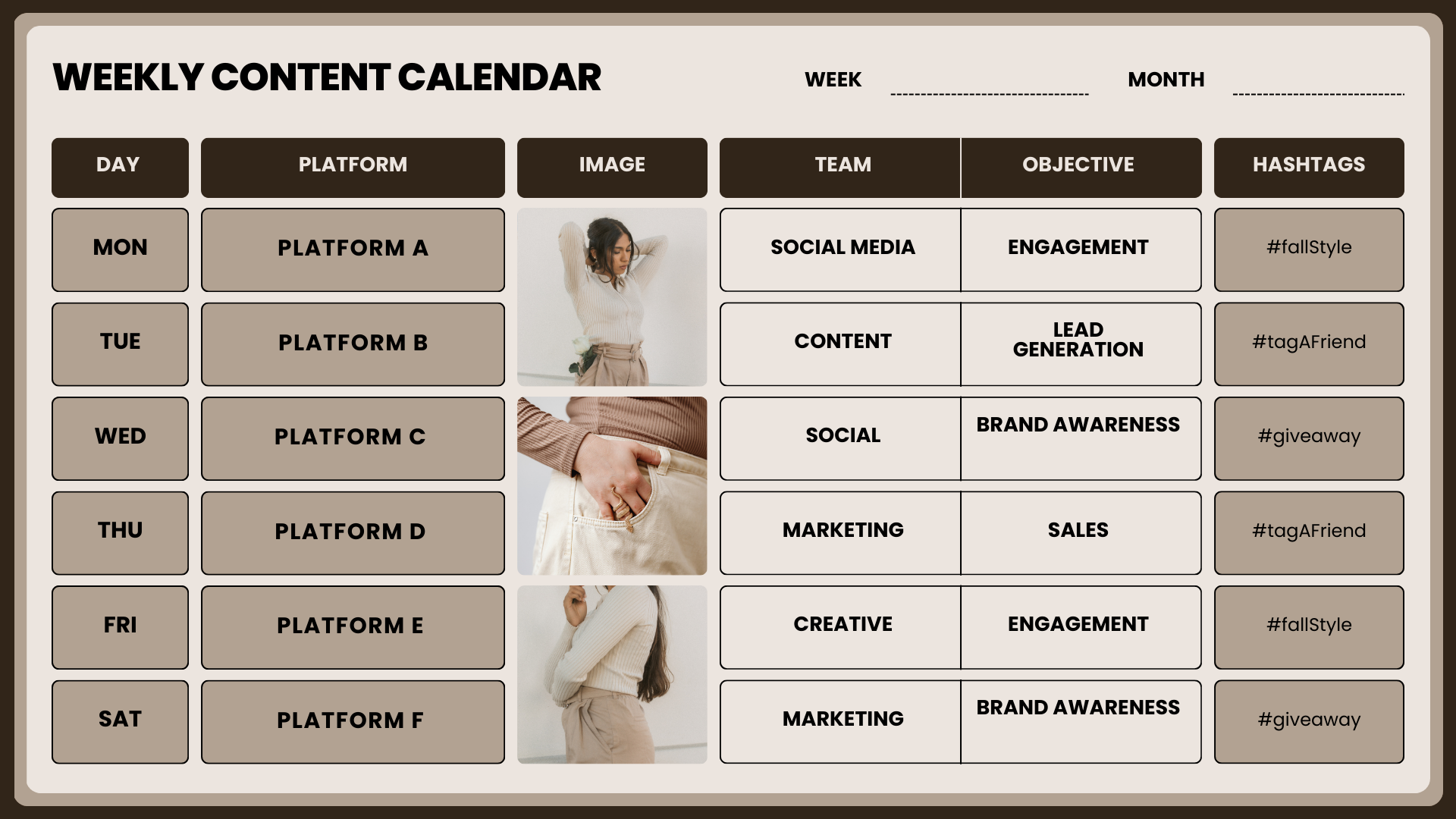
Weekly Content Calendar Template

This weekly layout helps you stay organized: with dedicated slots for each day, you avoid last-minute rushes and keep your content pipeline smooth. It’s ideal for creators, marketers, or small teams who post frequently and want to maintain consistency without juggling multiple spreadsheets or tools.

Download

37. Production Content Calendar

This Canva template offers a structured monthly layout designed to help you plan and track content production tasks with ease. It allows you to note key dates, outline project details, and organize posts, videos, graphics, or any other content you’re preparing for the month. The clean, minimal design makes it easy to customize and update as your schedule changes.
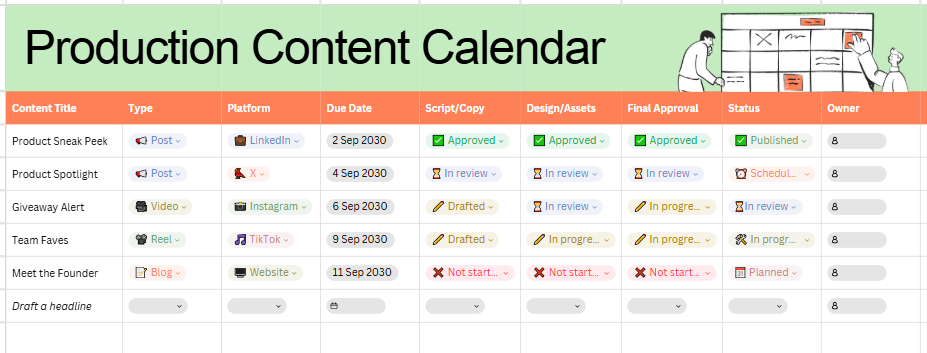
Production Content Calendar

Since it’s built in Canva, you can manage everything in one place planning, designing, and scheduling your content without needing extra tools. It’s ideal for creators, marketing teams, and small businesses who want a simple way to keep their production workflow organized from start to finish.

Download

38. Client Content Calendar

Client Content Calendar

A Client Content Calendar helps you plan and organize all the content you create for your clients in one place. You can edit it in Canva as your wish, customizing the layout to match each client’s schedule and requirements.

It’s a simple way to track deadlines, manage approvals, and keep multiple client projects running smoothly. Perfect for freelancers and agencies handling several brands at the same time.

Download

39. Instagram Content Calendar

An Instagram Content Calendar helps you plan your posts, reels, stories, and carousels ahead of time. It gives you a clear monthly or weekly structure so you always know what’s coming next and never run out of ideas.

Instagram Content Calendar

You can note captions, hashtags, media assets, and posting dates in one place, making it easier to stay consistent and maintain a unified look for your feed. This reduces last-minute content stress and keeps your workflow organized.

It’s especially helpful for creators, brands, and social media managers handling multiple accounts or campaigns. By tracking content status and planning in advance, you can create more strategic, high-quality Instagram content.

Download

40. Liana’s Content Calendar Example

Liana describes a content calendar as a simple way to organize blogs, emails, social posts, and campaigns in one place. Their approach starts with defining your goals so you know which channels and content types to prioritize.
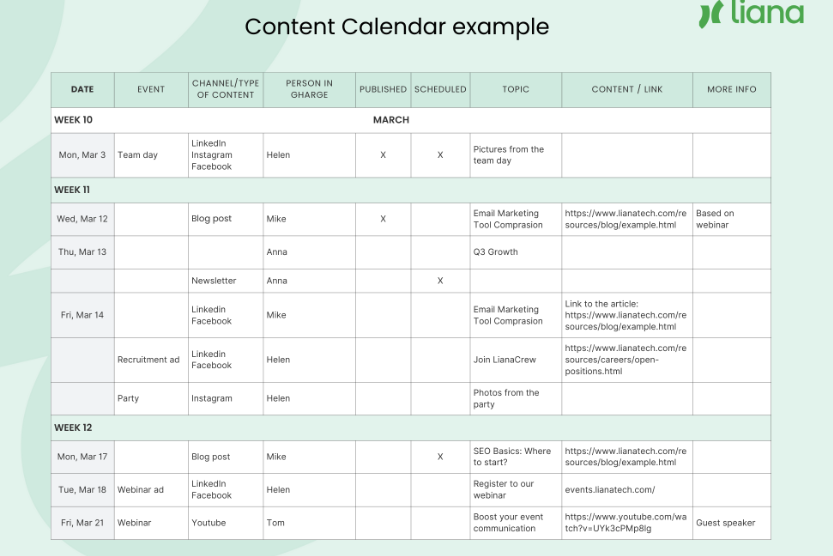
Lianas Content Calendar Example

Their recommended template includes key details like channel, topic, publish date, content type, and status. This helps teams stay coordinated and makes the content process easier to manage.

Liana also emphasizes flexibility updating the calendar often, balancing planned and evergreen content, and tracking performance to understand what works and refine your strategy.

Download

AI Generator

Text prompt

Add Tone

10 Examples of Public speaking

20 Examples of Gas lighting