
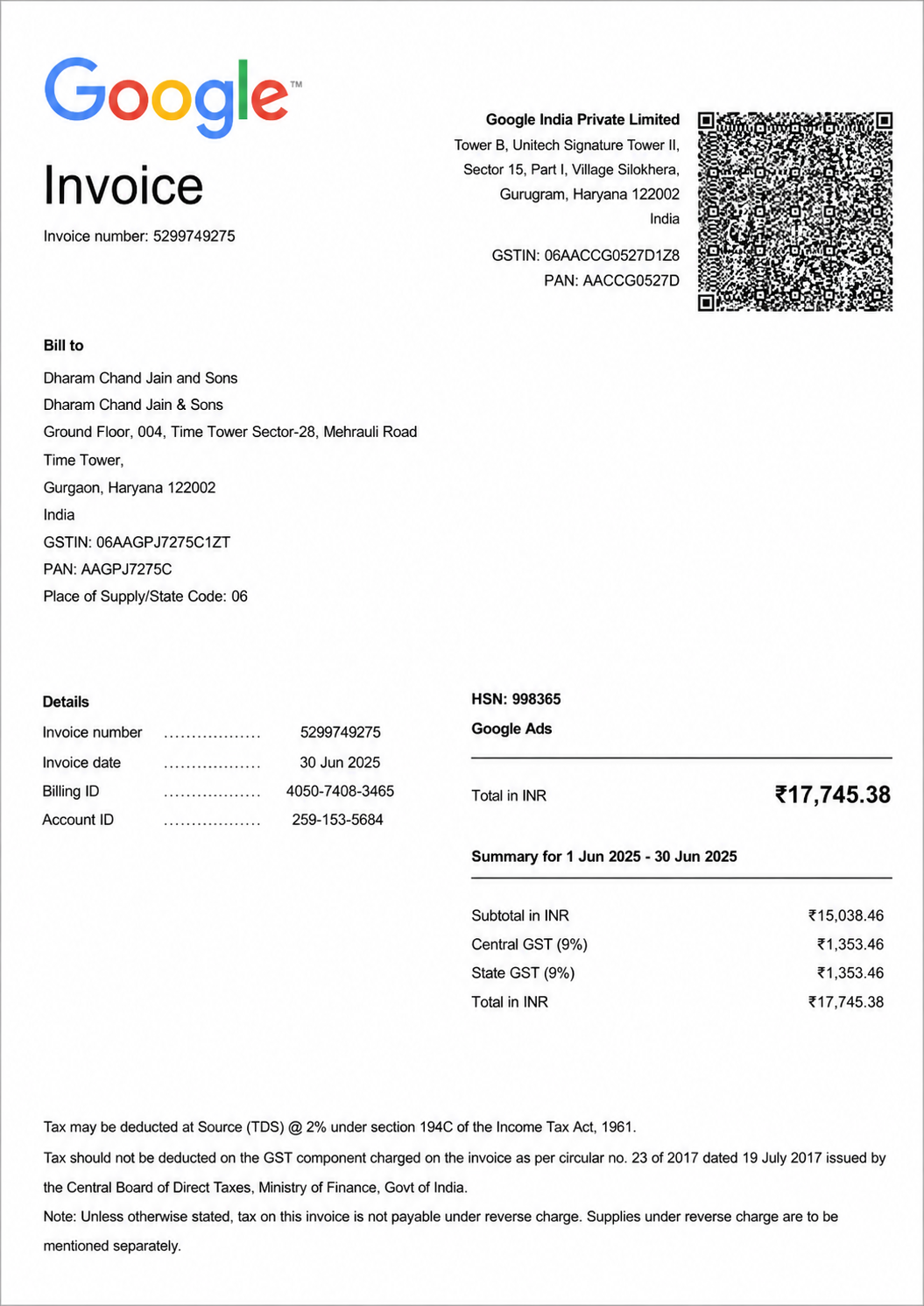
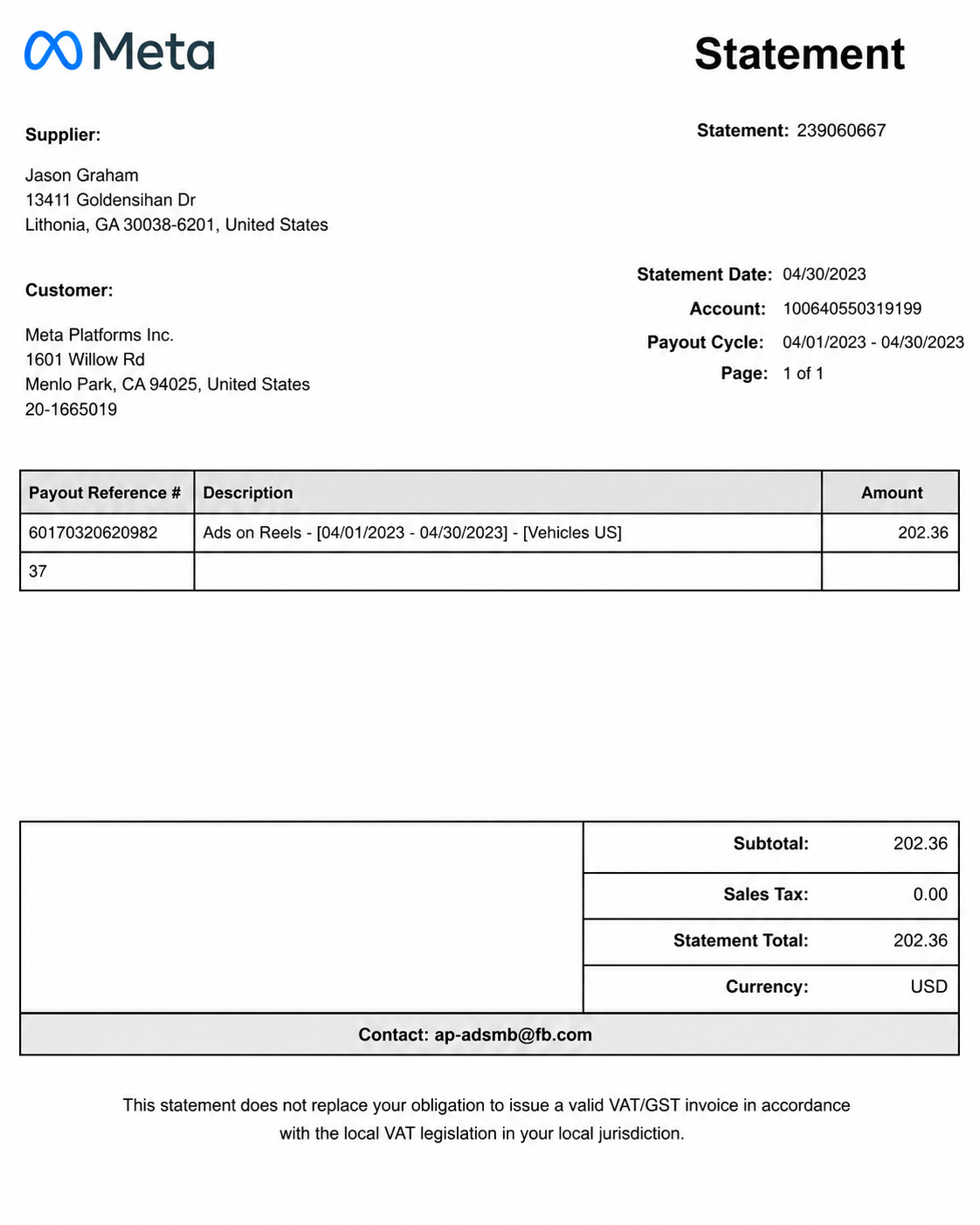
An invoice is a professional document that records the goods sold or services provided, states the amount a buyer owes, and specifies payment terms. Whether you’re billing clients, managing business transactions, or keeping accurate financial records, creating a clear and well-structured invoice is essential. Use real invoice examples to understand standard formats, customize every detail, and generate polished invoices that support faster payments, better recordkeeping, and a more professional billing process.
What Is An Invoice?
An invoice is a formal, itemized document sent by a seller to a buyer that records the goods provided or services rendered, specifies the total amount due, and outlines payment terms. It serves as an official request for payment while also acting as a legal and financial record for accounting, tax reporting, and transaction tracking. Businesses, freelancers, and service providers use invoices to ensure accurate billing, maintain organized financial records, and facilitate timely payments.

Popular Types Of Invoices
Sales Invoice
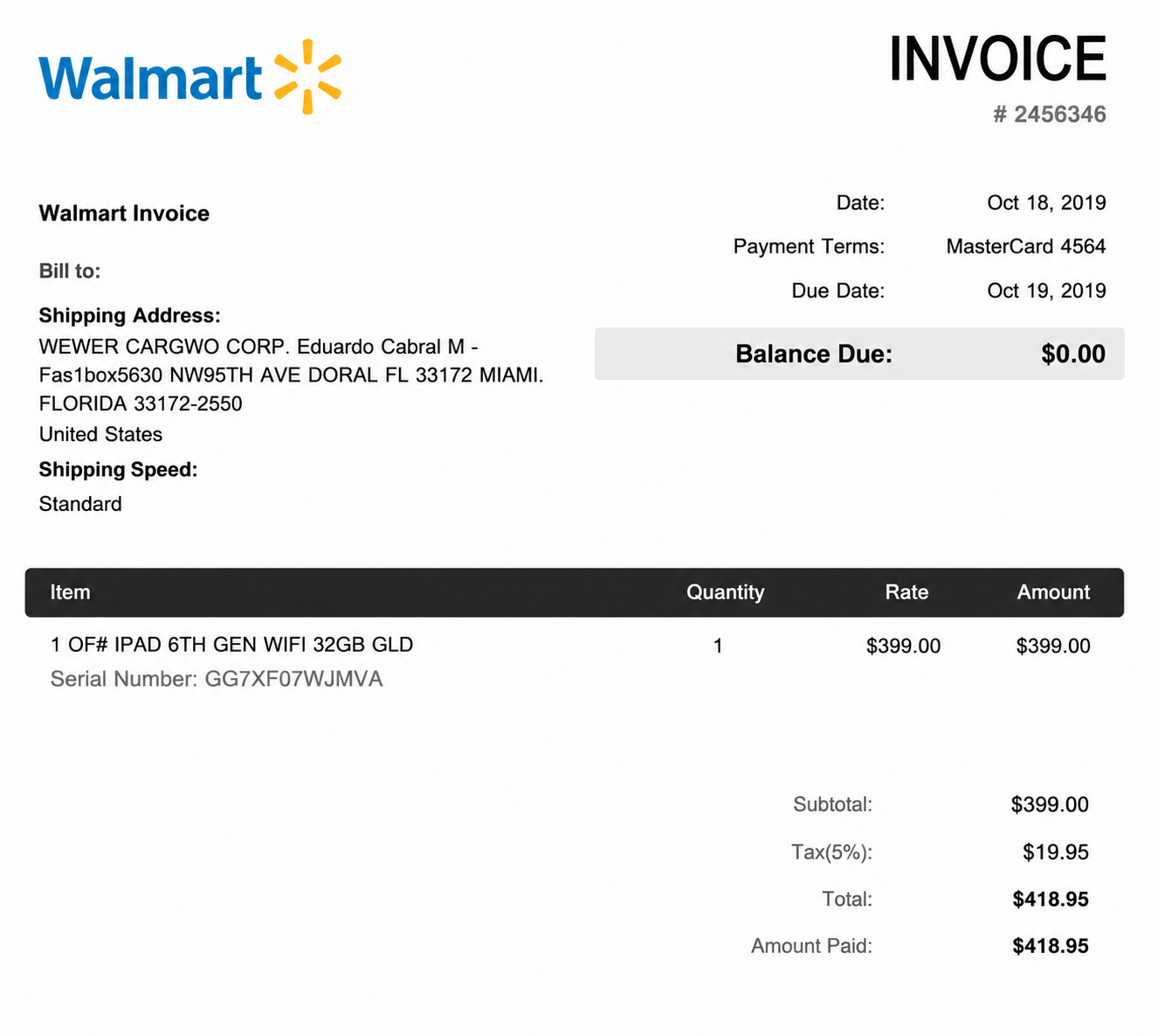
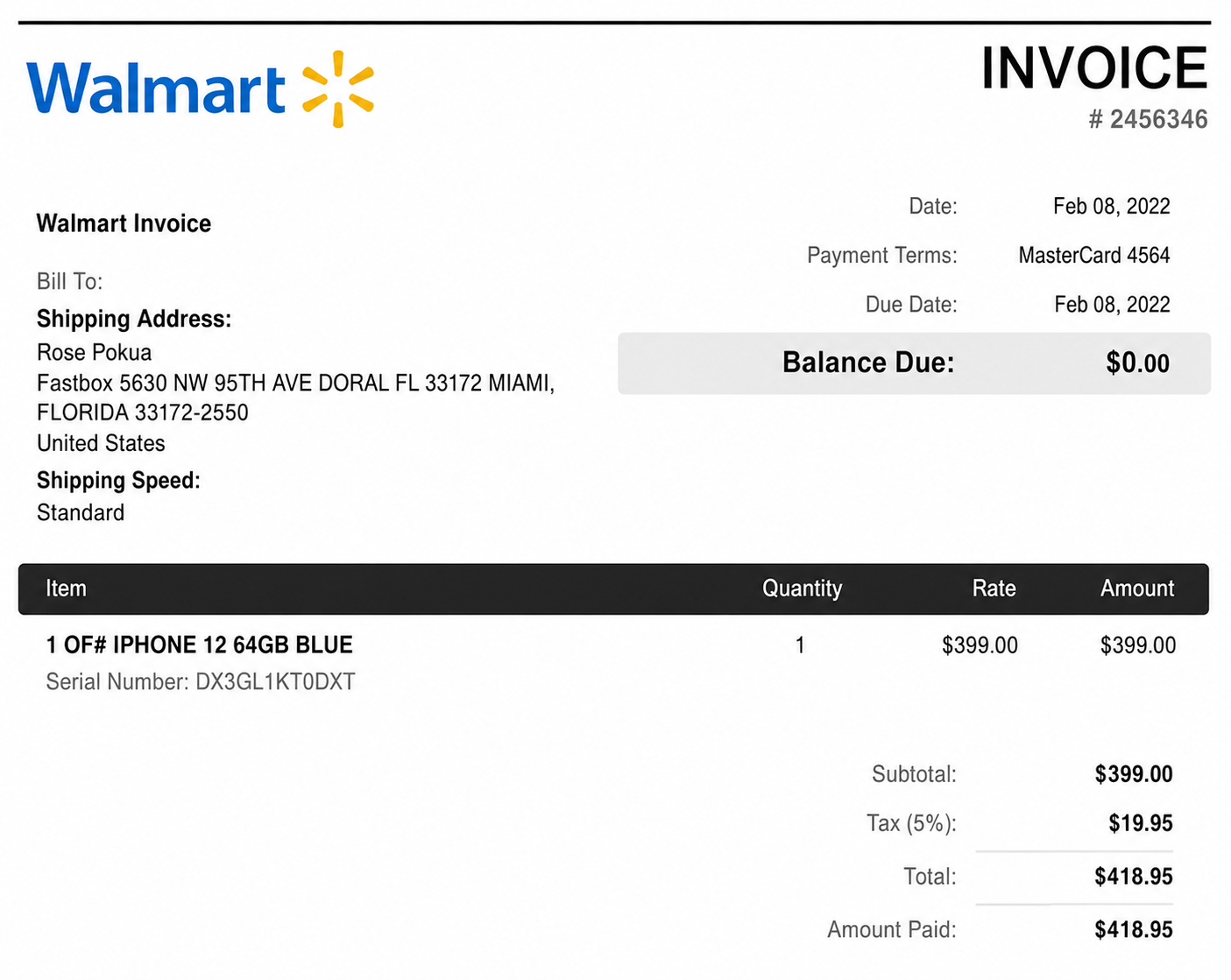
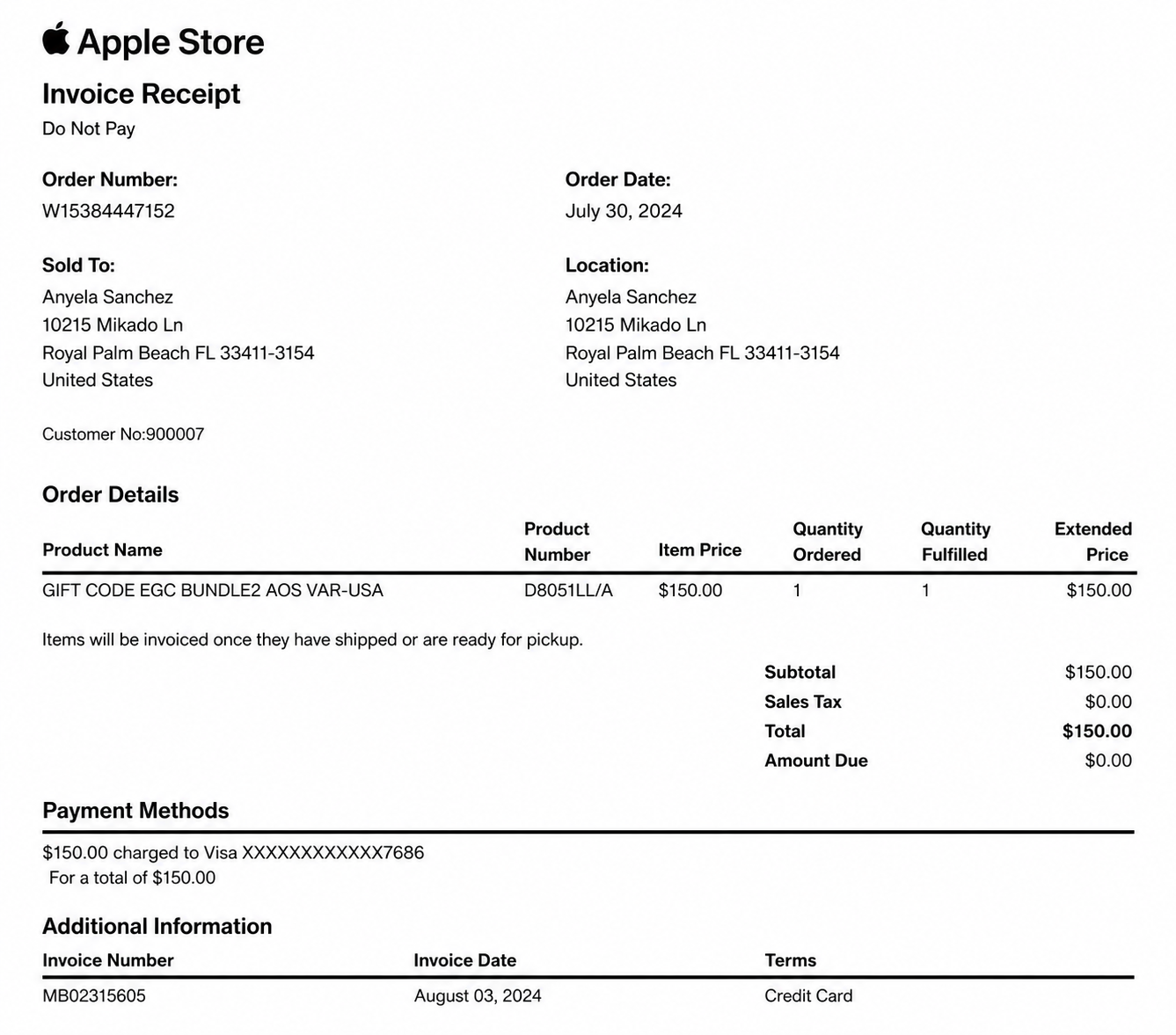
A sales invoice is issued after a product is sold or a service is completed. It lists the items or services provided, the total amount due, applicable taxes, and payment terms.
Service Invoice
A service invoice is used by freelancers, consultants, and businesses to bill clients for completed work. It typically includes service descriptions, hourly rates or fixed fees, and payment details.
Commercial Invoice
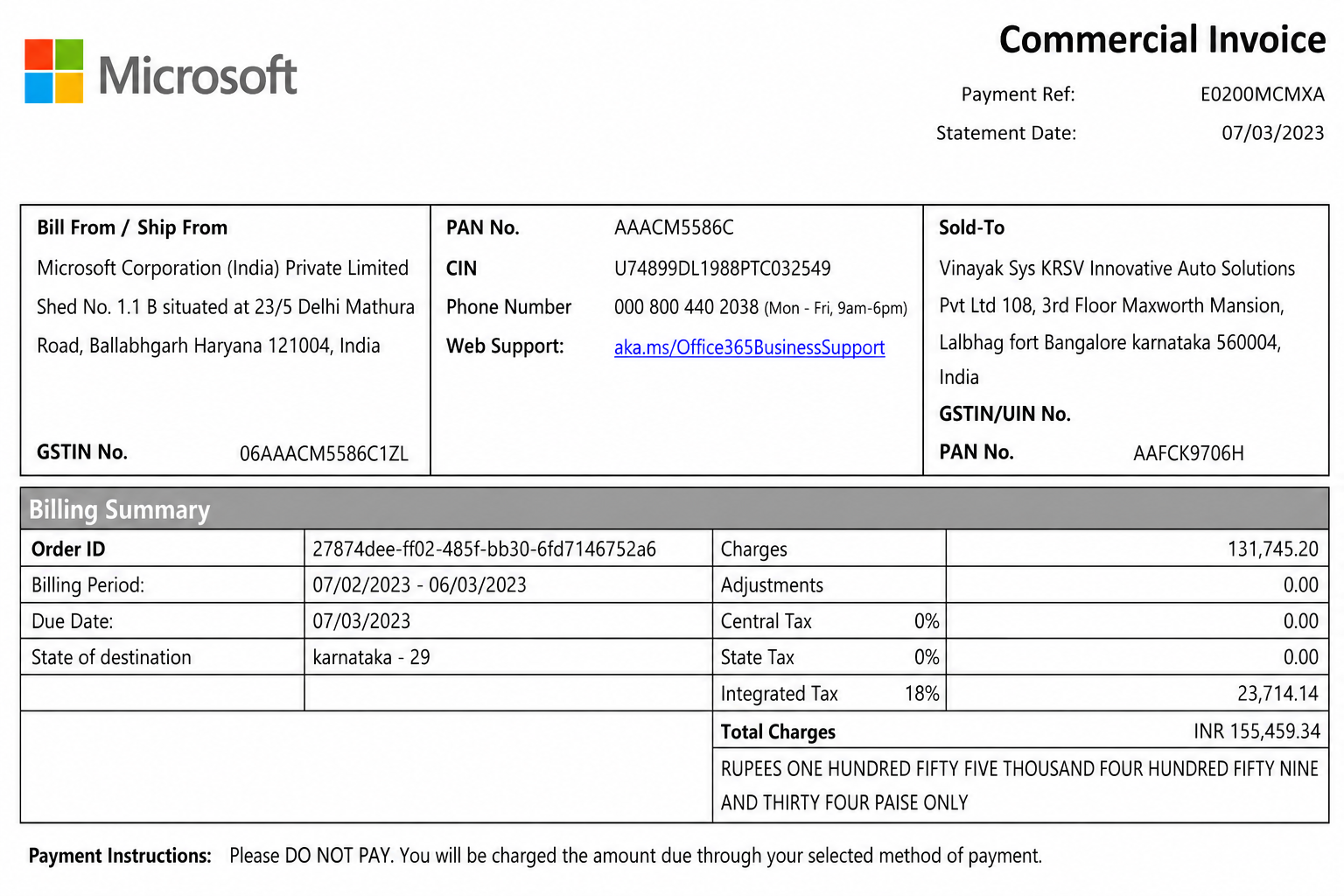
A commercial invoice is used for international shipments and customs clearance. It provides details about the goods being exported or imported, their value, and the parties involved in the transaction.
Recurring Invoice
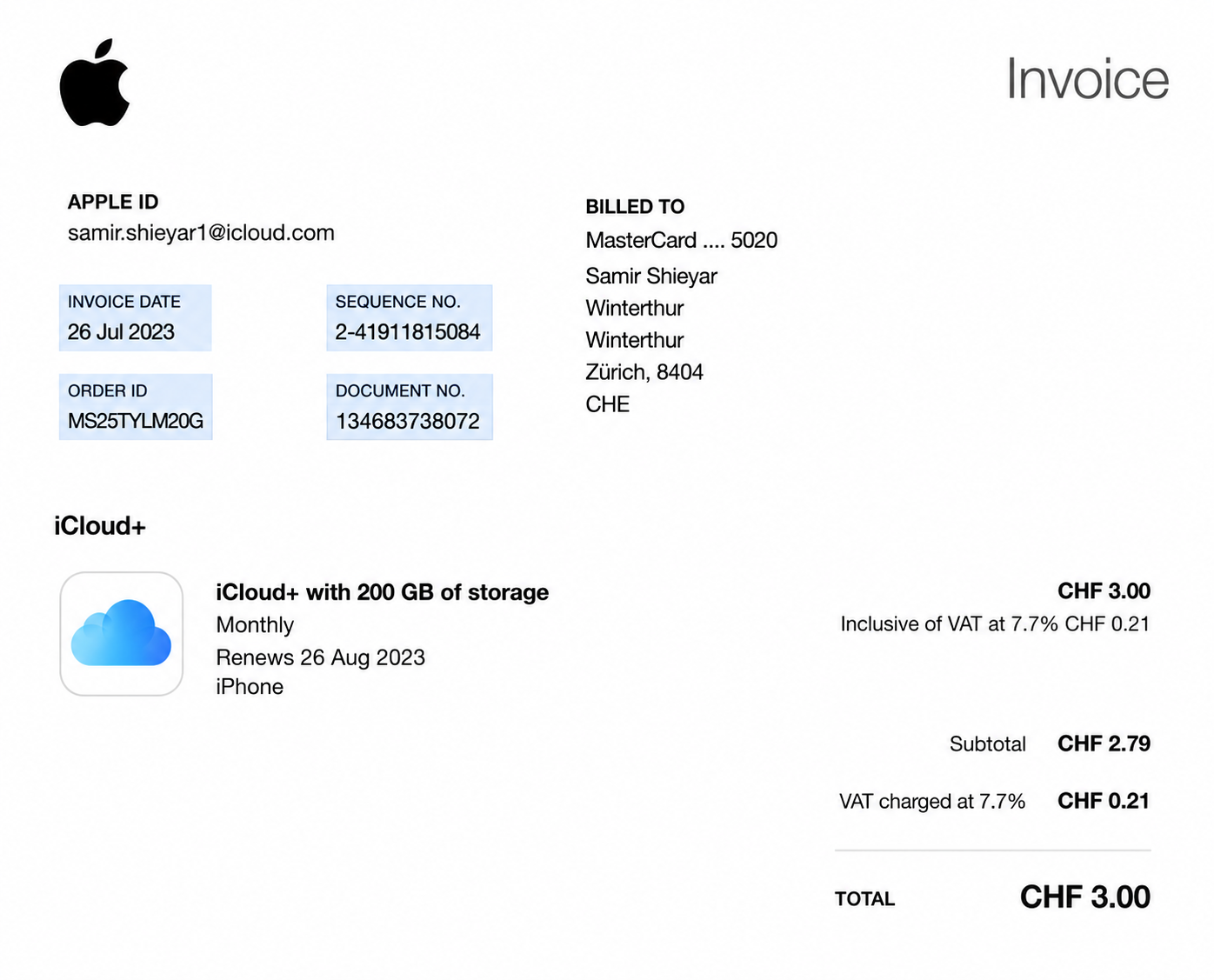
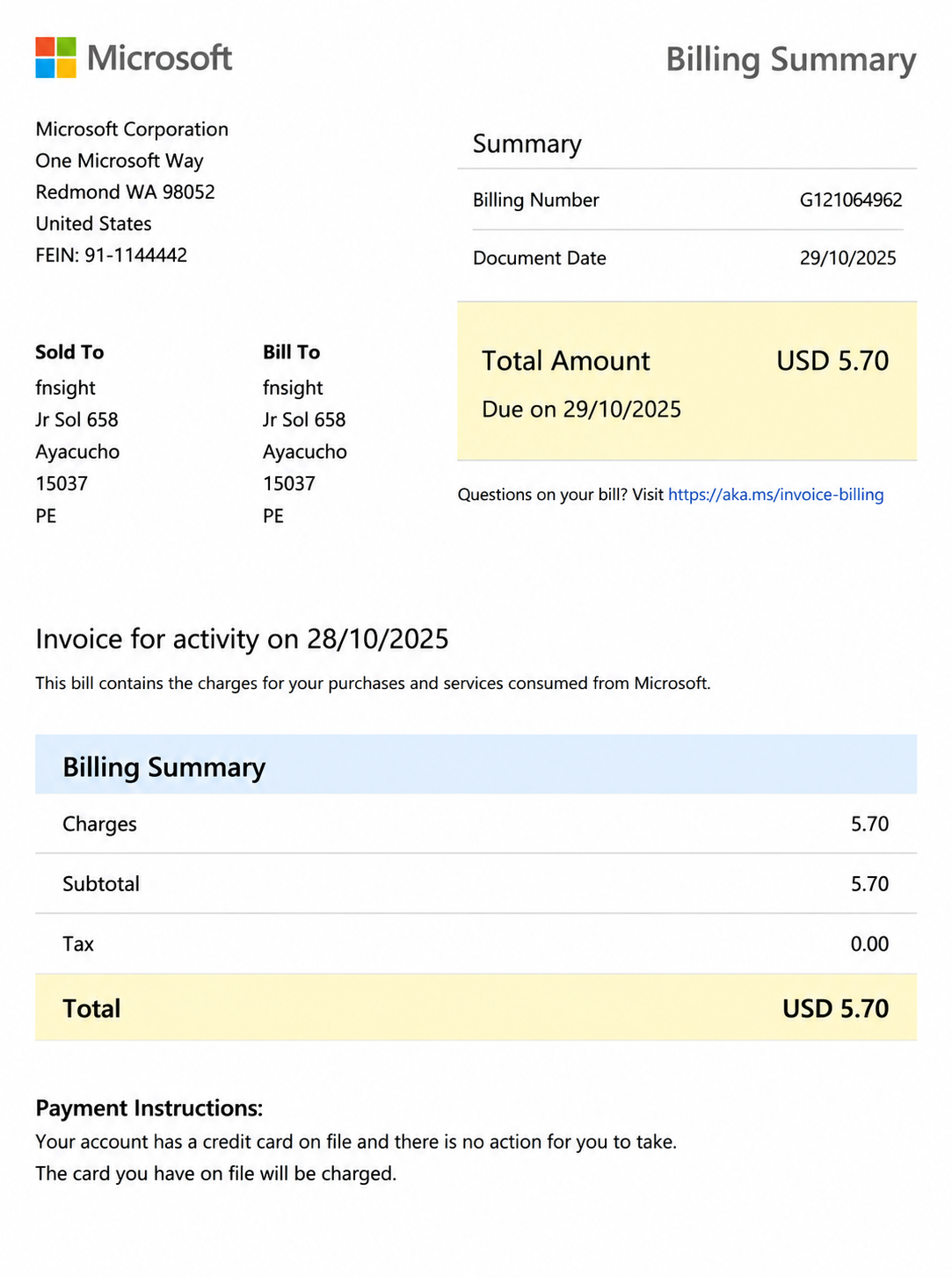
A recurring invoice is automatically generated at regular intervals for ongoing products or services, such as subscriptions, maintenance agreements, or monthly retainers.
Tax Invoice
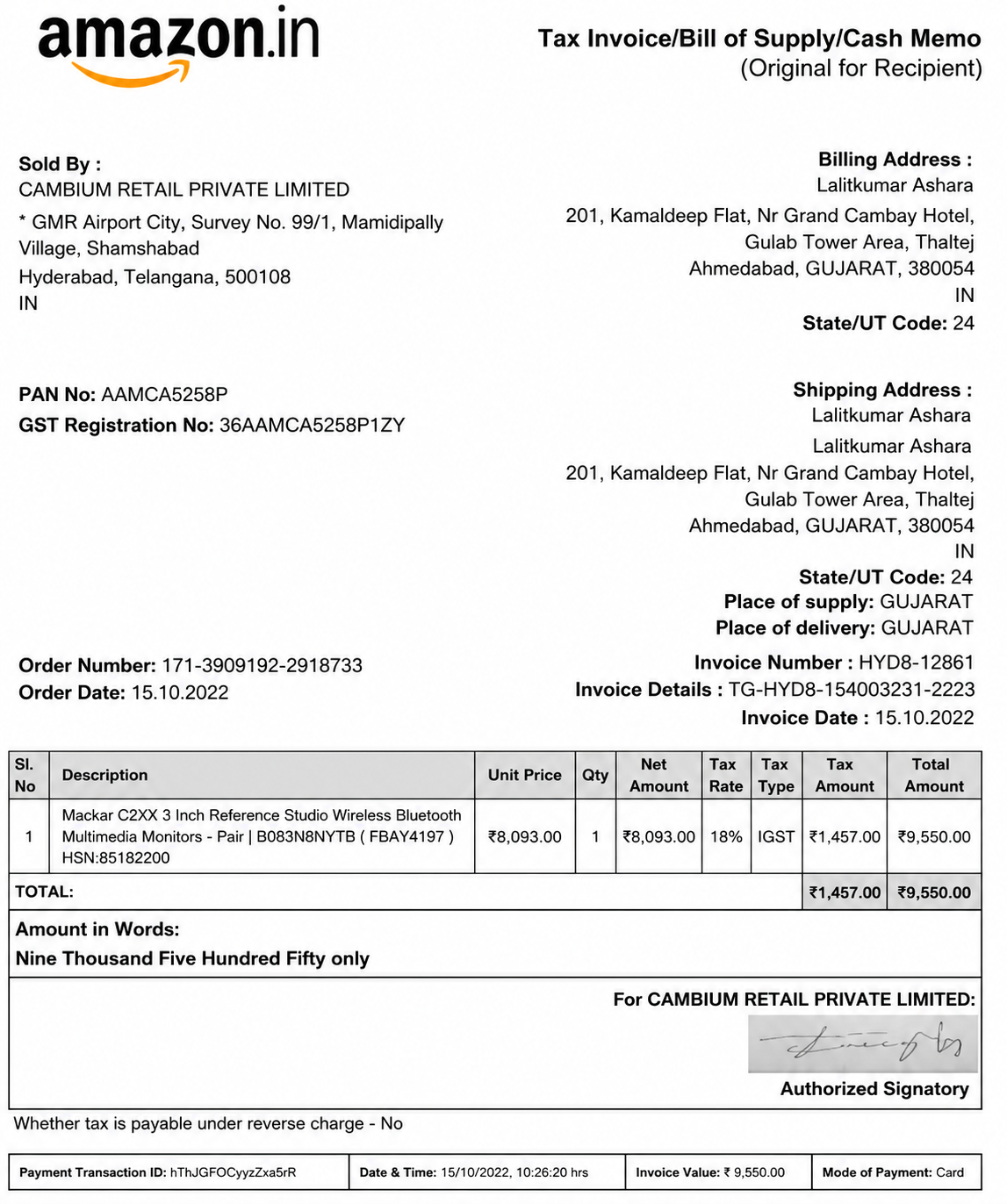
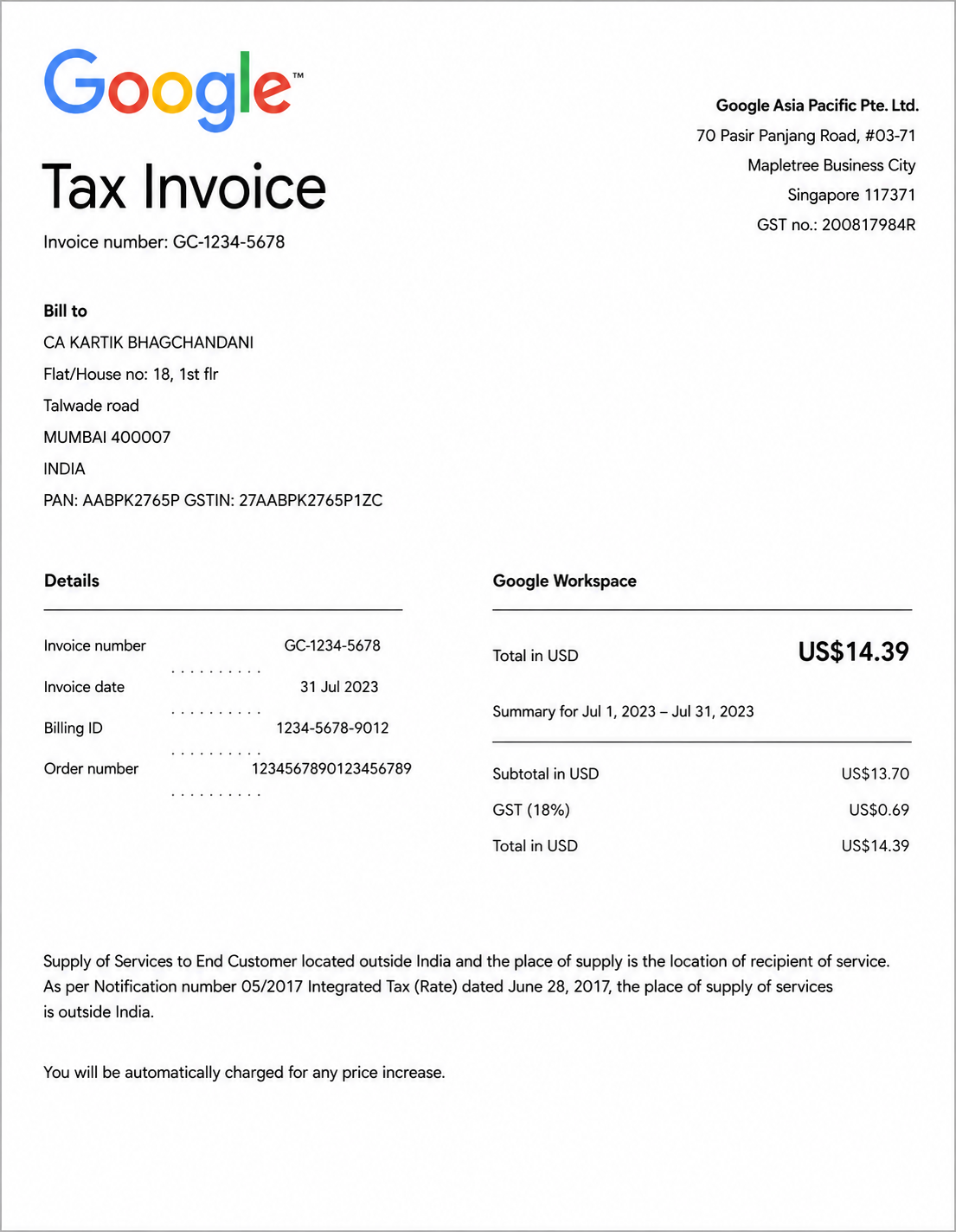
A tax invoice includes tax-related information required for accounting and compliance. It shows applicable taxes, tax rates, and the total amount payable for a transaction.
Credit Invoice
A credit invoice, also known as a credit note, is issued to reduce or cancel part of a previously issued invoice due to returns, refunds, pricing adjustments, or billing corrections.
How Do I Generate Invoices Using Real Invoice Examples?
Explore Real Invoice Examples
Browse real invoice examples to explore professional layouts, formatting styles, itemized sections, and payment details. Reviewing different invoice designs helps you create accurate, organized, and professional invoices for various business needs.


Choose A Reference Invoice And Enter An AI Prompt
Select a reference invoice and enter a prompt describing your business details, products or services, payment terms, invoice format, and branding preferences.
Generate A New AI Invoice
The AI generates a professional invoice based on your selected reference and prompt, complete with a structured layout and essential billing information.


Customize The Invoice In The Online Editor
Edit company details, customer information, line items, payment terms, taxes, logos, and formatting to match your billing requirements.
Download And Use Your Invoice
Download your completed invoice as a PDF and use it for billing, recordkeeping, tax documentation, or sharing with clients and customers.

How Do I Customize Invoices Online?
Customize your invoice by updating your business and customer information, invoice number, issue date, payment terms, products or services, quantities, pricing, taxes, discounts, and branding elements such as your logo, fonts, and colors. You can also adjust the layout to match your preferred invoice format, review every detail for accuracy, and download the completed invoice as a PDF for billing, accounting, tax records, or client payments.
AI Invoice Editing Features
Edit Invoice Details
Update business information, customer details, invoice numbers, dates, and payment terms with ease.
Add Company Branding
Upload your company logo and personalize your invoice with branding elements for a professional appearance.
Manage Payment Information
Edit payment methods, billing instructions, due dates, and additional notes to match your payment requirements.
Professional Invoice Formatting
Keep every invoice clean, organized, and easy to read with consistent formatting and itemized sections.
Preview Before Download
Review your invoice to verify all details and ensure it is accurate before saving or sharing.
Download Invoice PDF
Download your completed invoice as a PDF for billing, accounting, tax records, or sharing with clients.
Which Essential Elements Should I Include In Every Invoice?
| Essential Element | Purpose |
|---|---|
| Invoice Header | Clearly identifies the document as an invoice to distinguish it from quotes, estimates, or receipts. |
| Invoice Number | Assigns a unique reference number for tracking, accounting, and recordkeeping. |
| Issue Date | Indicates when the invoice was created and issued to the customer. |
| Due Date | Specifies the deadline by which payment should be made. |
| Business Information | Includes the seller’s business name, address, contact details, and logo if applicable. |
| Customer Information | Lists the buyer’s name, billing address, and contact information for accurate invoicing. |
| Itemized Products or Services | Provides a detailed breakdown of products or services, including quantities, unit prices, and line totals. |
| Subtotal | Displays the total cost before taxes, discounts, or additional charges are applied. |
| Taxes and Discounts | Shows applicable taxes, discounts, shipping fees, or other adjustments to the invoice total. |
| Total Amount Due | States the final amount the customer is required to pay after all calculations. |
| Payment Terms | Explains accepted payment methods, payment instructions, and any applicable payment conditions or notes. |
How Do I Write A Professional Invoice?
- Add Your Business Information: Include your business name, address, contact details, and logo so customers can easily identify the seller.
- Enter Customer Details: Provide the customer’s name, billing address, and contact information to ensure the invoice is addressed correctly.
- Assign An Invoice Number: Use a unique invoice number to simplify tracking, recordkeeping, and payment management.
- Include Issue And Due Dates: Specify when the invoice was issued and the payment deadline to set clear expectations.
- List Products Or Services: Add an itemized breakdown of the products or services provided, along with quantities, unit prices, and line totals.
- Calculate The Total Amount: Include the subtotal, applicable taxes, discounts, and the final amount due to provide transparent billing.
- Add Payment Terms: Mention accepted payment methods, payment instructions, and any additional notes to help customers complete payment on time.
- Review Before Sending: Double-check all information for accuracy, formatting, and completeness before downloading or sharing the invoice.
- Add Your Business Information: Include your business name, address, contact details, and logo so customers can easily identify the seller
- Enter Customer Details: Provide the customer’s name, billing address, and contact information to ensure the invoice is addressed correctly
- Assign An Invoice Number: Use a unique invoice number to simplify tracking, recordkeeping, and payment management
- Include Issue And Due Dates: Specify when the invoice was issued and the payment deadline to set clear expectations
- List Products Or Services: Add an itemized breakdown of the products or services provided, along with quantities, unit prices, and line totals
- Calculate The Total Amount: Include the subtotal, applicable taxes, discounts, and the final amount due to provide transparent billing
- Add Payment Terms: Mention accepted payment methods, payment instructions, and any additional notes to help customers complete payment on time
- Review Before Sending: Double-check all information for accuracy, formatting, and completeness before downloading or sharing the invoice.