Bank of America How-to Guide for Digital Banking
Page 1
Bank of America How-to Guide for Digital
Banking
A practical guide to enrolling, managing accounts, moving money, using cards and digital wallets,
and getting help with Erica®.
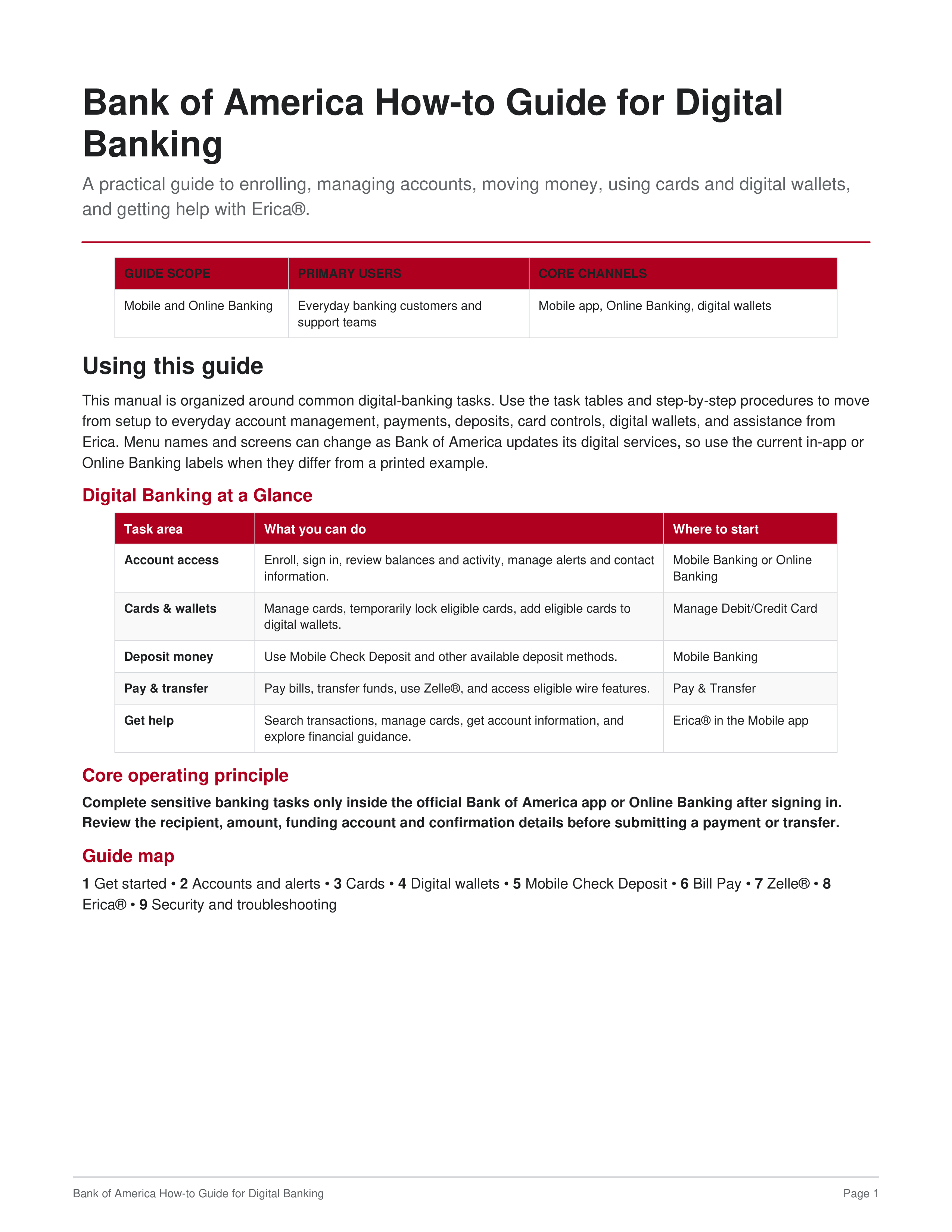
GUIDE SCOPE
PRIMARY USERS
CORE CHANNELS
Mobile and Online Banking
Everyday banking customers and
support teams
Mobile app, Online Banking, digital wallets
Using this guide
This manual is organized around common digital-banking tasks. Use the task tables and step-by-step procedures to move
from setup to everyday account management, payments, deposits, card controls, digital wallets, and assistance from
Erica. Menu names and screens can change as Bank of America updates its digital services, so use the current in-app or
Online Banking labels when they differ from a printed example.
Digital Banking at a Glance
Task area
What you can do
Where to start
Account access
Enroll, sign in, review balances and activity, manage alerts and contact
information.
Mobile Banking or Online
Banking
Cards & wallets
Manage cards, temporarily lock eligible cards, add eligible cards to
digital wallets.
Manage Debit/Credit Card
Deposit money
Use Mobile Check Deposit and other available deposit methods.
Mobile Banking
Pay & transfer
Pay bills, transfer funds, use Zelle®, and access eligible wire features.
Pay & Transfer
Get help
Search transactions, manage cards, get account information, and
explore financial guidance.
Erica® in the Mobile app
Core operating principle
Complete sensitive banking tasks only inside the official Bank of America app or Online Banking after signing in.
Review the recipient, amount, funding account and confirmation details before submitting a payment or transfer.
Guide map
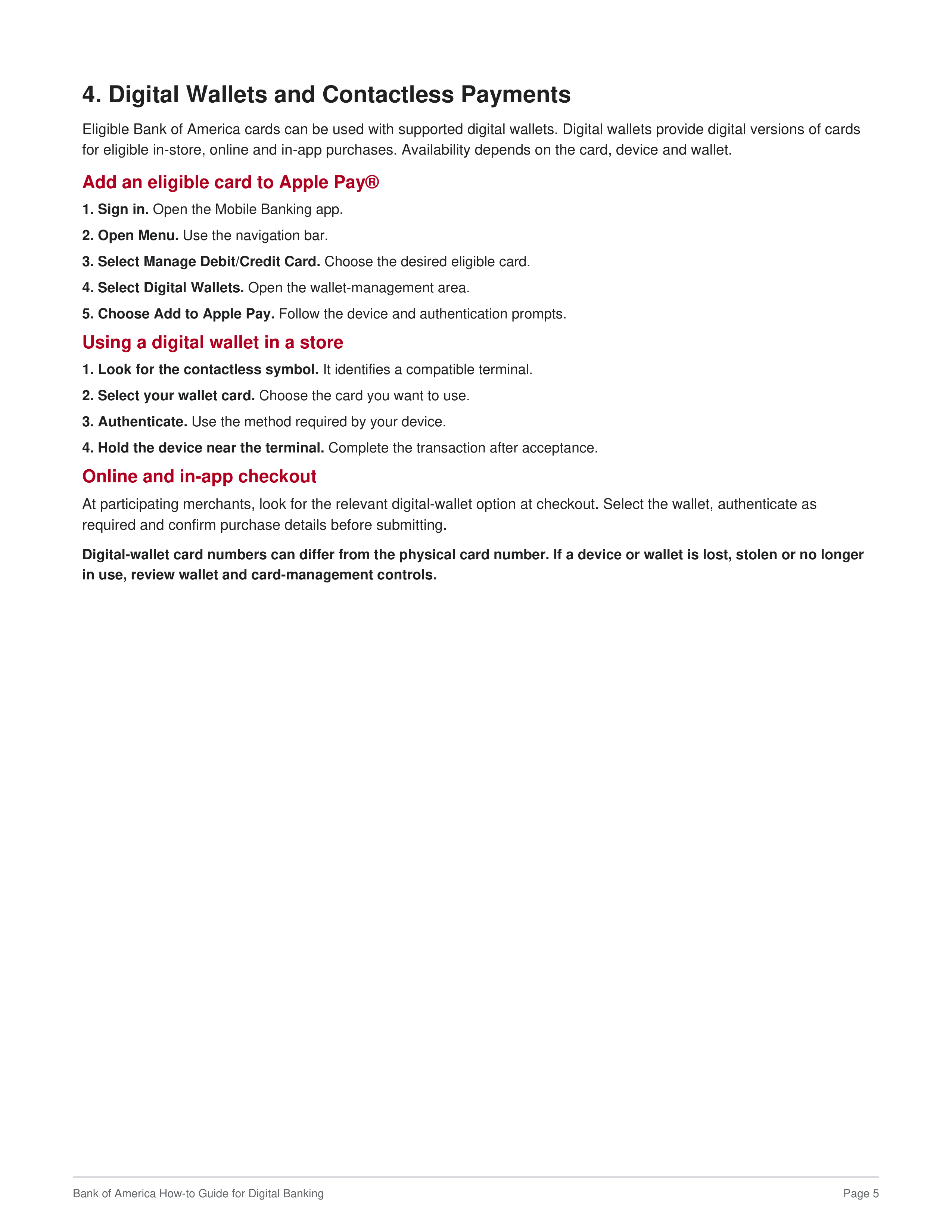
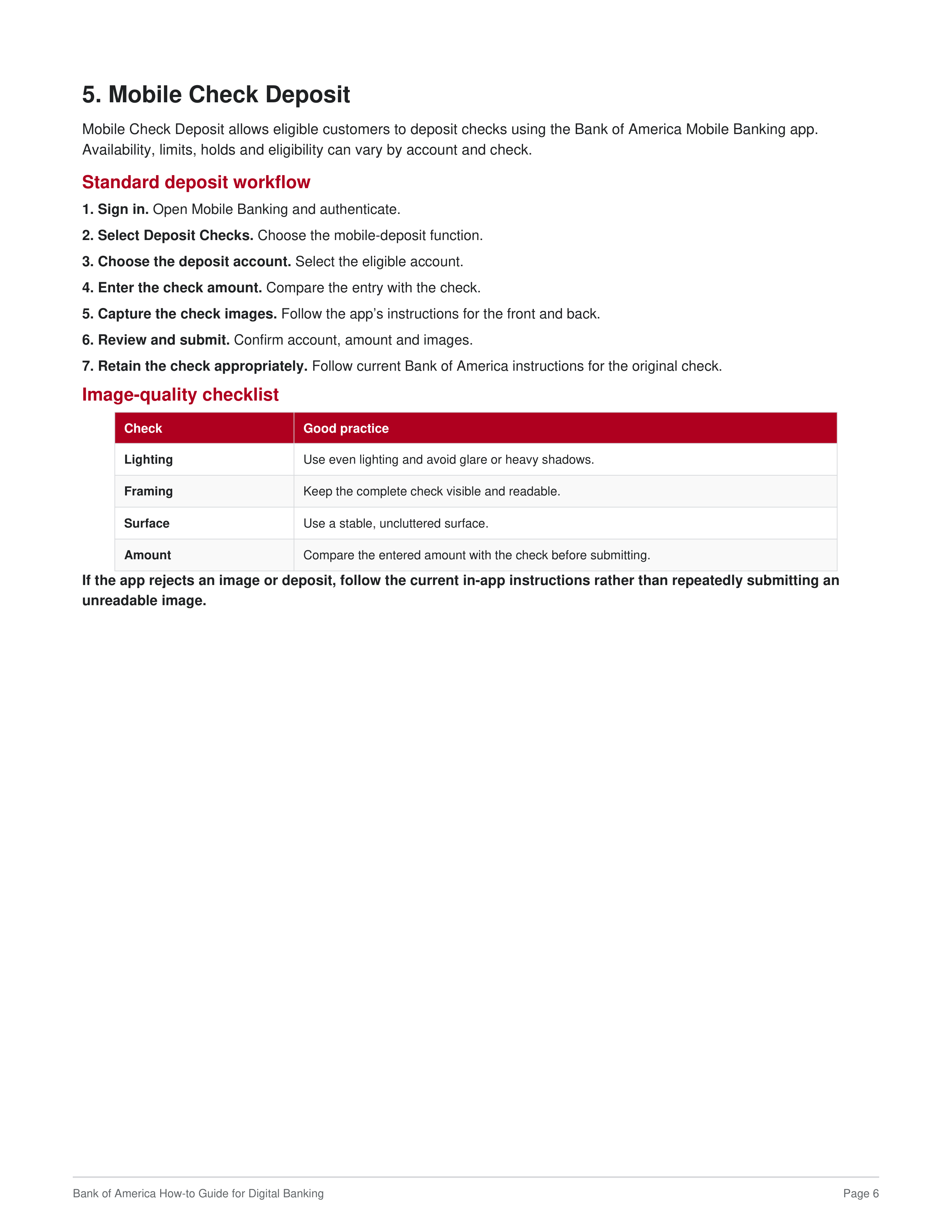
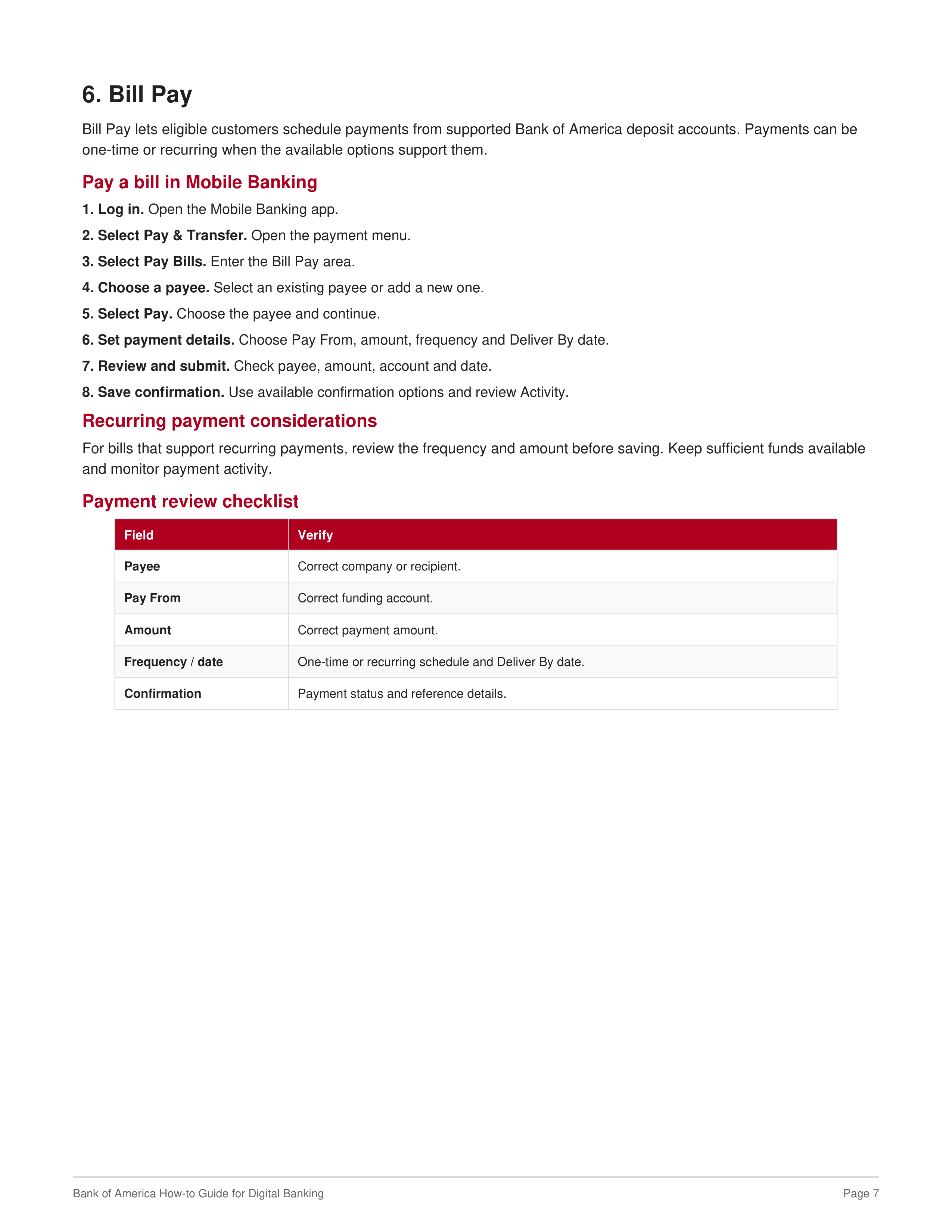
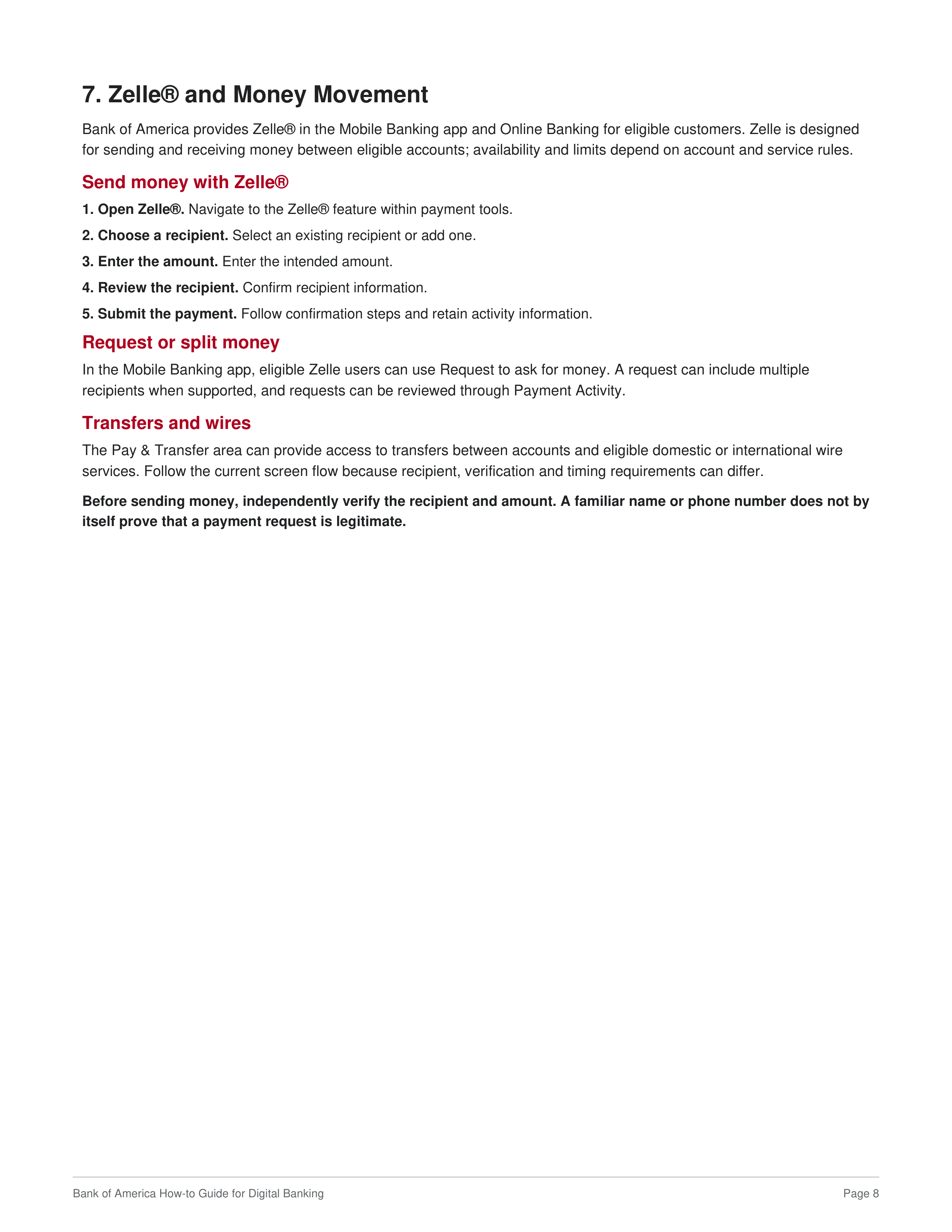
1
Get started •
2
Accounts and alerts •
3
Cards •
4
Digital wallets •
5
Mobile Check Deposit •
6
Bill Pay •
7
Zelle® •
8
Erica® •
9
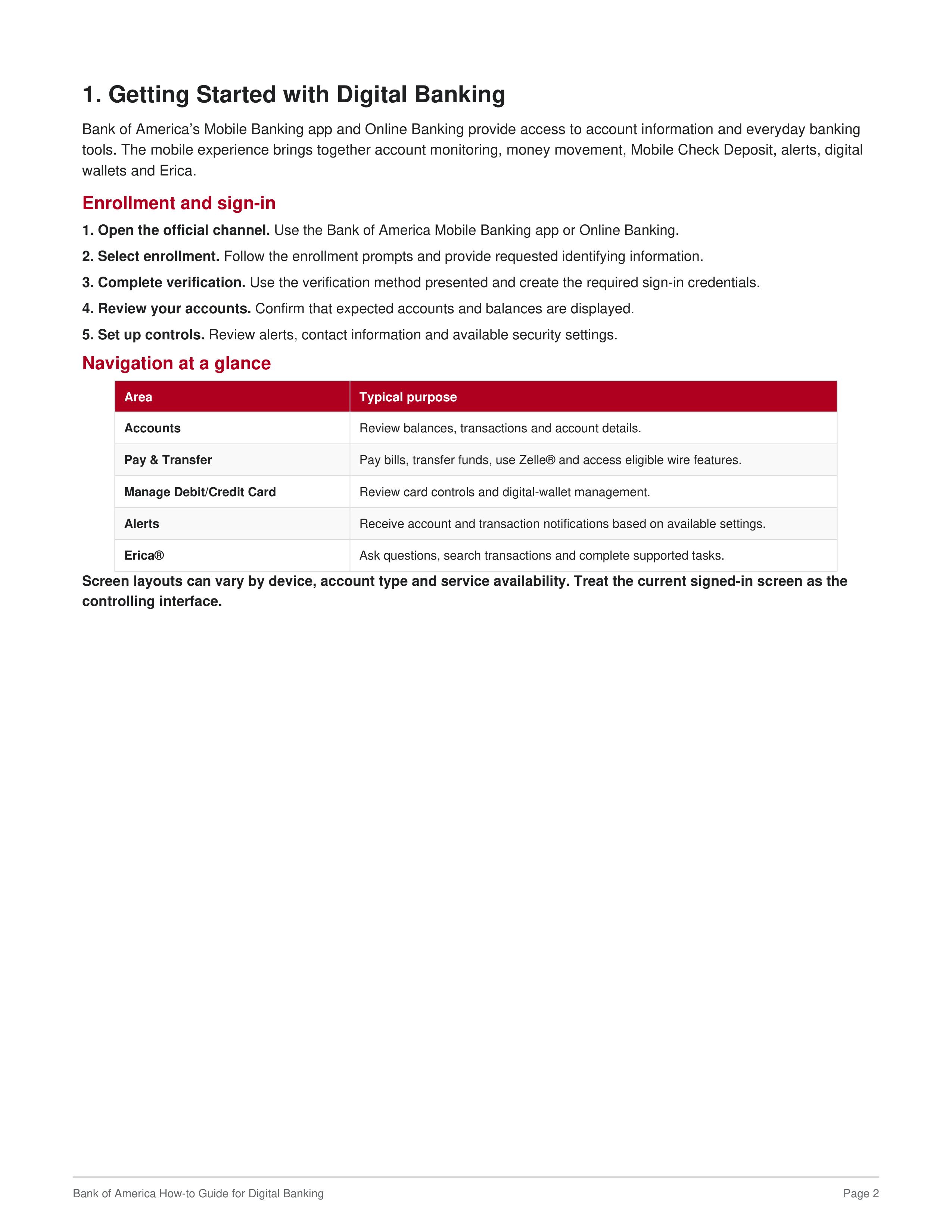
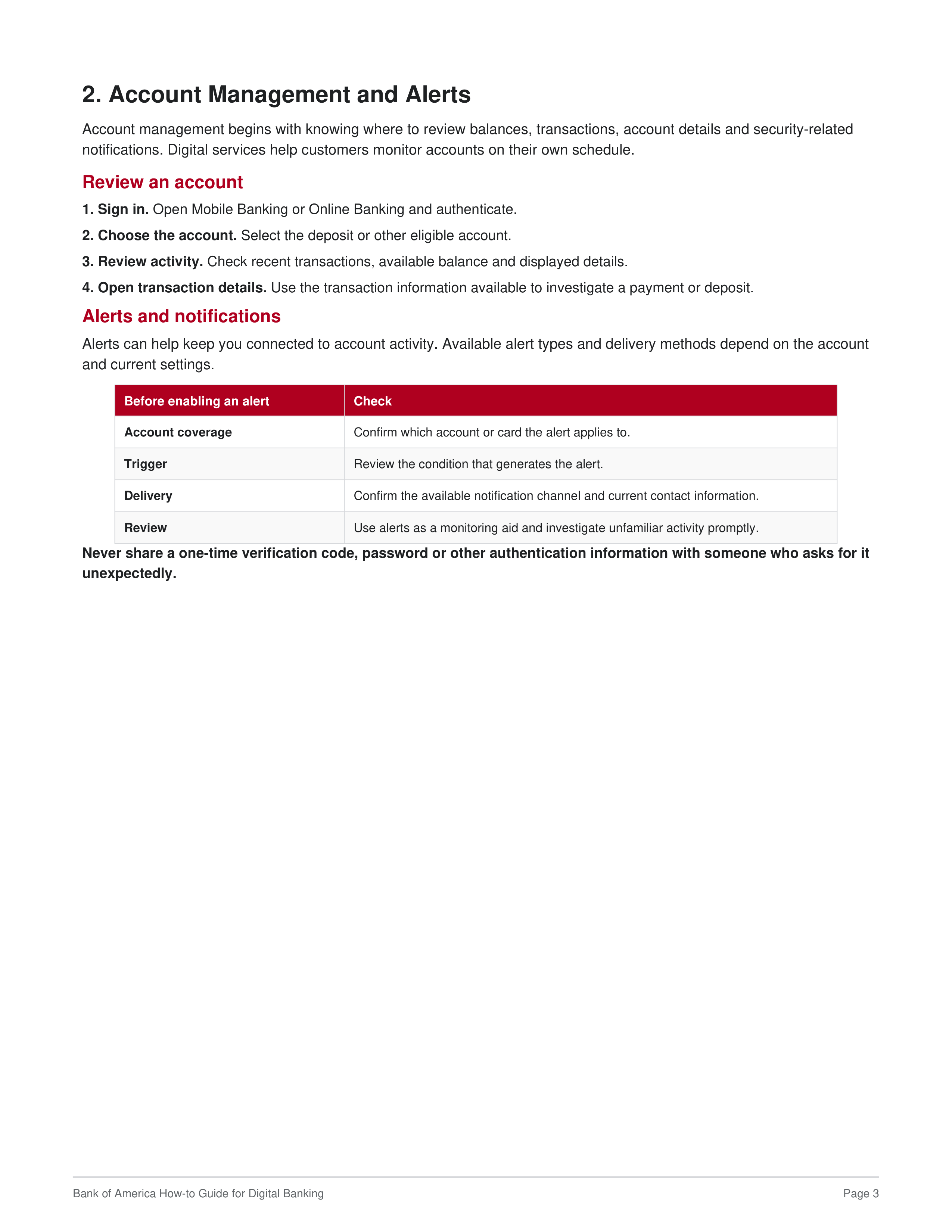
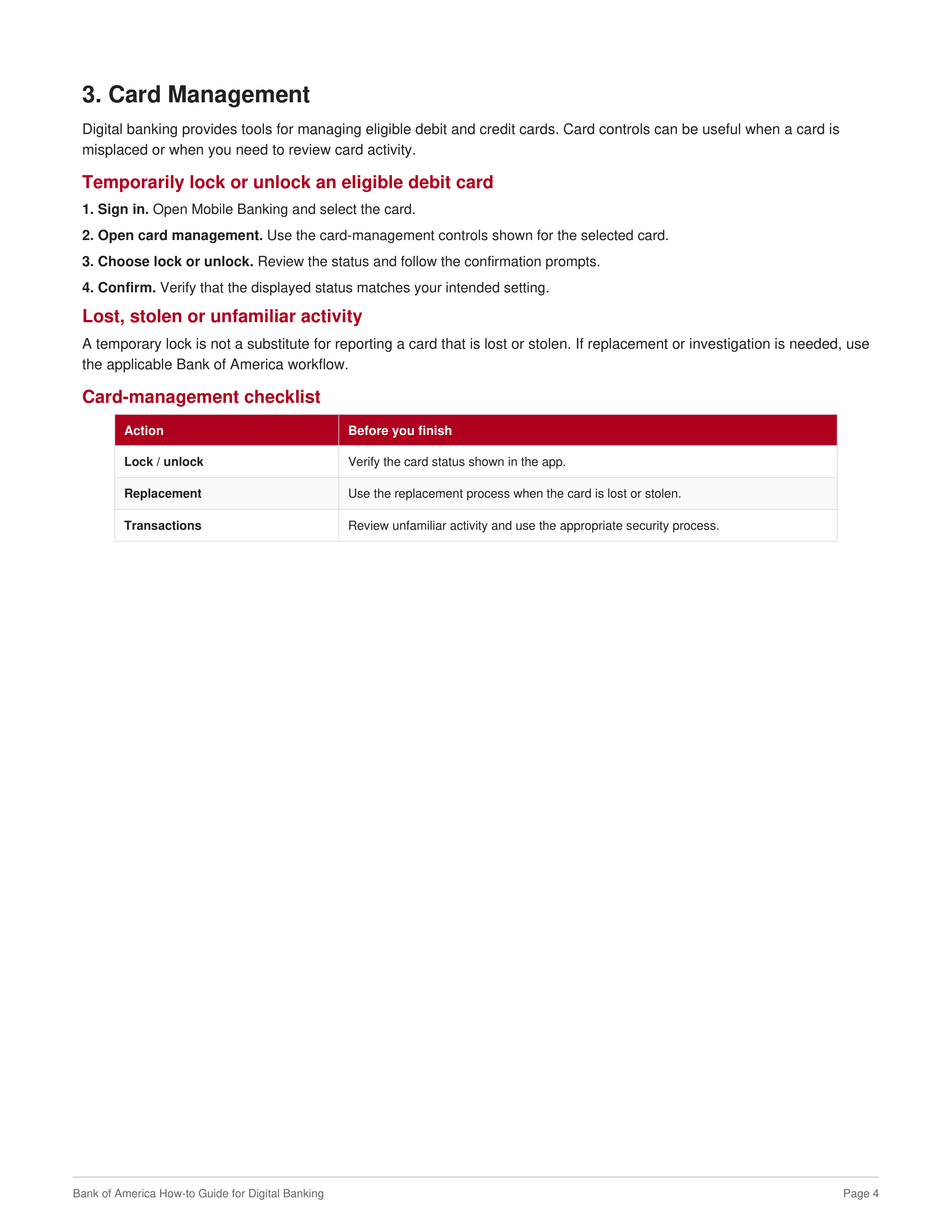
Security and troubleshooting