Wells Fargo Mobile® Quick Guide
Page 12
11. Quick Reference Checklists
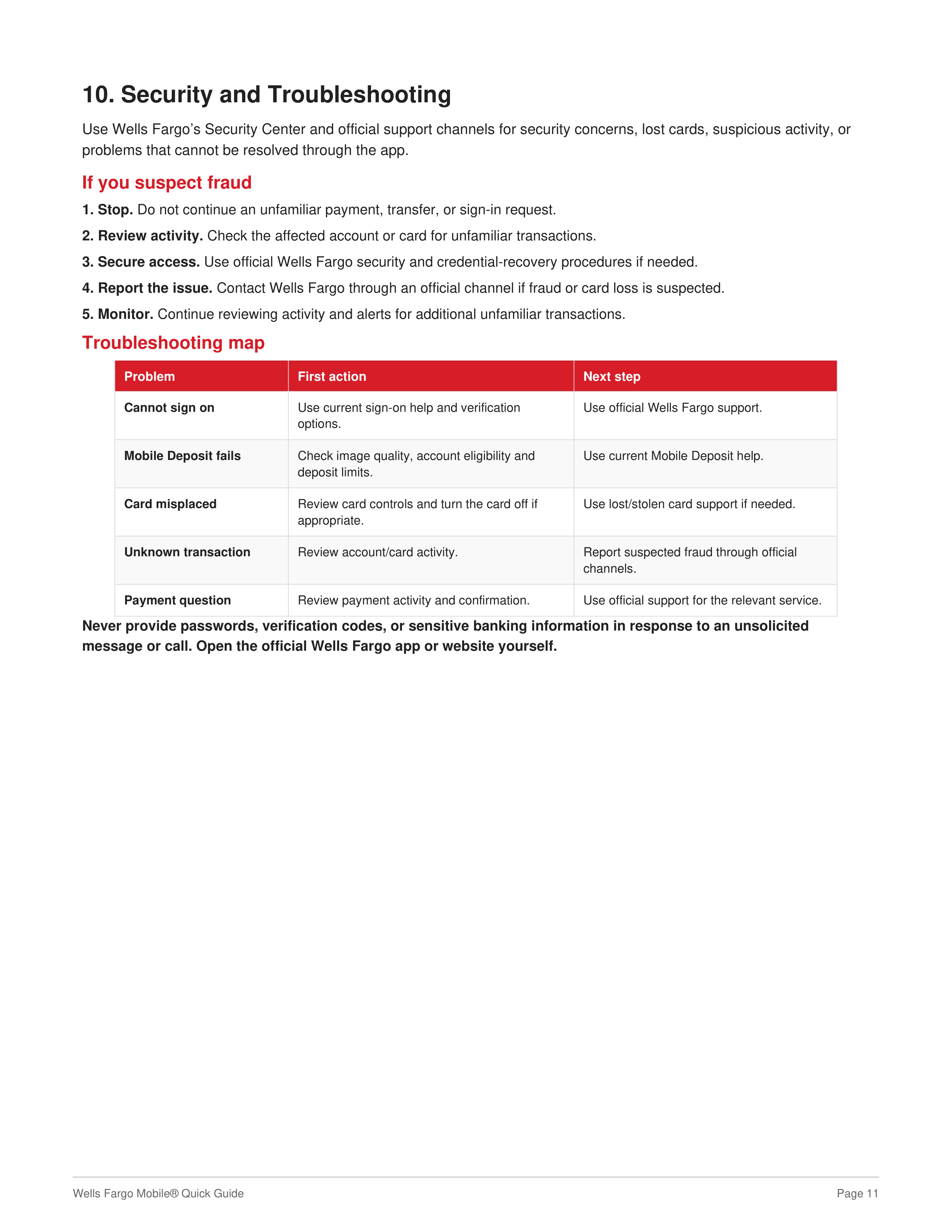
New Wells Fargo Mobile® setup
• Download the official Wells Fargo Mobile® app.
• Sign on and verify expected accounts.
• Review alerts and contact information.
• Set up eligible biometric sign-on.
• Review card controls and digital-wallet options.
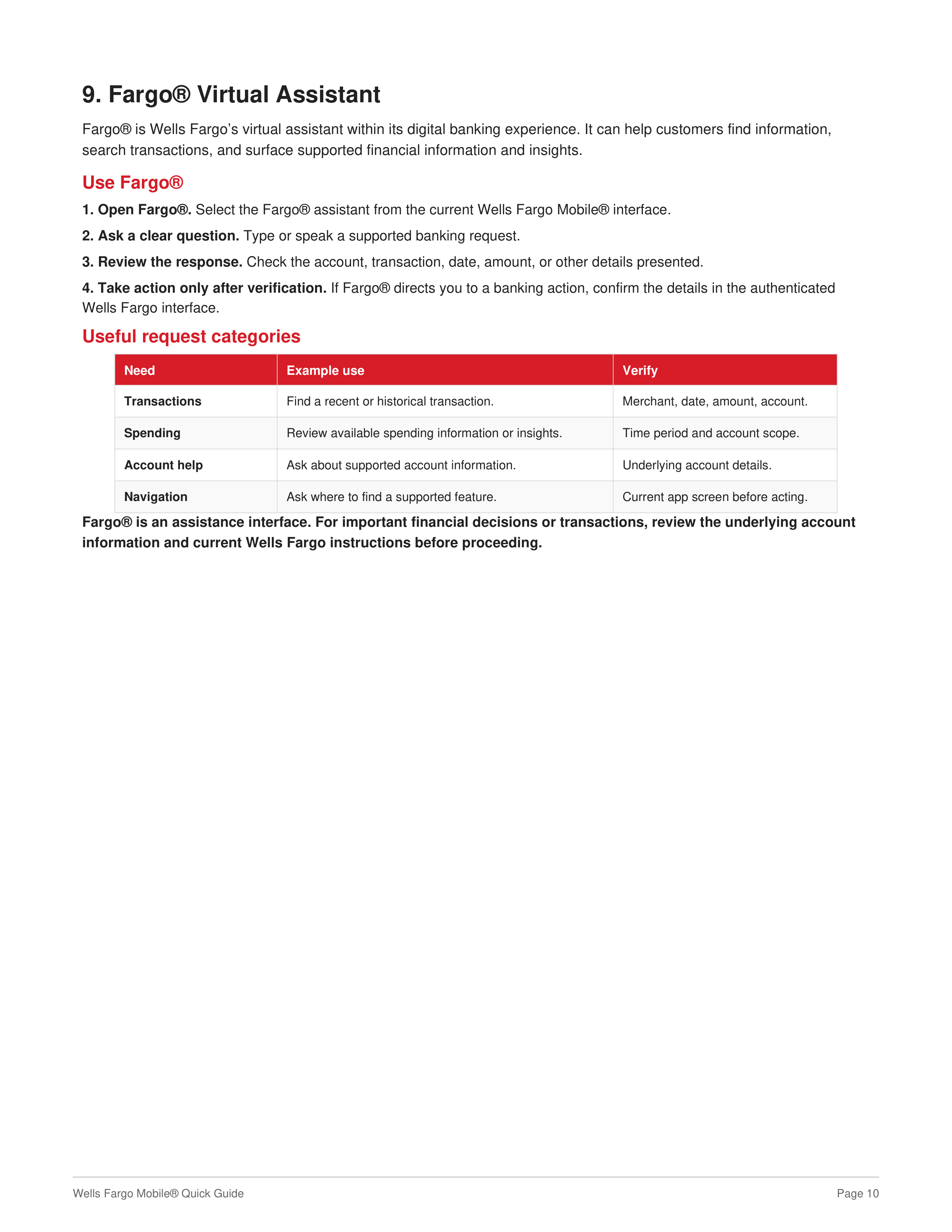
• Explore Mobile Deposit, Zelle®, Pay & Transfer, and Fargo®.
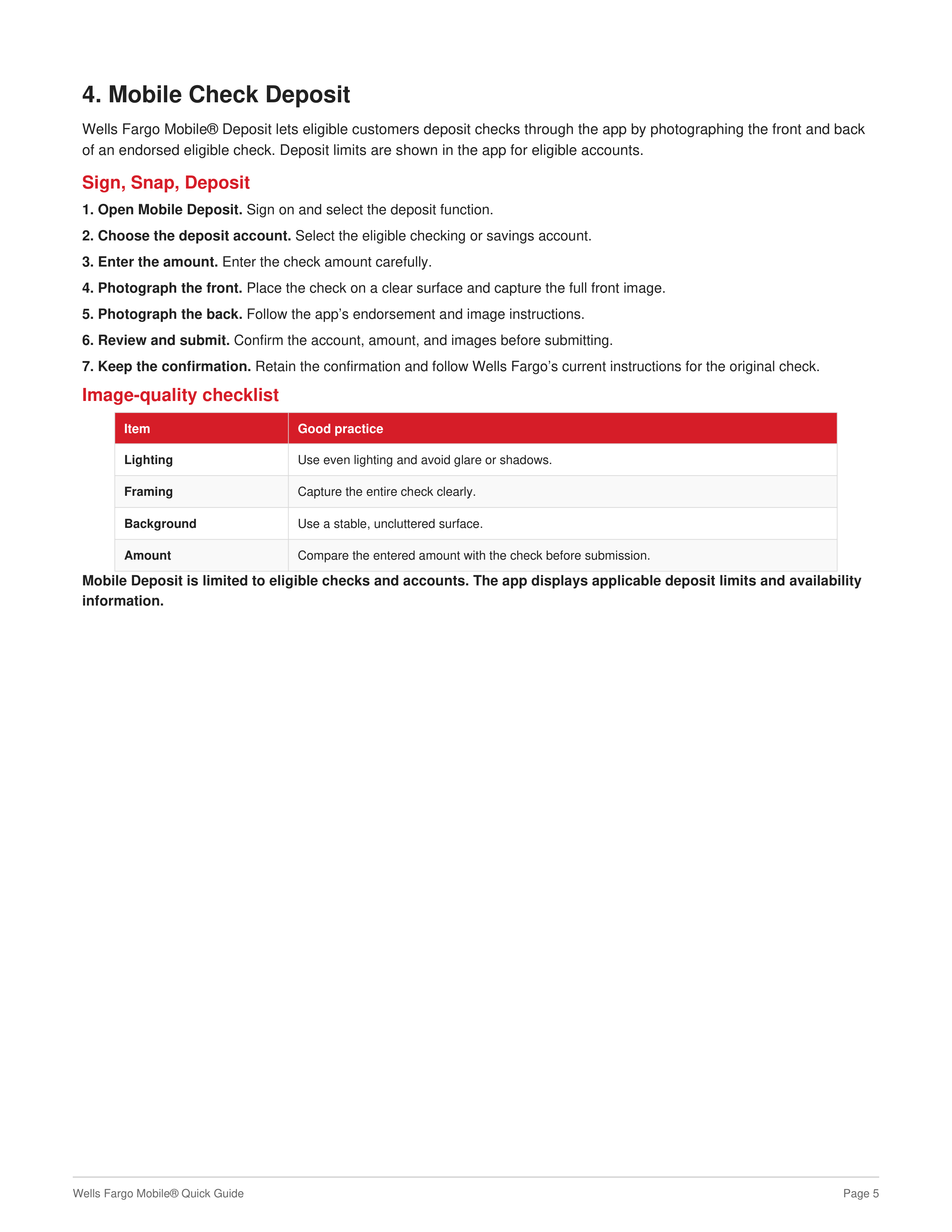
Before a mobile deposit
• Confirm the account is eligible.
• Endorse the check as instructed.
• Capture clear front and back images.
• Enter the exact check amount.
• Review the deposit before submission.
• Keep the confirmation and follow current original-check instructions.
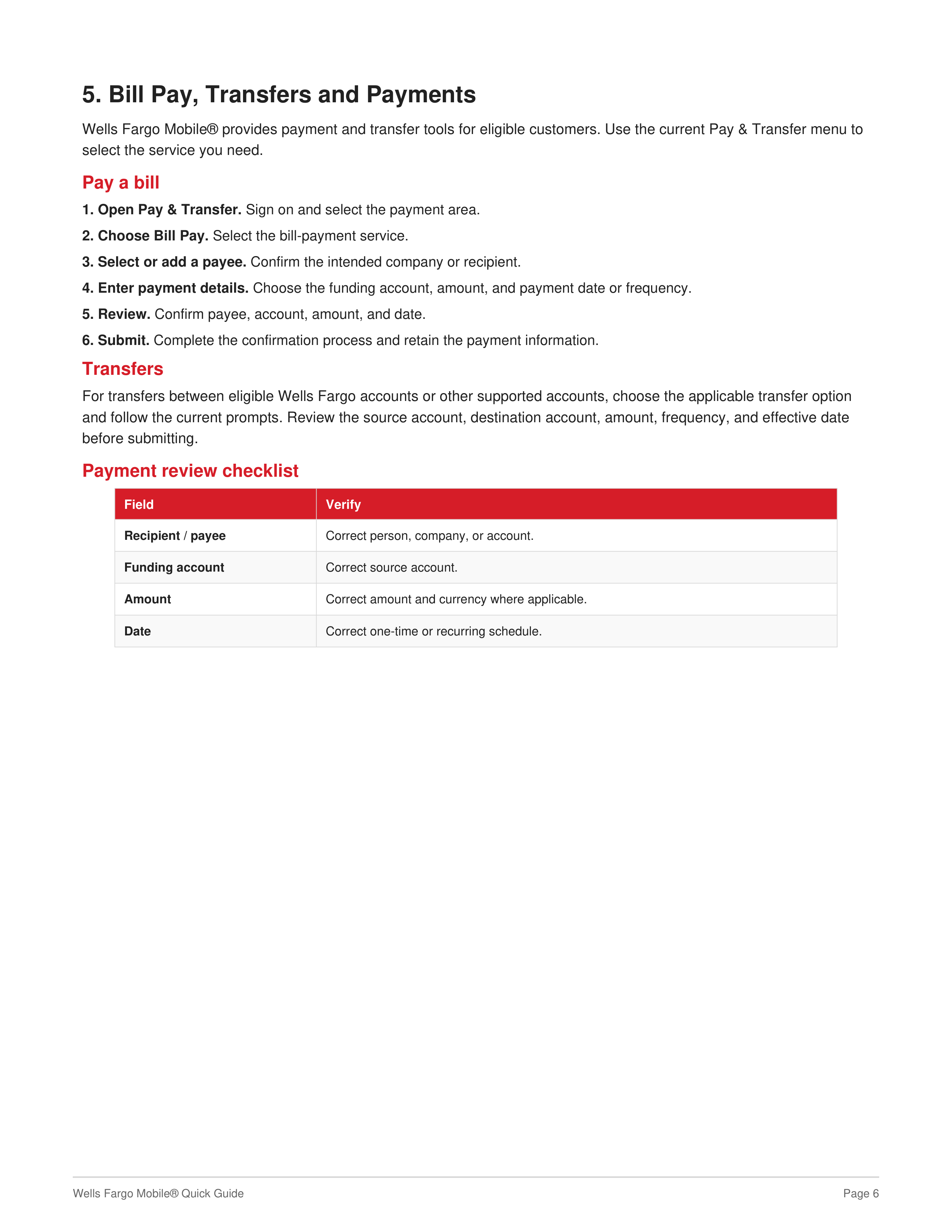
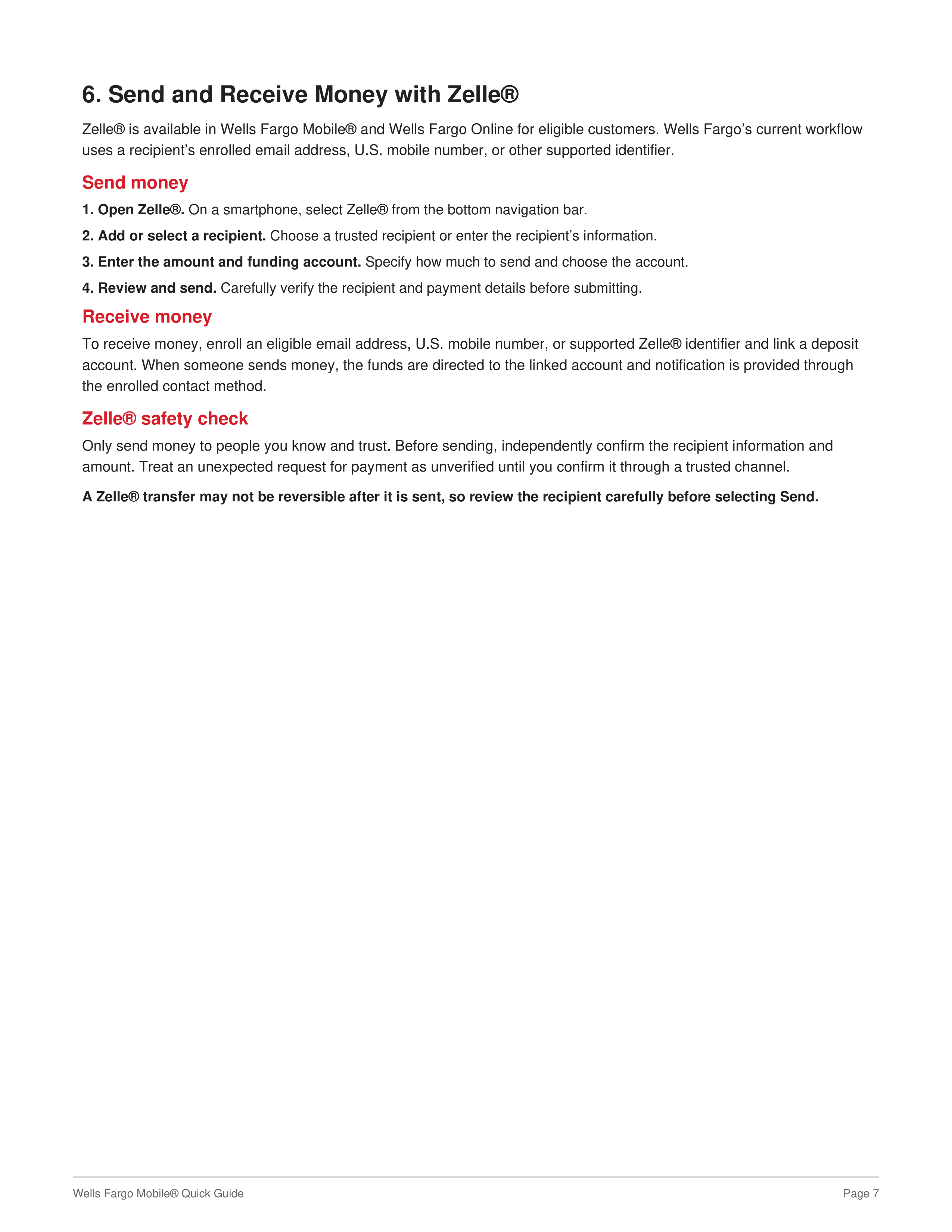
Before sending money
• Confirm the recipient.
• Confirm the funding account.
• Confirm the amount.
• Confirm the payment or transfer date.
• Review the final confirmation.
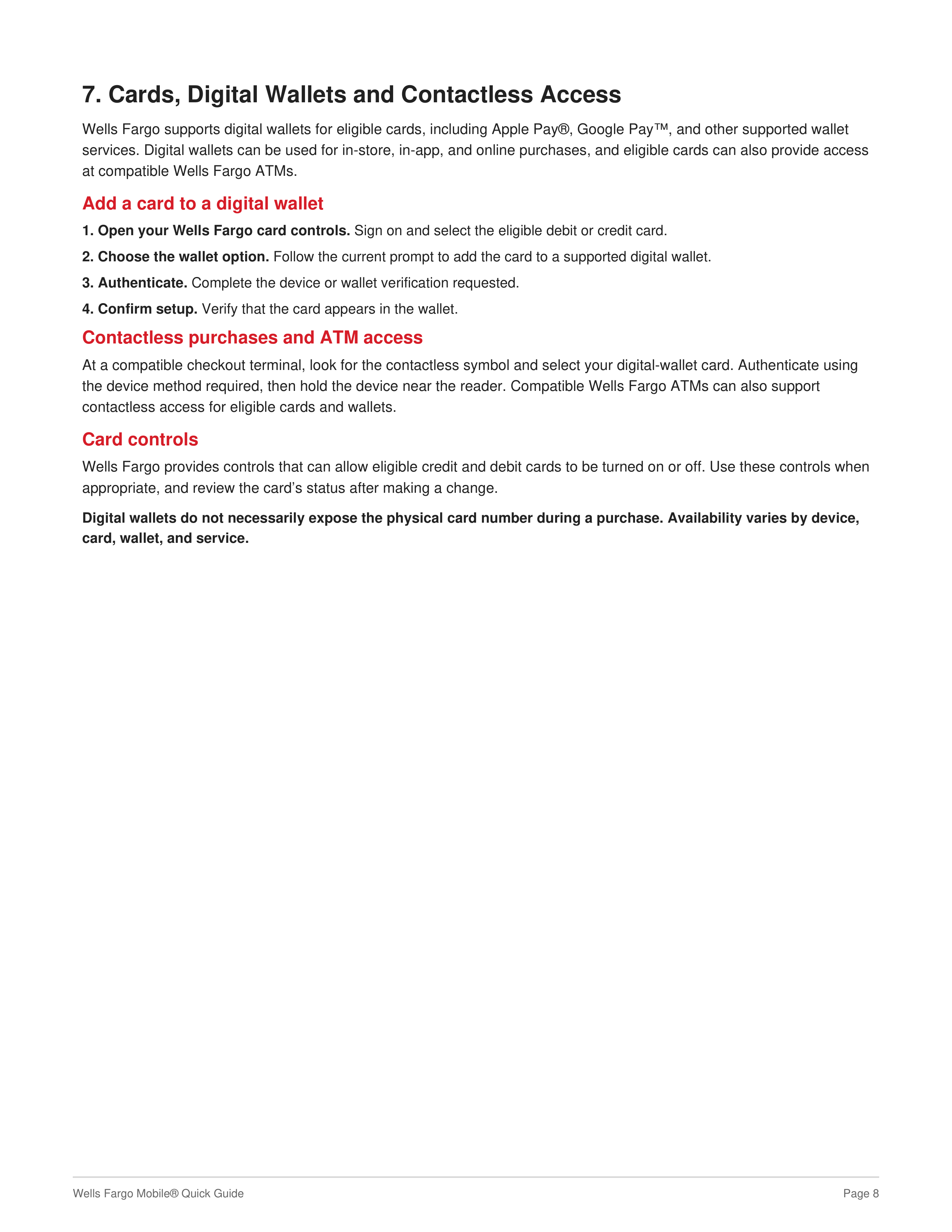
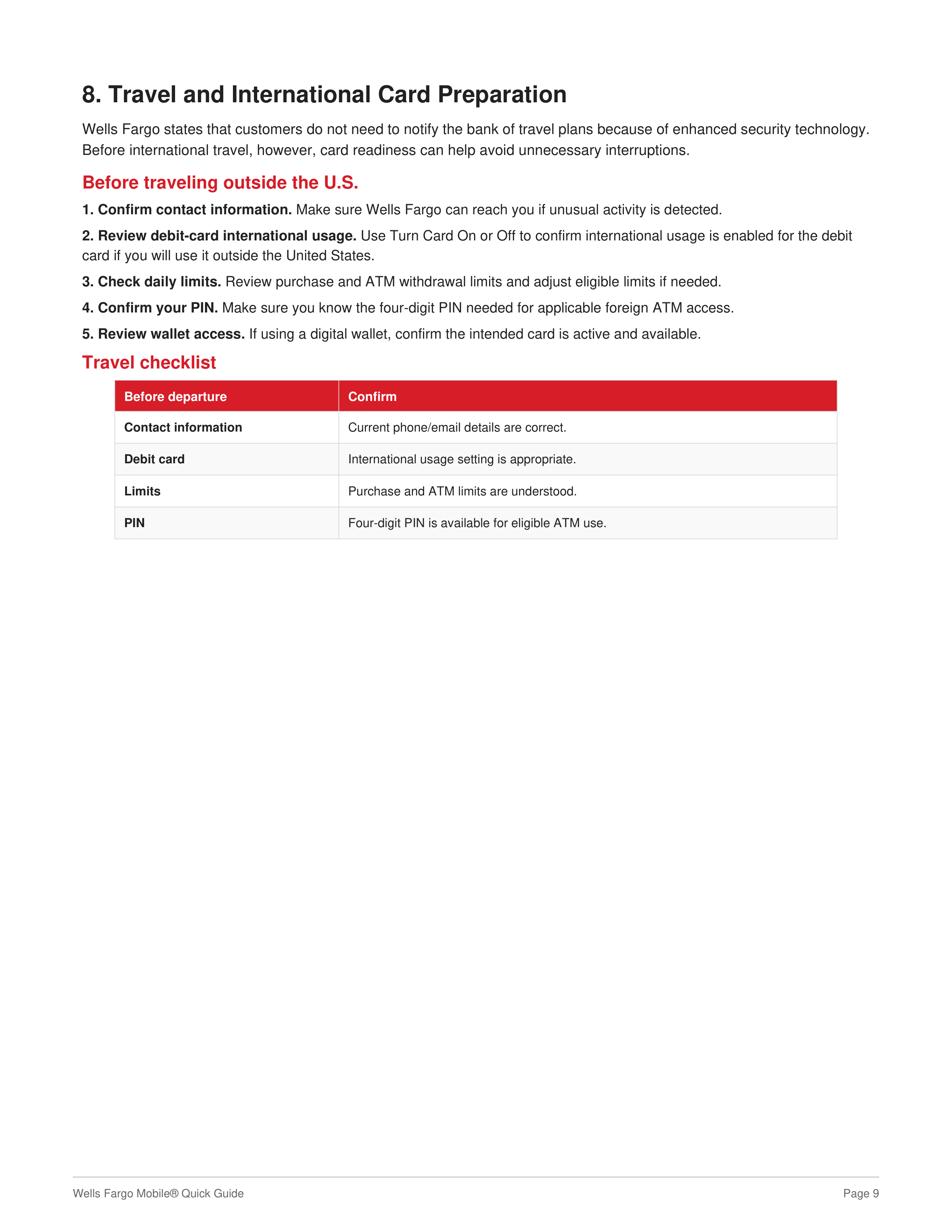
Before international travel
• Confirm contact information.
• Review debit-card international usage.
• Review purchase and ATM limits.
• Know your four-digit PIN.
• Confirm digital-wallet access if you plan to use it.
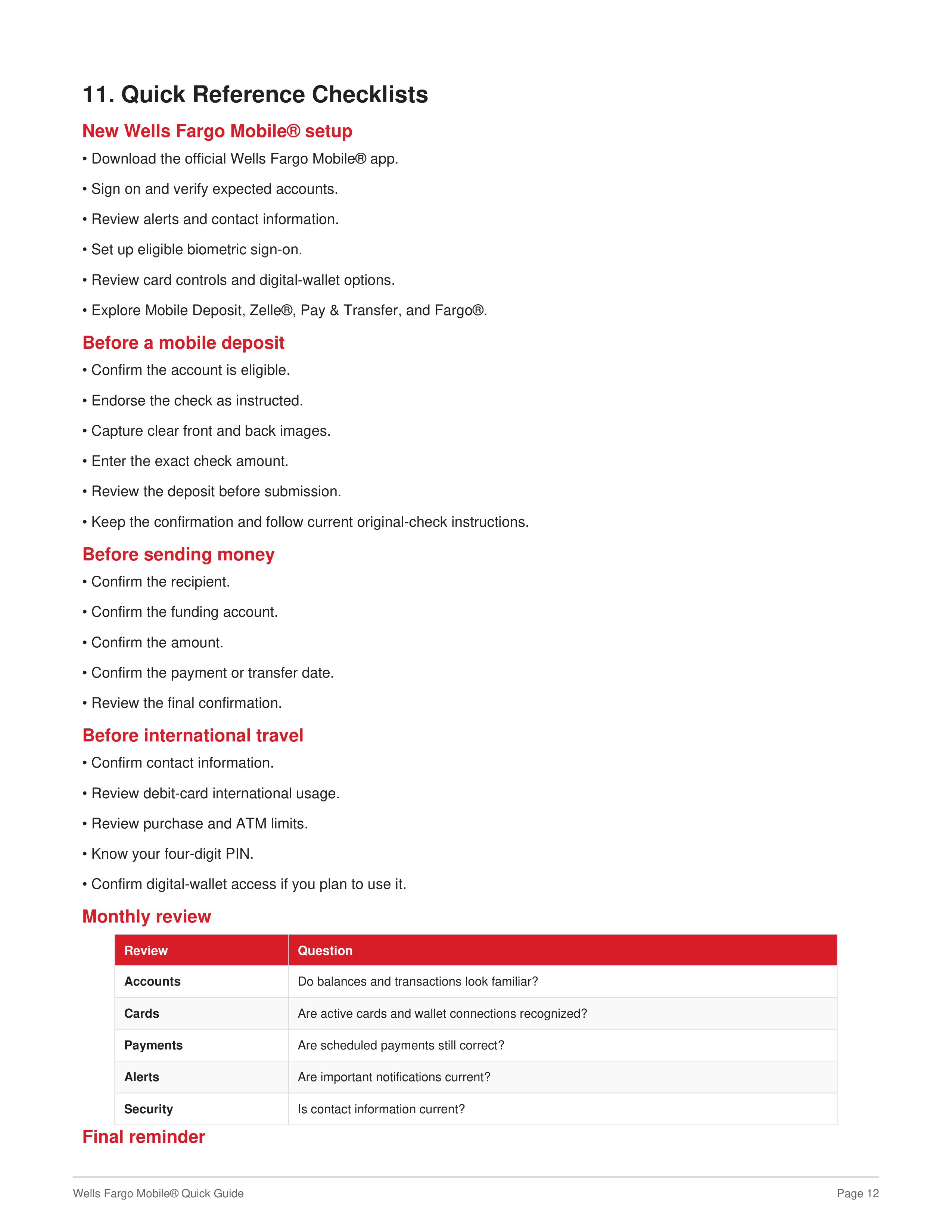
Monthly review
Review
Question
Accounts
Do balances and transactions look familiar?
Cards
Are active cards and wallet connections recognized?
Payments
Are scheduled payments still correct?
Alerts
Are important notifications current?
Security
Is contact information current?
Final reminder