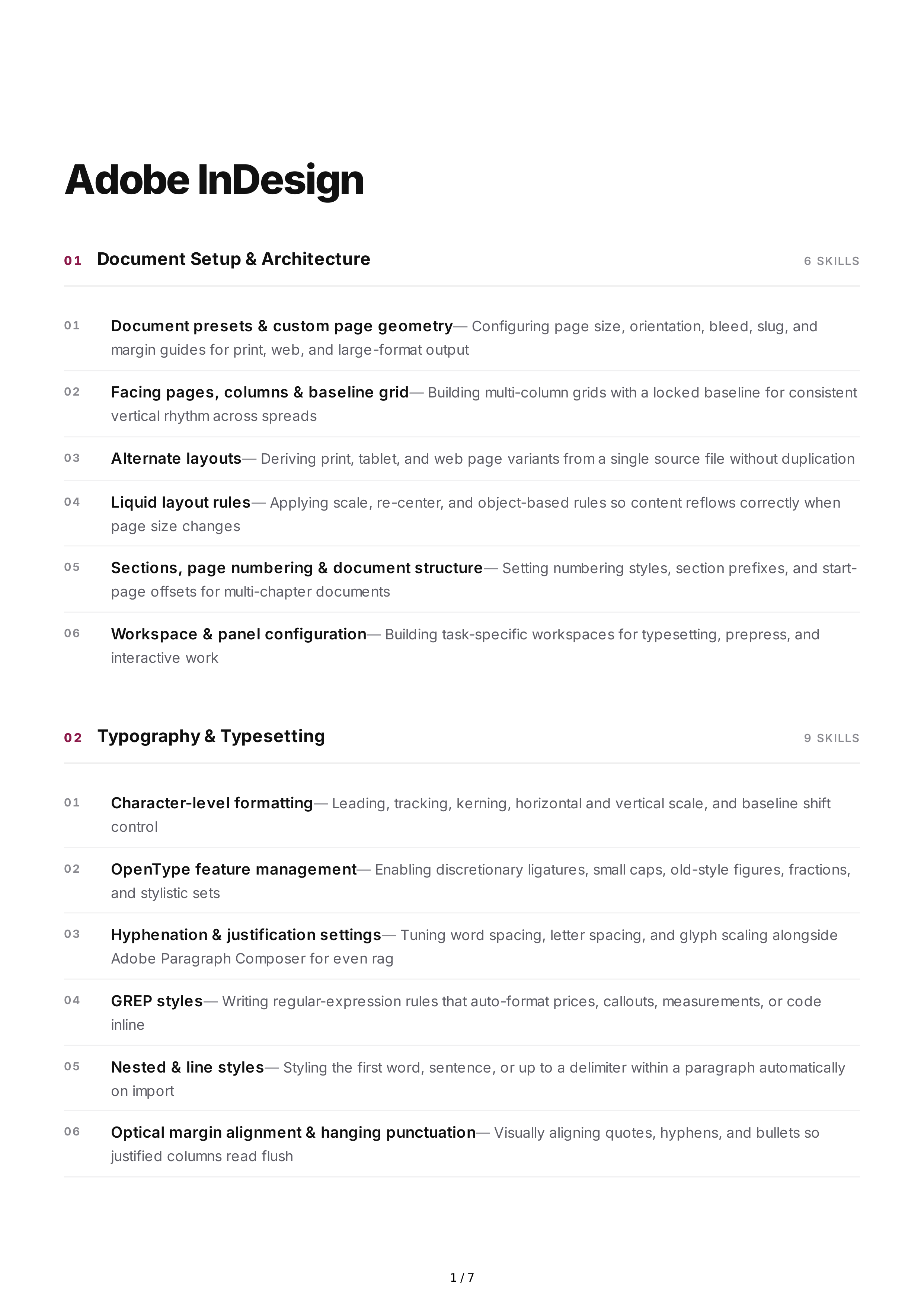
Adobe
InDesign
0 1
Document
Setup
&
Architecture
6
SKILLS
01
Document
presets
&
custom
page
geometry
—
Configuring
page
size
,
orientation
,
bleed
,
slug
,
and
margin
guides
for
print
,
web
,
and
large
-
format
output
02
Facing
pages
,
columns
&
baseline
grid
—
Building
multi
-
column
grids
with
a
locked
baseline
for
consistent
vertical
rhythm
across
spreads
03
Alternate
layouts
—
Deriving
print
,
tablet
,
and
web
page
variants
from
a
single
source
file
without
duplication
04
Liquid
layout
rules
—
Applying
scale
,
re
-
center
,
and
object
-
based
rules
so
content
reflows
correctly
when
page
size
changes
05
Sections
,
page
numbering
&
document
structure
—
Setting
numbering
styles
,
section
prefixes
,
and
start
-
page
offsets
for
multi
-
chapter
documents
06
Workspace
&
panel
configuration
—
Building
task
-
specific
workspaces
for
typesetting
,
prepress
,
and
interactive
work
0 2
Typography
&
Typesetting
9
SKILLS
01
Character
-
level
formatting
—
Leading
,
tracking
,
kerning
,
horizontal
and
vertical
scale
,
and
baseline
shift
control
02
OpenType
feature
management
—
Enabling
discretionary
ligatures
,
small
caps
,
old
-
style
figures
,
fractions
,
and
stylistic
sets
03
Hyphenation
&
justification
settings
—
Tuning
word
spacing
,
letter
spacing
,
and
glyph
scaling
alongside
Adobe
Paragraph
Composer
for
even
rag
04
GREP
styles
—
Writing
regular
-
expression
rules
that
auto
-
format
prices
,
callouts
,
measurements
,
or
code
inline
05
Nested
&
line
styles
—
Styling
the
first
word
,
sentence
,
or
up
to
a
delimiter
within
a
paragraph
automatically
on
import
06
Optical
margin
alignment
&
hanging
punctuation
—
Visually
aligning
quotes
,
hyphens
,
and
bullets
so
justified
columns
read
flush
1 / 7
07
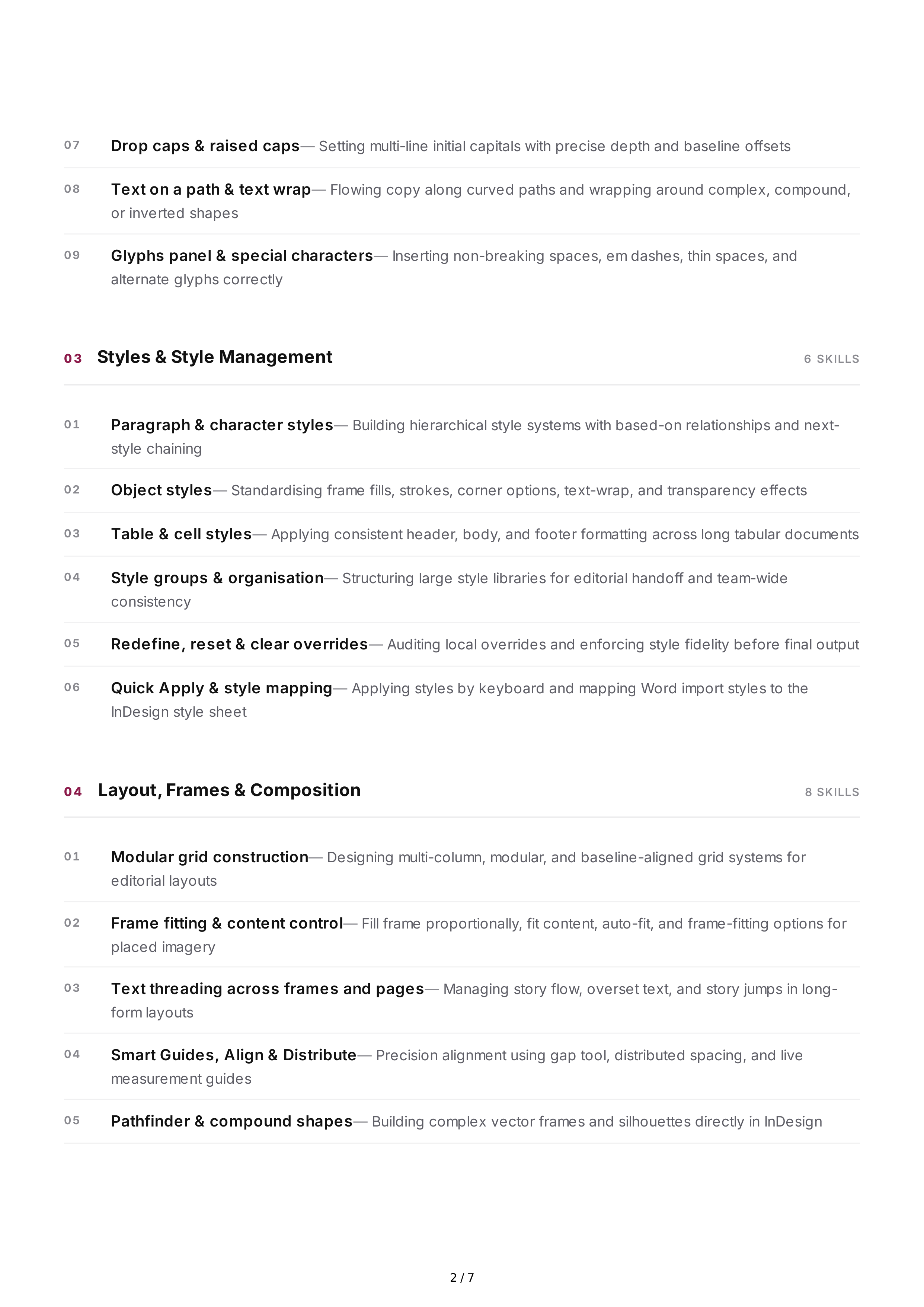
Drop
caps
&
raised
caps
—
Setting
multi
-
line
initial
capitals
with
precise
depth
and
baseline
offsets
08
Text
on
a
path
&
text
wrap
—
Flowing
copy
along
curved
paths
and
wrapping
around
complex
,
compound
,
or
inverted
shapes
09
Glyphs
panel
&
special
characters
—
Inserting
non
-
breaking
spaces
,
em
dashes
,
thin
spaces
,
and
alternate
glyphs
correctly
0 3
Styles
&
Style
Management
6
SKILLS
01
Paragraph
&
character
styles
—
Building
hierarchical
style
systems
with
based
-
on
relationships
and
next
-
style
chaining
02
Object
styles
—
Standardising
frame
fills
,
strokes
,
corner
options
,
text
-
wrap
,
and
transparency
effects
03
Table
&
cell
styles
—
Applying
consistent
header
,
body
,
and
footer
formatting
across
long
tabular
documents
04
Style
groups
&
organisation
—
Structuring
large
style
libraries
for
editorial
handoff
and
team
-
wide
consistency
05
Redefine
,
reset
&
clear
overrides
—
Auditing
local
overrides
and
enforcing
style
fidelity
before
final
output
06
Quick
Apply
&
style
mapping
—
Applying
styles
by
keyboard
and
mapping
Word
import
styles
to
the
InDesign
style
sheet
0 4
Layout
,
Frames
&
Composition
8
SKILLS
01
Modular
grid
construction
—
Designing
multi
-
column
,
modular
,
and
baseline
-
aligned
grid
systems
for
editorial
layouts
02
Frame
fitting
&
content
control
—
Fill
frame
proportionally
,
fit
content
,
auto
-
fit
,
and
frame
-
fitting
options
for
placed
imagery
03
Text
threading
across
frames
and
pages
—
Managing
story
flow
,
overset
text
,
and
story
jumps
in
long
-
form
layouts
04
Smart
Guides
,
Align
&
Distribute
—
Precision
alignment
using
gap
tool
,
distributed
spacing
,
and
live
measurement
guides
05
Pathfinder
&
compound
shapes
—
Building
complex
vector
frames
and
silhouettes
directly
in
InDesign
2 / 7
06
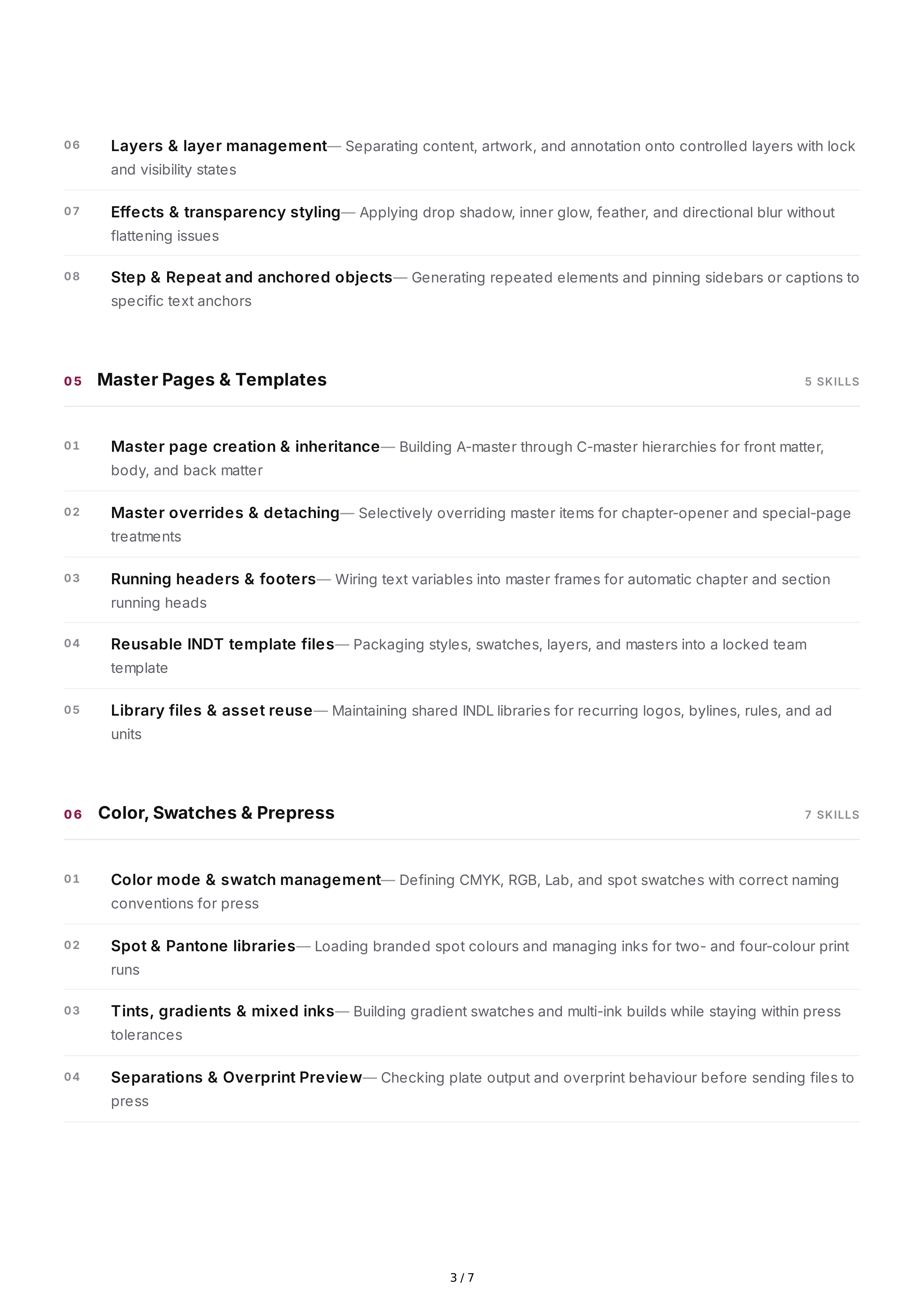
Layers
&
layer
management
—
Separating
content
,
artwork
,
and
annotation
onto
controlled
layers
with
lock
and
visibility
states
07
Effects
&
transparency
styling
—
Applying
drop
shadow
,
inner
glow
,
feather
,
and
directional
blur
without
flattening
issues
08
Step
&
Repeat
and
anchored
objects
—
Generating
repeated
elements
and
pinning
sidebars
or
captions
to
specific
text
anchors
0 5
Master
Pages
&
Templates
5
SKILLS
01
Master
page
creation
&
inheritance
—
Building
A
-
master
through
C
-
master
hierarchies
for
front
matter
,
body
,
and
back
matter
02
Master
overrides
&
detaching
—
Selectively
overriding
master
items
for
chapter
-
opener
and
special
-
page
treatments
03
Running
headers
&
footers
—
Wiring
text
variables
into
master
frames
for
automatic
chapter
and
section
running
heads
04
Reusable
INDT
template
files
—
Packaging
styles
,
swatches
,
layers
,
and
masters
into
a
locked
team
template
05
Library
files
&
asset
reuse
—
Maintaining
shared
INDL
libraries
for
recurring
logos
,
bylines
,
rules
,
and
ad
units
0 6
Color
,
Swatches
&
Prepress
7
SKILLS
01
Color
mode
&
swatch
management
—
Defining
CMYK
,
RGB
,
Lab
,
and
spot
swatches
with
correct
naming
conventions
for
press
02
Spot
&
Pantone
libraries
—
Loading
branded
spot
colours
and
managing
inks
for
two
-
and
four
-
colour
print
runs
03
Tints
,
gradients
&
mixed
inks
—
Building
gradient
swatches
and
multi
-
ink
builds
while
staying
within
press
tolerances
04
Separations
&
Overprint
Preview
—
Checking
plate
output
and
overprint
behaviour
before
sending
files
to
press
3 / 7
05
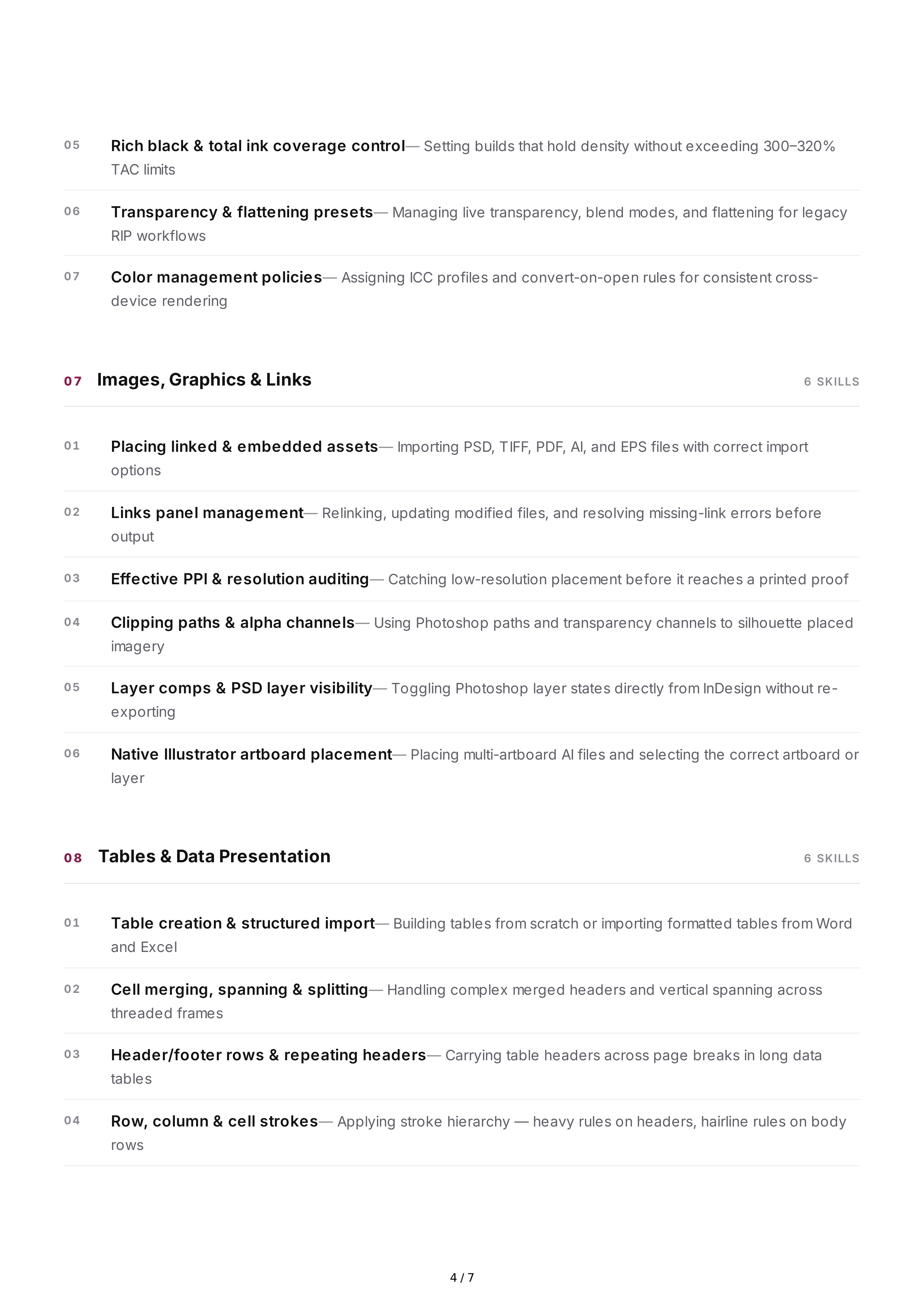
Rich
black
&
total
ink
coverage
control
—
Setting
builds
that
hold
density
without
exceeding
300–320%
TAC
limits
06
Transparency
&
flattening
presets
—
Managing
live
transparency
,
blend
modes
,
and
flattening
for
legacy
RIP
workflows
07
Color
management
policies
—
Assigning
ICC
profiles
and
convert
-
on
-
open
rules
for
consistent
cross
-
device
rendering
0 7
Images
,
Graphics
&
Links
6
SKILLS
01
Placing
linked
&
embedded
assets
—
Importing
PSD
,
TIFF
,
PDF
,
AI
,
and
EPS
files
with
correct
import
options
02
Links
panel
management
—
Relinking
,
updating
modified
files
,
and
resolving
missing
-
link
errors
before
output
03
Effective
PPI
&
resolution
auditing
—
Catching
low
-
resolution
placement
before
it
reaches
a
printed
proof
04
Clipping
paths
&
alpha
channels
—
Using
Photoshop
paths
and
transparency
channels
to
silhouette
placed
imagery
05
Layer
comps
&
PSD
layer
visibility
—
Toggling
Photoshop
layer
states
directly
from
InDesign
without
re
-
exporting
06
Native
Illustrator
artboard
placement
—
Placing
multi
-
artboard
AI
files
and
selecting
the
correct
artboard
or
layer
0 8
Tables
&
Data
Presentation
6
SKILLS
01
Table
creation
&
structured
import
—
Building
tables
from
scratch
or
importing
formatted
tables
from
Word
and
Excel
02
Cell
merging
,
spanning
&
splitting
—
Handling
complex
merged
headers
and
vertical
spanning
across
threaded
frames
03
Header
/
footer
rows
&
repeating
headers
—
Carrying
table
headers
across
page
breaks
in
long
data
tables
04
Row
,
column
&
cell
strokes
—
Applying
stroke
hierarchy
—
heavy
rules
on
headers
,
hairline
rules
on
body
rows
4 / 7
05
Text
-
to
-
table
conversion
—
Converting
delimited
text
into
tables
and
back
again
for
data
cleanup
06
Table
styles
applied
to
financial
documents
—
Formatting
statements
,
schedules
,
and
rate
cards
with
tabular
figures
and
decimal
alignment
0 9
Long
Documents
&
Book
Features
7
SKILLS
01
Books
panel
management
—
Assembling
multi
-
chapter
books
and
synchronising
styles
,
swatches
,
and
masters
across
files
02
Table
of
contents
generation
—
Building
and
updating
multi
-
level
TOCs
driven
by
paragraph
styles
and
entry
styles
03
Indexing
&
cross
-
references
—
Creating
topic
lists
,
index
entries
,
and
live
cross
-
references
that
survive
editing
04
Footnotes
&
endnotes
—
Configuring
numbering
style
,
separator
rules
,
and
endnote
placement
at
chapter
end
05
Text
variables
—
Defining
running
heads
,
chapter
numbers
,
file
names
,
and
custom
variables
06
Conditional
text
—
Producing
teacher
,
student
,
and
regional
variants
from
one
master
document
07
Document
preflight
&
book
-
wide
checks
—
Running
live
preflight
across
all
chapters
before
packaging
for
print
10
Automation
&
Data
-
Driven
Production
7
SKILLS
01
Data
Merge
—
Generating
certificates
,
badges
,
labels
,
name
cards
,
and
catalogue
pages
from
CSV
/
TXT
sources
02
XML
import
&
structure
tagging
—
Mapping
tagged
content
to
InDesign
stories
and
styles
for
structured
publishing
pipelines
03
GREP
Find
/
Change
—
Running
pattern
-
based
cleanup
for
spacing
,
quote
styles
,
dashes
,
and
placeholder
strings
04
Object
&
glyph
Find
/
Change
—
Locating
and
replacing
formatting
,
frames
,
and
special
characters
document
-
wide
05
Scripting
—
ExtendScript
(
JSX
)
—
Writing
and
running
scripts
for
repetitive
layout
,
export
,
and
tagging
tasks
5 / 7
06
Scripting
—
UXP
—
Building
modern
panel
-
based
plugins
for
the
current
InDesign
scripting
environment
07
Keyboard
shortcut
sets
—
Creating
production
shortcut
sets
that
map
style
application
to
single
keystrokes
11
Digital
Publishing
&
Interactive
Output
6
SKILLS
01
Reflowable
EPUB
export
—
Mapping
paragraph
styles
to
CSS
and
export
tags
for
clean
,
valid
EPUB
3
files
02
Fixed
-
layout
EPUB
&
Digital
Publishing
—
Building
pixel
-
accurate
fixed
-
layout
editions
for
children
'
s
books
,
brochures
,
and
lookbooks
03
Hyperlinks
,
buttons
&
form
fields
—
Wiring
navigation
links
,
mailto
actions
,
and
interactive
PDF
form
elements
04
Animation
&
page
transitions
—
Applying
preset
motion
,
timing
,
and
transitions
for
interactive
PDF
and
DPS
output
05
Object
states
&
multi
-
state
objects
—
Building
slideshows
and
image
galleries
controlled
by
buttons
inside
a
single
frame
06
Accessibility
tagging
for
PDF
/
UA
—
Setting
export
tags
,
alt
text
,
reading
order
,
and
article
structure
for
accessible
documents
12
Preflight
,
Output
&
Delivery
8
SKILLS
01
Live
preflight
profiles
—
Configuring
custom
profiles
that
flag
missing
fonts
,
low
-
res
images
,
and
RGB
on
a
CMYK
job
02
Packaging
for
handoff
—
Collecting
fonts
,
links
,
and
instructions
into
a
clean
,
transferable
package
03
Print
-
ready
PDF
presets
—
Exporting
PDF
/
X
-1
a
,
PDF
/
X
-4,
and
press
-
optimised
PDFs
with
correct
marks
and
bleed
04
Printer
marks
&
bleed
settings
—
Applying
crop
marks
,
registration
marks
,
colour
bars
,
and
slug
information
correctly
05
Imposition
&
booklet
printing
—
Producing
printer
spreads
,
saddle
-
stitch
booklets
,
and
reader
spreads
for
proofs
06
Trapping
&
overprint
control
—
Setting
trap
presets
and
applying
overprint
to
black
text
and
fine
rules
6 / 7
07
Screen
,
web
&
social
exports
—
Exporting
JPEG
,
PNG
,
SVG
,
and
PDF
for
web
,
email
,
and
social
delivery
at
correct
dimensions
08
Editorial
workflow
handoff
—
Creating
InCopy
assignments
and
managing
check
-
in
/
check
-
out
with
editorial
teams
13
Cross
-
Application
Workflow
5
SKILLS
01
Adobe
Photoshop
integration
—
Placing
layered
PSDs
with
layer
comps
and
transparency
preserved
for
print
02
Adobe
Illustrator
integration
—
Placing
native
AI
artwork
with
live
artboard
and
layer
selection
03
Adobe
Bridge
asset
workflow
—
Browsing
,
rating
,
and
managing
metadata
across
large
image
libraries
04
Adobe
Acrobat
Pro
handoff
—
Validating
PDF
/
X
compliance
,
running
preflight
,
and
applying
final
output
checks
05
InCopy
editorial
workflow
—
Managing
copy
assignment
,
edits
,
and
tracking
between
designers
and
editors
Print
Production
Editorial
Layout
Prepress
EPUB
/
Digital
Publishing
Automation
Template
Systems
Accessibility
7 / 7