
AI Art Generator tools allow users to create images from simple text prompts, making visual content creation faster and more accessible. They are widely used to generate realistic, artistic, and creative visuals without requiring advanced design skills. An AI Art Generator works by understanding written input and transforming it into images using trained machine learning models. Instead of designing manually, users can describe an idea and instantly receive multiple visual outputs, saving both time and effort. These tools are now commonly used for social media content, marketing materials, blog visuals, and creative projects. As demand for visual content grows, AI Art Generator platforms have become a practical solution for individuals and businesses looking to create high-quality images efficiently.
Best AI Art Generators Tools (Quick List)
- Midjourney AI
- ChatGPT AI
- StableAssistant AI
- Adobe Firefly AI
- Ideogram AI
- Canva AI
- Nano Banana Pro AI
- Recraft AI
- Craiyon AI
- NightCafe Studio AI
- Runway ML AI
- Deep Dream Generator AI
- OpenArt AI
- getimg.ai
- Shutterstock AI
- Bing Image Creator AI
- Freepik AI
- Wombo Dream AI
- Artbreeder AI
- DeepAI
- Reve AI
Best AI Art Generator Tools – Comparison Table
| Tool | Best For | Key Strength | Ease of Use | Platform | Pricing |
|---|---|---|---|---|---|
| Midjourney AI | Artistic visuals | High-quality, stylized images | Medium | Web, Discord | Paid (from ~$10/month) |
| ChatGPT AI | Prompt accuracy | Strong text understanding | Very Easy | Web, App | Free + Paid (~$20/month) |
| StableAssistant AI | Custom control | Access to diffusion models | Medium | Web | Paid (credit-based) |
| Adobe Firefly AI | Commercial design | Licensed, safe outputs | Easy | Web, Adobe apps | Free + Paid (~$9.99/month) |
| Ideogram AI | Text in images | Accurate typography | Easy | Web | Free + Paid (~$8/month) |
| Canva AI | Beginners | Drag-and-drop design | Very Easy | Web, App | Free + Paid (~$15/month) |
| Nano Banana Pro AI | Advanced AI | Reasoning + image generation | Easy | Web | Free + Paid (Gemini plans) |
| Recraft AI | Graphic design | Vector + brand consistency | Medium | Web | Free + Paid (~$10/month) |
| Craiyon AI | Free usage | Simple image generation | Very Easy | Web | Free + Paid (~$5/month) |
| NightCafe Studio AI | Community | Multi-model support | Easy | Web | Free + Paid (~$5.99/month) |
| Runway ML AI | Video + visuals | Image + video generation | Medium | Web | Free + Paid (~$12/month) |
| Deep Dream Generator AI | Abstract art | Dream-like visuals | Easy | Web | Free + Paid (~$9/month) |
| OpenArt AI | Flexibility | Multiple AI models | Easy | Web | Free + Paid (~$7–$14/month) |
| getimg.ai | Bulk generation | API + automation | Medium | Web | Free + Paid (~$10/month) |
| Shutterstock AI | Commercial use | Licensed content | Easy | Web | Paid (from ~$7/month) |
| Bing Image Creator AI | Free access | DALL·E powered | Very Easy | Web | Free |
| Freepik AI | All-in-one | Multi-model + editing | Easy | Web | Free + Paid (~$5–$10/month) |
| Wombo Dream AI | Quick art | Fast style generation | Very Easy | Web, App | Free + Paid (~$9.99/month) |
| Artbreeder AI | Image remixing | Blend and evolve images | Easy | Web | Free + Paid (~$7–$9/month) |
| DeepAI | Multi-tools | Image + API access | Very Easy | Web | Free + Paid (~$9.99/month) |
| Reve AI | Prompt accuracy | Strong detail + editing | Easy | Web | Free + Paid (credit-based) |
1) Midjourney AI
What is Midjourney AI?
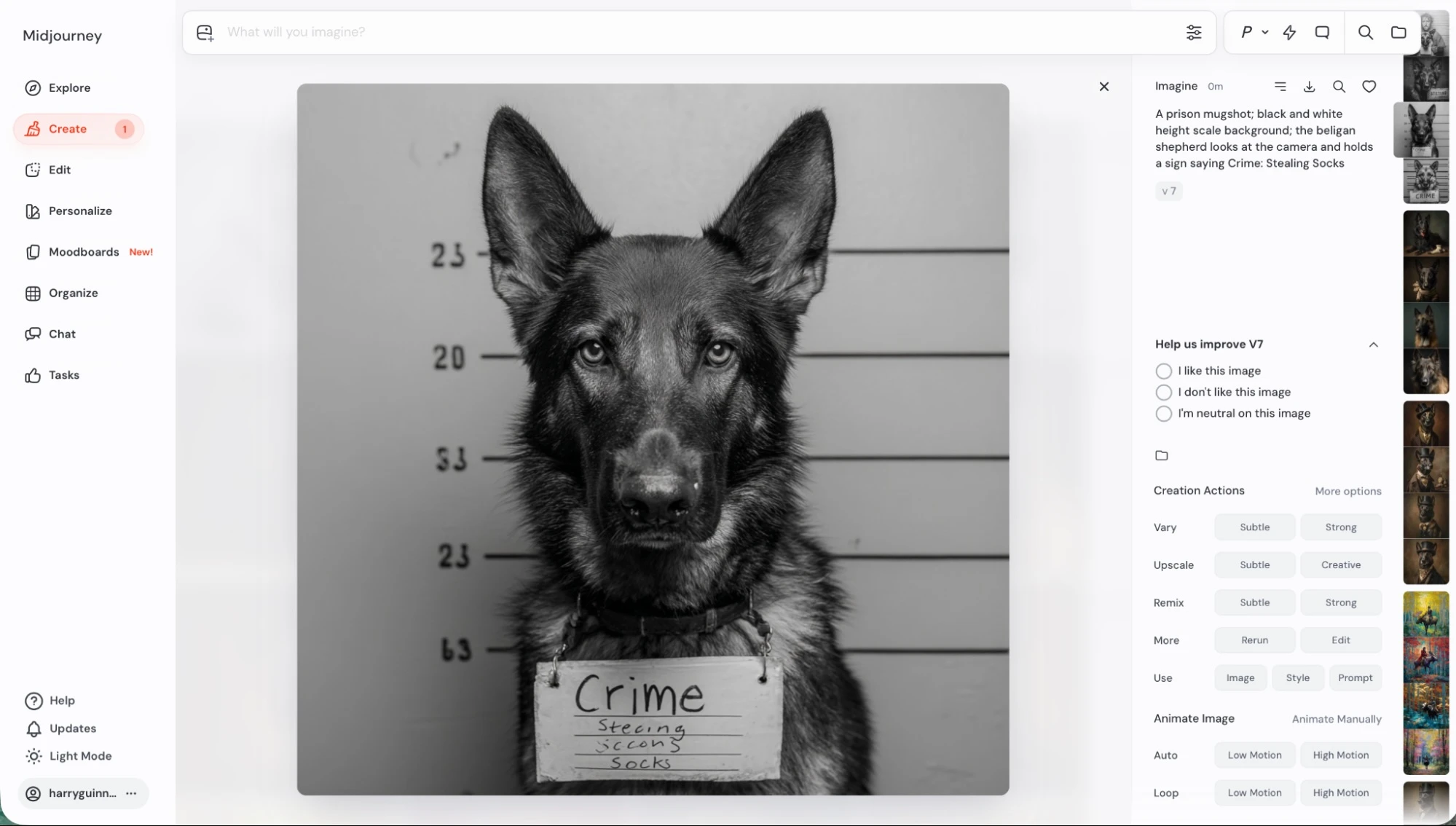
Midjourney AI is an advanced AI Art Generator that creates high-quality images from text prompts. It is developed by an independent research lab focused on expanding creative possibilities through artificial intelligence. Unlike many tools, Midjourney AI is known for producing highly artistic, realistic, and visually detailed images, making it one of the top choices for creative professionals and designers.
How to Use Midjourney AI for AI Art Generator
Using Midjourney AI is simple but slightly different from other tools:
- Sign up on the official website
- Access it via web interface or Discord
- Enter a text prompt describing your image
- The AI generates multiple image variations
- Choose, upscale, or refine the output
Users typically generate images using prompts, and the system returns multiple versions to select and improve.
Key Features of Midjourney AI
- High-quality artistic image generation
- Strong prompt interpretation
- Multiple image variations per prompt
- Upscaling and editing options
- Advanced style and composition control
- Community-driven creation environment
- Web and Discord-based access
Midjourney stands out for its ability to create visually appealing and stylized images compared to many other AI tools.
Where Midjourney AI is Used in AI Art Generator
Midjourney AI is widely used for:
- Digital art and creative design
- Social media content creation
- Marketing and branding visuals
- Concept art and illustrations
- Blog and website images
- Product and advertising visuals
It is especially popular in industries where visual quality and creativity matter most.
Who Should Use Midjourney AI
Midjourney AI is best suited for:
- Designers and artists
- Content creators
- Marketers and agencies
- Freelancers and creatives
- Businesses needing high-quality visuals
It is ideal for users who want professional-level artistic output without complex design tools.
Pricing
Midjourney AI is a paid tool with plans starting around $10 per month and scaling based on usage, speed, and GPU access.
2) ChatGPT AI
What is ChatGPT AI?
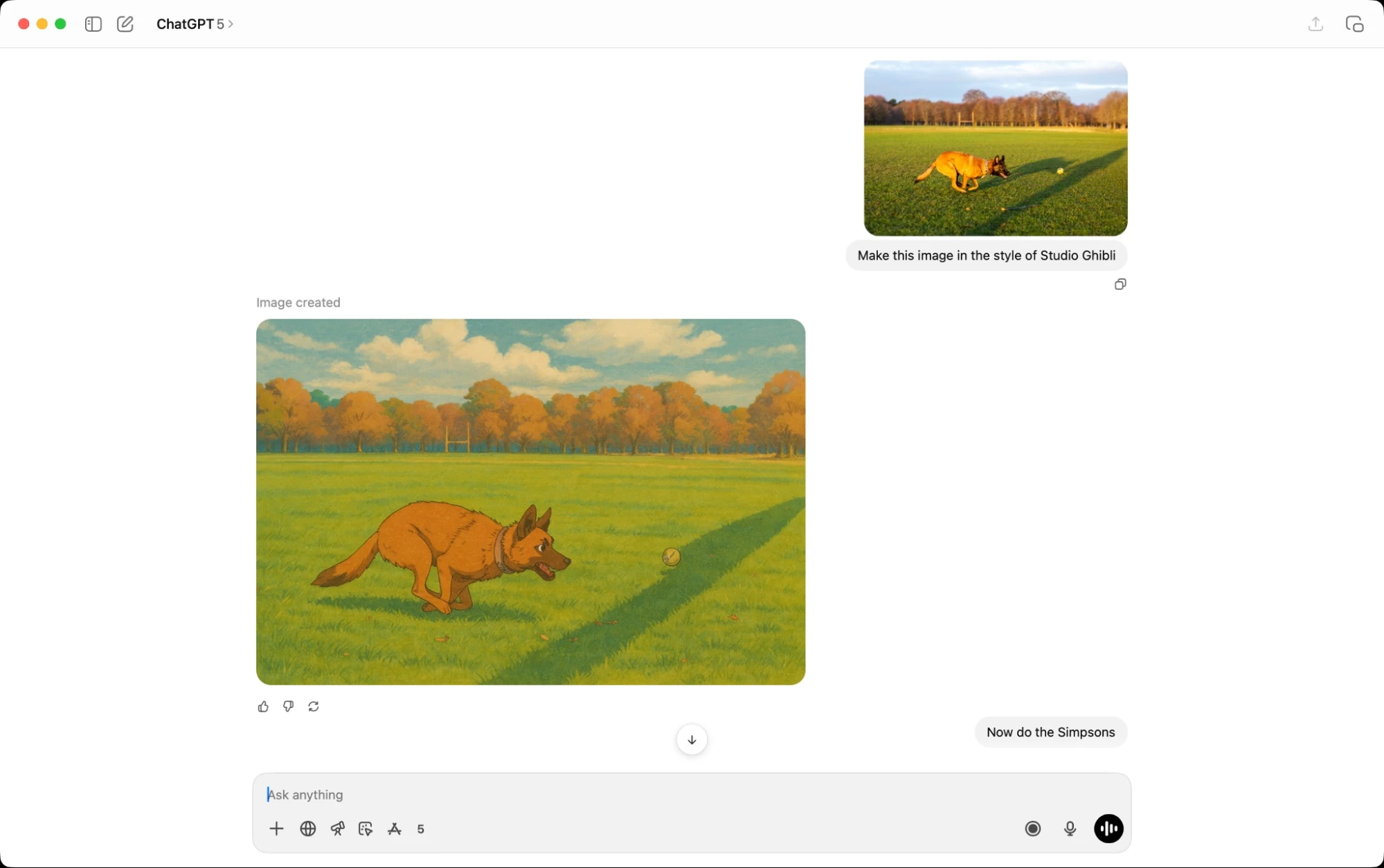
ChatGPT AI is an advanced AI Art Generator that creates images from text prompts using built-in models like DALL·E. It allows users to generate visuals directly within a conversational interface, making image creation simple and accessible. Unlike traditional tools, ChatGPT AI combines text understanding with image generation, helping users create accurate and context-aware visuals without needing complex prompts.
How to Use ChatGPT AI for AI Art Generator
Using ChatGPT AI for image generation is simple:
- Open ChatGPT in your browser or app
- Enter a prompt describing the image you want
- The AI automatically generates images based on your request
- Refine the output by giving follow-up instructions
- Download or reuse the generated image
ChatGPT can also improve prompts automatically, making it easier for beginners to get high-quality results.
Key Features of ChatGPT AI
- Text-to-image generation using DALL·E models
- Strong prompt understanding and accuracy
- Conversational editing and refinements
- Ability to generate multiple variations
- Integrated workflow with chat interface
- Supports creative, realistic, and conceptual visuals
- Easy to use with no technical setup required
This tool stands out for its ability to understand natural language and convert it into precise visual outputs.
Where ChatGPT AI is Used in AI Art Generator
ChatGPT AI is widely used for:
- Social media content creation
- Blog and website images
- Marketing and advertising visuals
- Presentation and slide design
- Concept art and ideation
- Educational and creative projects
It is especially useful for users who want quick and accurate image generation with minimal effort.
Who Should Use ChatGPT AI
ChatGPT AI is ideal for:
- Beginners and non-designers
- Content creators and marketers
- Students and educators
- Bloggers and social media managers
- Businesses needing fast visual content
It is best for users who want easy and fast image creation without learning complex tools.
Pricing
ChatGPT AI offers a free plan with limited image generation, while paid plans start at about $20 per month and include faster access and higher usage limits.
3) StableAssistant AI
What is StableAssistant?
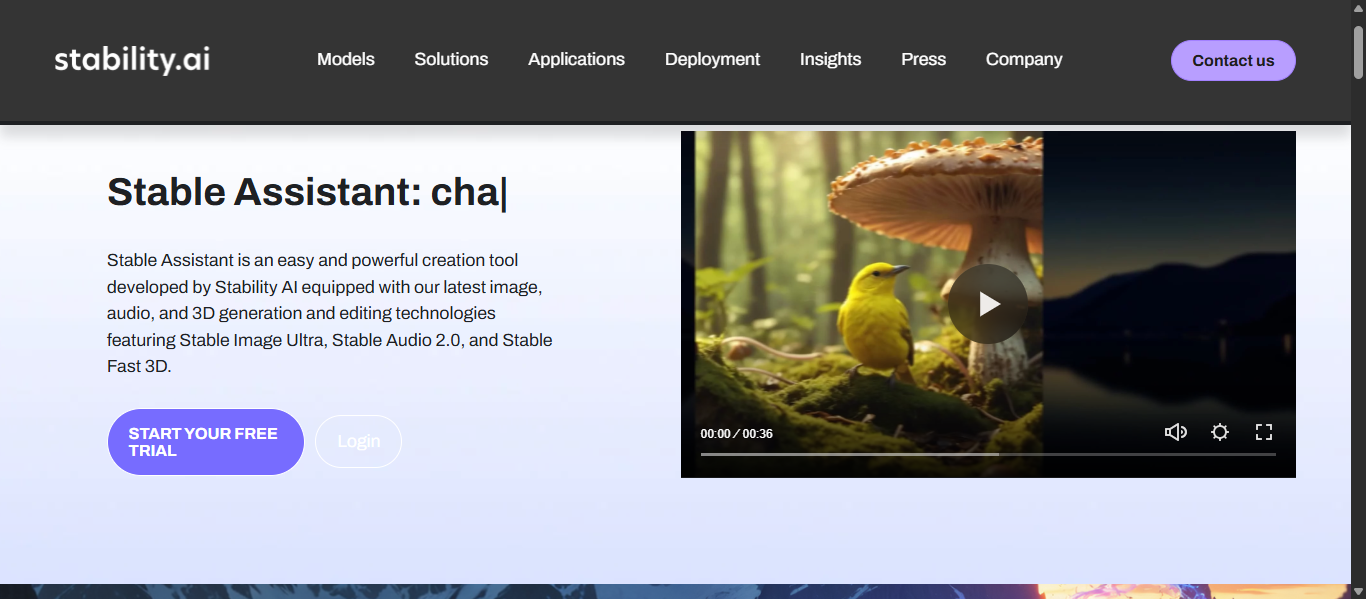
StableAssistant is an AI Art Generator that provides access to advanced Stable Diffusion models through an official web interface. It allows users to generate high-quality images from text prompts with more control and flexibility compared to basic tools. Unlike simplified platforms, StableAssistant focuses on giving users access to powerful open models, making it suitable for more advanced image generation tasks.
How to Use StableAssistant for AI Art Generator
Using StableAssistant is straightforward:
- Sign up on the official platform
- Access the web-based interface
- Enter a text prompt describing your image
- Adjust settings like style, resolution, or model
- Generate and refine images as needed
It allows users to experiment with different models and settings for better customization.
Key Features of StableAssistant
- Access to Stable Diffusion models
- High level of customization and control
- Adjustable image settings and styles
- Supports advanced prompt inputs
- Web-based interface for easy access
- Suitable for both basic and advanced users
StableAssistant is known for offering flexibility that many beginner tools do not provide.
Where StableAssistant is Used in AI Art Generator
StableAssistant is commonly used for:
- Custom AI image generation
- Creative design and artwork
- Concept art and prototyping
- Marketing and digital content
- Experimental and advanced AI projects
It is especially useful where customization and control are important.
Who Should Use StableAssistant
StableAssistant is best suited for:
- Designers and developers
- Advanced users and AI enthusiasts
- Content creators needing customization
- Businesses requiring tailored visuals
It is ideal for users who want more control over image generation.
Pricing
StableAssistant is a paid tool with pricing based on usage and credits, offering flexible plans depending on image generation needs.
4) Adobe Firefly AI
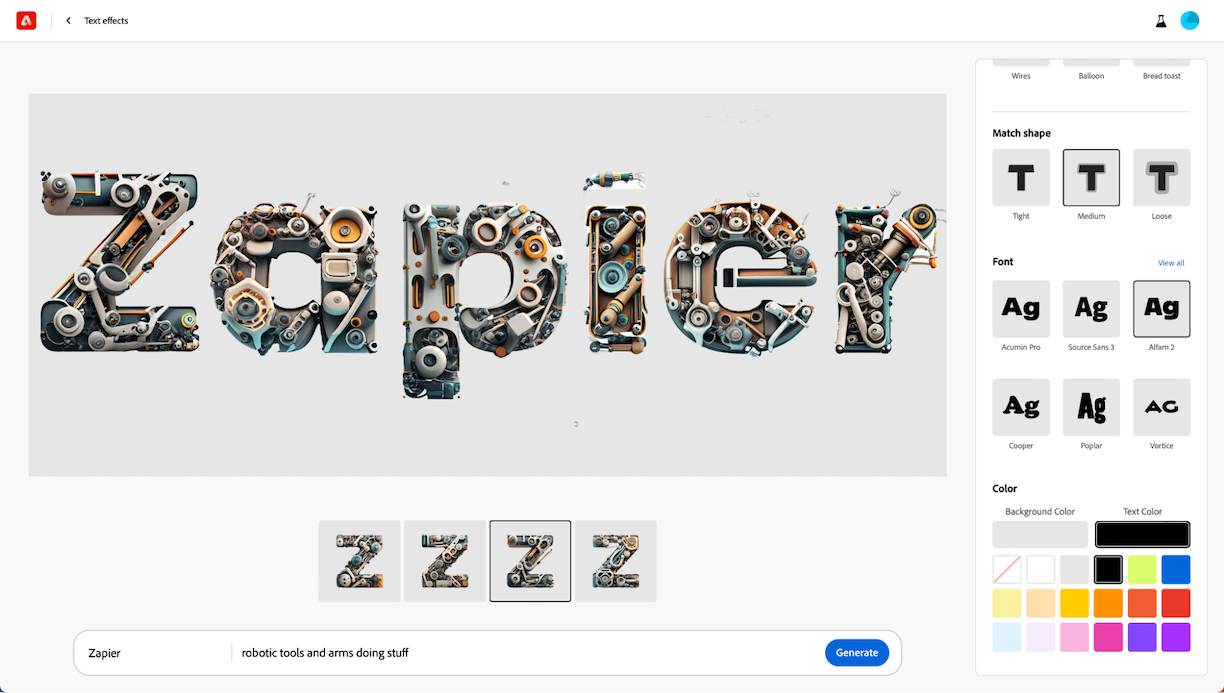
What is Adobe Firefly AI?
Adobe Firefly AI is a professional AI Art Generator designed for creating images, videos, and design assets using simple text prompts. It is part of Adobe’s Creative Cloud ecosystem and is built specifically for creative workflows and commercial use. Unlike many tools, Adobe Firefly AI is trained on licensed and safe data, making it suitable for generating content that can be used commercially without legal concerns.
How to Use Adobe Firefly AI for AI Art Generator
Using Adobe Firefly AI is simple:
- Open Adobe Firefly in your browser
- Log in with your Adobe account
- Select the “Text to Image” feature
- Enter a prompt describing your image
- Generate and refine results using styles and controls
The tool allows users to experiment with prompts and instantly create high-quality visuals with minimal effort.
Key Features of Adobe Firefly AI
- Text-to-image generation with high accuracy
- Commercially safe image generation
- Advanced editing tools like Generative Fill
- Integration with Photoshop, Illustrator, and Adobe Express
- Support for image, video, and vector creation
- Multiple style and customization options
- Generative credit system for usage control
Adobe Firefly AI stands out because it combines AI generation with professional design tools.
Where Adobe Firefly AI is Used in AI Art Generator
Adobe Firefly AI is widely used for:
- Marketing and advertising visuals
- Social media content creation
- Graphic design and branding
- Website and blog images
- Video and multimedia content
- Business and enterprise design workflows
It is especially useful where commercial-safe and high-quality content is required.
Who Should Use Adobe Firefly AI
Adobe Firefly AI is best suited for:
- Professional designers and creatives
- Marketing teams and agencies
- Businesses and enterprises
- Content creators and freelancers
- Users already using Adobe tools
It is ideal for users who want AI-powered design with professional-level control.
Pricing
Adobe Firefly AI offers a free plan with limited generative credits, while paid plans start around $9.99 per month and scale based on credits and features.
5) Ideogram AI
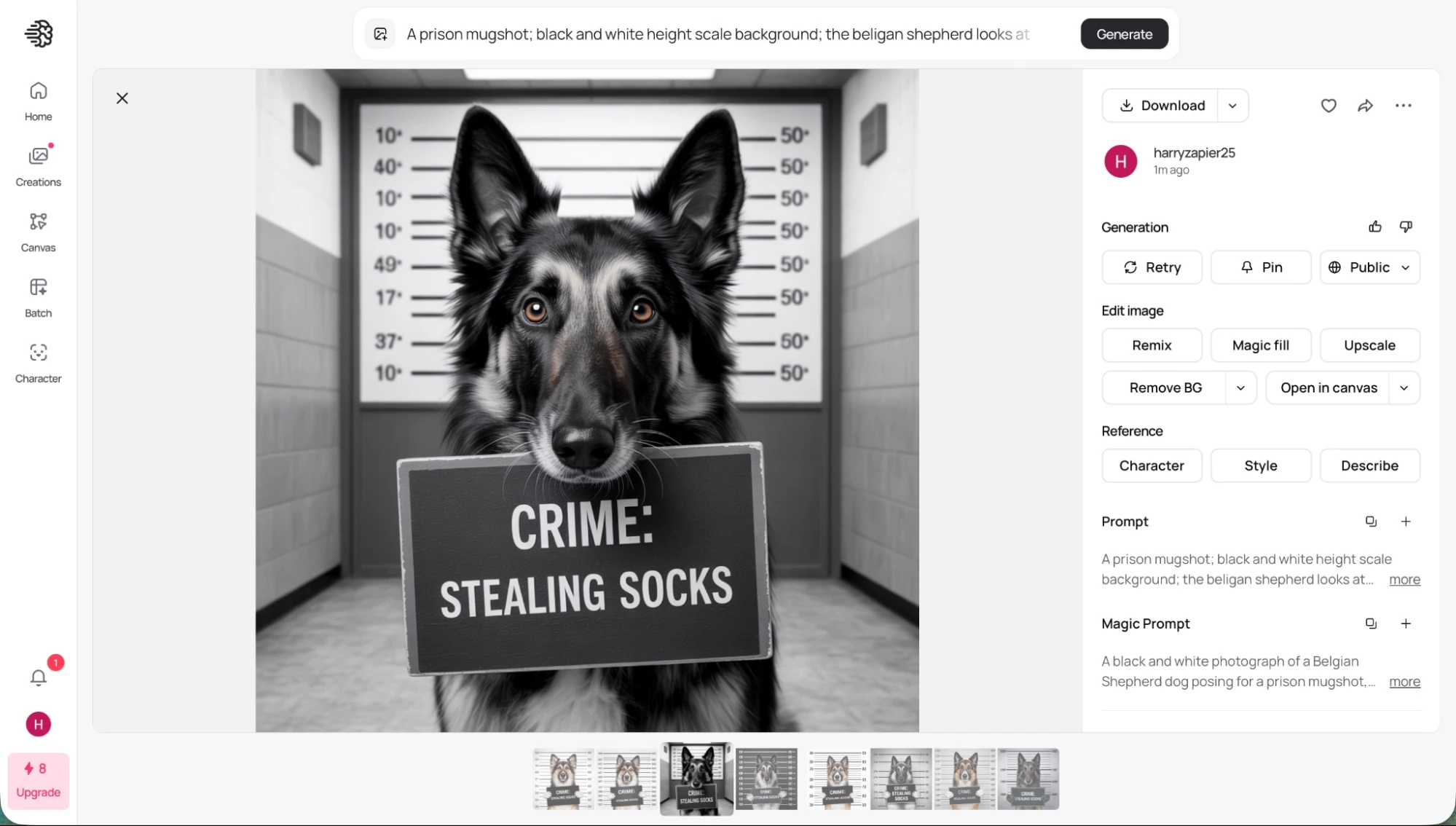
What is Ideogram AI?
Ideogram AI is an advanced AI Art Generator that creates images from text prompts with a strong focus on accurate text rendering. It is designed to generate visuals where written text inside images appears clear and readable, which many tools struggle with. Unlike other tools, Ideogram AI stands out for combining image generation with high-quality typography, making it ideal for designs like posters, logos, and social media graphics.
How to Use Ideogram AI for AI Art Generator
Using Ideogram AI is simple:
- Open the Ideogram website
- Create an account or log in
- Enter a text prompt describing your image
- Choose styles or add reference images
- Generate and refine the output
The platform allows users to experiment with prompts and quickly create multiple variations.
Key Features of Ideogram AI
- High-quality text-to-image generation
- Accurate text rendering inside images
- Style reference feature for consistent design
- Photorealistic and creative outputs
- Ability to upload reference images
- Large style library for inspiration
- Fast and easy web-based interface
Ideogram AI is known for delivering clear typography and structured designs, which is a key advantage over many AI tools.
Where Ideogram AI is Used in AI Art Generator
Ideogram AI is widely used for:
- Logo and poster design
- Social media graphics
- Marketing and branding visuals
- Typography-based designs
- Advertisements and banners
- Creative and design projects
It is especially useful where text clarity inside images is important.
Who Should Use Ideogram AI
Ideogram AI is best suited for:
- Designers and marketers
- Content creators
- Social media managers
- Branding professionals
- Businesses creating visual content
It is ideal for users who need text-focused visuals with high accuracy.
Pricing
Ideogram AI offers a free plan with limited credits, while paid plans start around $8 per month and scale based on credits, speed, and advanced features.
6) Canva AI
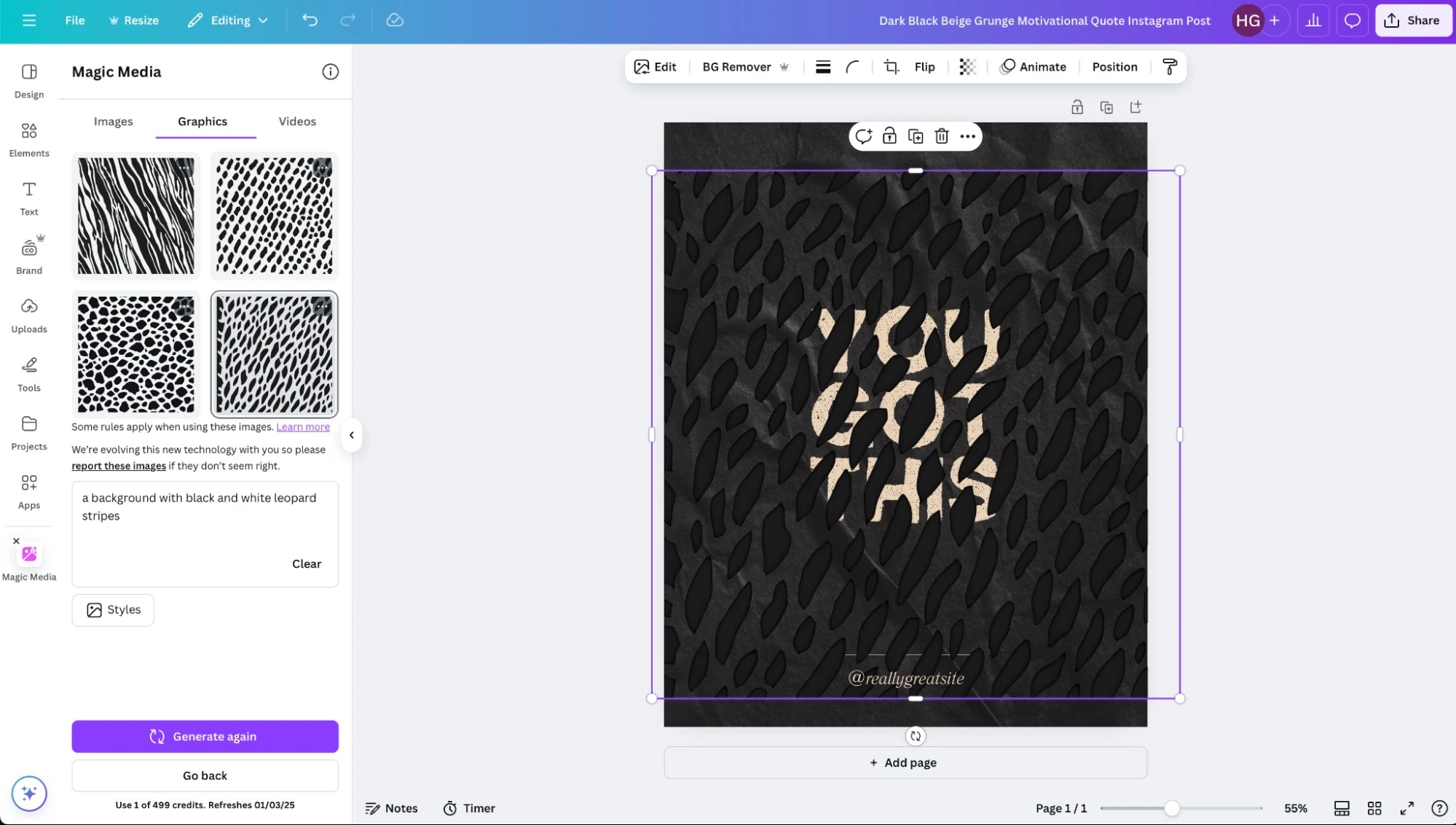
What is Canva AI?
Canva AI is an easy-to-use AI Art Generator that allows users to create images, designs, and visuals from text prompts using its Magic Media feature. It is part of Canva’s all-in-one design platform, making it simple to generate and edit visuals in one place. Unlike advanced tools, Canva AI focuses on simplicity and accessibility, allowing beginners to create professional-looking visuals without any design experience.
How to Use Canva AI for AI Art Generator
Using Canva AI is simple and beginner-friendly:
- Open Canva and log in
- Go to Magic Media or AI image generator
- Enter a text prompt describing your image
- Choose styles or templates if needed
- Generate and edit the image inside Canva
Users can instantly place generated images into designs like social posts, presentations, or marketing materials.
Key Features of Canva AI
- Text-to-image generation using Magic Media
- Built-in design editor with drag-and-drop interface
- AI photo editing tools like Magic Edit and Background Remover
- Template-based design system
- AI-powered features like Magic Design and Magic Write
- Supports image, video, and design generation
- Real-time collaboration for teams
Canva AI stands out because it combines AI generation with full design editing tools in one platform.
Where Canva AI is Used in AI Art Generator
Canva AI is widely used for:
- Social media posts and content
- Marketing and advertising visuals
- Presentations and slide designs
- Blog and website graphics
- Posters, flyers, and branding
- E-commerce and product visuals
It is especially useful for quick content creation and everyday design needs.
Who Should Use Canva AI
Canva AI is best suited for:
- Beginners and non-designers
- Content creators and marketers
- Students and educators
- Small businesses and startups
- Social media managers
It is ideal for users who want fast and simple visual creation without technical complexity.
Pricing
Canva AI offers a free plan with limited AI usage, while paid plans start around $15 per month and provide higher usage limits, premium features, and team collaboration.
7) Nano Banana Pro AI
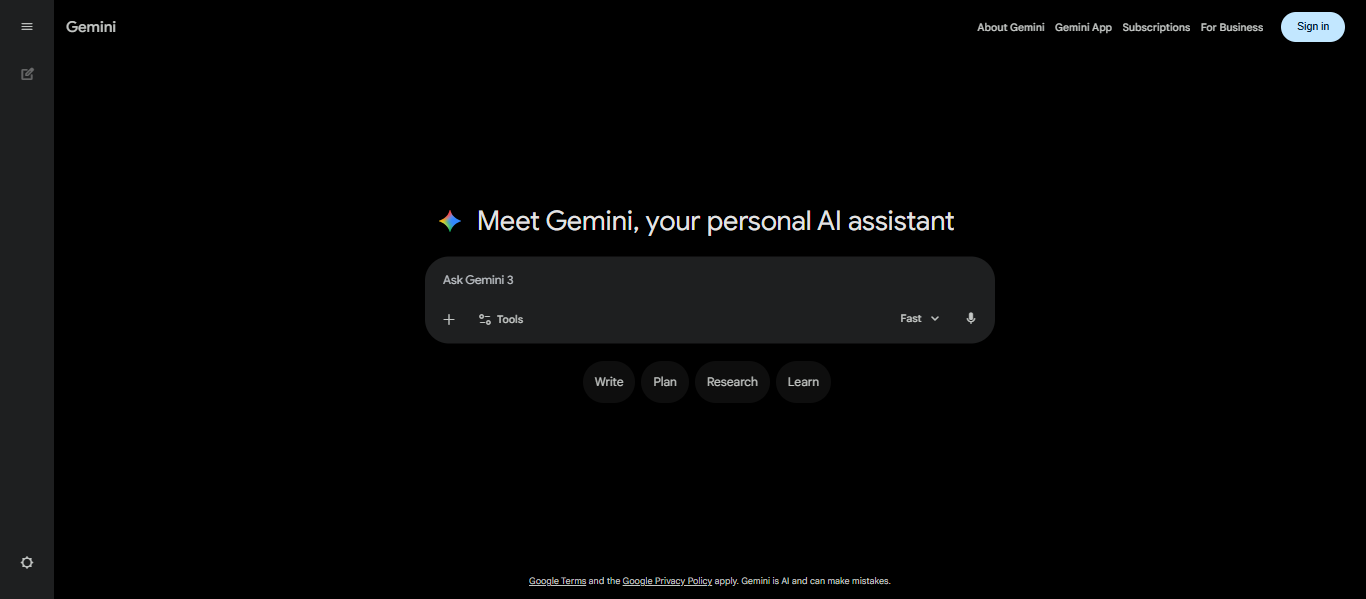
What is Nano Banana Pro AI?
Nano Banana Pro AI is an advanced AI Art Generator built into Google Gemini that creates and edits images using text prompts and visual inputs. It is powered by Gemini 3 Pro and designed for high-quality, detailed, and context-aware image generation. Unlike basic tools, Nano Banana Pro AI combines image generation with deep reasoning, allowing users to create more accurate visuals, structured designs, and complex edits in a conversational way.
How to Use Nano Banana Pro AI for AI Art Generator
Using Nano Banana Pro AI is simple:
- Open the Gemini app or website
- Select the image generation option
- Choose the Pro model (Nano Banana Pro)
- Enter a text prompt or upload an image
- Generate and refine images through conversation
Users can also edit images, regenerate outputs, and improve results using follow-up prompts.
Key Features of Nano Banana Pro AI
- Text-to-image and image-to-image generation
- Conversational image editing and refinement
- High-quality, detailed visual outputs
- Strong reasoning for complex prompts
- Accurate text rendering inside images
- Multi-image editing and blending capabilities
- Supports infographics, diagrams, and structured visuals
Nano Banana Pro AI stands out for combining AI reasoning with image generation, enabling more precise and structured outputs.
Where Nano Banana Pro AI is Used in AI Art Generator
Nano Banana Pro AI is widely used for:
- Marketing and advertising visuals
- Infographics and educational content
- Social media and digital content
- Product and branding visuals
- Image editing and enhancement
- Creative and technical design projects
It is especially useful where accuracy, structure, and text clarity are important.
Who Should Use Nano Banana Pro AI
Nano Banana Pro AI is best suited for:
- Designers and marketers
- Content creators and educators
- Businesses and enterprises
- Developers and AI users
- Professionals needing structured visuals
It is ideal for users who want advanced control and high-quality outputs with reasoning capabilities.
Pricing
Nano Banana Pro AI is available through Gemini with free limited usage, while advanced access is included in paid plans like Google AI Pro and Ultra with higher limits.
8) Recraft AI
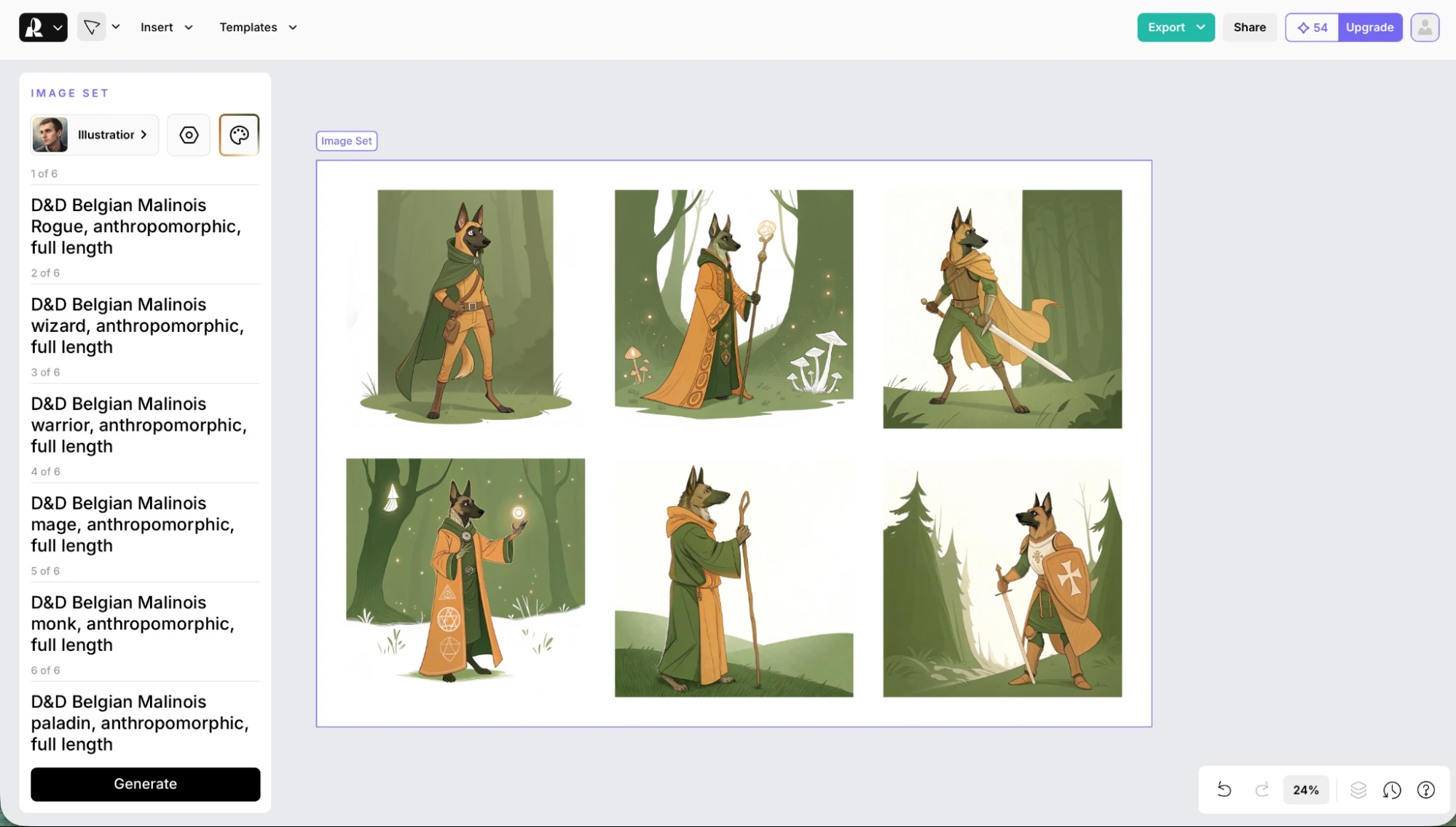
What is Recraft AI?
Recraft AI is a professional AI Art Generator designed for creating images, vector graphics, and mockups from text prompts. It is built specifically for designers, marketers, and creative teams who need high-quality and consistent visual outputs. Unlike most tools, Recraft AI can generate editable vector images (SVG) along with raster images, making it highly useful for branding, logos, and design workflows.
How to Use Recraft AI for AI Art Generator
Using Recraft AI is simple:
- Open Recraft Studio in your browser
- Sign up or log in
- Enter a text prompt describing your image
- Choose styles or upload reference images
- Generate, edit, and export your visuals
The platform allows users to create and refine designs in one workspace using AI-powered tools.
Key Features of Recraft AI
- Text-to-image generation with high prompt accuracy
- Native vector image generation (SVG format)
- Custom style creation using reference images
- Mockup generator for product and branding visuals
- AI image editing tools like background remover and eraser
- Image upscaling and enhancement tools
- Consistent brand design and layout control
Recraft AI stands out because it supports vector generation and brand consistency, which most AI tools do not offer.
Where Recraft AI is Used in AI Art Generator
Recraft AI is widely used for:
- Logo and brand identity design
- Social media and marketing visuals
- Product mockups and advertisements
- Website and UI graphics
- Icon and illustration creation
- Print-ready designs (high-resolution output)
It is especially useful where design consistency and editable graphics are required.
Who Should Use Recraft AI
Recraft AI is best suited for:
- Graphic designers and illustrators
- Marketing teams and agencies
- E-commerce and branding professionals
- Content creators and freelancers
- Businesses needing scalable design assets
It is ideal for users who want professional design control with AI assistance.
Pricing
Recraft AI offers a free plan with daily credits, while paid plans start around $10 per month and scale with credits, features, and commercial usage rights.
9) Craiyon AI
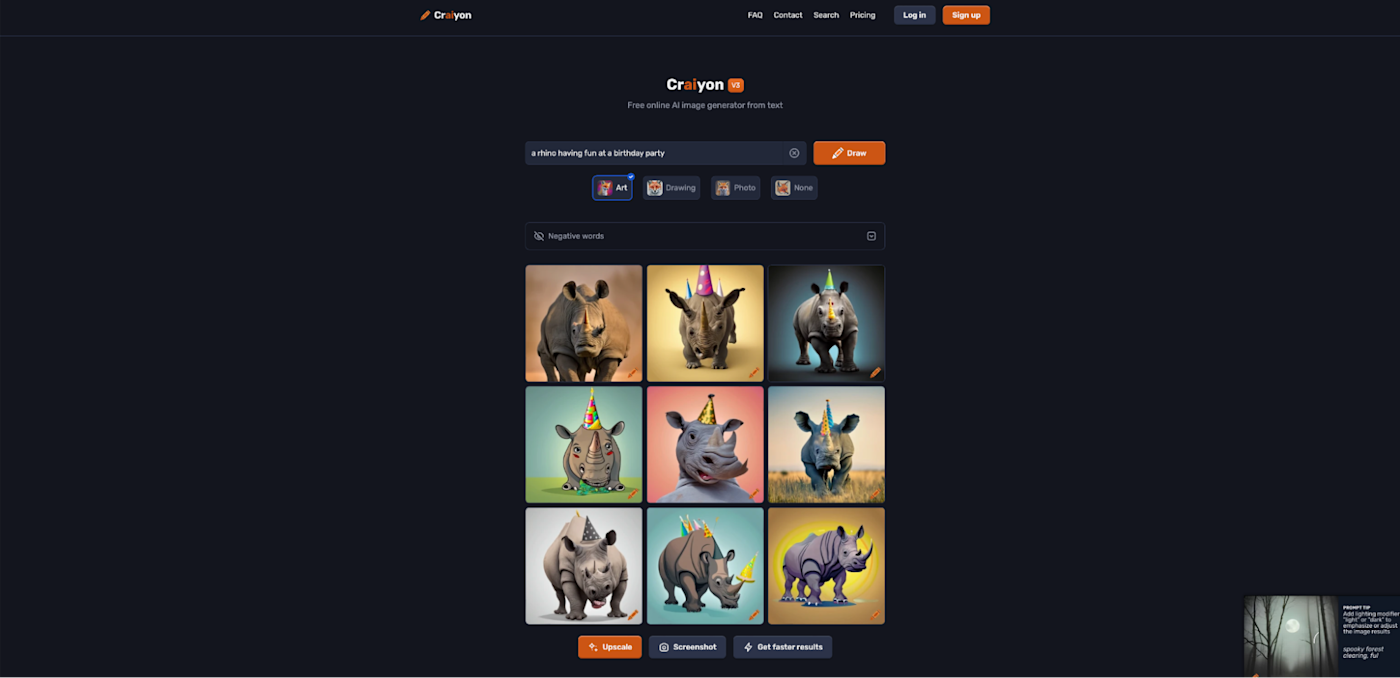
What is Craiyon AI?
Craiyon AI is a simple and accessible AI Art Generator that creates images from text prompts in seconds. It is designed for beginners and casual users who want to quickly generate creative visuals without technical complexity. Previously known as DALL·E mini, Craiyon AI focuses on ease of use and free access, making it one of the most popular entry-level tools for AI image generation.
How to Use Craiyon AI for AI Art Generator
Using Craiyon AI is very easy:
- Open the Craiyon website
- Enter a text prompt describing your image
- Choose a style or format if needed
- Click “Draw” to generate images
- View and download the results
The tool generates multiple image variations at once, allowing users to explore different creative outputs quickly.
Key Features of Craiyon AI
- Free AI image generation with unlimited usage
- Text-to-image creation in seconds
- Multiple image outputs per prompt
- Different styles like art, photo, and illustration
- Simple and beginner-friendly interface
- No technical setup required
- Works directly in the browser
Craiyon AI is known for its ease of use and accessibility, making it ideal for quick idea generation.
Where Craiyon AI is Used in AI Art Generator
Craiyon AI is widely used for:
- Quick concept and idea generation
- Blog and website visuals
- Social media content
- Creative experimentation
- Educational and learning projects
- Fun and casual image creation
It is especially useful for fast and simple visual generation without cost.
Who Should Use Craiyon AI
Craiyon AI is best suited for:
- Beginners and students
- Content creators and bloggers
- Hobbyists and casual users
- Educators and learners
- Anyone exploring AI art for the first time
It is ideal for users who want free and easy image generation without complexity.
Pricing
Craiyon AI offers a free plan with unlimited image generation, while paid plans start around $5 per month and provide faster processing, no ads, and higher quality outputs.
10) NightCafe Studio AI
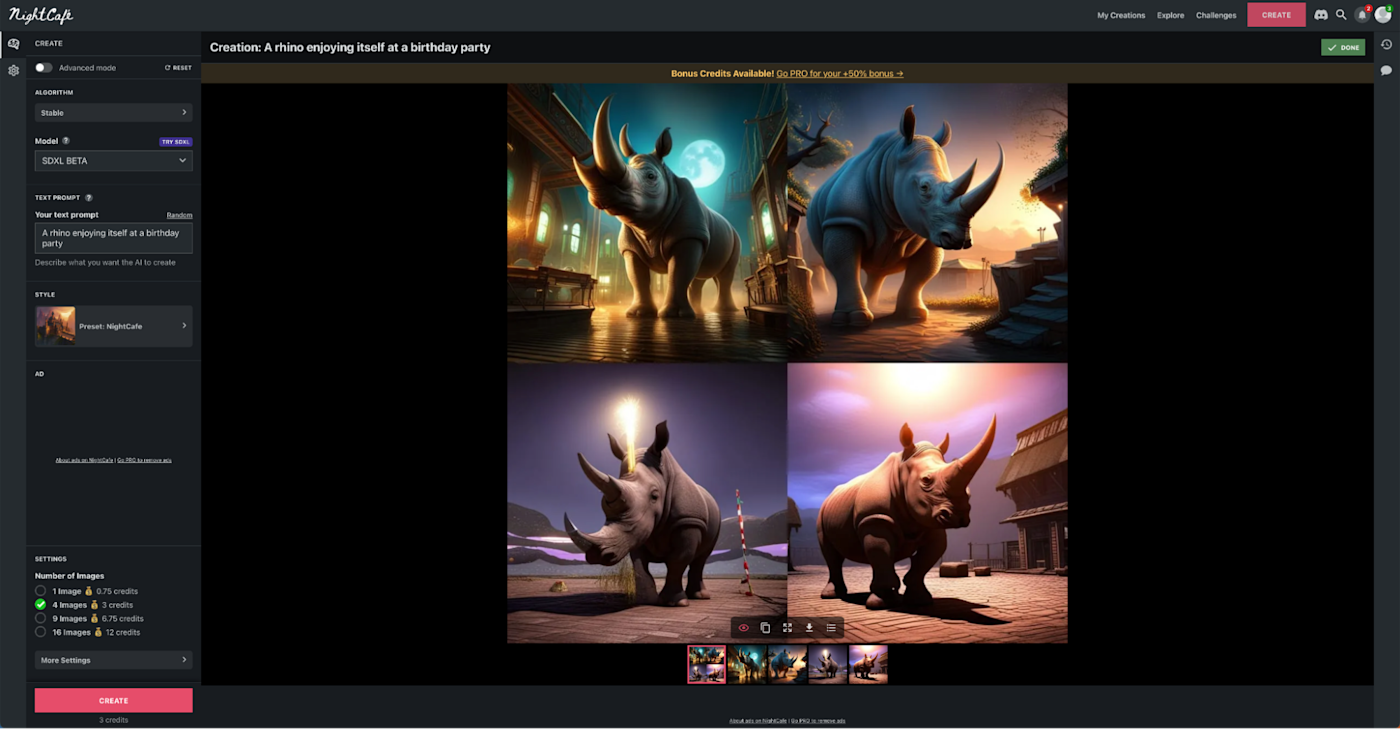
What is NightCafe Studio AI?
NightCafe Studio AI is a versatile AI Art Generator that creates images from text prompts using multiple AI models like Stable Diffusion, DALL·E, and others. It is designed to make AI art accessible to both beginners and advanced users through a simple interface and strong community features. Unlike many tools, NightCafe Studio AI focuses on combining multiple AI models with a community-driven platform, allowing users to create, share, and explore AI-generated artwork.
How to Use NightCafe Studio AI for AI Art Generator
Using NightCafe Studio AI is simple:
- Open the NightCafe Studio website
- Sign up or log in
- Enter a text prompt describing your image
- Select an AI model or style
- Generate and refine your artwork
Users can also adjust settings like style, resolution, and aspect ratio to improve outputs.
Key Features of NightCafe Studio AI
- Text-to-image generation using multiple AI models
- Supports Stable Diffusion, DALL·E, and other models
- Neural style transfer for artistic effects
- Bulk image generation and downloads
- Community features like challenges and sharing
- Customization options for styles and resolution
- Web-based platform accessible on all devices
NightCafe Studio AI stands out because it offers a wide range of models and a strong creative community experience.
Where NightCafe Studio AI is Used in AI Art Generator
NightCafe Studio AI is widely used for:
- Social media and digital content
- Blog and website visuals
- Concept art and illustrations
- Creative experimentation
- Personalized artwork and prints
- Educational and learning projects
It is especially useful for users who want both creativity and community interaction.
Who Should Use NightCafe Studio AI
NightCafe Studio AI is best suited for:
- Beginners and hobbyists
- Content creators and bloggers
- Artists exploring AI tools
- Students and educators
- Anyone interested in AI-generated art
It is ideal for users who want a simple platform with creative flexibility and community features.
Pricing
NightCafe Studio AI offers a free plan with daily credits, while paid plans start around $5.99 per month and increase based on credits and usage.
11) Runway ML AI
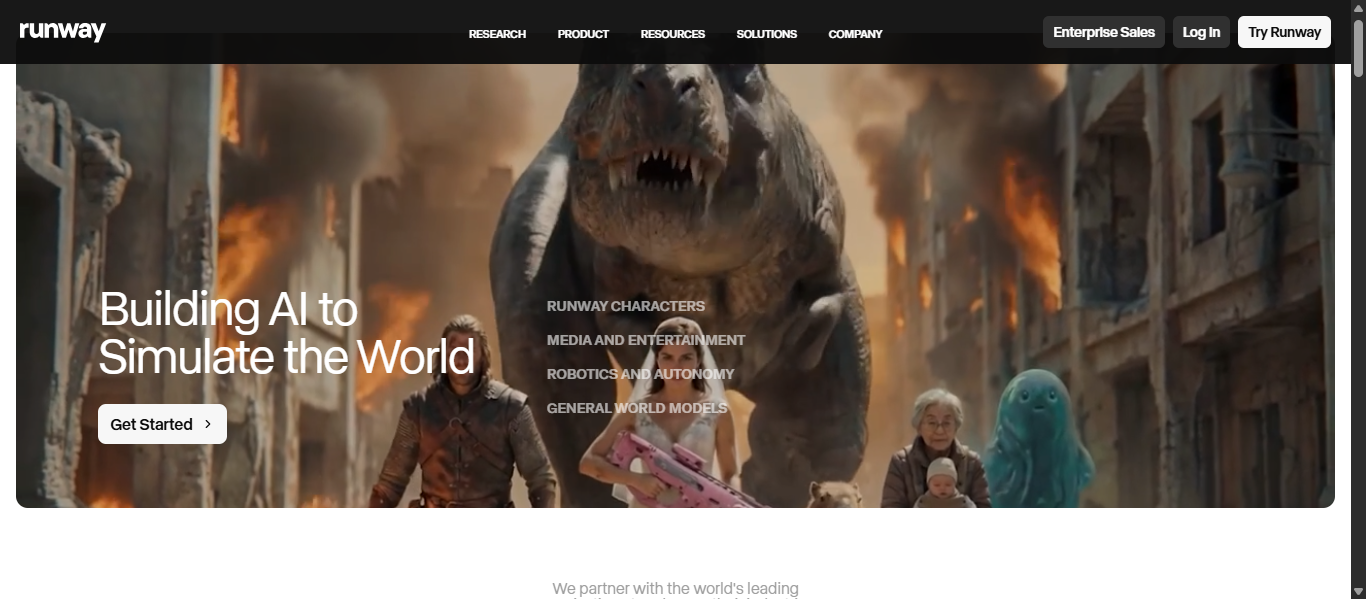
What is Runway ML AI?
Runway ML AI is an advanced AI Art Generator that creates images, videos, and multimedia content using text prompts and visual inputs. It is designed as a complete creative platform that combines AI generation with professional editing tools. Unlike basic image tools, Runway ML AI focuses on text-to-video and image-to-video generation, making it a powerful solution for creators who need dynamic visual content.
How to Use Runway ML AI for AI Art Generator
Using Runway ML AI is simple:
- Open Runway ML in your browser
- Sign up or log in
- Choose a tool like text-to-image or text-to-video
- Enter a prompt describing your visual
- Generate, edit, and export your content
Users can also refine outputs using built-in editing tools and AI-powered enhancements.
Key Features of Runway ML AI
- Text-to-image and text-to-video generation
- Image-to-video transformation tools
- Advanced video editing with AI assistance
- Background removal and object editing
- Motion and animation generation
- High-quality cinematic outputs
- Access to advanced models like Gen-4 and Gen-4.5
Runway ML AI stands out because it offers a full creative suite for both image and video generation.
Where Runway ML AI is Used in AI Art Generator
Runway ML AI is widely used for:
- Video content creation and editing
- Social media and marketing videos
- Film and visual storytelling
- Advertising and promotional content
- Creative projects and animations
- Educational and training content
It is especially useful where motion, animation, and video generation are required.
Who Should Use Runway ML AI
Runway ML AI is best suited for:
- Content creators and video editors
- Filmmakers and production teams
- Marketers and agencies
- Designers working with motion graphics
- Businesses creating video content
It is ideal for users who want AI-powered video and visual creation in one platform.
Pricing
Runway ML AI offers a free plan with limited credits, while paid plans start around $12 per month and increase based on credits, features, and usage limits.
12) Deep Dream Generator AI
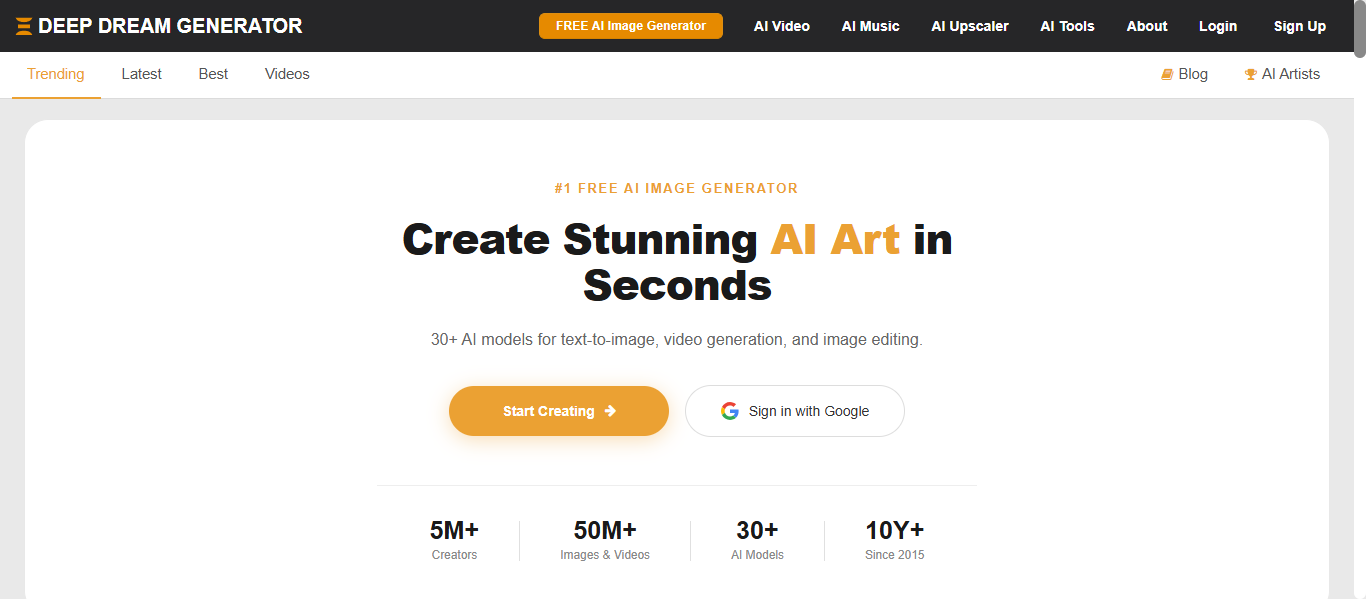
What is Deep Dream Generator AI?
Deep Dream Generator AI is a powerful AI Art Generator that creates unique and surreal images from text prompts or uploaded photos. It is one of the earliest AI art platforms, originally built on neural network technology to transform visuals into artistic outputs. Unlike many modern tools, Deep Dream Generator AI focuses on dream-like, abstract, and highly stylized visuals, making it popular for creative and experimental art.
How to Use Deep Dream Generator AI for AI Art Generator
Using Deep Dream Generator AI is simple:
- Open the platform in your browser
- Sign up or use free access
- Enter a text prompt or upload an image
- Select a model or style
- Generate and refine the artwork
The tool allows users to create both text-to-image and image-to-image outputs using multiple AI models.
Key Features of Deep Dream Generator AI
- Text-to-image and image-to-image generation
- 30+ AI models for different styles
- Deep Style and Dream effects for artistic visuals
- AI video generation and animation features
- Image upscaling and enhancement tools
- Custom style blending and adjustments
- Community gallery and sharing options
Deep Dream Generator AI stands out for its ability to create abstract and artistic outputs that differ from standard realistic generators.
Where Deep Dream Generator AI is Used in AI Art Generator
Deep Dream Generator AI is widely used for:
- Abstract and experimental art
- Creative design and illustrations
- Social media and digital content
- Artistic photo transformations
- Educational and AI learning projects
- Unique visual storytelling
It is especially useful for projects that require creative and non-realistic visuals.
Who Should Use Deep Dream Generator AI
Deep Dream Generator AI is best suited for:
- Artists and creative professionals
- Designers exploring unique styles
- Content creators and hobbyists
- Students and educators
- Anyone interested in experimental AI art
It is ideal for users who want distinctive and artistic image outputs rather than standard visuals.
Pricing
Deep Dream Generator AI offers a free plan, while paid plans start around $9 per month and scale based on usage, credits, and advanced features.
13) OpenArt AI
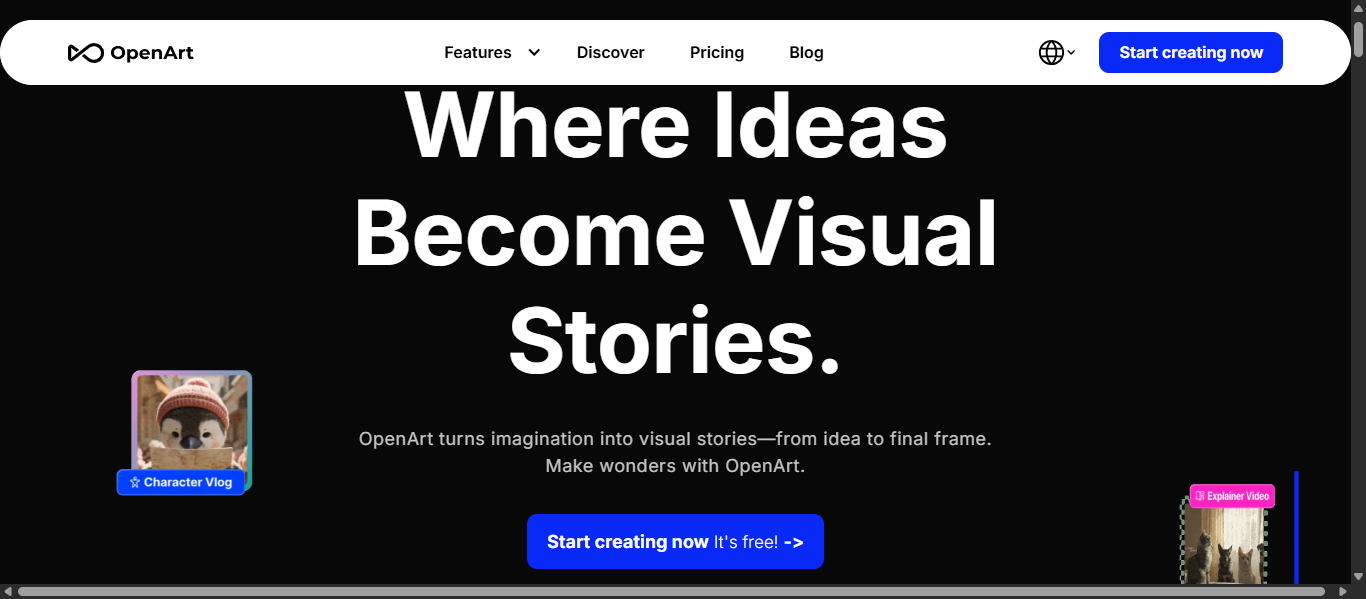
What is OpenArt AI?
OpenArt AI is a powerful AI Art Generator that allows users to create, edit, and customize images using text prompts and advanced AI models. It works as a complete creative platform, combining image generation, editing tools, and multiple AI models in one place. Unlike basic tools, OpenArt AI provides access to a wide range of models and features, enabling users to generate different styles such as realistic, anime, and conceptual visuals with high flexibility.
How to Use OpenArt AI for AI Art Generator
Using OpenArt AI is simple:
- Open the OpenArt platform in your browser
- Sign up or log in
- Enter a text prompt describing your image
- Choose a model or style
- Generate, edit, and refine the output
Users can also create variations, edit specific parts of images, and experiment with different styles easily.
Key Features of OpenArt AI
- Text-to-image generation using advanced diffusion models
- Multiple AI models for different styles and outputs
- Image editing tools like inpainting and variation generation
- Consistent character creation across images
- Style filters and customization options
- Ability to generate both images and short videos
- Web-based platform with no setup required
OpenArt AI stands out because it combines generation, editing, and model flexibility in one platform.
Where OpenArt AI is Used in AI Art Generator
OpenArt AI is widely used for:
- Social media and digital content
- Marketing and branding visuals
- Concept art and creative design
- Character creation and storytelling
- Blog and website images
- Product and promotional visuals
It is especially useful where variety, customization, and control are important.
Who Should Use OpenArt AI
OpenArt AI is best suited for:
- Content creators and designers
- Artists and illustrators
- Marketers and agencies
- Developers and AI users
- Businesses creating visual content
It is ideal for users who want flexibility across multiple AI models and styles.
Pricing
OpenArt AI offers a free plan with limited credits, while paid plans start around $7 to $14 per month and scale based on credits and usage.
14) getimg.ai
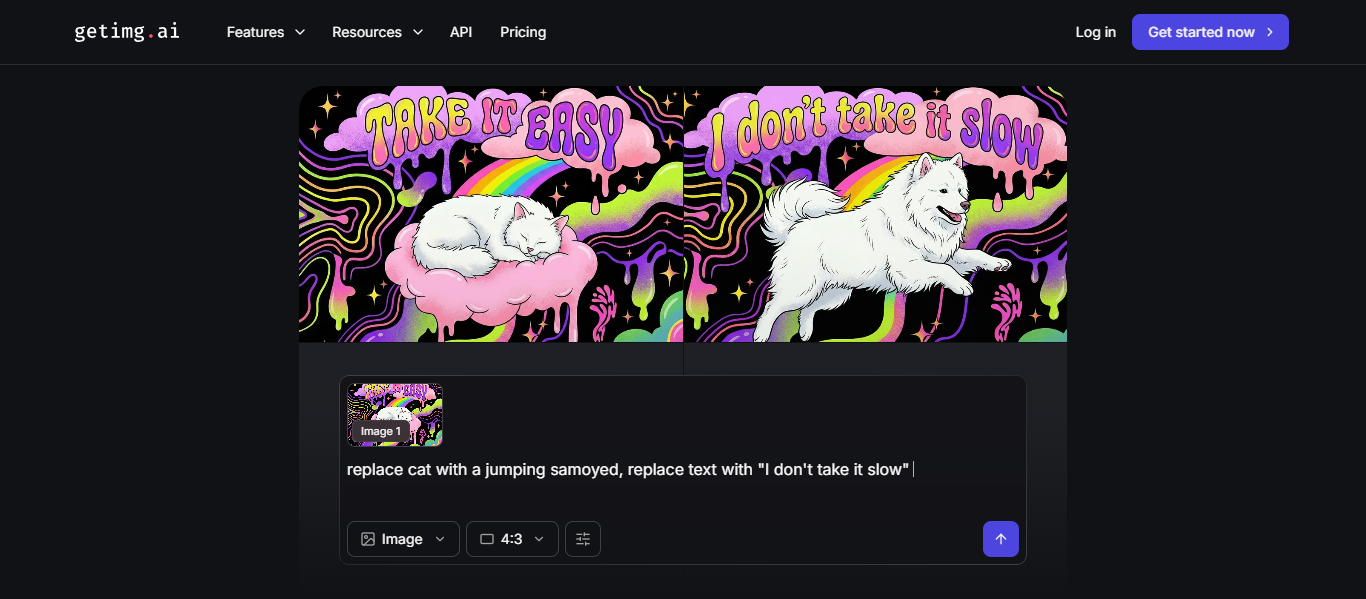
What is getimg.ai?
getimg.ai is a powerful AI Art Generator that allows users to create, edit, and transform images and videos using text prompts. It is an all-in-one creative platform that combines multiple AI models into a single interface for faster and more flexible visual creation. Unlike single-model tools, getimg.ai gives access to many leading AI models, enabling users to generate different styles such as realistic, anime, and conceptual visuals without switching platforms.
How to Use getimg.ai for AI Art Generator
Using getimg.ai is simple:
- Open the getimg.ai platform in your browser
- Sign up or log in
- Enter a text prompt describing your image
- Choose a model or let Auto mode select it
- Generate, edit, and refine your visuals
The platform also allows users to upload images and modify them using AI-powered editing tools.
Key Features of getimg.ai
- Text-to-image and image-to-image generation
- Access to multiple AI models in one platform
- Auto model selection for better results
- Image editing tools like inpainting and upscaling
- Real-time image generation and variations
- Image-to-video and text-to-video capabilities
- API access for developers and automation
getimg.ai stands out because it combines generation, editing, and multiple models in one workflow.
Where getimg.ai is Used in AI Art Generator
getimg.ai is widely used for:
- Social media and marketing visuals
- Blog and website images
- Product design and mockups
- Game and character design
- Content creation and branding
- AI-powered automation workflows
It is especially useful where speed, flexibility, and multi-model access are important.
Who Should Use getimg.ai
getimg.ai is best suited for:
- Content creators and designers
- Developers and AI users
- Marketing teams and agencies
- Freelancers and businesses
- Anyone needing bulk or scalable image generation
It is ideal for users who want multiple AI tools in one platform without switching services.
Pricing
getimg.ai offers a free plan with limited credits, while paid plans start around $10 per month and scale based on credits, usage, and advanced features.
15) Shutterstock AI
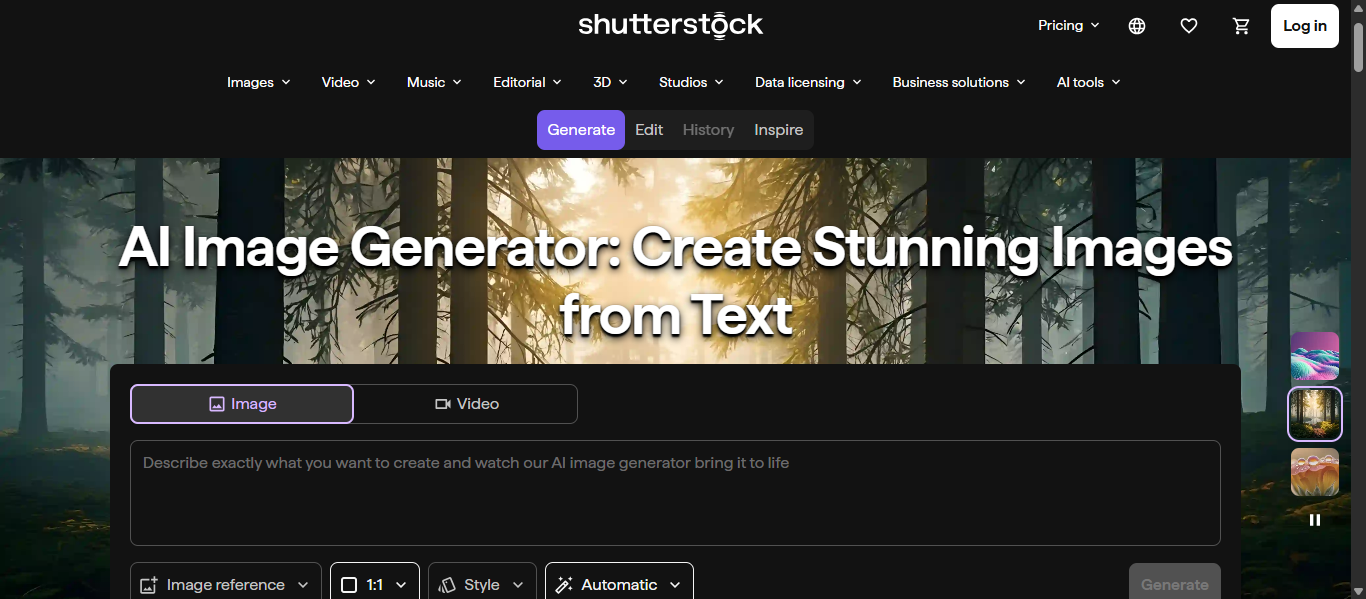
What is Shutterstock AI?
Shutterstock AI is a professional AI Art Generator that creates high-quality images from text prompts using licensed data. It is built on Shutterstock’s extensive stock library, ensuring that generated visuals are safe for commercial use. Unlike many tools, Shutterstock AI focuses on legal safety and commercial licensing, making it a reliable choice for businesses and professional content creation.
How to Use Shutterstock AI for AI Art Generator
Using Shutterstock AI is simple:
- Open the Shutterstock AI image generator
- Sign up or log in to your account
- Enter a text prompt describing your image
- Generate multiple image variations
- Edit, download, and license the final image
Each prompt typically generates multiple variations, allowing users to select and refine the best result.
Key Features of Shutterstock AI
- Text-to-image generation using advanced AI models
- Built on licensed and proprietary image datasets
- Commercial-safe and legally compliant outputs
- AI editing tools like Magic Brush and Background Remover
- Image expansion and variation generation
- Integration with Shutterstock’s stock library
- High-resolution, ready-to-use visuals
Shutterstock AI stands out because it combines AI generation with licensed content and editing tools in one platform.
Where Shutterstock AI is Used in AI Art Generator
Shutterstock AI is widely used for:
- Marketing and advertising campaigns
- Social media and branded content
- Website and blog visuals
- Corporate presentations and reports
- Product and promotional designs
- Business and enterprise content creation
It is especially useful where commercial safety and professional quality are required.
Who Should Use Shutterstock AI
Shutterstock AI is best suited for:
- Businesses and enterprises
- Marketing teams and agencies
- Designers and content creators
- E-commerce brands
- Corporate professionals
It is ideal for users who need legally safe and high-quality visuals for commercial use.
Pricing
Shutterstock AI uses a credit and subscription-based model, starting around $7 per month for generative plans or included in standard plans from about $29 per month.
16) Bing Image Creator AI
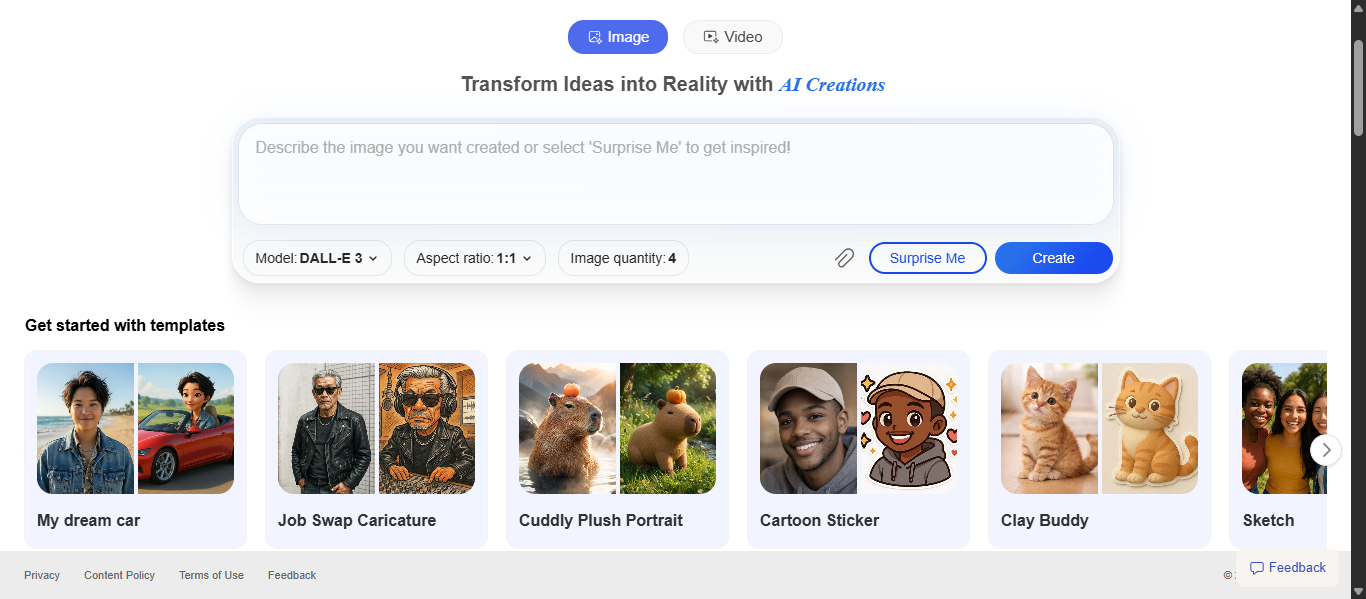
What is Bing Image Creator AI?
Bing Image Creator AI is a free AI Art Generator developed by Microsoft that creates images from text prompts using advanced models like DALL·E. It allows users to generate high-quality visuals directly from simple descriptions within a web interface. Unlike many paid tools, Bing Image Creator AI focuses on accessibility, offering powerful image generation features for free through a Microsoft account.
How to Use Bing Image Creator AI for AI Art Generator
Using Bing Image Creator AI is simple:
- Open the Bing Image Creator website
- Sign in with a Microsoft account
- Enter a text prompt describing your image
- Generate multiple image variations
- Select, download, or refine the output
The platform also integrates with Bing and Copilot, allowing users to generate images directly from search or chat.
Key Features of Bing Image Creator AI
- Text-to-image generation using advanced AI models
- Powered by DALL·E technology
- Free access with Microsoft account
- Multiple image outputs per prompt
- Fast generation with optional boost system
- Integration with Bing search and Copilot
- Simple and beginner-friendly interface
Bing Image Creator AI stands out for offering high-quality generation without requiring subscriptions.
Where Bing Image Creator AI is Used in AI Art Generator
Bing Image Creator AI is widely used for:
- Social media content creation
- Blog and website visuals
- Marketing and advertising images
- Creative and concept design
- Educational and learning projects
- Personal and experimental artwork
It is especially useful for users who want free and quick image generation.
Who Should Use Bing Image Creator AI
Bing Image Creator AI is best suited for:
- Beginners and casual users
- Content creators and bloggers
- Students and educators
- Marketers and social media managers
- Anyone looking for free AI image generation
It is ideal for users who want easy and cost-free visual creation.
Pricing
Bing Image Creator AI is free to use, with optional faster generation available through Microsoft Rewards points or credits.
17) Freepik AI
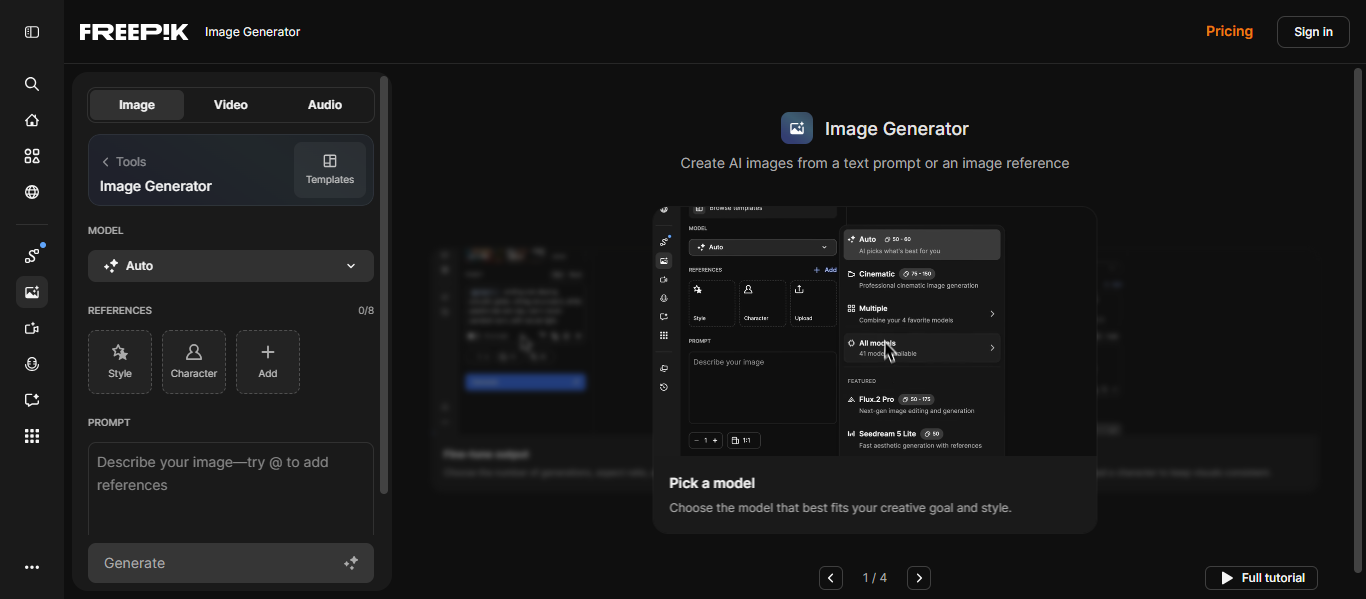
What is Freepik AI?
Freepik AI is a powerful AI Art Generator that creates images from text prompts using multiple advanced AI models in one platform. It allows users to generate, edit, and enhance visuals quickly with built-in creative tools. Unlike single-model tools, Freepik AI combines models like Flux, Google Imagen, and Ideogram, giving users more flexibility and control over image styles and quality.
How to Use Freepik AI for AI Art Generator
Using Freepik AI is simple:
- Open the Freepik AI Image Generator
- Choose an AI model or style
- Enter a text prompt describing your image
- Adjust settings like aspect ratio or style
- Generate, edit, and download the image
Users can also refine images using built-in editing tools and AI assistant features.
Key Features of Freepik AI
- Text-to-image generation using multiple AI models
- Access to models like Flux, Google Imagen, Ideogram, and Runway
- Built-in AI image editor and upscaler
- Style customization and prompt control
- Image-to-image generation and variations
- API access for automation and scaling
- Supports high-quality and photorealistic outputs
Freepik AI stands out because it offers multiple AI models and editing tools in one workflow.
Where Freepik AI is Used in AI Art Generator
Freepik AI is widely used for:
- Social media and marketing visuals
- Blog and website images
- Product mockups and branding
- Graphic design and creative projects
- Content creation and advertising
- Business and team-based workflows
It is especially useful where scalable and flexible image generation is required.
Who Should Use Freepik AI
Freepik AI is best suited for:
- Designers and content creators
- Marketing teams and agencies
- Businesses and startups
- Freelancers and professionals
- Beginners and advanced users
It is ideal for users who want multiple AI tools in one platform with easy workflow integration.
Pricing
Freepik AI offers a free plan with up to 20 images per day, while paid plans start around $5 to $10 per month and scale with credits, features, and unlimited generation options.
18) Wombo Dream AI
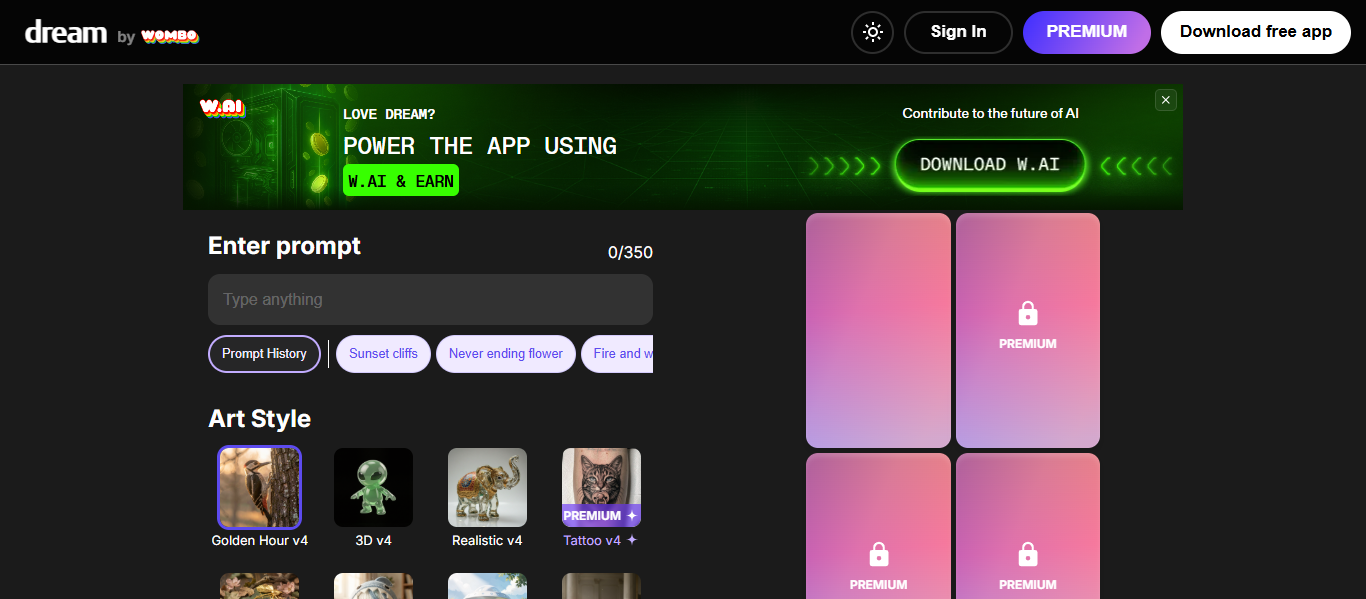
What is Wombo Dream AI?
Wombo Dream AI is a popular AI Art Generator that creates images from text prompts in seconds using predefined artistic styles. It is designed to make AI art simple and accessible for anyone, even without design experience. Unlike complex tools, Wombo Dream AI focuses on ease of use, allowing users to quickly turn ideas into creative visuals with minimal effort.
How to Use Wombo Dream AI for AI Art Generator
Using Wombo Dream AI is very simple:
- Open the Wombo Dream website or app
- Enter a text prompt describing your image
- Choose an art style
- Click generate to create the image
- Download or share the result
The tool generates artwork in seconds, making it ideal for fast creative output.
Key Features of Wombo Dream AI
- Text-to-image generation with simple prompts
- 50+ artistic styles like anime, fantasy, and realistic
- Fast image generation in seconds
- Image-to-image transformation support
- Edit images using text instructions
- Mobile and web accessibility
- Beginner-friendly interface
Wombo Dream AI stands out for its speed, simplicity, and wide range of artistic styles.
Where Wombo Dream AI is Used in AI Art Generator
Wombo Dream AI is widely used for:
- Social media content and posts
- Creative and artistic projects
- Blog and website visuals
- Personalized artwork and gifts
- Memes and viral content
- Educational and creative learning
It is especially useful for quick and creative visual generation.
Who Should Use Wombo Dream AI
Wombo Dream AI is best suited for:
- Beginners and casual users
- Content creators and bloggers
- Students and hobbyists
- Social media users
- Anyone exploring AI art
It is ideal for users who want fast and easy image creation without complexity.
Pricing
Wombo Dream AI offers a free version, while premium plans start around $9.99 per month with additional features, styles, and faster generation.
19) Artbreeder AI
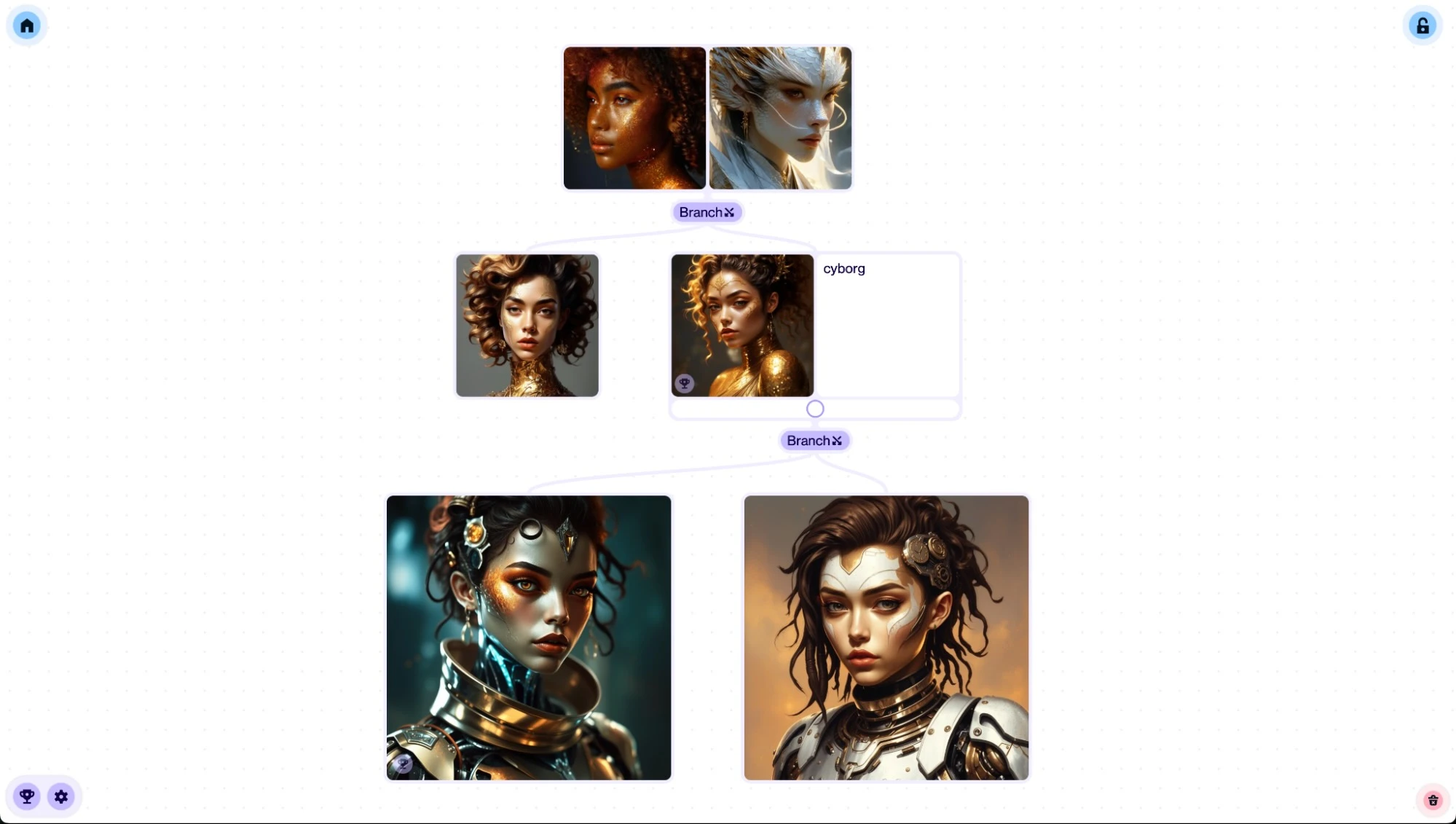
What is Artbreeder AI?
Artbreeder AI is a creative AI Art Generator that allows users to create and modify images by blending and evolving existing visuals using machine learning. It focuses on remixing images rather than only generating from text, making it unique among AI art tools. Unlike traditional generators, Artbreeder AI uses a “gene editing” approach where users adjust sliders to control features like style, color, and facial details, enabling highly customized outputs.
How to Use Artbreeder AI for AI Art Generator
Using Artbreeder AI is simple:
- Open the Artbreeder platform
- Sign up or log in
- Choose a tool like Composer or Splicer
- Upload an image or start from existing visuals
- Adjust sliders or blend images to create new outputs
Users can also remix other creations from the community to generate unique variations.
Key Features of Artbreeder AI
- Image blending and remixing using AI
- “Gene” sliders for detailed customization
- Tools like Composer, Collager, and Splicer
- Text-to-image and image-to-image generation
- Character, portrait, and landscape creation
- Community-driven image sharing and remixing
- Fast generation and editing interface
Artbreeder AI stands out for its image evolution and blending capabilities, which are different from standard prompt-based tools.
Where Artbreeder AI is Used in AI Art Generator
Artbreeder AI is widely used for:
- Character and portrait creation
- Game and story design
- Concept art and world-building
- Creative experimentation
- Visual storytelling projects
- Educational and AI learning use cases
It is especially useful where image customization and creative exploration are required.
Who Should Use Artbreeder AI
Artbreeder AI is best suited for:
- Artists and illustrators
- Game developers and writers
- Content creators and designers
- Students and educators
- Anyone exploring creative AI tools
It is ideal for users who want full control over image transformation and blending.
Pricing
Artbreeder AI offers a free plan with limited credits, while paid plans start around $7 to $9 per month and increase based on credits, resolution, and features.
20) DeepAI
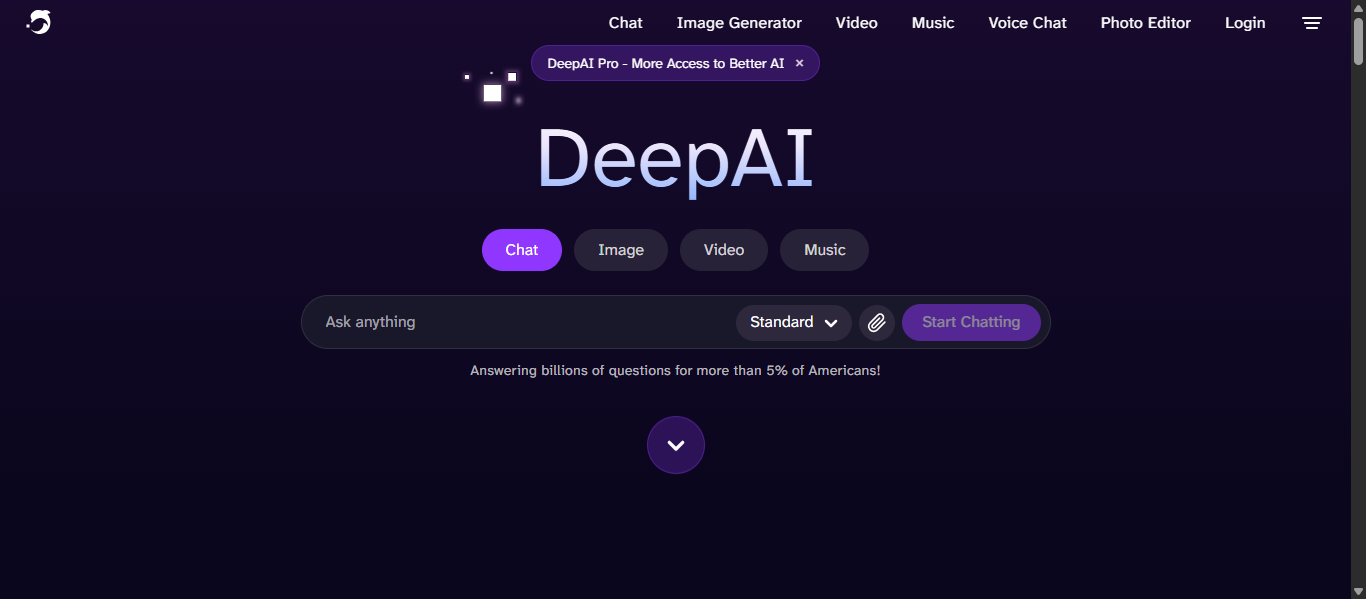
What is DeepAI?
DeepAI is an all-in-one AI Art Generator platform that allows users to create images, videos, music, and text using simple prompts. It was one of the earliest browser-based AI image generators and is designed to make AI accessible to everyone. Unlike many tools, DeepAI focuses on simplicity and accessibility, allowing users to generate images instantly without even needing to sign up.
How to Use DeepAI for AI Art Generator
Using DeepAI is simple:
- Open the DeepAI website
- Enter a text prompt describing your image
- Choose a style or customization options
- Click generate to create the image
- Download or refine the output
The platform allows users to generate images quickly and experiment with different styles and prompts.
Key Features of DeepAI
- Text-to-image generation from prompts
- Over 100+ artistic styles and templates
- Image editing tools like background remover and upscaling
- AI video and music generation capabilities
- API access for developers
- No sign-up required for basic use
- Commercial usage allowed for generated images
DeepAI stands out because it offers multiple AI tools in one platform with simple access.
Where DeepAI is Used in AI Art Generator
DeepAI is widely used for:
- Blog and website visuals
- Social media content
- Creative and experimental projects
- Marketing and advertising images
- Educational and learning use cases
- Rapid prototyping and idea generation
It is especially useful where quick and flexible image generation is needed.
Who Should Use DeepAI
DeepAI is best suited for:
- Beginners and students
- Content creators and bloggers
- Developers and AI enthusiasts
- Marketers and small businesses
- Anyone exploring AI tools
It is ideal for users who want simple, fast, and multi-purpose AI tools in one place.
Pricing
DeepAI offers a free plan with limited features, while the Pro plan starts around $9.99 per month and includes higher usage, better quality outputs, and access to advanced tools.
21) Reve AI
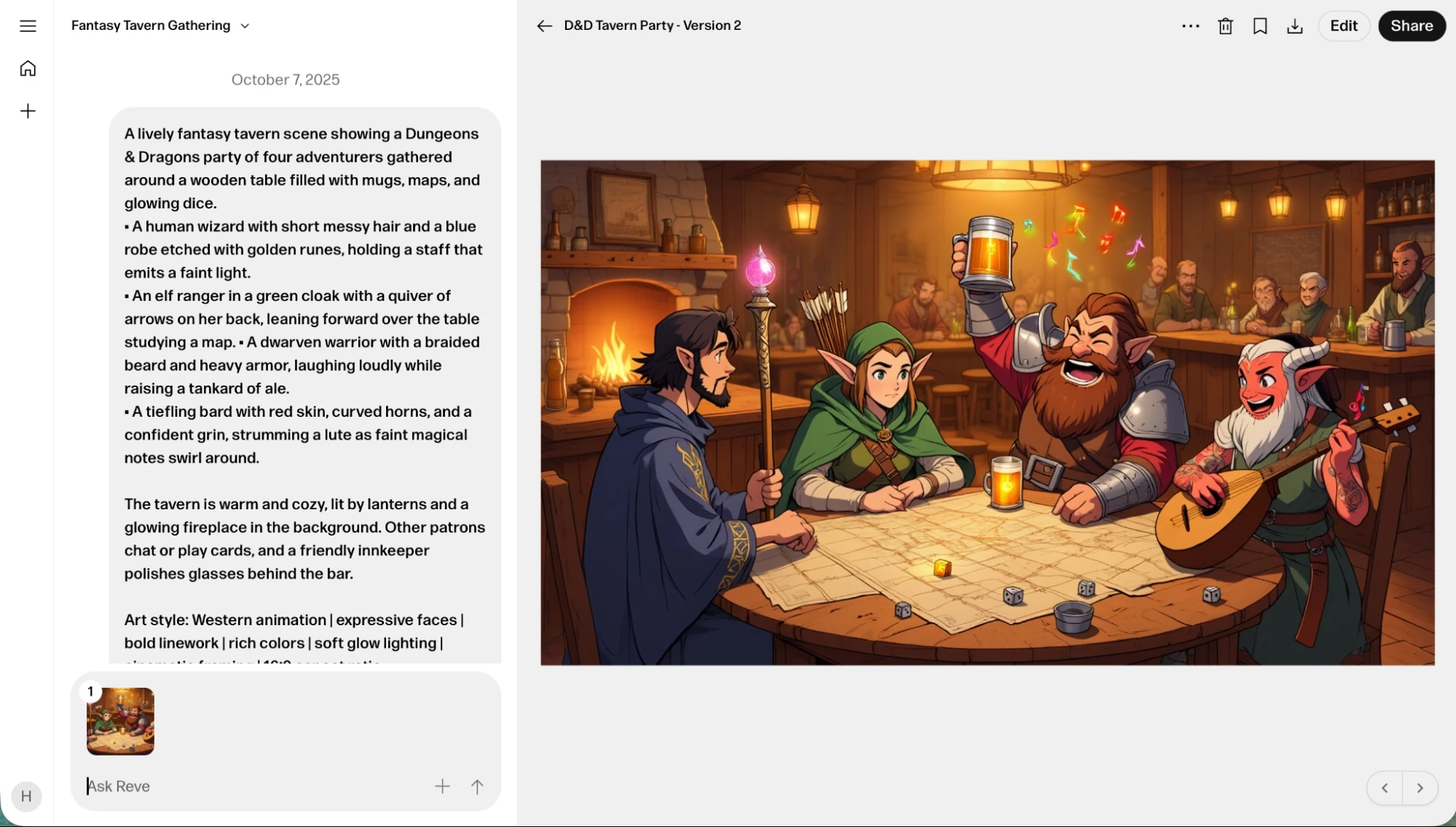
What is Reve AI?
Reve AI is an advanced AI Art Generator that creates, edits, and remixes images using text prompts and visual inputs. It is designed to deliver high-quality visuals with strong prompt accuracy, detailed aesthetics, and clear text rendering. Unlike many tools, Reve AI combines image generation with editing and remixing capabilities, allowing users to refine visuals using natural language and drag-and-drop controls.
How to Use Reve AI for AI Art Generator
Using Reve AI is simple:
- Open the Reve AI platform
- Sign up or log in
- Enter a text prompt describing your image
- Generate images based on your prompt
- Edit or remix images using built-in tools
Users can also refine outputs by adjusting prompts or combining multiple images for better results.
Key Features of Reve AI
- Text-to-image and image editing capabilities
- Strong prompt adherence and accuracy
- High-quality visuals with detailed composition
- Advanced typography rendering inside images
- Drag-and-drop editing interface
- Multiple artistic styles and customization options
- Fast image generation with high-resolution output
Reve AI stands out for its ability to produce accurate, visually appealing images with clear text elements, which many AI tools struggle to achieve.
Where Reve AI is Used in AI Art Generator
Reve AI is widely used for:
- Marketing and advertising visuals
- Social media content creation
- Branding and logo design
- Concept art and storyboarding
- Product and promotional images
- Creative and professional design projects
It is especially useful where text accuracy and visual quality are important.
Who Should Use Reve AI
Reve AI is best suited for:
- Designers and marketers
- Content creators and agencies
- Businesses and startups
- Creative professionals
- Users needing precise visual outputs
It is ideal for users who want high-quality images with strong prompt control and editing flexibility.
Pricing
Reve AI offers a free plan with limited daily usage, while paid plans provide higher usage, faster generation, and advanced features through a credit-based system.
AI Art Generator Agents
What Are AI Art Generator Agents?
AI Art Generator agents are intelligent systems that automate image creation, editing, and optimization using AI. They go beyond basic image generation by handling prompts, refining outputs, maintaining styles, and producing visuals automatically based on user goals.
These systems use AI models, prompt logic, and workflow automation to generate images, improve results, and scale content creation with minimal manual effort.
How AI Art Generator Agents Are Changing AI Art Generator Workflows
- Enable automated image generation instead of manual prompt writing
- Generate multiple variations based on a single instruction
- Refine and improve images without repeated user input
- Maintain consistent visual styles across projects
- Integrate with design, marketing, and content workflows
- Reduce time spent on manual image creation and editing
Examples of AI Art Generator Agents
- Prompt optimization agents that improve input automatically
- Design agents that generate complete visual assets
- Editing agents that enhance, upscale, or modify images
- Style agents that maintain consistent branding
- Automation agents that generate images in bulk
These are functional capabilities that simulate how AI agents assist in creative workflows.
Tools Offering AI Art Generator Agent-Like Capabilities
ChatGPT AI, Runway ML AI, OpenArt AI, getimg.ai, and Canva AI provide agent-like capabilities by going beyond simple image generation and enabling automation, editing, and workflow integration.
These tools can generate images, refine prompts, and produce multiple outputs automatically while adapting to user input. They also support features like bulk generation, editing, and integration with design workflows.
Unlike basic AI Art Generator tools, these systems act as intelligent assistants that manage creative tasks, improve efficiency, and scale visual content production across different use cases such as marketing, design, and content creation.
How to Choose the Right AI Art Generator Tool
Choosing the right AI Art Generator depends on your goal, budget, and level of control needed. The best tool is the one that matches your use case, whether it is quick content creation, professional design, or advanced customization.
Define Your Use Case First
Start by identifying what you need:
- Social media content → choose simple and fast tools
- Marketing and branding → choose tools with high-quality outputs
- Professional design → choose tools with editing and control features
- Experimentation or learning → choose free or flexible tools
Clear use cases help narrow down the best AI Art Generator quickly.
Check Image Quality and Output Style
Not all tools produce the same results:
- Some focus on artistic visuals
- Others generate realistic images
- Some are better for text-based designs
Choose a tool that matches your required visual style and quality.
Evaluate Ease of Use
If you are a beginner:
- Look for tools with simple interfaces
- Prefer platforms with built-in templates
For advanced users:
- Choose tools with customization, settings, and model control
Ease of use directly impacts productivity.
Consider Features and Capabilities
Key features to check:
- Text-to-image and image editing
- Style customization and variations
- Batch or bulk generation
- Integration with design tools
More features provide better flexibility for different projects.
Review Pricing and Limits
Compare pricing based on your needs:
- Free tools for basic usage
- Subscription plans for regular use
- Credit-based systems for flexibility
Choose a tool that fits your budget without limiting your workflow.
Check Commercial Usage Rights
If you plan to use images for business:
- Ensure the tool allows commercial usage
- Prefer tools with licensed or safe datasets
This avoids legal issues and ensures safe usage.
Look for Workflow Integration
Advanced users should consider:
- Integration with design platforms
- API access for automation
- Compatibility with marketing tools
This helps scale content creation efficiently.
Future of AI Art Generator
- More realistic images – AI will generate near-photorealistic visuals with improved lighting, textures, and details for professional use.
- Smarter prompt understanding – Tools will better understand complex instructions and generate accurate results from simple language.
- AI agents and automation – AI will automate prompt creation, editing, and bulk image generation to speed up workflows.
- Real-time editing – Users will edit images instantly through conversations without regenerating from scratch.
- Better tool integration – AI Art Generator tools will connect with design, marketing, and content platforms for seamless workflows.
- Personalized generation – AI will learn user preferences and create consistent styles for brands and individuals.
- Expansion to video and 3D – AI will move beyond images into video, animation, and 3D content creation.
Conclusion
AI Art Generator tools have transformed how visuals are created by making image generation faster, easier, and more accessible for everyone. From beginners to professionals, these tools offer different strengths based on use case, quality, and control. Choosing the right AI Art Generator depends on your needs, but overall, they are becoming essential for scalable, high-quality content creation.
FAQs
What is an AI Art Generator?
An AI Art Generator is a tool that creates images from text prompts using machine learning models. It helps users generate visuals quickly without requiring design skills or software expertise.
Which is the best AI Art Generator tool?
The best AI Art Generator depends on your needs. Some tools focus on artistic quality, while others prioritize ease of use, customization, or commercial-ready outputs for professional projects.
Are AI Art Generator tools free to use?
Many AI Art Generator tools offer free plans with limited features or credits. Advanced features, faster generation, and higher quality outputs usually require paid subscriptions or credit-based pricing.
Can AI Art Generator images be used commercially?
Some AI Art Generator tools allow commercial use, especially those trained on licensed data. Always check usage rights and licensing policies before using generated images for business purposes.
Do I need design skills to use an AI Art Generator?
No, AI Art Generator tools are designed for ease of use. Users can create images by simply entering text prompts, making them suitable for beginners and non-designers.