
The Best AI Email Assistant Tools help you write faster, organize your inbox, and save time on daily email tasks. If you want the most efficient AI Email Assistant for work, sales, or personal use, the right tool can draft replies, summarize threads, prioritize important messages, and reduce inbox overload. This guide compares the top options to help you choose the best fit for your workflow.
Quick List: Best AI Email Assistant Tools
- Superhuman AI
- Shortwave AI
- Gemini for Gmail AI
- SaneBox
- Inbox Zero AI
- Missive AI
- Front AI
- Warmer.ai
- Proton Scribe AI
- Gmelius AI
- Mailbutler Smart Assistant AI
- Lindy AI
- Fyxer AI
- Notion Mail AI
- Compose AI
Best AI Email Assistant Tools Comparison Table
| Tool | Best For | Email Support | Key AI Features | Team Features | Pricing |
|---|---|---|---|---|---|
| Superhuman AI | Power users and executives | Gmail, Outlook | AI drafts, summaries, reminders | Yes | Premium |
| Shortwave AI | Gmail productivity users | Gmail | AI search, summaries, replies | Yes | Free + Paid |
| Gemini for Gmail AI | Google Workspace users | Gmail | Drafting, summaries, smart replies | Limited | Free + Paid |
| SaneBox | Inbox cleanup and prioritization | Multi-provider | Smart sorting, reminders | No | Paid |
| Inbox Zero AI | Automation focused users | Gmail, Outlook | Auto cleanups, unsubscribe, AI sorting | Limited | Free + Paid |
| Missive AI | Team collaboration | Gmail, Outlook, IMAP | AI drafting, workflows, routing | Strong | Free + Paid |
| Front AI | Customer support teams | Multi-channel | AI replies, routing, analytics | Strong | Paid |
| Warmer.ai | Sales outreach | Gmail integrations | Personalized cold emails | Limited | Paid |
| Proton Scribe AI | Privacy focused users | Proton Mail | Private AI writing, rewrite tools | Limited | Paid |
| Gmelius AI | Gmail teams | Gmail | AI replies, workflows, shared inbox | Strong | Paid |
| Mailbutler Smart Assistant AI | Productivity users | Gmail, Outlook, Apple Mail | Drafting, summaries, tasks | Limited | Free + Paid |
| Lindy AI | Workflow automation | Gmail + Apps | AI agents, scheduling, automation | Yes | Free + Paid |
| Fyxer AI | Busy professionals | Gmail, Outlook | Inbox sorting, drafts, meeting notes | Yes | Paid |
| Notion Mail AI | Custom inbox workflows | Gmail | AI sorting, drafting, views | Limited | Free + Paid |
| Compose AI | Fast writing assistance | Gmail, Outlook, Web | Autocomplete, rewrite, drafting | No | Free + Paid |
1) Superhuman AI
What is Superhuman AI?
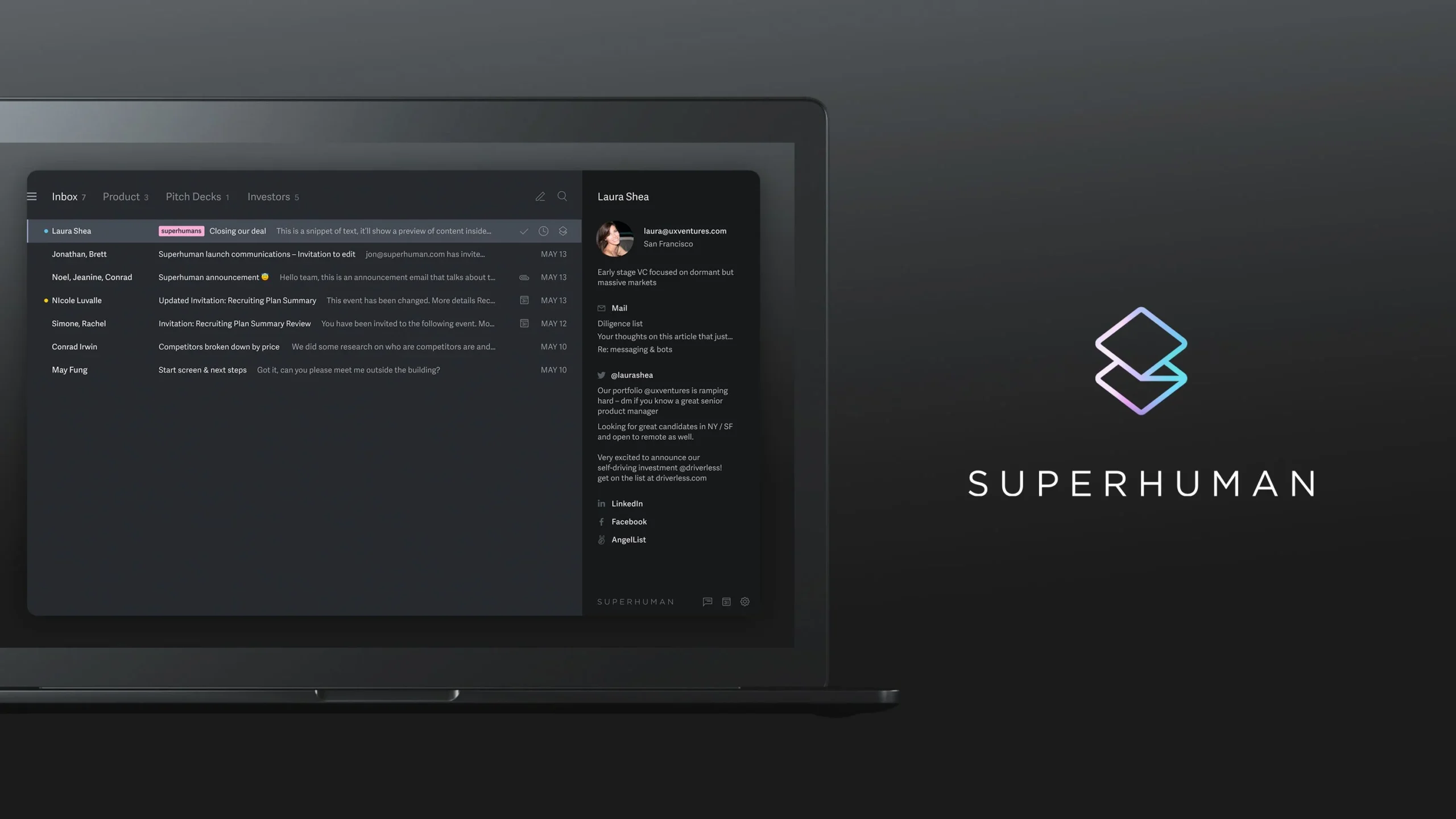
Superhuman AI is a premium AI-powered email client designed for professionals who want to manage email faster and more efficiently. It connects with Gmail and Outlook accounts while replacing the standard inbox with a cleaner and faster workspace built for productivity. As an AI Email Assistant, Superhuman AI helps users write replies, organize conversations, summarize threads, and reduce time spent in the inbox.
Key Features
- AI email drafting in your writing style
- Instant reply suggestions for incoming emails
- Conversation summaries
- AI search across inbox and calendar
- Split inbox for better organization
- Follow-up reminders
- Send later scheduling
- Snippets for reusable responses
- Gmail and Outlook integration
- Desktop and mobile apps
AI Email Assistant Capabilities
Superhuman AI works as an advanced AI Email Assistant by helping users process email with less manual effort. It can generate replies from short prompts, summarize long threads, surface information through natural language search, and suggest follow-ups automatically. It also uses inbox context to create more relevant responses.
Use Cases
- Busy executives managing high email volume
- Sales teams handling outreach and follow-ups
- Founders needing faster inbox control
- Remote teams collaborating on email threads
- Professionals improving Gmail or Outlook workflows
- Users seeking premium email productivity tools
Pros & Cons
Pros
- Fast and polished interface
- Strong AI writing and summary tools
- Excellent keyboard shortcuts
- Saves time for heavy email users
- Works with Gmail and Outlook
Cons
- Premium pricing
- Learning curve for shortcuts
- Best for heavy email users
- More expensive than many alternatives
Best For
Superhuman AI is best for professionals, founders, executives, and sales teams who spend hours in email and want a premium AI Email Assistant focused on speed and efficiency.
Limitations
Superhuman AI may not suit casual users or people with low daily email volume. Users familiar with standard Gmail or Outlook layouts may need time to adapt to its workflow.
Pricing
Superhuman AI is a premium subscription-based tool with plans for individuals and teams. Pricing may vary based on selected features and billing cycle.
2) Shortwave AI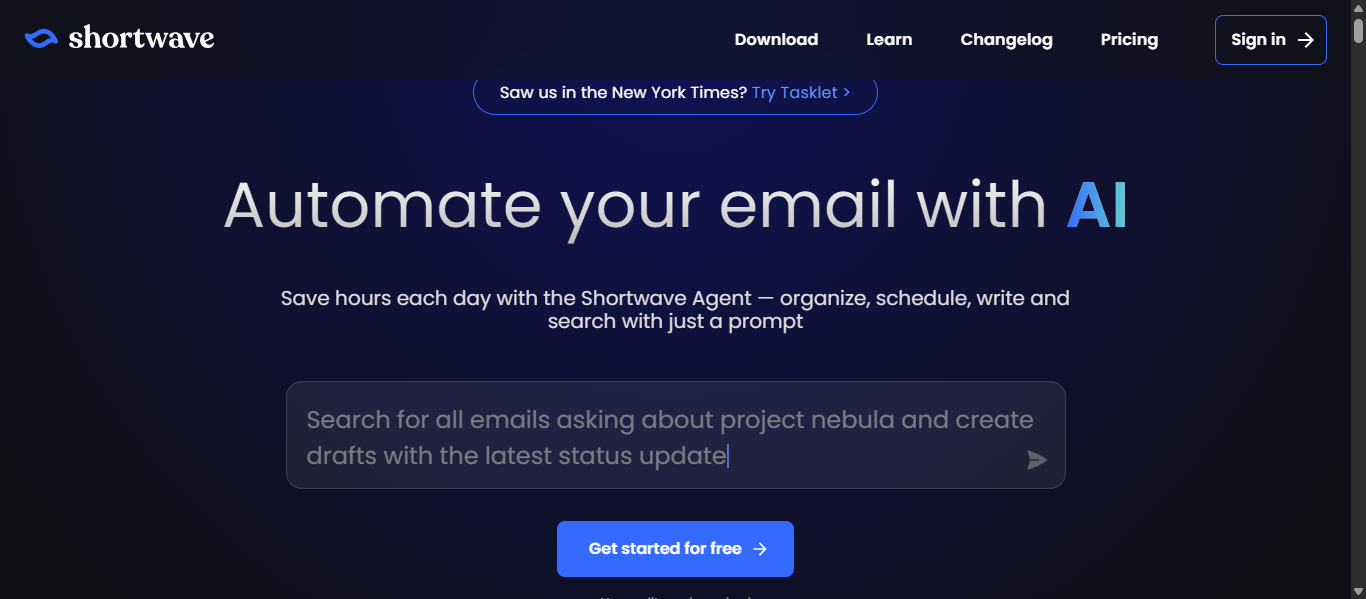
What is Shortwave AI?
Shortwave AI is an AI-first email client built to help users manage Gmail faster with smart organization, faster replies, and powerful search. It transforms a standard inbox into a productivity-focused workspace with AI summaries, writing tools, bundles, and collaboration features. As an AI Email Assistant, Shortwave AI is designed for professionals and teams who want to reduce inbox overload and save time.
Key Features
- AI-powered email drafting and reply suggestions
- Natural language inbox search
- Thread summaries and action item extraction
- Smart bundles for newsletters and updates
- Split inbox tabs for priorities
- Calendar scheduling with AI
- Team comments and thread sharing
- Turn emails into tasks and todos
- Desktop, web, iOS, and Android apps
- Gmail and Google Workspace support
AI Email Assistant Capabilities
Shortwave AI works as an advanced AI Email Assistant by helping users write emails, improve drafts, summarize long threads, translate messages, and search inbox history using everyday language. It can also organize emails, create scheduling replies, and identify key information from conversations. Its AI learns from previous emails to create more personalized responses.
Use Cases
- Busy professionals managing high email volume
- Gmail users wanting a smarter inbox
- Teams collaborating on shared threads
- Founders needing faster communication
- Users who want AI email search
- Anyone trying to reach inbox zero faster
Pros & Cons
Pros
- Strong AI search and inbox intelligence
- Fast summaries and drafting tools
- Useful bundles and split inbox system
- Great for Gmail productivity
- Team collaboration features included
Cons
- Best experience mainly for Gmail users
- Different interface may need adjustment
- Advanced features may require paid plan
- Less ideal for non Google ecosystems
Best For
Shortwave AI is best for Gmail users, startups, remote teams, and professionals who want an AI Email Assistant focused on speed, search, and smarter inbox management.
Limitations
Shortwave AI currently centers around Gmail and Google Workspace, so users on Outlook or Apple Mail may find fewer native advantages. New users may also need time to adapt to the modern interface.
Pricing
Shortwave AI offers a free plan with paid plans for individuals and businesses. Pricing varies based on features, storage, and AI capabilities.
3) Gemini AI for Gmail
What is Gemini for Gmail AI?
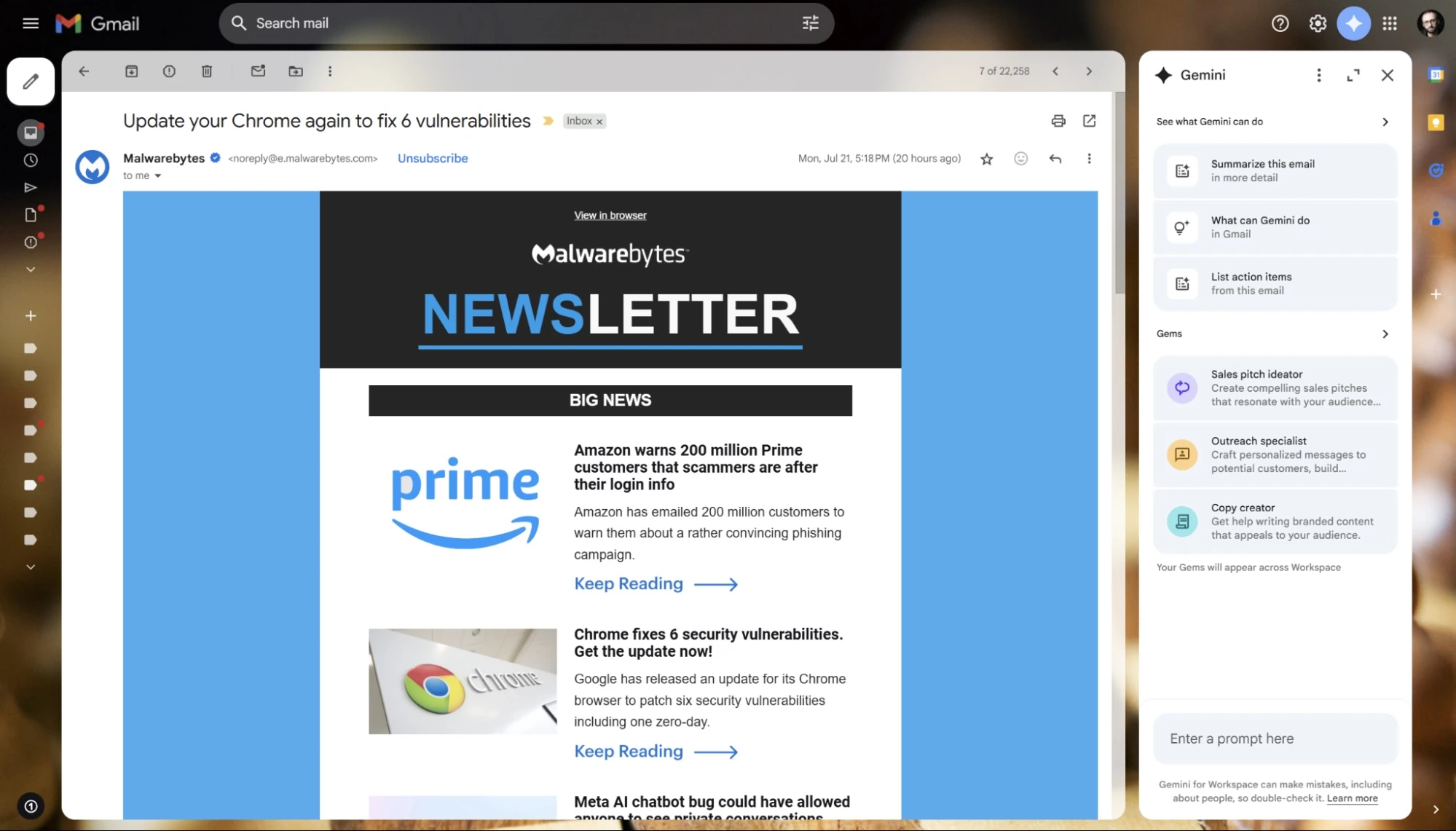
Gemini for Gmail AI is Google’s built-in AI email assistant designed to help Gmail users write faster, summarize long threads, and find important information across emails. Integrated directly inside Gmail, it adds smart productivity features without requiring a separate app. As an AI Email Assistant, Gemini for Gmail AI is ideal for individuals, teams, and businesses already using Google Workspace.
Key Features
- AI email drafting from short prompts
- Summarize long email threads
- Contextual Smart Reply suggestions
- Rewrite drafts for tone and clarity
- Natural language inbox search
- Find details from previous emails
- Access Google Calendar context
- Create events from email content
- Works across desktop and mobile
- Built into Gmail and Google Workspace
AI Email Assistant Capabilities
Gemini for Gmail AI works as an AI Email Assistant by helping users draft replies, reduce writing time, summarize conversations, and retrieve useful details from the inbox. It can answer questions about emails, surface reservations or package updates, and help users respond faster with more context.
Use Cases
- Gmail users wanting built-in AI tools
- Professionals managing daily inbox overload
- Teams using Google Workspace
- Users who need quick thread summaries
- Busy workers drafting faster replies
- People who want smart inbox search
Pros & Cons
Pros
- Native integration inside Gmail
- Easy to use with no extra software
- Strong summaries for long threads
- Helpful writing and rewrite tools
- Good fit for Google Workspace users
Cons
- Best experience inside Google ecosystem
- Some features depend on paid plans
- Less customizable than standalone tools
- Advanced functions may vary by region or plan
Best For
Gemini for Gmail AI is best for Gmail users, Google Workspace teams, and professionals who want an AI Email Assistant built directly into their existing email workflow.
Limitations
Gemini for Gmail AI is most valuable for users already committed to Gmail. Those using Outlook or Apple Mail will not get the same native experience. Some premium AI features may require eligible Google plans.
Pricing
Gemini for Gmail AI is available through select Google Workspace and Google AI subscription plans. Pricing depends on the chosen Workspace tier and account type.
4) SaneBox AI
What is SaneBox?
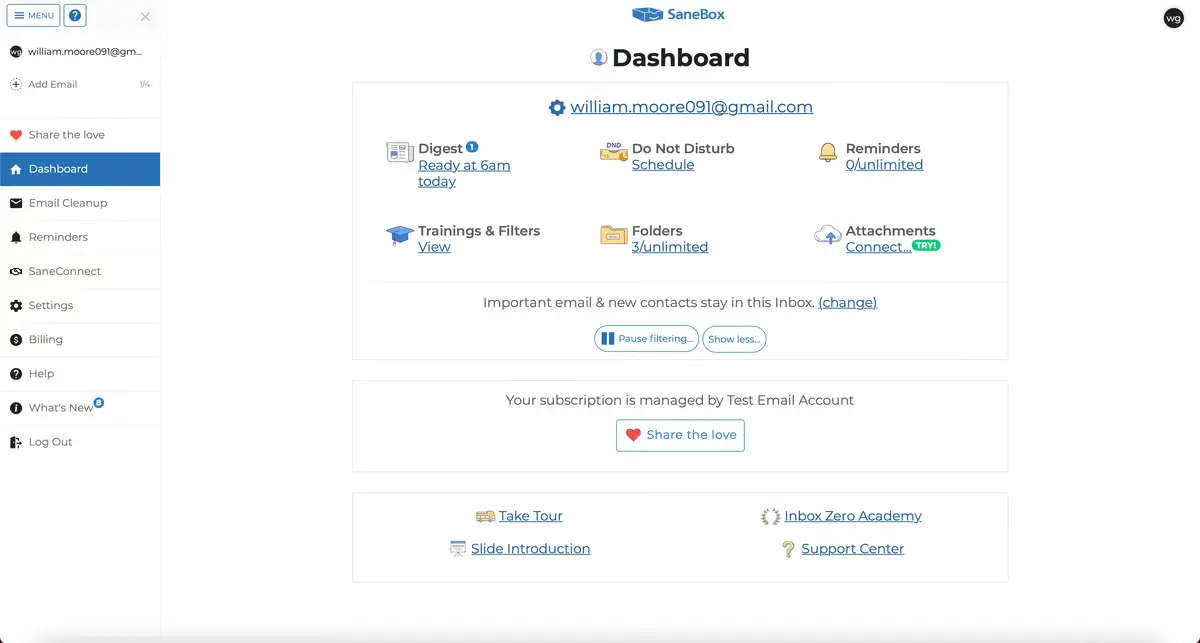
SaneBox is an AI-powered email management tool that helps users organize overloaded inboxes without changing their current email provider. It works with Gmail, Outlook, Apple Mail, Yahoo, and other major services by automatically sorting less important emails into separate folders. As an AI Email Assistant, SaneBox is designed to reduce distractions, prioritize important messages, and save time.
Key Features
- AI inbox filtering and prioritization
- SaneLater folder for low-priority emails
- One-click unsubscribe with SaneBlackHole
- Follow-up reminders for unanswered emails
- Email snooze for later review
- Daily digest summaries
- Custom folders and sorting rules
- Works with major email providers
- No need to switch email apps
- Multi-device compatibility
AI Email Assistant Capabilities
SaneBox works as an AI Email Assistant by learning your email habits and automatically deciding which messages need immediate attention. It can move distractions out of the main inbox, remind you to follow up, resurface snoozed emails, and help maintain a cleaner workflow with minimal manual setup.
Use Cases
- Professionals receiving high email volume
- Freelancers managing multiple conversations
- Executives needing priority inbox control
- Users overwhelmed by newsletters
- People who miss follow-up emails
- Anyone wanting inbox zero faster
Pros & Cons
Pros
- Works with most email providers
- Excellent inbox cleanup automation
- Saves time on email sorting
- Strong reminder and snooze tools
- No new email app required
Cons
- No free permanent plan
- Focuses more on organization than writing
- Requires initial training period
- Less useful for low email volume users
Best For
SaneBox is best for busy professionals, consultants, founders, and anyone who wants an AI Email Assistant focused on inbox organization rather than email drafting.
Limitations
SaneBox is not a full AI writing tool, so users wanting advanced drafting or reply generation may need another solution. It performs best for people who receive a large number of emails regularly.
Pricing
SaneBox offers paid subscription plans with multiple tiers based on email accounts and features. A free trial is usually available for new users.
5) Inbox Zero AI
What is Inbox Zero AI?
Inbox Zero AI is an AI-powered email management tool built to help users clean, organize, and automate their inbox. It connects with Gmail and Microsoft accounts to sort emails, draft replies, block unwanted messages, and reduce inbox clutter. As an AI Email Assistant, Inbox Zero AI focuses on saving time through automation and smarter email workflows.
Key Features
- AI email categorization and labeling
- Draft replies in your writing style
- Bulk unsubscribe from unwanted emails
- Cold email blocker
- Reply tracking and follow-up tools
- Calendar-aware draft responses
- Email analytics and insights
- Attachment auto-filing to cloud storage
- Slack and Telegram integrations
- Open-source and self-hosting options
AI Email Assistant Capabilities
Inbox Zero AI works as an AI Email Assistant by learning how you manage email and automating repetitive tasks. It can prioritize messages, create reply drafts, organize inbox categories, block distractions, and help users stay on top of unanswered emails. It is designed to reduce manual inbox work and improve daily productivity.
Use Cases
- Busy professionals handling high email volume
- Founders managing client communication
- Users wanting inbox cleanup automation
- Teams needing faster email workflows
- People overwhelmed by newsletters and spam
- Users who prefer open-source tools
Pros & Cons
Pros
- Strong inbox automation features
- Helpful reply drafting tools
- Bulk unsubscribe saves time
- Open-source flexibility available
- Works with Gmail and Microsoft accounts
Cons
- Less known than major email brands
- Best value for heavy email users
- Some advanced features may need setup
- Interface may differ from standard inbox tools
Best For
Inbox Zero AI is best for professionals, founders, and productivity-focused users who want an AI Email Assistant centered on inbox automation and cleaner workflows.
Limitations
Inbox Zero AI is more focused on inbox management than premium design or advanced collaboration. Casual users with low email volume may not need its full feature set.
Pricing
Inbox Zero AI offers free trial access with paid plans for individuals and businesses. Pricing depends on features, accounts, and usage needs.
6) Missive AI
What is Missive AI?
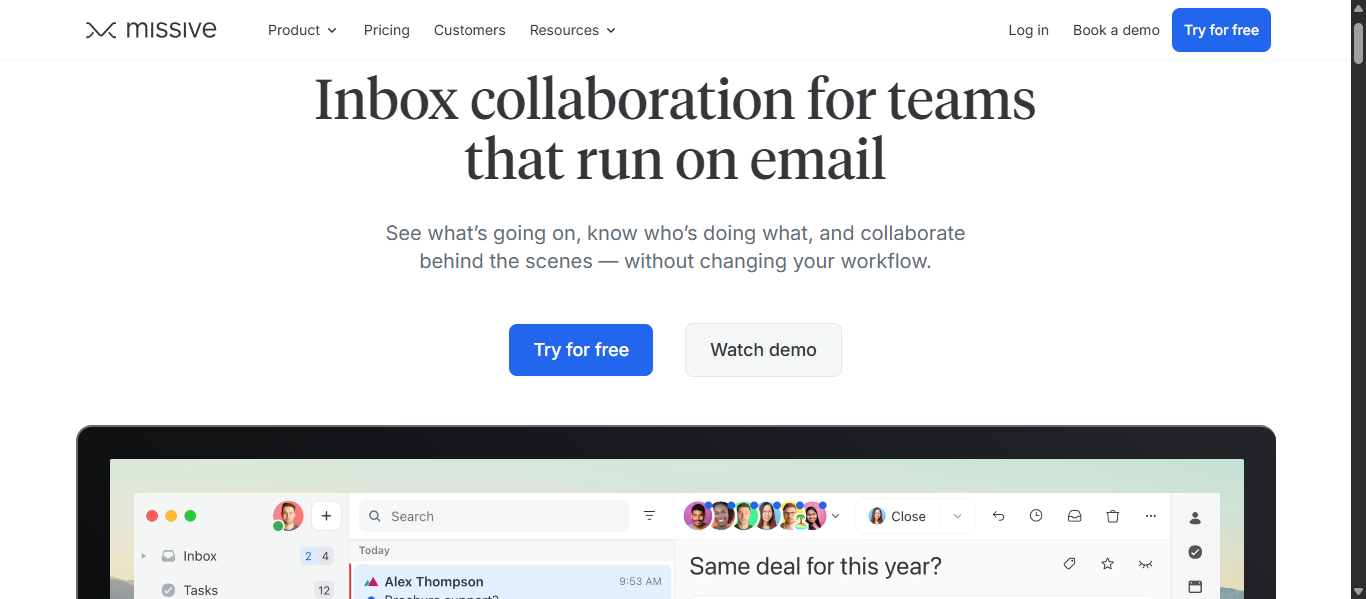
Missive AI is a collaborative email platform built for teams that manage shared inboxes, client communication, and internal discussions in one place. It combines email, chat, tasks, and automation into a unified workspace. As an AI Email Assistant, Missive AI helps teams draft replies, search conversations, organize workflows, and improve response speed.
Key Features
- Shared inboxes for teams
- AI email drafting and smart replies
- AI search across emails and contacts
- Internal team chat within email threads
- Collaborative draft editing
- Task assignment and tracking
- Rules and workflow automation
- Send later and snooze tools
- Gmail, Outlook, and IMAP support
- Multi-channel support for email, SMS, and chat
AI Email Assistant Capabilities
Missive AI works as an AI Email Assistant by helping teams write replies faster, search email history, summarize conversations, and automate repetitive actions. It can draft contextual responses, check calendar availability, find contacts, and streamline support or sales communication without switching apps.
Use Cases
- Customer support teams managing shared inboxes
- Sales teams handling leads and follow-ups
- Startups needing team collaboration in email
- Agencies managing multiple client inboxes
- Remote teams improving communication workflows
- Businesses wanting inbox automation
Pros & Cons
Pros
- Excellent for team collaboration
- Strong shared inbox management
- Helpful AI drafting and search tools
- Supports multiple communication channels
- Powerful workflow automation options
Cons
- More team-focused than personal email use
- Advanced setup may take time
- Best features on paid plans
- May be more than needed for solo users
Best For
Missive AI is best for teams, agencies, support departments, and growing businesses that need an AI Email Assistant focused on collaboration, shared inboxes, and faster communication.
Limitations
Missive AI is designed mainly for team workflows, so individual users wanting a simple personal inbox tool may find it feature-heavy. Some advanced AI capabilities may require supported plans and integrations.
Pricing
Missive AI offers free access with paid plans for teams and businesses. Pricing varies based on users, automation features, and advanced collaboration needs.
7) Front AI
What is Front AI?
Front AI is a customer communication and shared inbox platform designed for teams that manage support, sales, and client conversations at scale. It combines email, chat, SMS, and other channels into one workspace while adding automation and AI tools. As an AI Email Assistant, Front AI helps teams respond faster, collaborate better, and manage high message volume efficiently.
Key Features
- Shared inbox for teams
- AI email drafting and smart replies
- Omnichannel support for email, chat, SMS, and social
- Internal comments and team collaboration
- Automatic routing and workflow rules
- AI summaries for conversations
- Analytics and performance reporting
- Ticketing and case management tools
- CRM and app integrations
- Send later and snooze features
AI Email Assistant Capabilities
Front AI works as an AI Email Assistant by helping teams draft replies, summarize threads, route incoming messages, and improve response times. It can automate repetitive support tasks, assist agents with suggested replies, and centralize communication across channels for smoother workflows.
Use Cases
- Customer support teams handling high ticket volume
- Sales teams managing inbound leads
- Account managers handling client communication
- Remote teams collaborating on shared inboxes
- Businesses using multiple communication channels
- Teams needing faster response workflows
Pros & Cons
Pros
- Excellent for team collaboration
- Strong shared inbox and routing features
- Supports multiple communication channels
- Helpful analytics and reporting tools
- Scales well for growing businesses
Cons
- More expensive than simple email tools
- Best suited for teams rather than solo users
- Advanced setup may take time
- Some AI features depend on plan level
Best For
Front AI is best for customer support teams, sales departments, and growing businesses that need an AI Email Assistant focused on shared inbox collaboration and multi-channel communication.
Limitations
Front AI may be too feature-rich for individual users who only need personal email productivity. Smaller teams with limited budgets may also find premium plans expensive.
Pricing
Front AI offers paid plans for businesses with pricing based on seats, features, and support needs. Free trials are commonly available for new users.
8) Warmer.ai

What is Warmer.ai?
Warmer.ai is an AI-powered cold email personalization platform designed for sales teams, agencies, and businesses that run outbound outreach campaigns. It helps users create customized prospect emails using public company and profile data. As an AI Email Assistant, Warmer.ai focuses on improving response rates, saving research time, and scaling personalized outreach.
Key Features
- AI personalized cold email generation
- Prospect and company data enrichment
- LinkedIn and website-based personalization
- Bulk email personalization for lists
- Email validation and verification
- Company intelligence insights
- Objective-based message generation
- CSV import and export options
- API access for custom workflows
- Faster prospect research automation
AI Email Assistant Capabilities
Warmer.ai works as an AI Email Assistant by analyzing available prospect data and generating tailored outreach emails in seconds. It can personalize subject lines, opening lines, and messaging based on a recipient’s role, company, and public information. This helps teams send more relevant emails without manual research.
Use Cases
- Sales teams running cold outreach campaigns
- Agencies managing client lead generation
- Founders booking meetings with prospects
- Recruiters contacting candidates
- Businesses scaling outbound email campaigns
- Teams wanting faster personalization workflows
Pros & Cons
Pros
- Strong cold email personalization tools
- Saves time on prospect research
- Useful for bulk outreach campaigns
- Helps improve reply rates
- Good fit for sales teams and agencies
Cons
- Focused mainly on outbound sales use
- Not built for regular inbox management
- Requires quality prospect data for best results
- Premium plans may be costly for small users
Best For
Warmer.ai is best for sales professionals, agencies, founders, and growth teams that need an AI Email Assistant for personalized cold outreach and lead generation.
Limitations
Warmer.ai is specialized for outbound prospecting rather than daily inbox productivity. Users needing email organization, team collaboration, or internal communication tools may need another platform.
Pricing
Warmer.ai offers paid plans with pricing tiers based on credits, usage volume, and outreach needs. Free trial offers may be available for new users.
9) Proton Scribe AI
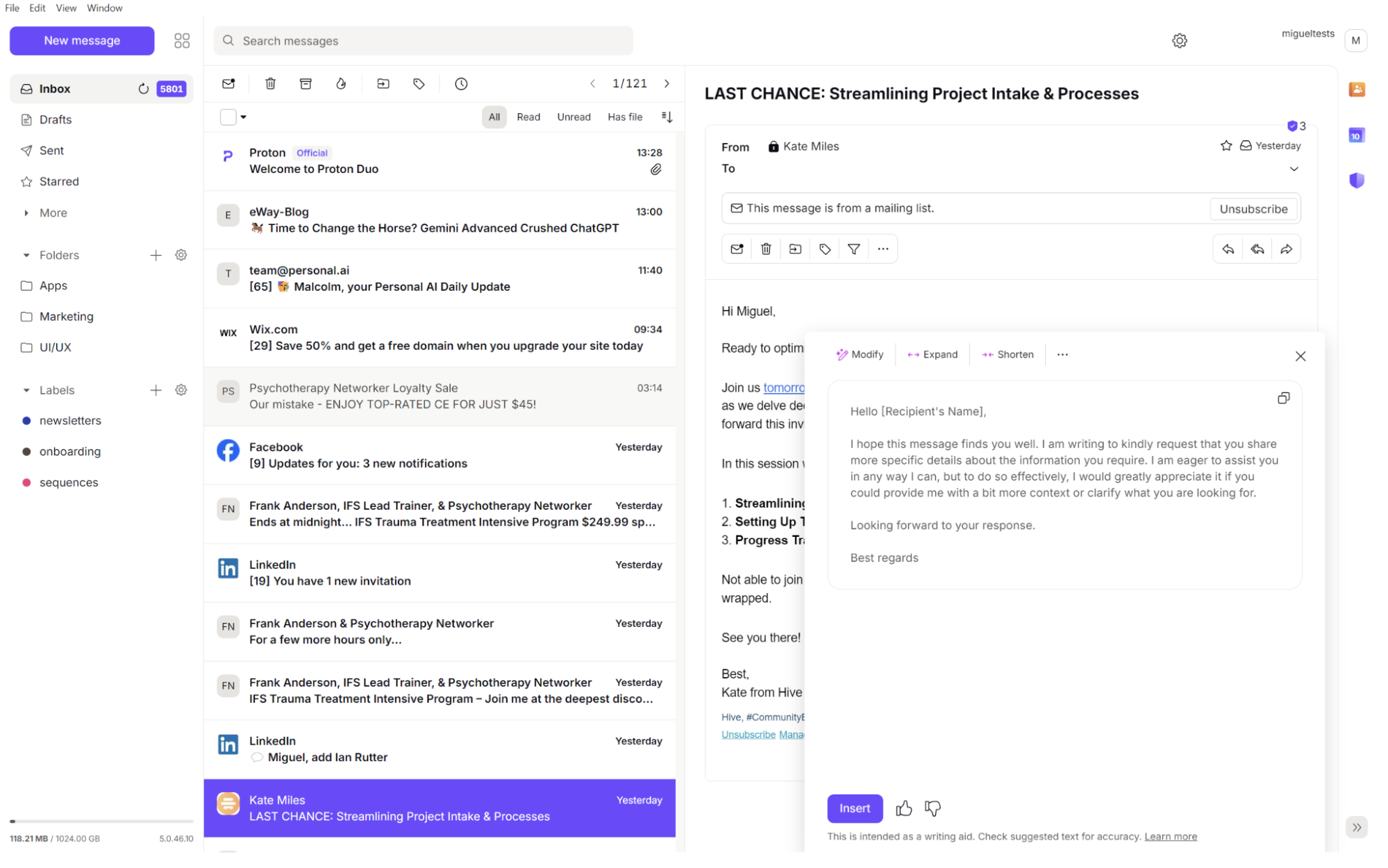
What is Proton Scribe AI?
Proton Scribe AI is a privacy-focused AI writing assistant integrated into Proton Mail. It helps users create emails, rewrite drafts, improve tone, and fix grammar while maintaining a strong focus on security and data protection. As an AI Email Assistant, Proton Scribe AI is built for professionals and businesses that need secure communication with smart writing support.
Key Features
- AI email drafting from simple prompts
- Rewrite emails for tone and clarity
- Grammar and spelling correction
- Expand or shorten email content
- Professional tone suggestions
- Built directly into Proton Mail
- Privacy-focused AI processing
- Multi-language writing support
- Web and desktop compatibility
- Fast editing inside the compose window
AI Email Assistant Capabilities
Proton Scribe AI works as an AI Email Assistant by helping users write emails faster, improve message quality, and communicate more clearly. It can generate new drafts, polish rough messages, adjust tone for formal or casual communication, and save time on repetitive writing tasks while supporting privacy-conscious users.
Use Cases
- Professionals handling confidential communication
- Businesses needing secure email writing tools
- Users wanting privacy-first AI assistance
- Teams using Proton Mail for work
- Remote workers sending daily business emails
- Individuals improving email quality and tone
Pros & Cons
Pros
- Strong privacy and security focus
- Built natively into Proton Mail
- Useful rewriting and proofreading tools
- Good for professional communication
- Easy to use inside the inbox
Cons
- Best suited for Proton Mail users
- Limited inbox management features
- Not ideal for advanced team collaboration
- Some features may require paid plans
Best For
Proton Scribe AI is best for professionals, businesses, and privacy-focused users who want an AI Email Assistant for secure email writing and editing.
Limitations
Proton Scribe AI is mainly designed for writing support rather than full inbox automation. Users looking for advanced workflow tools, shared inbox collaboration, or Gmail and Outlook integrations may need other options.
Pricing
Proton Scribe AI is available through select Proton Mail paid plans. Access and features may vary based on the subscription tier.
10) Gmelius AI
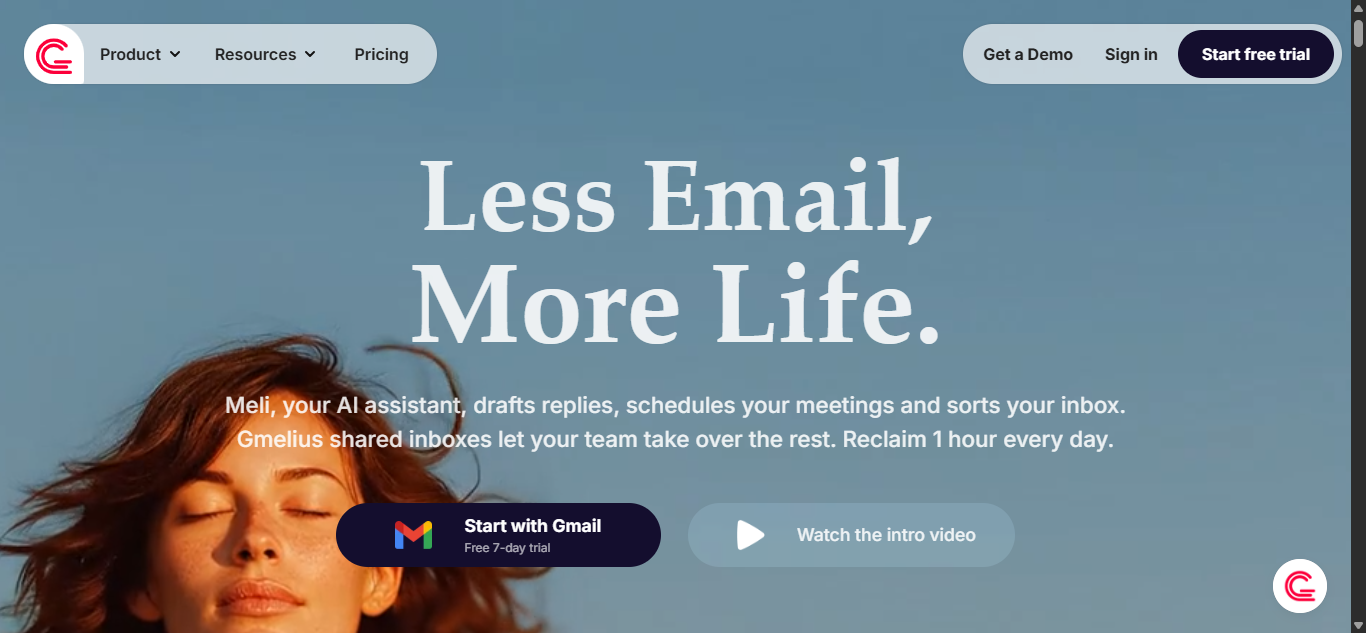
What is Gmelius AI?
Gmelius AI is a Gmail-focused email productivity platform that combines AI assistants, shared inbox tools, and workflow automation. It helps teams manage customer emails, sales conversations, and internal communication directly inside Gmail. As an AI Email Assistant, Gmelius AI is designed for businesses that need faster replies, better collaboration, and smarter inbox management.
Key Features
- AI reply drafting based on email context
- Smart email sorting and tagging
- AI dispatching to the right teammate
- Shared inbox management inside Gmail
- Team collaboration notes and mentions
- Workflow automation rules
- Kanban board style email views
- SLA tracking and analytics dashboards
- Gmail and Google Workspace integration
- Templates and sequences for outreach
AI Email Assistant Capabilities
Gmelius AI works as an AI Email Assistant by automating repetitive inbox work. It can draft responses, organize incoming emails, assign conversations to team members, and help teams respond faster. It is especially useful when multiple people manage one inbox.
Use Cases
- Customer support shared inboxes
- Sales and lead management teams
- Operations and admin teams
- HR hiring communication workflows
- Businesses using Gmail daily
- Teams needing email automation and collaboration
Pros & Cons
Pros
- Strong Gmail native integration
- Great for teams and shared inboxes
- AI drafting and sorting tools
- Useful workflow automation features
- Good analytics and reporting
Cons
- Best for Gmail users only
- May be more than solo users need
- Learning curve for advanced workflows
- Premium plans needed for full features
Best For
Gmelius AI is best for startups, support teams, sales teams, and growing businesses that want an AI Email Assistant with collaboration and automation inside Gmail.
Limitations
Gmelius AI is mainly optimized for Gmail and Google Workspace. Users on Outlook or Apple Mail may prefer other tools. Individual users who only need simple writing help may find it more feature-heavy than necessary.
Pricing
Gmelius AI offers paid plans with different features for individuals and teams. Pricing depends on the number of users and collaboration needs.
11) Mailbutler Smart Assistant AI
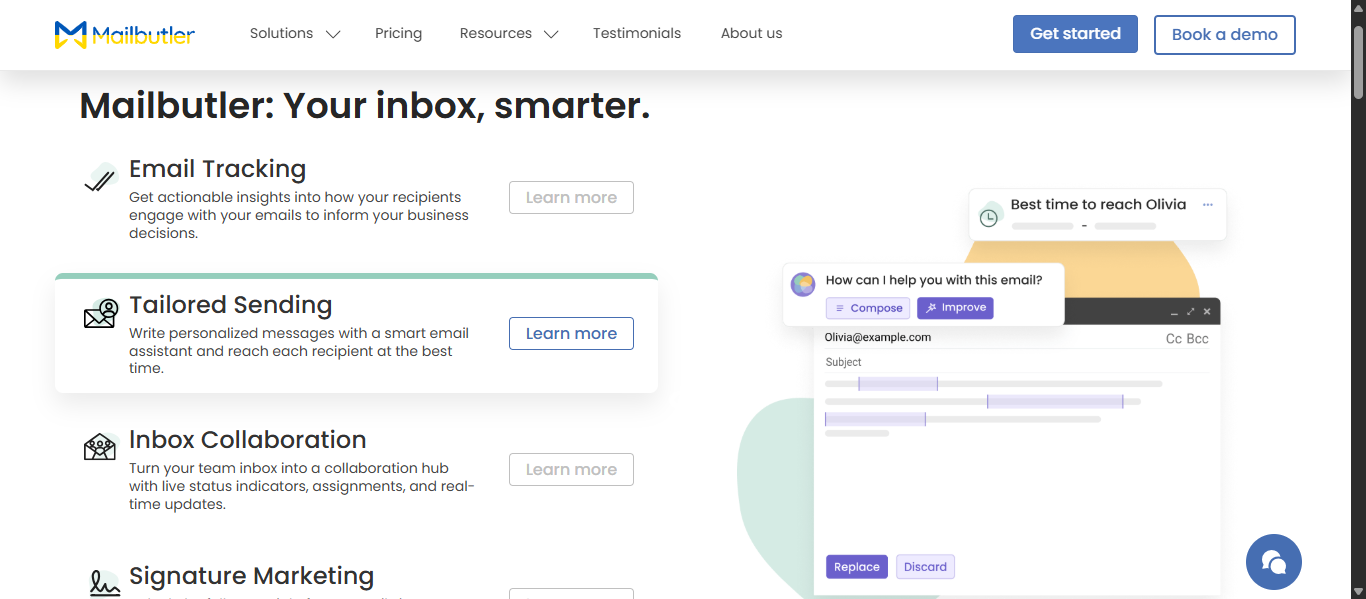
What is Mailbutler Smart Assistant AI?
Mailbutler Smart Assistant AI is an email productivity tool that adds AI writing, summarizing, task detection, and inbox management features to Gmail, Outlook, and Apple Mail. It is designed to help users write better emails, save time, and stay organized inside their existing inbox. As an AI Email Assistant, Mailbutler focuses on boosting productivity without switching email platforms.
Key Features
- AI email writing from short prompts
- Smart reply generation
- Email summaries for long threads
- Grammar and tone improvement
- Task finder from emails
- Contact information extraction
- Email scheduling tools
- Tracking and productivity features
- Works with Gmail, Outlook, and Apple Mail
AI Email Assistant Capabilities
Mailbutler Smart Assistant AI works as an AI Email Assistant by helping users compose new emails, generate quick replies, improve writing quality, summarize long conversations, and extract tasks from messages. It supports faster communication and smarter inbox management for daily users.
Use Cases
- Writing professional business emails
- Replying faster to incoming emails
- Summarizing long email threads
- Managing follow-ups and tasks
- Improving grammar before sending
- Organizing contacts and communication
- Increasing productivity across inboxes
Pros & Cons
Pros
- Works with major email platforms
- Strong AI writing and reply tools
- Helpful summaries and task extraction
- Good productivity add-ons
- Useful for business users
Cons
- Full AI features require paid plans
- Some advanced tools may need setup
- Better for productivity users than casual users
- AI output may need manual edits
Best For
Mailbutler Smart Assistant AI is best for professionals, freelancers, teams, and business users who want an AI Email Assistant that works inside Gmail, Outlook, or Apple Mail.
Limitations
Mailbutler is an add-on tool, so users depend on supported email clients. Some advanced collaboration and AI tools may be more useful for professionals than light personal users. AI generated responses should still be reviewed before sending.
Pricing
Mailbutler offers a free trial and paid plans with higher-tier features, including Smart Assistant access and advanced productivity tools.
Try Mailbutler Smart Assistant AI
12) Lindy AI
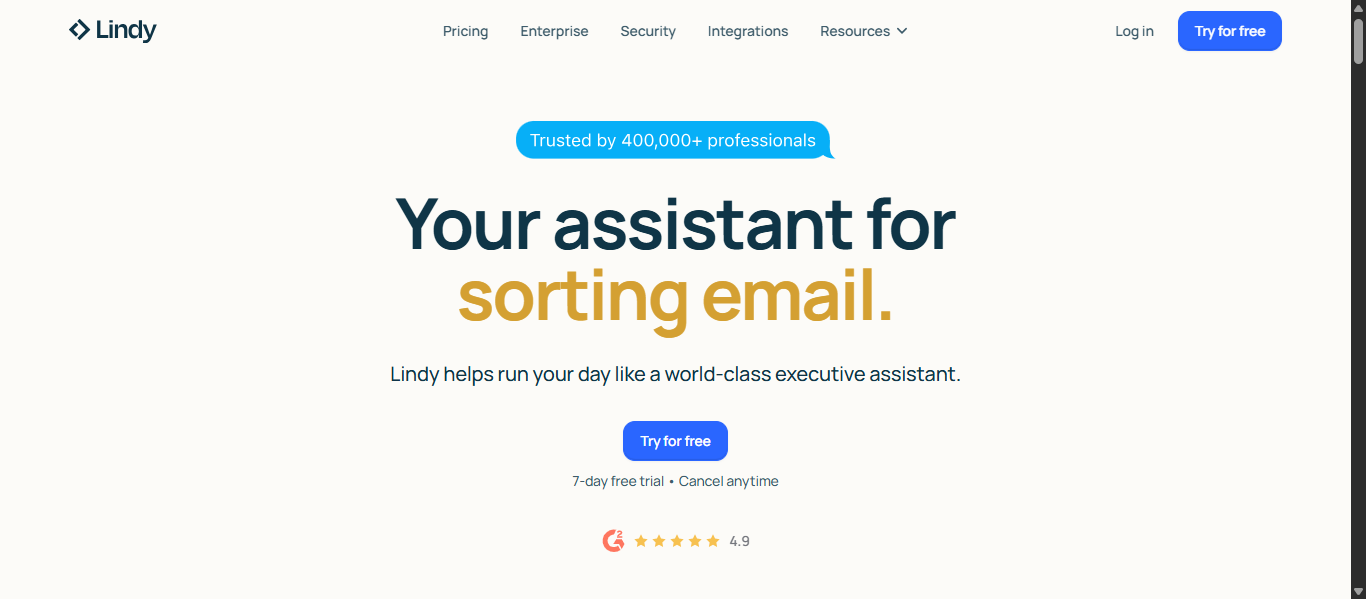
What is Lindy AI?
Lindy AI is an AI automation platform that helps users manage emails, meetings, tasks, and workflows through smart AI agents. It is designed to automate repetitive business tasks while connecting with tools like Gmail, calendars, CRMs, and productivity apps. As an AI Email Assistant, Lindy AI focuses on handling inbox tasks, scheduling, follow-ups, and workflow automation.
Key Features
- AI email drafting and reply generation
- Smart inbox sorting and prioritization
- Automated follow-ups
- Meeting scheduling and calendar sync
- AI agents for workflow automation
- CRM and third-party app integrations
- Lead routing and task management
- Email summaries and action extraction
- Custom no-code automation templates
- Multi-platform business integrations
AI Email Assistant Capabilities
Lindy AI works as an AI Email Assistant by helping users automate inbox management, generate replies, schedule meetings, and organize tasks from incoming emails. It can reduce manual admin work by using AI agents to trigger actions across connected tools.
Use Cases
- Founders managing multiple daily tasks
- Sales teams automating lead follow-ups
- Professionals scheduling meetings faster
- Businesses reducing repetitive admin work
- Teams managing email workflows
- Users wanting AI agent automation
Pros & Cons
Pros
- Strong automation and AI agent features
- Helpful for email and scheduling tasks
- Connects with many business tools
- Saves time on repetitive workflows
- Good for growing teams and startups
Cons
- More advanced than simple email tools
- Setup may take time for beginners
- Premium plans may be expensive
- Best value comes with multiple integrations
Best For
Lindy AI is best for founders, startups, sales teams, and professionals who want an AI Email Assistant with advanced automation and AI agent capabilities.
Limitations
Lindy AI is more focused on automation than traditional inbox design. Casual users who only need simple email drafting may find it more complex than necessary.
Pricing
Lindy AI offers free trial access with paid plans based on usage, automations, and business needs.
13) Fyxer AI
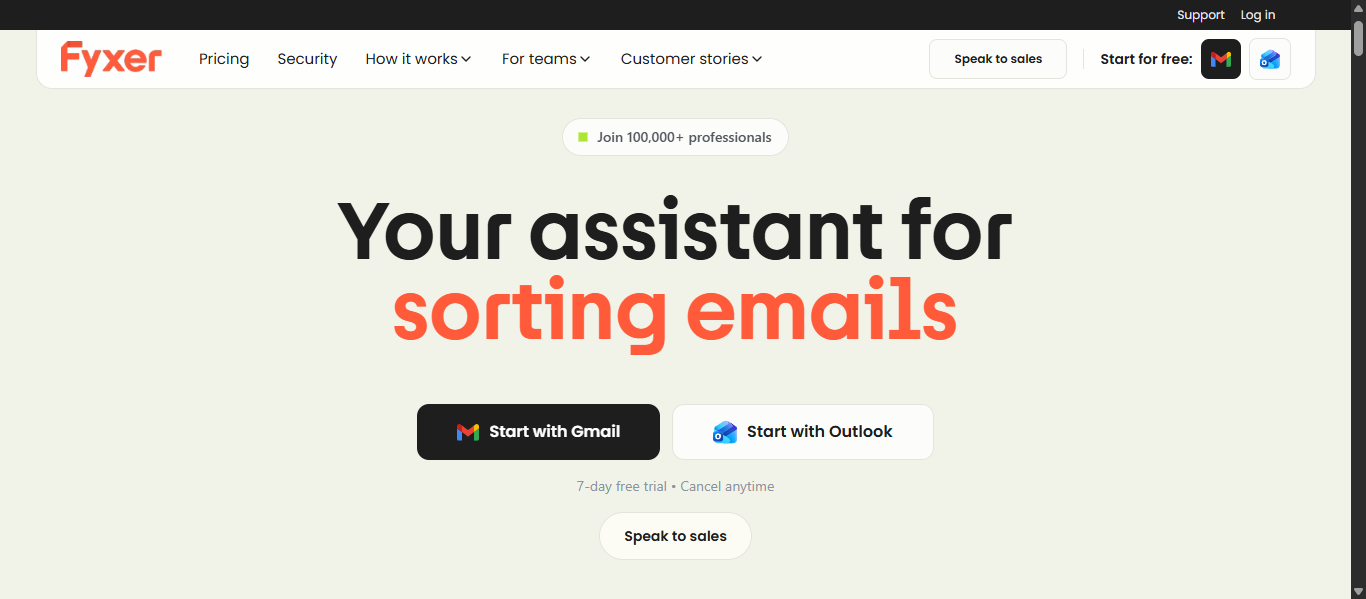
What is Fyxer AI?
Fyxer AI is an AI Email Assistant built for Gmail and Outlook users who want to save time on inbox management. It helps organize emails, draft replies in your writing style, take meeting notes, and automate follow-ups. The platform is designed for professionals, founders, and teams handling high email volume.
Key Features
- AI inbox organization and prioritization
- Draft replies in your personal tone
- Gmail and Outlook integration
- Meeting notes with action items
- Smart scheduling support
- AI chat for inbox search and answers
- Team collaboration tools
- Multi-inbox management
- Secure enterprise-grade setup
- Fast onboarding process
AI Email Assistant Capabilities
Fyxer AI works as an AI Email Assistant by sorting incoming messages, preparing reply drafts, highlighting priority emails, and reducing manual admin work. It can also support meetings with notes and summaries, making it more than a basic email writer.
Use Cases
- Busy professionals with crowded inboxes
- Founders managing daily communication
- Sales teams handling leads and replies
- Executives needing meeting notes
- Teams using Gmail or Outlook
- Users wanting faster email workflows
Pros & Cons
Pros
- Strong inbox automation
- Learns your writing style
- Supports Gmail and Outlook
- Includes meeting note features
- Helpful for busy professionals
Cons
- Paid plans for full features
- Best for regular email users
- May be more than casual users need
- Setup permissions required
Best For
Fyxer AI is best for professionals, founders, executives, and teams looking for an AI Email Assistant that combines inbox management, drafting, and meeting productivity.
Limitations
Fyxer AI focuses mainly on productivity workflows. Users who only need simple one-click email writing may prefer lighter tools.
Pricing
Fyxer AI offers a free trial. Paid plans start around $30 per user monthly, with higher plans for teams and enterprise needs.
14) Notion Mail AI
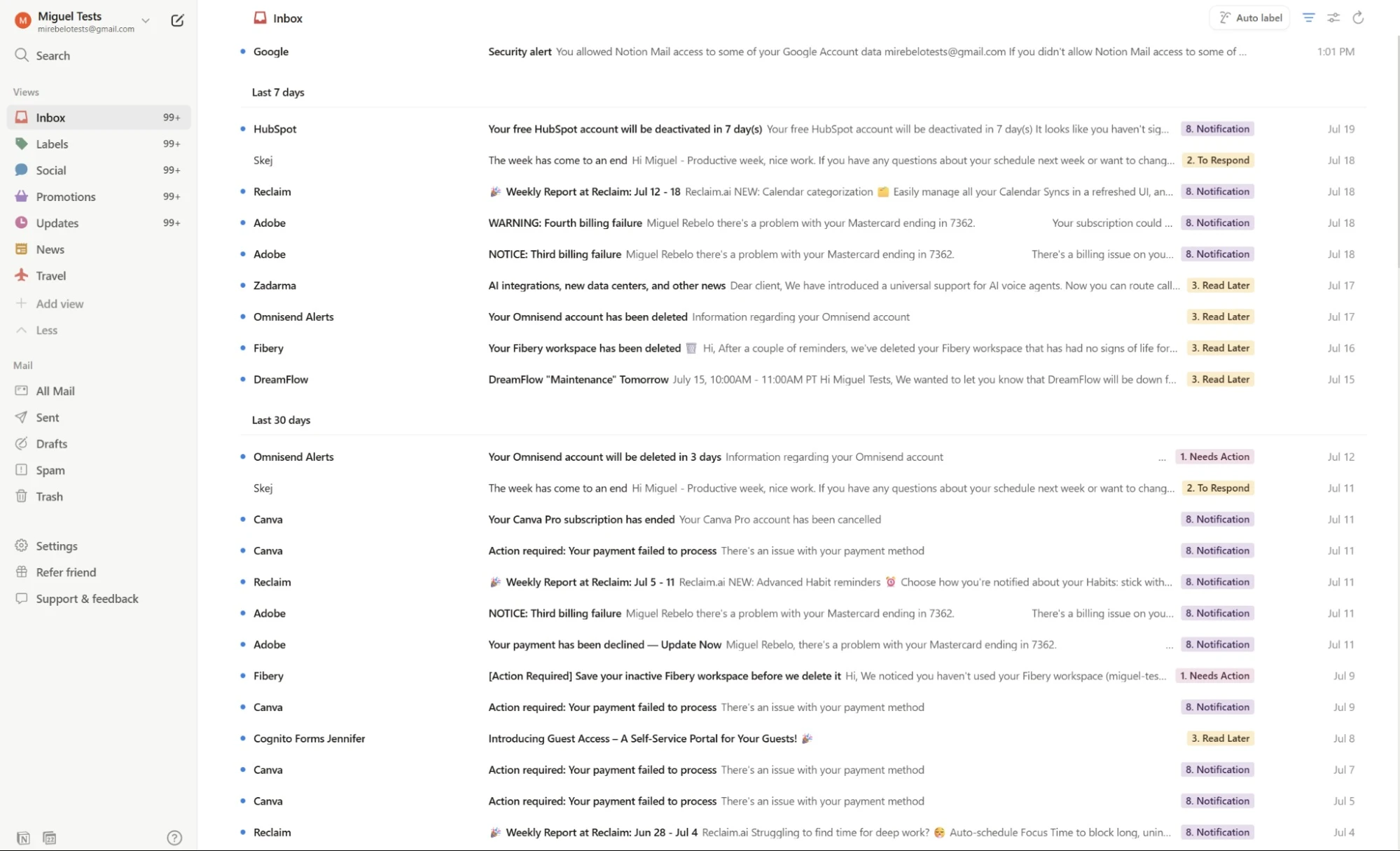
What is Notion Mail AI?
Notion Mail AI is an AI powered email client built by Notion that helps users organize inboxes, draft replies, schedule meetings, and create custom email views. It is designed to make Gmail management smarter and more personalized. As an AI Email Assistant, Notion Mail AI focuses on productivity, automation, and clean inbox workflows.
Key Features
- AI inbox organization and smart labels
- Custom email views and filters
- AI reply drafting
- Email summaries for faster reading
- Meeting scheduling tools
- Snippets and reusable responses
- Gmail integration
- Search across messages
- Clean Notion style interface
- Workflow focused productivity tools
AI Email Assistant Capabilities
Notion Mail AI works as an AI Email Assistant by sorting incoming emails, creating personalized inbox views, drafting responses, and helping users schedule meetings faster. It reduces clutter and helps users focus on priority conversations.
Use Cases
- Gmail users wanting smarter inbox control
- Professionals managing high email volume
- Founders and freelancers saving time
- Teams using Notion ecosystem tools
- Users wanting custom inbox workflows
- Faster scheduling and replies
Pros & Cons
Pros
- Clean and modern interface
- Strong inbox customization tools
- Helpful AI sorting and drafting
- Good fit for Notion users
- Useful meeting scheduling features
Cons
- Best experience with Gmail users
- Newer platform compared to older email apps
- Advanced AI limits may depend on plan
- Some users may need time to adjust
Best For
Notion Mail AI is best for Gmail users, creators, founders, remote teams, and productivity focused users who want an AI Email Assistant with custom inbox views.
Limitations
Notion Mail AI is mainly focused on Gmail integration. Users on Outlook or Apple Mail may need alternative tools. Users who prefer traditional inbox layouts may need an adjustment period.
Pricing
Notion Mail AI offers free access with selected features. Advanced AI and premium workspace features may require paid Notion plans.
15) Compose AI
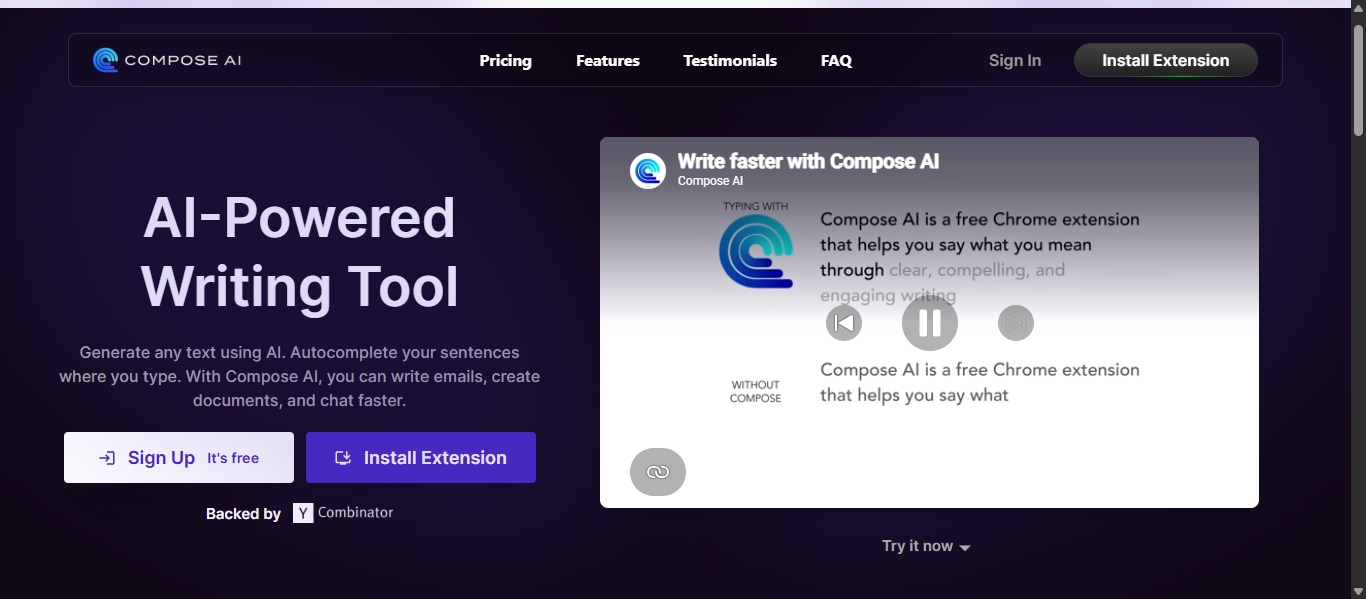
What is Compose AI?
Compose AI is an AI writing assistant designed to help users write emails faster through autocomplete, smart suggestions, and instant text generation. It works as a browser extension and supports Gmail, Outlook, and many web-based writing platforms. As an AI Email Assistant, Compose AI focuses on speed, productivity, and reducing typing time.
Key Features
- AI autocomplete for faster typing
- Email drafting from short prompts
- Rewrite and rephrase tools
- Tone adjustment suggestions
- Grammar and clarity improvements
- Personal writing style learning
- Browser extension support
- Works with Gmail and Outlook
- Universal support across websites
- Productivity shortcuts
AI Email Assistant Capabilities
Compose AI works as an AI Email Assistant by predicting sentences, generating replies, rewriting drafts, and helping users compose professional emails quickly. It is useful for repetitive writing tasks and everyday communication.
Use Cases
- Writing emails faster every day
- Professionals sending frequent replies
- Students drafting formal emails
- Sales users creating outreach emails
- Freelancers improving productivity
- Users wanting autocomplete assistance
Pros & Cons
Pros
- Speeds up email writing significantly
- Easy browser extension setup
- Helpful rewrite and tone tools
- Works across many websites
- Good free plan for starters
Cons
- Focused more on writing than inbox management
- Browser based experience only
- Advanced features require paid plans
- AI text may need review before sending
Best For
Compose AI is best for professionals, students, freelancers, and busy users who want an AI Email Assistant focused on faster writing and autocomplete.
Limitations
Compose AI does not provide full inbox organization or advanced collaboration tools. Users needing shared inboxes or workflow automation may need a broader email platform.
Pricing
Compose AI offers a free plan with core features. Premium plans unlock advanced writing tools, personalization, and higher usage limits.
AI Email Assistant Agents
What Are AI Email Assistant Agents?
AI Email Assistant agents are autonomous AI systems that can manage inbox tasks with minimal manual input. Unlike basic assistants that wait for prompts, agents can monitor emails, decide priorities, draft replies, schedule meetings, and complete workflows automatically. AI agents are generally proactive, while traditional AI assistants are more reactive.
How AI Agents Are Changing Email Workflows
AI agents are turning email into an automated productivity system. Instead of only helping write emails, they can:
- Prioritize urgent messages automatically
- Draft replies using past context
- Schedule meetings from email requests
- Extract tasks and deadlines from threads
- Route emails to the correct teammate
- Send follow ups when no one replies
- Search inbox history for answers
- Sync tasks with CRM or project tools
This helps reduce repetitive work and saves time for busy professionals and teams.
Examples of AI Email Assistant Agents
Some common examples include:
- Inbox sorting agents that highlight important emails first
- Reply agents that write responses in your tone
- Scheduling agents that check calendars and book meetings
- Support agents that assign tickets automatically
- Sales follow up agents that send reminders
- Research agents that search past email conversations
Tools Offering AI Agent Like Capabilities
- Lindy AI for workflow automation, scheduling, and connected app actions
- Fyxer AI for inbox sorting, drafting, and meeting notes
- Missive AI for routing, shared inbox automation, and team workflows
- Front AI for support routing, team actions, and analytics
- Shortwave AI for AI search, summaries, and smart responses
- Gemini for Gmail AI for drafting, prioritization, and inbox assistance
- Superhuman AI for reminders, follow ups, and productivity automation
- Gmelius AI for shared inbox assignments and workflow rules
- Mailbutler Smart Assistant AI for summaries, drafting, and task extraction
How to Choose the Best AI Email Assistant Tool
The best AI Email Assistant depends on your inbox volume, workflow, and goals. Choose a tool that solves your real problem, not one with the most features. If you need faster replies, pick a writing focused tool. If you manage hundreds of emails, choose one built for organization and automation.
Identify Your Main Need
Start by asking what slows you down most.
- Too many unread emails
- Slow email writing
- Missed follow ups
- Team inbox confusion
- Meeting scheduling
- Sales outreach tasks
Your biggest pain point should guide your choice.
Choose Based on Email Platform
Make sure the tool supports your email provider.
- Gmail users: Shortwave AI, Gemini for Gmail AI, Notion Mail AI, Gmelius AI
- Outlook users: Fyxer AI, Microsoft Copilot Pro for Outlook, Mailbutler Smart Assistant AI
- Multi platform users: Missive AI, Front AI, Lindy AI, Superhuman AI
A native integration usually works better than browser-only add-ons.
Check Core AI Features
Look for features you will actually use daily.
- AI drafting and replies
- Email summaries
- Smart prioritization
- Search across old emails
- Follow up reminders
- Meeting scheduling
- Workflow automation
Avoid paying for features you do not need.
Consider Solo vs Team Use
Some tools are built for individuals, others for teams.
- Best for solo users: Compose AI, SaneBox, Proton Scribe AI
- Best for teams: Missive AI, Front AI, Gmelius AI, Shortwave AI
- Best for founders or operators: Superhuman AI, Fyxer AI, Lindy AI
Review Privacy and Security
Email contains sensitive data. Choose tools with clear privacy standards, secure integrations, and admin controls if used by teams.
Best privacy focused options include Proton Scribe AI and enterprise grade business tools.
Compare Pricing Carefully
Many AI Email Assistant tools use freemium models. Check:
- Free plan limits
- Per user monthly cost
- AI usage caps
- Team upgrade pricing
- Hidden add on costs
The cheapest tool is not always the best value.
Best Picks by Use Case
- Best for speed: Superhuman AI
- Best for Gmail users: Gemini for Gmail AI
- Best for Outlook users: Microsoft Copilot Pro for Outlook
- Best for teams: Missive AI
- Best for automation: Lindy AI
- Best for inbox cleanup: SaneBox
- Best for writing help: Compose AI
Future of AI Email Assistants
- Smarter Autonomous Agents: AI Email Assistant tools will manage inboxes, prioritize emails, schedule meetings, and complete tasks with minimal manual input.
- Better Personalization: Future tools will learn your writing style, tone, and habits to create more natural and accurate replies.
- Predictive Inbox Management: AI may highlight urgent emails, suggest follow ups, and prepare drafts before you ask.
- Deep App Integrations: More tools will connect with calendars, CRMs, project apps, and documents for smoother workflows.
- Voice and Multimodal Email: Users may control emails through voice commands, audio summaries, and visual dashboards.
- Stronger Privacy Controls: Future platforms will focus on encryption, private AI processing, and secure data handling.
- Team Collaboration Intelligence: AI will improve shared inboxes with smart assignments, response tracking, and workload balancing.
- Better Spam and Risk Detection: AI will detect phishing, fraud, and suspicious emails more accurately.
- Multilingual Communication: Real time translation and tone adjustment will help global teams communicate faster.
- Human Plus AI Workflow: AI will handle repetitive inbox work while people focus on strategy, decisions, and relationships.
Conclusion
The best AI Email Assistant can save time, improve replies, organize your inbox, and reduce repetitive work. Whether you need faster writing, smarter automation, or better team collaboration, choosing the right tool depends on your workflow, email platform, and daily needs.
FAQs
Which AI Email Assistant is best for small businesses?
The best AI Email Assistant for small businesses is one that combines affordable pricing, smart replies, inbox organization, and team collaboration, such as Missive AI or Front AI.
Can an AI Email Assistant help reduce inbox overload?
Yes, an AI Email Assistant can sort messages, highlight priorities, unsubscribe clutter, and automate repetitive tasks to make inbox management faster and easier.
Do AI Email Assistant tools work on mobile devices?
Many AI Email Assistant tools offer mobile apps or mobile support for Android and iPhone, allowing users to manage emails anywhere.
Can AI Email Assistant tools improve reply quality?
Yes, they can improve grammar, tone, clarity, and structure while helping users create faster and more professional responses.
Are AI Email Assistant tools useful for remote teams?
Yes, remote teams use AI Email Assistant tools for shared inboxes, task assignment, faster communication, and smoother collaboration across locations.