
AI Generative tools are transforming how people create content, automate tasks, and improve productivity. From writing and design to video and coding, these tools help users generate high-quality output in seconds. The demand for the best AI Generative tools is growing as businesses, creators, and professionals look for faster and smarter ways to work. Instead of manual effort, AI now handles repetitive and creative tasks with better efficiency. In this guide, you will explore the top AI Generative tools, their features, use cases, and how to choose the right tool based on your needs.
What are the Best AI Generative Tools?
The best AI Generative tools are ChatGPT AI, Claude AI, Google Gemini AI, Microsoft Copilot AI, Perplexity AI, Jasper AI, Midjourney AI, Adobe Firefly AI, Canva AI, Runway ML AI, Synthesia AI, NotebookLM AI, Suno AI, ElevenLabs AI, and Pico AI.
These tools help users create content, automate workflows, generate images and videos, produce audio, and improve productivity across different use cases.
List of Best AI Generative Tools
- ChatGPT AI
- Claude AI
- Google Gemini AI
- Microsoft Copilot AI
- Perplexity AI
- Jasper AI
- Midjourney AI
- Adobe Firefly AI
- Canva AI
- Runway ML AI
- Synthesia AI
- NotebookLM AI
- Suno AI
- ElevenLabs AI
- Pico AI
AI Generative Tools Comparison Table
| Tool Name | Primary Use | Best For | Key Strength | Ease of Use | Pricing |
|---|---|---|---|---|---|
| ChatGPT AI | Text, Code | General use | Versatility | Easy | Free / Paid |
| Claude AI | Writing, Analysis | Long content | Deep reasoning | Easy | Free / Paid |
| Google Gemini AI | Multimodal | Google users | Ecosystem integration | Easy | Free / Paid |
| Microsoft Copilot AI | Productivity | Office work | Microsoft integration | Easy | Free / Paid |
| Perplexity AI | Research | Fact-based answers | Real-time data | Easy | Free / Paid |
| Jasper AI | Content writing | Marketing | Brand voice | Easy | Paid |
| Midjourney AI | Image generation | Designers | High-quality visuals | Medium | Paid |
| Adobe Firefly AI | Design | Creatives | Adobe integration | Easy | Free / Paid |
| Canva AI | Design | Beginners | Simple UI | Very Easy | Free / Paid |
| Runway ML AI | Video creation | Creators | AI video tools | Medium | Free / Paid |
| Synthesia AI | Video avatars | Business videos | AI avatars | Easy | Paid |
| NotebookLM AI | Research | Documents | Source-based answers | Easy | Free / Paid |
| Suno AI | Music | Audio creation | Full song generation | Easy | Free / Paid |
| ElevenLabs AI | Voice | Voiceovers | Realistic speech | Easy | Free / Paid |
| Pico AI | App building | No-code apps | Text-to-app | Easy | Free / Paid |
Core AI Chat & Text Tools
1) ChatGPT AI
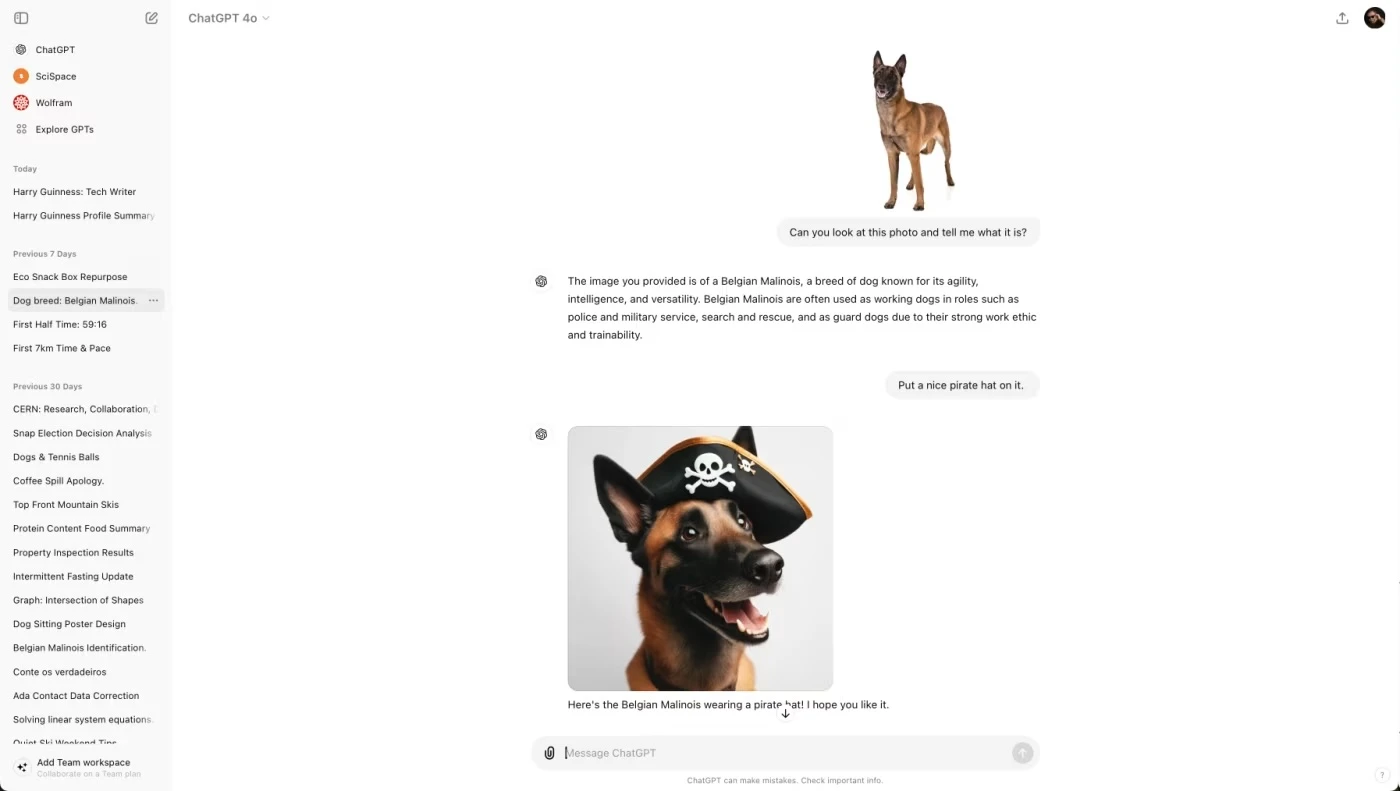
What is ChatGPT AI?
ChatGPT AI is an AI Generative tool developed by OpenAI that helps users create text, generate ideas, write code, analyze data, and solve problems through natural conversation. It is one of the most widely used AI Generative platforms for content creation, research, productivity, and automation.
How to Use ChatGPT for AI Generative Tasks
To use ChatGPT AI effectively:
- Open the ChatGPT platform or application
- Sign in or create an account
- Enter prompts such as writing, coding, or ideas
- Upload files or use advanced features if needed
- Refine prompts to improve responses
- Review and use the generated content
Key Features of ChatGPT AI
- Natural language conversation for easy interaction
- Content generation for blogs, emails, and scripts
- Code generation and debugging support
- Data analysis and file handling
- Multimodal capabilities (text, image, file input)
- Custom GPTs for specific tasks and workflows
Pros and Cons of ChatGPT AI
Pros:
- Easy to use for beginners and professionals
- Supports multiple use cases in one platform
- High-quality content and responses
- Continuous updates and improvements
Cons:
- May generate incorrect or outdated information
- Advanced features require a paid plan
- Output depends on prompt quality
Where ChatGPT AI is Used in AI Generative
ChatGPT AI is used across multiple AI Generative use cases:
- Content creation and blogging
- Research and summarization
- Software development and coding
- Customer support automation
- Education and learning assistance
- Business productivity and workflows
Who Should Use ChatGPT AI
ChatGPT AI is suitable for:
- Content creators and bloggers
- Students and researchers
- Developers and programmers
- Marketers and business professionals
- Freelancers and entrepreneurs
Pricing
ChatGPT AI offers a free plan with basic features, while paid plans start around $20 per month with access to advanced capabilities.
2) Claude AI
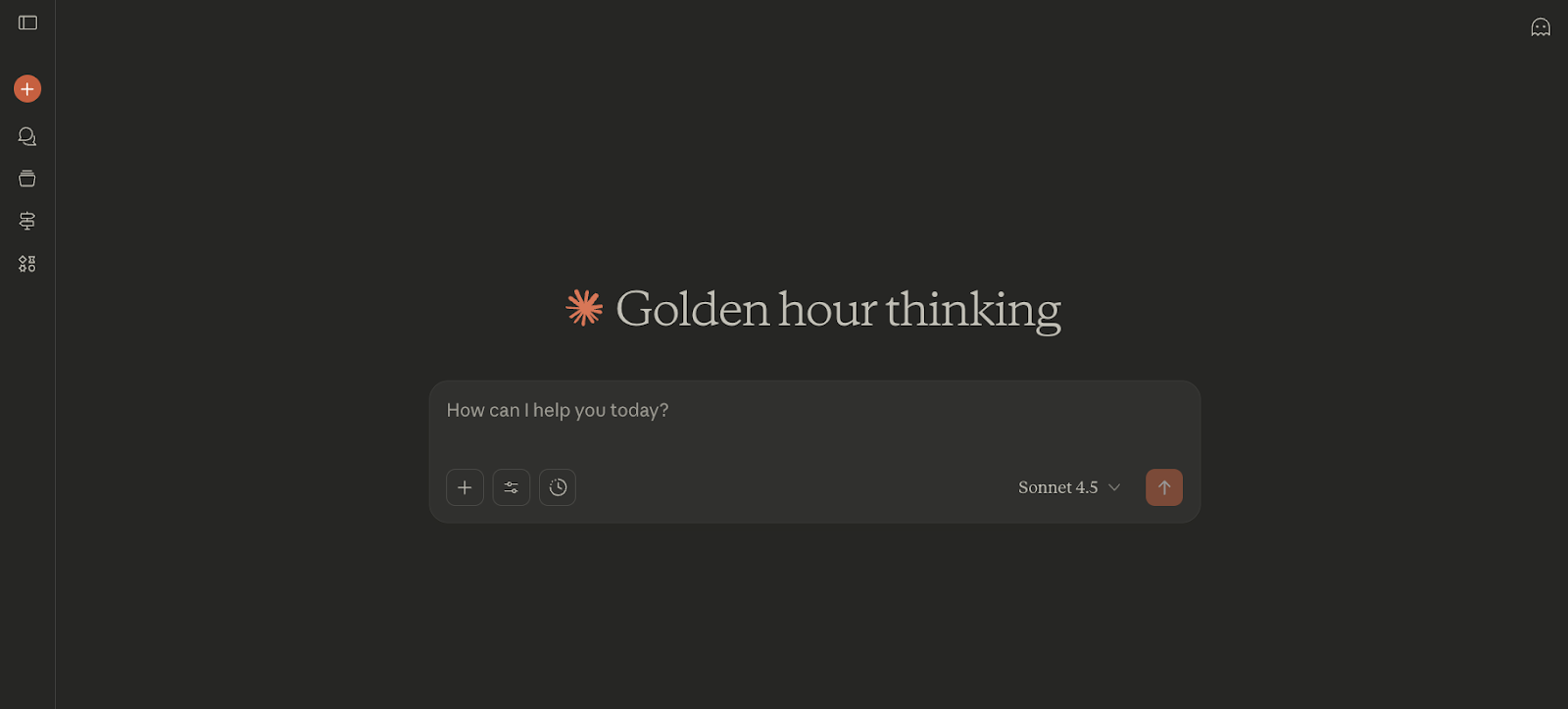
What is Claude AI?
Claude AI is an AI Generative assistant developed by Anthropic that helps users write, analyze information, generate content, and solve complex problems through natural conversation. It is built on advanced large language models and is known for its strong reasoning, long-form writing, and context understanding capabilities.
How to Use Claude for AI Generative Tasks
To use Claude AI effectively:
- Open the Claude AI platform or application
- Sign in or create an account
- Enter prompts such as writing, summarizing, or analysis tasks
- Upload documents if needed for deeper insights
- Refine prompts to improve output quality
- Review and use the generated content
Key Features of Claude AI
- Advanced natural language understanding
- High-quality long-form content generation
- Large context window for analyzing long documents
- Strong reasoning and problem-solving abilities
- File upload and document analysis support
- Safe and structured AI responses
Pros and Cons of Claude AI
Pros:
- Excellent for long-form writing and detailed analysis
- Handles large documents with better context
- Produces more natural and structured responses
- Strong focus on safety and accuracy
Cons:
- Usage limits on free plan
- Fewer integrations compared to some competitors
- Advanced features require paid access
Where Claude AI is Used in AI Generative
Claude AI is used across multiple AI Generative use cases:
- Content writing and editing
- Research and document summarization
- Data analysis and reporting
- Coding and technical problem solving
- Business workflows and automation
Who Should Use Claude AI
Claude AI is suitable for:
- Writers and content creators
- Researchers and analysts
- Developers and technical users
- Business professionals
- Students and educators
Pricing
Claude AI offers a free plan with limited usage, while paid plans typically start around $20 per month with higher limits and advanced features.
3) Google Gemini AI
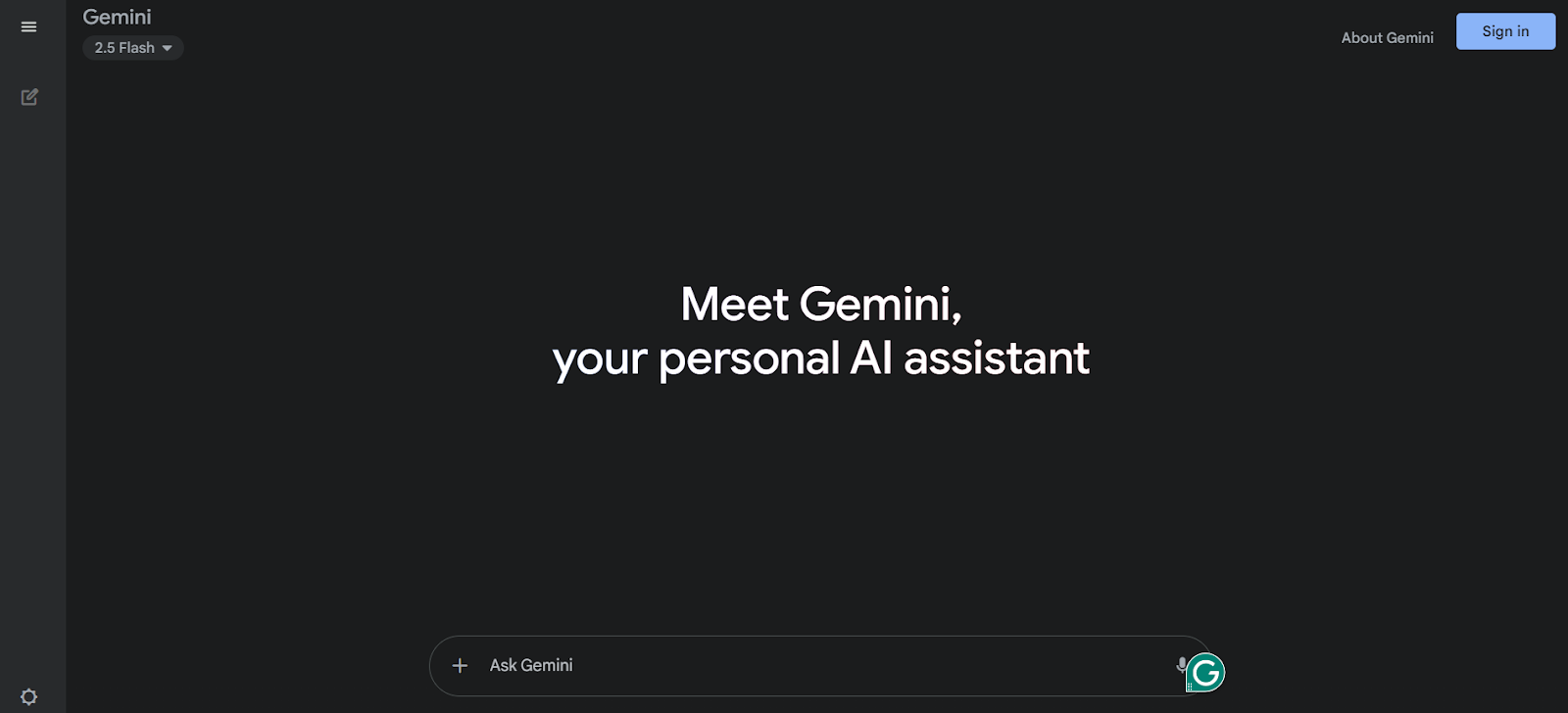
What is Google Gemini AI?
Google Gemini AI is an AI Generative assistant developed by Google that helps users create content, analyze data, generate ideas, and perform tasks across multiple formats like text, images, code, and video. It is a multimodal AI system designed to understand and generate different types of content, making it a powerful tool for productivity, research, and creativity.
How to Use Google Gemini for AI Generative Tasks
To use Google Gemini AI effectively:
- Open the Google Gemini AI platform or application
- Sign in with your Google account
- Enter prompts for writing, research, or coding
- Use text, voice, or image inputs
- Connect with Google apps for advanced tasks
- Review and refine generated outputs
Key Features of Google Gemini AI
- Multimodal capabilities (text, image, audio, video, and code)
- Deep integration with Google Workspace tools
- Real-time assistance for writing, planning, and research
- Advanced reasoning and problem-solving
- Image and content generation features
- Ability to connect with apps like Gmail, Drive, and YouTube
Pros and Cons of Google Gemini AI
Pros:
- Strong integration with Google ecosystem
- Supports multiple content formats
- Useful for productivity and research
- Easy to use with Google account
Cons:
- Some features depend on region or device
- Advanced capabilities require paid plans
- Still evolving compared to competitors
Where Google Gemini AI is Used in AI Generative
Google Gemini AI is used across multiple AI Generative use cases:
- Content creation and writing
- Research and summarization
- Data analysis and insights
- Software development and coding
- Business productivity and automation
Who Should Use Google Gemini AI
Google Gemini AI is suitable for:
- Students and researchers
- Content creators and writers
- Business professionals
- Developers and technical users
- Google Workspace users
Pricing
Google Gemini AI offers a free plan with basic features, while advanced plans provide enhanced access to powerful models and additional capabilities.
4) Microsoft Copilot AI

What is Microsoft Copilot AI?
Microsoft Copilot AI is an AI Generative assistant developed by Microsoft that helps users create content, automate tasks, analyze data, and improve productivity across applications like Word, Excel, Outlook, and Teams. It acts as an intelligent assistant for both personal and professional tasks, combining AI with Microsoft tools and web data to deliver real-time responses and suggestions.
How to Use Microsoft Copilot AI for AI Generative Tasks
To use Microsoft Copilot AI effectively:
- Open the Microsoft Copilot AI platform or application
- Sign in with your Microsoft account
- Enter prompts for documents, data, or tasks
- Use it within Microsoft apps like Word or Excel
- Refine instructions for better results
- Review and apply the generated output
Key Features of Microsoft Copilot AI
- Integration with Microsoft 365 apps (Word, Excel, PowerPoint, Outlook)
- Content generation and document assistance
- Data analysis and visualization support
- Workflow automation and task management
- Real-time suggestions and insights
- Web-based AI chat and research capabilities
Pros and Cons of Microsoft Copilot AI
Pros:
- Deep integration with Microsoft ecosystem
- Strong productivity and workflow automation
- Useful for business and enterprise tasks
- Supports real-time data and document analysis
Cons:
- Best experience requires Microsoft 365 subscription
- Limited functionality outside Microsoft tools
- Advanced features may need setup or permissions
Where Microsoft Copilot AI is Used in AI Generative
Microsoft Copilot AI is used across multiple AI Generative use cases:
- Document creation and editing
- Data analysis and reporting
- Business productivity and automation
- Meeting summaries and communication
- Software development and coding
Who Should Use Microsoft Copilot AI
Microsoft Copilot AI is suitable for:
- Business professionals
- Microsoft 365 users
- Data analysts and managers
- Developers and IT professionals
- Teams and enterprises
Pricing
Microsoft Copilot AI offers free access for basic use, while advanced features are included in Microsoft 365 plans or paid subscriptions with enterprise capabilities.
5) Perplexity AI
What is Perplexity AI?
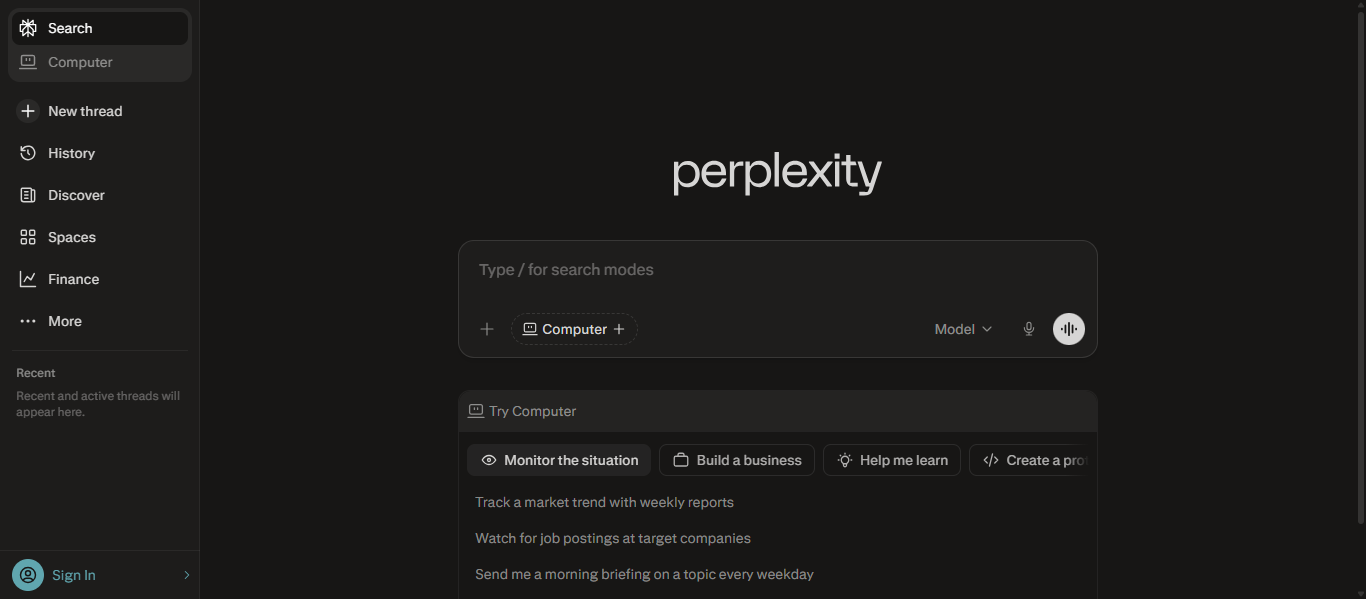
Perplexity AI is an AI Generative search and answer engine that provides real-time, accurate responses to user queries with cited sources. It combines AI models with live web search to deliver clear, conversational answers backed by verifiable information, making it a powerful tool for research and knowledge discovery.
How to Use Perplexity for AI Generative Tasks
To use Perplexity AI effectively:
- Open the Perplexity AI platform or app
- Enter your question or search query in natural language
- Review the AI-generated answer along with cited sources
- Ask follow-up questions to explore the topic deeper
- Use it for research, fact-checking, or quick insights
Key Features of Perplexity AI
- Real-time web search with AI-generated answers
- Source citations for verified information
- Conversational search experience
- Follow-up question support for deeper exploration
- Ability to summarize complex topics quickly
- Multi-model support in advanced versions
Pros and Cons of Perplexity AI
Pros:
- Provides accurate answers with sources
- Real-time information from the web
- Ideal for research and fact-checking
- Simple and fast to use
Cons:
- Limited creative content generation
- Advanced features require paid plan
- Depends on quality of available sources
Where Perplexity AI is Used in AI Generative
Perplexity AI is used across multiple AI Generative use cases:
- Research and information gathering
- Fact-checking and verification
- Content ideation and topic exploration
- Learning and education
- Business insights and analysis
Who Should Use Perplexity AI
Perplexity AI is suitable for:
- Students and researchers
- Content creators
- Journalists and analysts
- Business professionals
- Anyone needing accurate information quickly
Pricing
Perplexity AI offers a free version for general use, while paid plans provide access to advanced models, deeper search, and additional features.
Content & Marketing Tools
6) Jasper AI
What is Jasper AI?
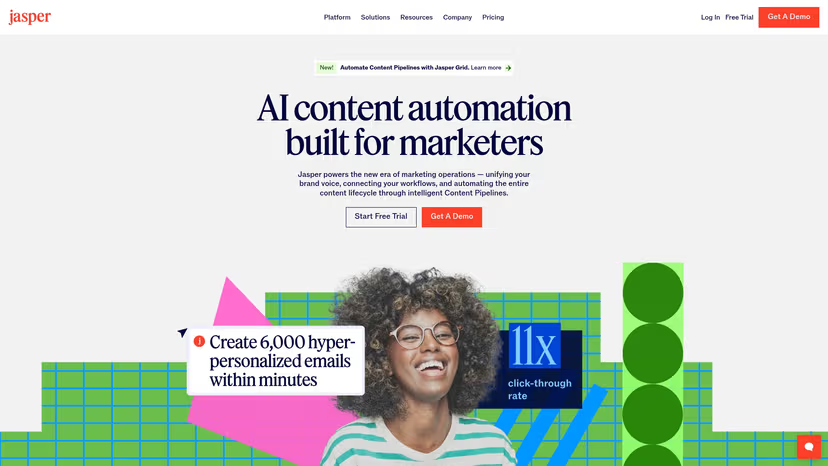
Jasper AI is an AI Generative platform designed for marketing and content creation that helps users generate blog posts, ad copy, emails, and social media content at scale. It is widely used by businesses and marketers to maintain brand voice, automate content workflows, and improve content production efficiency.
How to Use Jasper for AI Generative Tasks
To use Jasper AI effectively:
- Open the Jasper AI platform or application
- Sign in if required to access full features
- Choose a template or start with a prompt
- Enter your content requirements such as blog, ad, or email
- Customize tone, style, or brand voice
- Generate and refine the content as needed
Key Features of Jasper AI
- AI-powered content generation for marketing and business
- Pre-built templates for blogs, ads, and emails
- Brand voice customization for consistent content
- SEO-focused content creation support
- Collaboration tools for teams
- Workflow automation for content production
Pros and Cons of Jasper AI
Pros:
- Designed specifically for marketing content
- Strong brand voice customization
- Easy to create high-converting copy
- Supports team collaboration
Cons:
- Higher pricing compared to some tools
- Mainly focused on content and marketing use cases
- Requires editing for highly technical topics
Where Jasper AI is Used in AI Generative
Jasper AI is used across multiple AI Generative use cases:
- Marketing content creation
- Blog writing and SEO content
- Advertising and sales copy
- Email campaigns and automation
- Social media content generation
Who Should Use Jasper AI
Jasper AI is suitable for:
- Marketers and content teams
- Bloggers and copywriters
- Businesses and startups
- Agencies and freelancers
- E-commerce brands
Pricing
Jasper AI uses a subscription model with plans starting around $39 to $59 per month, while advanced business plans offer custom pricing based on team needs.
Image & Design Tools
7) Midjourney AI
What is Midjourney AI?
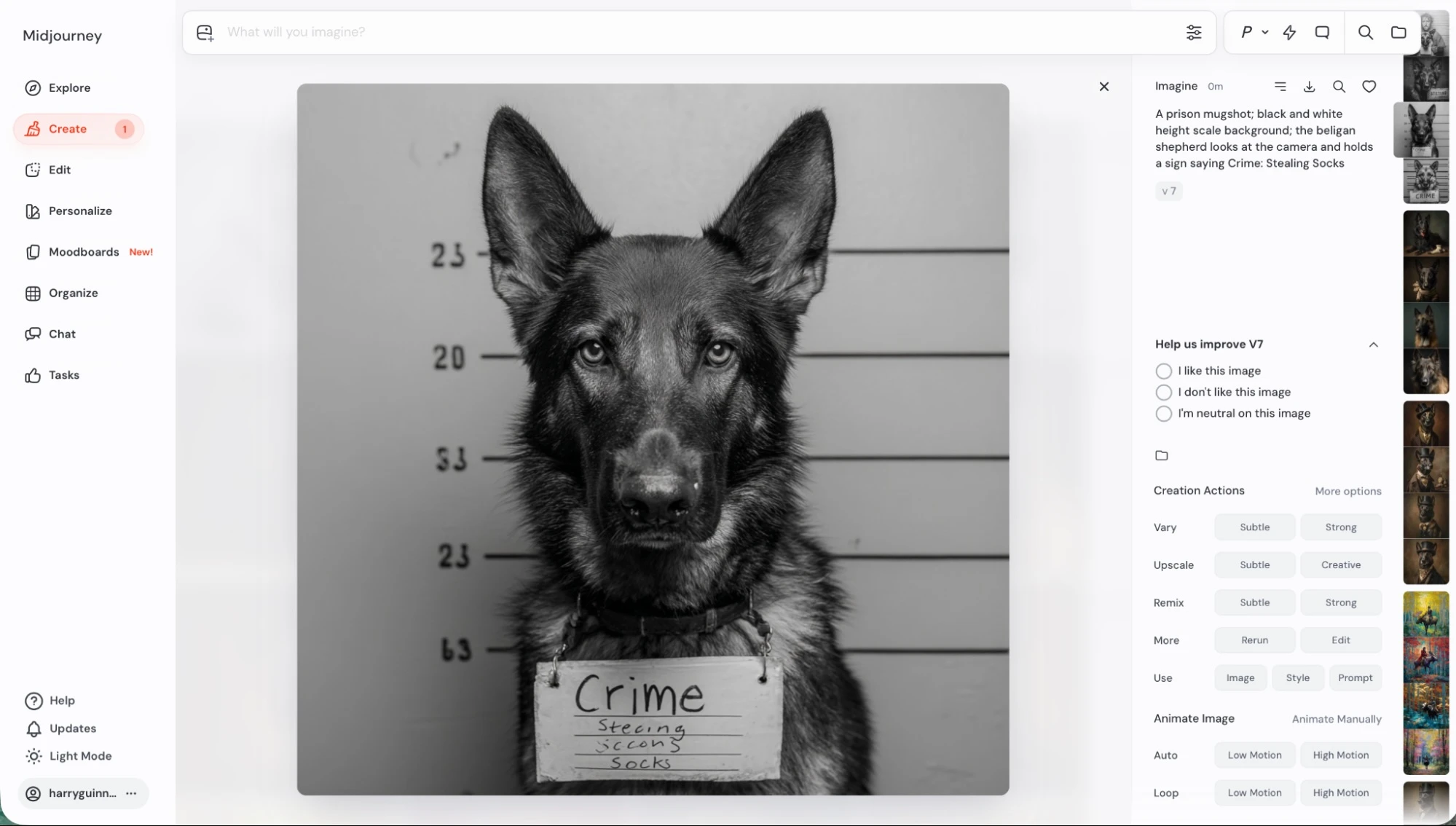
Midjourney AI is an AI Generative tool that creates high-quality images from text prompts using advanced machine learning models. It is widely used by designers, artists, and creators to generate realistic visuals, digital art, and creative concepts quickly.
How to Use Midjourney for AI Generative Tasks
To use Midjourney AI effectively:
- Open the Midjourney platform or application
- Sign in if required to access full features
- Enter a text prompt describing the image
- Adjust style, quality, or parameters if needed
- Generate images based on your prompt
- Select, refine, and download the final output
Key Features of Midjourney AI
- Text-to-image generation with high visual quality
- Advanced artistic styles and customization options
- Image prompt support for better control
- Style and composition adjustments
- Ability to create variations and upscale images
- Continuous model improvements for better results
Pros and Cons of Midjourney AI
Pros:
- Produces highly detailed and realistic images
- Strong artistic and creative output quality
- Offers advanced customization and styles
- Ideal for design and visual content creation
Cons:
- Requires subscription for full access
- Learning curve for beginners
- Limited control compared to manual design tools
Where Midjourney AI is Used in AI Generative
Midjourney AI is used across multiple AI Generative use cases:
- Graphic design and digital art
- Marketing and advertising visuals
- Concept art and product design
- Social media content creation
- UI and creative design ideation
Who Should Use Midjourney AI
Midjourney AI is suitable for:
- Designers and artists
- Content creators
- Marketing professionals
- Creative agencies
- Freelancers and startups
Pricing
Midjourney AI uses a subscription model with plans starting around $10 per month and going up based on usage and features.
8) Adobe Firefly AI
What is Adobe Firefly AI?
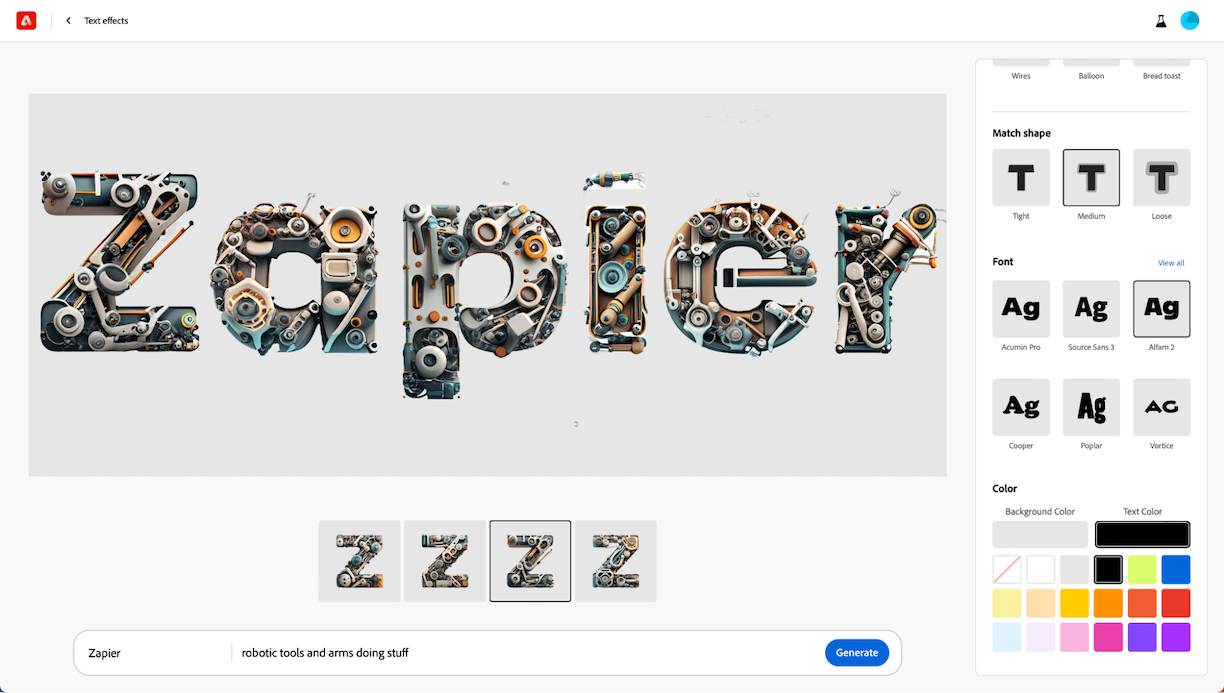
Adobe Firefly AI is an AI Generative tool developed by Adobe that helps users create images, videos, audio, and design assets from simple text prompts. It is part of Adobe Creative Cloud and is designed for creative professionals to generate high-quality visual content with strong control and commercial safety.
How to Use Adobe Firefly AI for AI Generative Tasks
To use Adobe Firefly AI effectively:
- Open the Adobe Firefly platform or application
- Sign in if required to access full features
- Choose a tool such as text-to-image or text-to-video
- Enter a prompt describing your idea
- Customize style, color, or effects
- Generate and refine the output as needed
Key Features of Adobe Firefly AI
- Text-to-image and text-to-video generation
- Image editing and enhancement tools
- Vector and design generation capabilities
- Audio and speech generation features
- Integration with Adobe Creative Cloud apps
- Commercially safe content generation
Pros and Cons of Adobe Firefly AI
Pros:
- High-quality visual and creative output
- Deep integration with Adobe tools
- Easy to use for designers and beginners
- Supports multiple content formats
Cons:
- Best features require Adobe ecosystem
- Limited outside creative use cases
- Credit-based usage for advanced features
Where Adobe Firefly AI is Used in AI Generative
Adobe Firefly AI is used across multiple AI Generative use cases:
- Graphic design and digital art
- Marketing and branding visuals
- Video content creation
- Photo editing and enhancement
- Creative design workflows
Who Should Use Adobe Firefly AI
Adobe Firefly AI is suitable for:
- Designers and creatives
- Marketing professionals
- Content creators
- Businesses and agencies
- Adobe Creative Cloud users
Pricing
Adobe Firefly AI offers free access with limited generative credits, while paid plans provide additional credits and advanced features through Adobe subscriptions.
9) Canva AI
What is Canva AI?
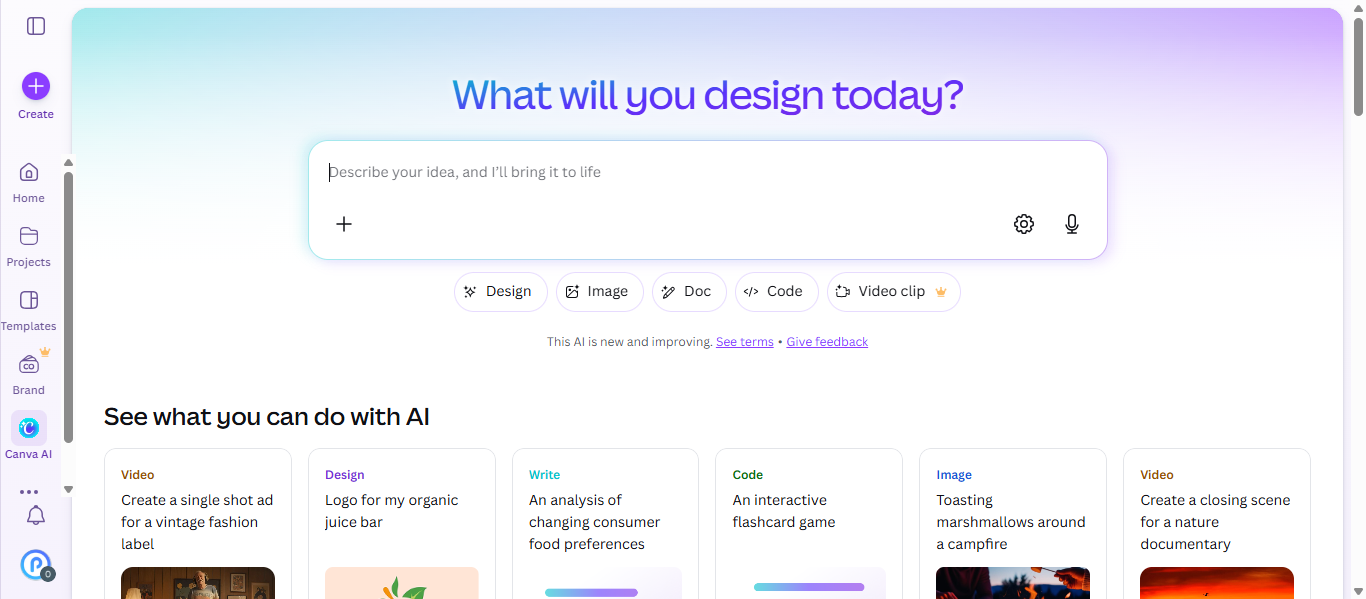
Canva AI is an AI Generative design tool that helps users create visuals, presentations, videos, and content using simple text prompts and automation. It is part of the Canva platform and includes AI features like Magic Studio, which allows users to generate designs, edit images, and create content quickly without design skills.
How to Use Canva AI for AI Generative Tasks
To use Canva AI effectively:
- Open the Canva platform or application
- Sign in if required to access full features
- Choose a design type such as social media, presentation, or video
- Enter a prompt or select a template
- Customize design elements like text, images, and layout
- Generate, edit, and download your final design
Key Features of Canva AI
- Text-to-image and design generation
- AI-powered tools like Magic Write, Magic Design, and Magic Edit
- Drag-and-drop interface for easy design
- Video and presentation creation
- Background removal and image editing
- Brand kit and template customization
Pros and Cons of Canva AI
Pros:
- Very easy to use for beginners
- All-in-one design and AI platform
- Large template library
- Supports multiple content formats
Cons:
- Limited advanced control for professional designers
- Some AI features require paid plans
- Internet connection required
Where Canva AI is Used in AI Generative
Canva AI is used across multiple AI Generative use cases:
- Social media content creation
- Marketing and branding design
- Presentations and business visuals
- Video and short-form content
- Educational and creative projects
Who Should Use Canva AI
Canva AI is suitable for:
- Beginners and non-designers
- Content creators and influencers
- Marketing professionals
- Students and educators
- Small businesses and startups
Pricing
Canva AI follows a freemium model with a free plan available, while paid plans like Canva Pro start at a monthly subscription with access to advanced AI features.
Video Generation Tools
10) Runway ML AI
What is Runway ML AI?
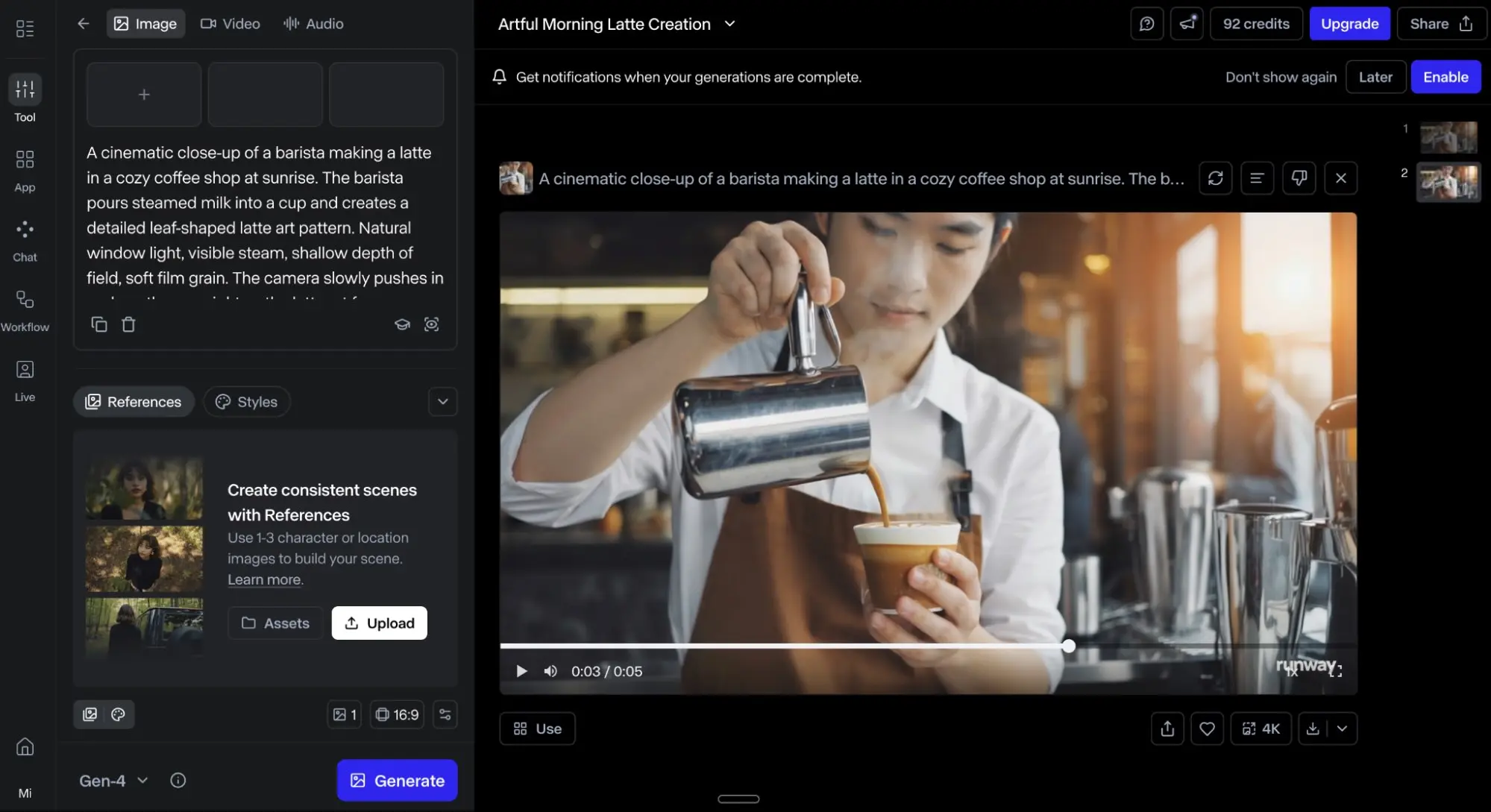
Runway ML AI is an AI Generative platform that helps users create, edit, and generate videos, images, and multimedia content using advanced AI models. It is widely known for text-to-video and image-to-video generation, allowing creators to produce high-quality visual content quickly without technical expertise.
How to Use Runway ML AI for AI Generative Tasks
To use Runway ML AI effectively:
- Open the Runway ML platform or application
- Sign in if required to access full features
- Choose a tool such as text-to-video or video editing
- Enter a prompt or upload media
- Customize settings like style, motion, or effects
- Generate, edit, and export your final content
Key Features of Runway ML AI
- Text-to-video and image-to-video generation
- AI-powered video editing and enhancement
- Background removal and object editing
- Motion tracking and visual effects tools
- Multiple AI models for creative workflows
- Collaboration and project-based editing
Pros and Cons of Runway ML AI
Pros:
- Powerful video generation capabilities
- Supports multiple creative workflows
- Easy to use compared to traditional editing tools
- Suitable for both beginners and professionals
Cons:
- Credit-based usage system
- High-quality exports require paid plans
- Learning curve for advanced features
Where Runway ML AI is Used in AI Generative
Runway ML AI is used across multiple AI Generative use cases:
- Video content creation
- Film and media production
- Marketing and advertising videos
- Social media content
- Creative storytelling and visual projects
Who Should Use Runway ML AI
Runway ML AI is suitable for:
- Video creators and editors
- Filmmakers and designers
- Content creators and marketers
- Creative agencies
- Businesses producing video content
Pricing
Runway ML AI offers a free plan with limited credits, while paid plans start around $12 per month and scale based on usage and features.
11) Synthesia AI
What is Synthesia AI?
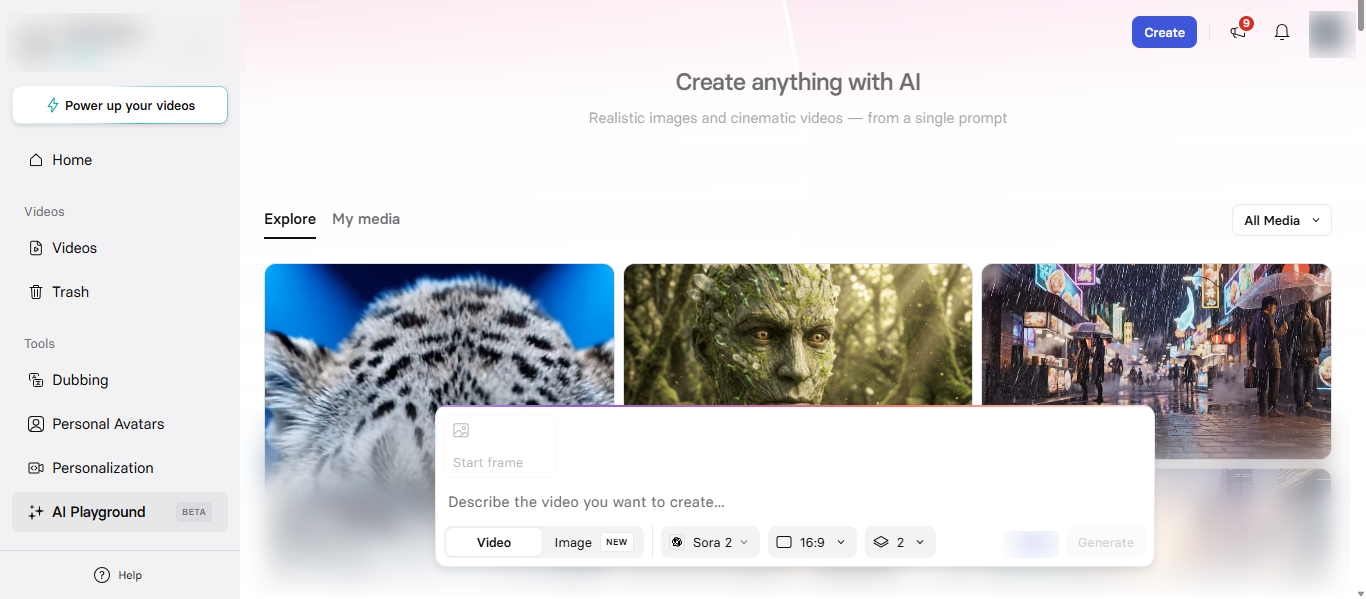
Synthesia AI is an AI Generative video creation platform that allows users to create professional videos using AI avatars and voiceovers from simple text input. It enables businesses and cre
- NotebookLM AI
ators to produce high-quality videos without cameras, microphones, or actors, making video production faster and more scalable.
How to Use Synthesia AI for AI Generative Tasks
To use Synthesia AI effectively:
- Open the Synthesia AI platform or application
- Sign in if required to access full features
- Enter a script or text for your video
- Choose an AI avatar and voice
- Customize language, style, and visuals
- Generate, edit, and export the video
Key Features of Synthesia AI
- Text-to-video generation with AI avatars
- 160+ languages and voice options
- Customizable avatars and video templates
- AI dubbing and multilingual support
- No need for cameras or recording equipment
- Easy editing and video creation workflow
Pros and Cons of Synthesia AI
Pros:
- Creates professional videos quickly
- No technical or video editing skills required
- Supports multiple languages and global content
- Ideal for business and training videos
Cons:
- Limited creative control compared to manual editing
- Advanced features require paid plans
- Avatar realism may not fully match human videos
Where Synthesia AI is Used in AI Generative
Synthesia AI is used across multiple AI Generative use cases:
- Training and educational videos
- Marketing and promotional content
- Corporate communication
- Product demos and tutorials
- Customer support videos
Who Should Use Synthesia AI
Synthesia AI is suitable for:
- Businesses and enterprises
- Marketing teams
- Educators and trainers
- Content creators
- HR and corporate teams
Pricing
Synthesia AI offers a free plan with limited video minutes, while paid plans typically start around $18 per month and increase based on usage and features.
Research & Productivity Tools
12) NotebookLM AI
What is NotebookLM AI?
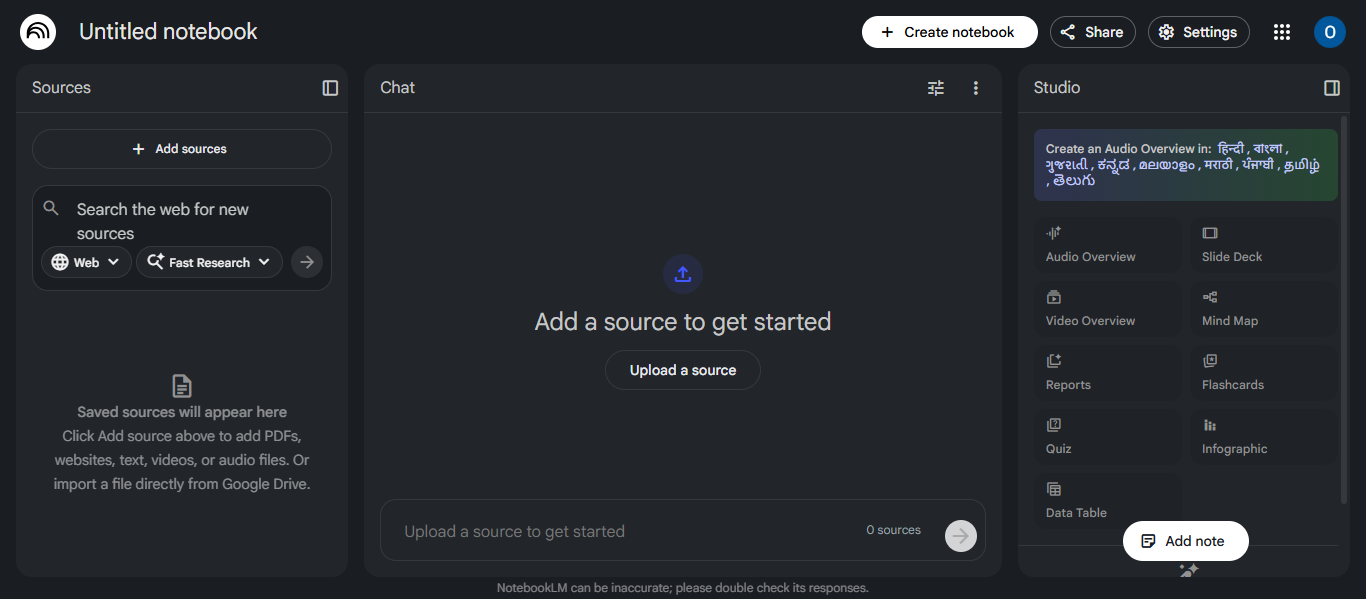
NotebookLM AI is an AI Generative research and note-taking tool developed by Google that helps users analyze documents, summarize information, and generate insights based on their own sources. It acts as a personalized AI assistant that works with uploaded content like PDFs, notes, and documents to provide accurate, context-based answers and explanations.
How to Use NotebookLM AI for AI Generative Tasks
To use NotebookLM AI effectively:
- Open the NotebookLM AI platform or application
- Sign in if required to access full features
- Upload documents, notes, or links as sources
- Ask questions or give prompts based on your content
- Review AI-generated summaries, insights, or answers
- Use outputs for research, study, or content creation
Key Features of NotebookLM AI
- AI-powered document analysis and summarization
- Works with user-provided sources for accurate results
- Question-based interaction with documents
- Audio and video summaries from content
- Multi-document analysis and research support
- Generates study guides, reports, and insights
Pros and Cons of NotebookLM AI
Pros:
- Highly accurate when using your own sources
- Ideal for research and learning
- Handles large documents and multiple files
- Generates structured insights and summaries
Cons:
- Depends on uploaded content (limited without sources)
- Fewer general-purpose features compared to chatbots
- Advanced features may require subscription
Where NotebookLM AI is Used in AI Generative
NotebookLM AI is used across multiple AI Generative use cases:
- Research and document analysis
- Study and learning support
- Content summarization
- Academic and business reports
- Knowledge management and insights
Who Should Use NotebookLM AI
NotebookLM AI is suitable for:
- Students and researchers
- Content creators and writers
- Analysts and professionals
- Educators and trainers
- Anyone working with large documents
Pricing
NotebookLM AI is free to use with a Google account, while advanced usage limits and features are available through paid Google AI plans.
Audio & Voice Tools
13) Suno AI

What is Suno AI?
Suno AI is an AI Generative music creation tool that allows users to generate full songs, including vocals, lyrics, and instrumentals, using simple text prompts. It works like an AI-powered music studio, enabling users to create songs in different genres without needing musical skills or production experience.
How to Use Suno AI for AI Generative Tasks
To use Suno AI effectively:
- Open the Suno AI platform or application
- Sign in if required to access full features
- Enter a prompt describing the song or music style
- Customize genre, mood, or lyrics if needed
- Generate the song with AI
- Listen, edit, and download the final output
Key Features of Suno AI
- Text-to-music generation with vocals and instruments
- AI-generated lyrics and full song composition
- Multiple genres and style customization
- Ability to create songs from prompts or audio input
- Fast music production without technical skills
- Credit-based system for generating tracks
Pros and Cons of Suno AI
Pros:
- Easy music creation for beginners
- Generates full songs with vocals
- Supports multiple music styles
- Saves time in music production
Cons:
- Limited control over fine details
- Credit-based usage can restrict output
- Concerns around originality and copyright
Where Suno AI is Used in AI Generative
Suno AI is used across multiple AI Generative use cases:
- Music creation and songwriting
- Content creation for videos and social media
- Podcast and background audio production
- Creative projects and experimentation
- Entertainment and digital media
Who Should Use Suno AI
Suno AI is suitable for:
- Musicians and songwriters
- Content creators and YouTubers
- Marketers and media teams
- Beginners exploring music creation
- Creative professionals
Pricing
Suno AI follows a freemium model with a free plan available, while paid plans start around $10 per month and increase based on credits and features.
14) ElevenLabs AI

What is ElevenLabs AI?
ElevenLabs AI is an AI Generative voice platform that converts text into highly realistic speech and enables voice cloning, dubbing, and audio content creation. It is widely used for creating voiceovers, audiobooks, podcasts, and conversational AI applications with natural-sounding voices across multiple languages.
How to Use ElevenLabs AI for AI Generative Tasks
To use ElevenLabs AI effectively:
- Open the ElevenLabs AI platform or application
- Sign in if required to access full features
- Enter text or upload audio input
- Choose a voice or create a custom voice
- Adjust tone, speed, or style
- Generate, edit, and download the audio output
Key Features of ElevenLabs AI
- Text-to-speech generation with realistic voices
- Voice cloning with minimal audio input
- Multilingual support across 30+ languages
- Emotion and tone control in voice output
- Speech-to-text and dubbing capabilities
- API integration for apps and workflows
Pros and Cons of ElevenLabs AI
Pros:
- Highly realistic and human-like voice output
- Supports multiple languages and accents
- Voice cloning for personalized content
- Useful for audio, video, and app integration
Cons:
- Credit-based usage system
- Ethical concerns around voice cloning
- Advanced features require paid plans
Where ElevenLabs AI is Used in AI Generative
ElevenLabs AI is used across multiple AI Generative use cases:
- Voiceovers for videos and content
- Audiobook and podcast creation
- Dubbing and translation
- Conversational AI and chatbots
- Game development and media production
Who Should Use ElevenLabs AI
ElevenLabs AI is suitable for:
- Content creators and YouTubers
- Podcasters and audiobook creators
- Developers and businesses
- Marketing teams
- Media and entertainment professionals
Pricing
ElevenLabs AI offers a free plan with limited credits, while paid plans start around $5 per month and scale based on usage and features.
AI Website & App Builders
15) Pico AI
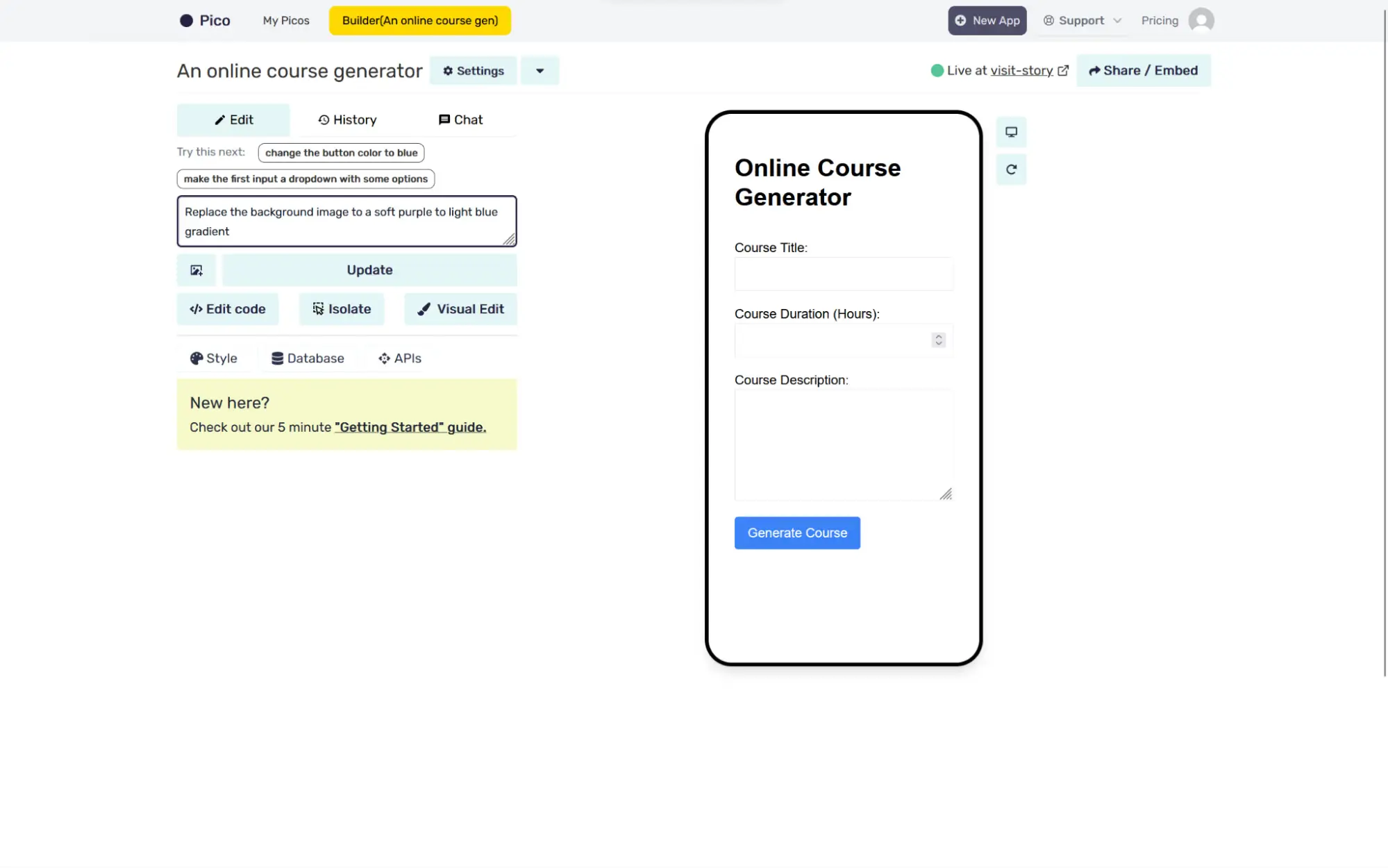
What is Pico AI?
Pico AI is an AI Generative no-code platform that allows users to build web apps by simply describing their idea in natural language. It converts text prompts into functional applications using AI models, making it possible to create tools, workflows, and micro apps without coding knowledge.
How to Use Pico AI for AI Generative Tasks
To use Pico AI effectively:
- Open the Pico AI platform or application
- Sign in if required to access full features
- Describe your app idea in simple text
- Let the AI generate the app automatically
- Refine the app using additional instructions
- Deploy and share the app using a link
Key Features of Pico AI
- Text-to-app generation using natural language
- No-code platform for building web apps
- Instant app creation and deployment
- Ability to edit apps using prompts
- Integration with AI models like GPT
- Support for embedding and sharing apps
Pros and Cons of Pico AI
Pros:
- No coding required for app development
- Very fast app creation process
- Ideal for beginners and non-technical users
- Great for testing ideas and prototypes
Cons:
- Limited for complex or large-scale applications
- Less control compared to traditional development
- Output depends on prompt clarity
Where Pico AI is Used in AI Generative
Pico AI is used across multiple AI Generative use cases:
- Building simple web apps and tools
- Rapid prototyping and MVP development
- Automation of small workflows
- Creating internal business tools
- Experimenting with AI-powered ideas
Who Should Use Pico AI
Pico AI is suitable for:
- Entrepreneurs and startups
- Non-technical users
- Developers for quick prototyping
- Freelancers and creators
- Small business owners
Pricing
Pico AI offers a free plan with limited usage, while paid plans typically start around $29 per month with advanced features and higher limits.
What Are AI Generative Agents?
AI Generative agents are advanced AI systems that can perform tasks automatically by planning, reasoning, and taking actions with minimal human input.
Unlike standard AI Generative tools that only respond to prompts, agents can:
- Execute multi-step tasks
- Make decisions based on goals
- Interact with tools, apps, or data
How AI Agents Are Changing AI Generative Workflows
AI agents are transforming AI Generative tools from content creation to task execution.
They improve workflows by:
- Automating repetitive tasks
- Reducing manual effort
- Managing multi-step processes
- Increasing productivity and efficiency
- Enabling end-to-end automation
This allows users to move beyond generating content to completing tasks automatically
Examples of AI Generative Agents
Common examples include:
- AutoGPT
- AgentGPT
- Pico AI
These agents can perform tasks such as:
- Research and summarization
- App creation and execution
- Workflow automation
Tools Offering AI Generative Agent-Like Capabilities
Some tools in this list include agent-like features:
- ChatGPT AI → Custom GPTs and task automation
- Microsoft Copilot AI → Workflow automation inside apps
- Google Gemini AI → Smart assistance across tools
- Claude AI → Advanced reasoning and task handling
- Pico AI → AI-driven app generation and execution
Where AI Generative Tools Are Used
AI Generative tools are widely used across industries to create content, automate workflows, and improve productivity.
Key Use Cases
- Content creation such as blogs, emails, and social media posts
- Image generation and graphic design for marketing and branding
- Video creation including AI avatars, editing, and media production
- Audio generation such as voiceovers, music, and podcasts
- Research and education including summarization and knowledge analysis
- Business automation like customer support and workflow management
- Software development including code generation and debugging
How to Choose the Best AI Generative Tool
Choosing the best AI Generative tool depends on your goals, type of work, and required features. The right tool helps you save time, improve output quality, and increase productivity.
Identify Your Use Case
- Writing and content → ChatGPT AI, Claude AI, Jasper AI
- Image and design → Midjourney AI, Canva AI, Adobe Firefly AI
- Video creation → Runway ML AI, Synthesia AI
- Research and analysis → Perplexity AI, NotebookLM AI
- Audio and voice → Suno AI, ElevenLabs AI
Check Features and Capabilities
- Type of content supported (text, image, video, audio)
- Customization and control options
- Integration with other tools
- Automation and advanced features
Evaluate Ease of Use
- Beginner-friendly tools → Canva AI, ChatGPT AI
- Intermediate tools → Jasper AI, Synthesia AI
- Advanced tools → Runway ML AI, Pico AI
Compare Pricing
- Free tools for basic usage
- Subscription plans for advanced features
- Credit-based systems for generation limits
Test Before Choosing
- Try free plans or demos
- Check output quality and accuracy
- Ensure it fits your workflow and needs
Future of AI Generative
- Rise of AI agents that can automate tasks and make decisions
- Multimodal capabilities supporting text, images, video, audio, and voice
- Deeper integration with apps, tools, and business systems
- Personalization and memory for better user-specific outputs
- Real-time and more accurate results using live data
- Increased automation of workflows and processes
- Expansion across industries like marketing, education, and business
Conclusion
AI Generative tools are transforming how content is created, tasks are automated, and workflows are managed across industries. By choosing the right tool based on your needs, you can improve productivity, save time, and achieve better results with greater efficiency.
FAQs
How do AI Generative tools improve productivity?
AI Generative tools reduce manual work by automating content creation, research, and repetitive tasks, allowing users to complete work faster and focus on more important activities.
Are AI Generative tools safe to use for business content?
AI Generative tools are generally safe, but users should review outputs for accuracy, avoid sensitive data input, and ensure compliance with company policies and content guidelines.
What types of content can AI Generative tools create?
AI Generative tools can create blogs, images, videos, audio, code, marketing content, presentations, and more, depending on the tool’s capabilities and supported formats.
Do AI Generative tools require technical skills?
Most AI Generative tools are designed for ease of use and do not require technical skills, though advanced features may benefit users with some experience or knowledge.
How accurate are AI Generative tools?
AI Generative tools can produce highly accurate results, but outputs may vary based on input quality, so users should verify information, especially for research or critical tasks.