
AI Voice Changers let you transform your voice in real time or from recordings using artificial intelligence. The best AI Voice Changers today are ideal for creators, gamers, and professionals who need realistic, flexible voice outputs without complex setup.
Whether you want to sound like a different character, create voiceovers, or protect your identity online, AI Voice Changers provide fast and natural results. This guide covers the most reliable tools, how they work, and how to choose the right one for your needs.
What Are AI Voice Changers?
AI Voice Changers are software tools that use artificial intelligence to modify, generate, or clone human voices with natural-sounding results. They analyze voice inputs such as tone, pitch, and speech patterns, then transform them into a different voice in real time or after recording.
How AI Voice Changers Work
AI Voice Changers rely on machine learning models trained on large voice datasets. These models:
- Detect voice characteristics like pitch, accent, and emotion
- Reconstruct the voice with new attributes
- Maintain natural speech flow and clarity
Unlike traditional voice changers, they do not just shift pitch. They recreate a full voice profile, making the output more realistic.
Types of AI Voice Changers
AI Voice Changers are generally divided into:
- Real-time voice changers – Used for gaming, streaming, and live calls
- Voice generators (text-to-speech) – Convert text into human-like speech
- Voice cloning tools – Replicate a specific voice using sample audio
Common Use Cases
AI Voice Changers are widely used in:
- Content creation (YouTube, podcasts)
- Gaming and live streaming
- Voiceovers and audiobooks
- Online privacy and identity protection
- Marketing and advertising
Key Advantage
The main advantage of AI Voice Changers is their ability to produce realistic, human-like voices quickly, without requiring professional recording equipment or voice actors.
Best AI Voice Changers Tools (Quick List)
The best AI Voice Changers include ElevenLabs, Voicemod, and Murf AI for their realistic output, ease of use, and versatility across different use cases. These tools cover real-time voice changing, voice cloning, and professional voice generation.
- ElevenLabs AI
- Voicemod AI
- Voice.ai
- Murf AI
- Descript AI
- Resemble AI
- FineVoice AI
- EaseUS VoiceWave AI
- Kits AI
- Media.io
- TopMediAI
- iMyFone MagicMic AI
- Pincel AI
- VoiceChanger.io
- MyVoiceMod AI
AI Voice Changers Comparison Table
This table compares the top AI Voice Changers based on core features, use type, and pricing to help you quickly choose the right tool.
| Tool | Best Use Case | Key Feature | Pricing |
|---|---|---|---|
| ElevenLabs | Professional voiceovers | Ultra-realistic AI voices | Free + Paid |
| Voicemod | Gaming & streaming | Real-time voice changing | Free + Paid |
| Voice.ai | Live voice + cloning | Real-time AI voice + cloning | Free + Paid |
| Murf AI | Business voice content | Text-to-speech with natural voices | Paid |
| Descript | Podcast & video editing | AI voice editing + overdub | Free + Paid |
| Resemble AI | Custom voice creation | Advanced voice cloning | Paid |
| FineVoice | Content creation | Voice changer + voice design | Free + Paid |
| EaseUS VoiceWave | Beginners & gaming | Real-time voice effects | Free + Paid |
| Kits AI | Music & creators | AI voice studio for music | Free + Paid |
| Media.io | Quick voice editing | Online voice changer tool | Free + Paid |
| TopMediAI | Multi-purpose AI use | All-in-one AI voice tools | Free + Paid |
| iMyFone MagicMic | Streaming & chat | Real-time voice + soundboard | Free + Paid |
| Pincel | Quick voice changes | Browser-based voice changer | Free + Paid |
| VoiceChanger.io | Casual use | Simple free voice effects | Free |
| MyVoiceMod | Basic voice effects | Easy online voice changer | Free |
1) ElevenLabs AI
What is ElevenLabs AI?
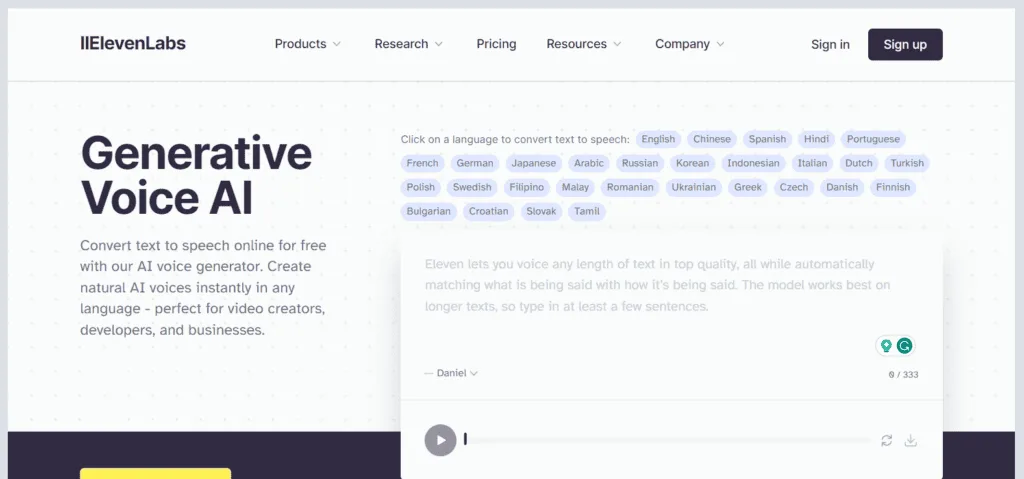
ElevenLabs AI is an advanced AI Voice Changer platform that generates realistic human-like speech and enables high-quality voice cloning. It uses deep learning to recreate tone, pitch, and emotion, allowing users to produce natural voices in over 70 languages for content creation, dubbing, and automation.
How to Use ElevenLabs for AI Voice Changers
- Sign up on the platform
- Choose a voice from the library or create a voice clone
- Enter text or upload an audio sample
- Adjust settings like tone, stability, and style
- Generate and download the voice output
Key Features of ElevenLabs AI
- Ultra-realistic text-to-speech with expressive output
- Instant and professional voice cloning options
- Supports 70+ languages and multiple accents
- Emotion-aware voice generation with context understanding
- AI dubbing, sound effects, and voice design tools
- API and voice agent capabilities for automation
Where ElevenLabs is Used
- YouTube videos and content creation
- Audiobooks and podcasts
- Game development and character voices
- Marketing, ads, and brand storytelling
- Multilingual dubbing and localization
- Customer support voice systems
Who Should Use ElevenLabs
- Content creators and YouTubers
- Podcasters and audiobook creators
- Developers building AI voice apps
- Businesses and agencies scaling voice content
Pricing
Free plan available. Paid plans start from $5 per month and scale up to enterprise-level pricing based on usage and advanced features.
2) Voicemod AI
What is Voice.ai?
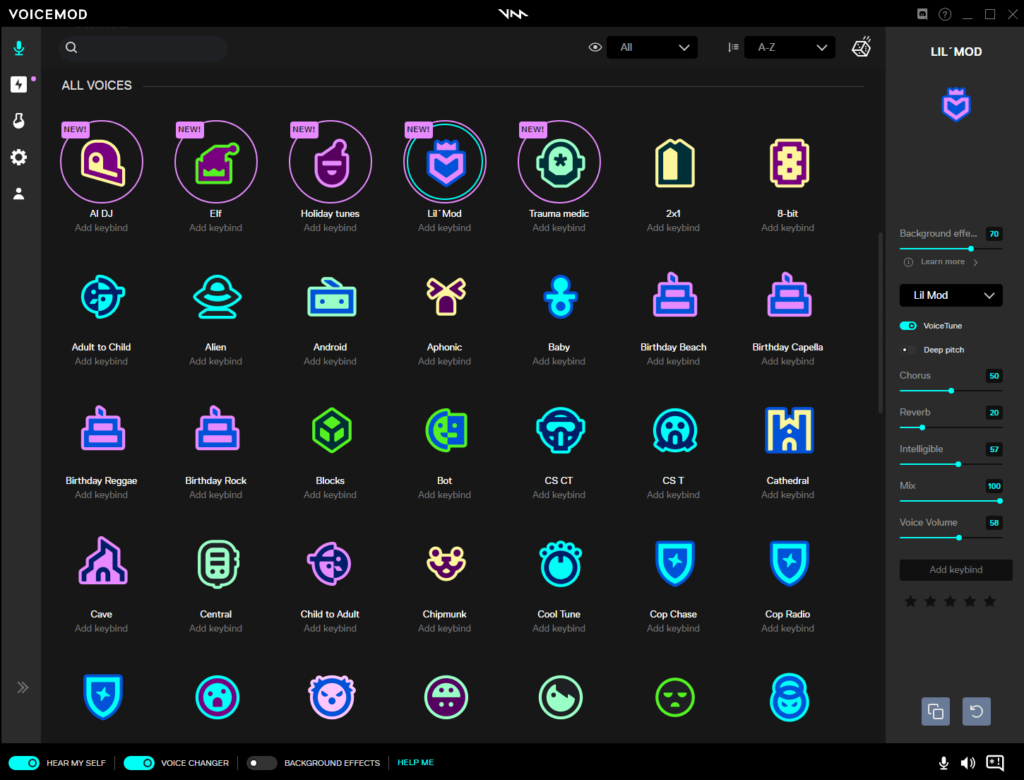
Voice.ai is an AI Voice Changer platform that enables real-time voice transformation, voice cloning, and AI voice generation using advanced models. It allows users to create and modify voices instantly or generate lifelike speech from text using thousands of AI voice models.
How to Use Voice.ai for AI Voice Changers
- Download and install the Voice.ai app
- Select or upload an AI voice model
- Set Voice.ai as your microphone input
- Use it in games, apps, or streaming platforms
- Speak in real time or generate voice from text
Key Features of Voice.ai
- Real-time AI voice changing across apps and games
- Thousands of AI voice models and custom voice creation
- Voice cloning and RVC (Retrieval-based Voice Conversion) support
- Text-to-speech with realistic output
- Integration with platforms like Discord, Zoom, and games
- API and SDK support for developers
Where Voice.ai is Used
- Gaming and live streaming
- Voice chats and communication apps
- YouTube videos and content creation
- Voiceovers and dubbing
- Character and roleplay voices
Who Should Use Voice.ai
- Gamers and streamers
- Content creators
- Users who want real-time voice changes
- Developers building voice-based applications
Pricing
Free version available with basic features. Paid plans unlock advanced voice models, higher quality output, and extended usage.
3) Voice.ai
What is Voice.ai?
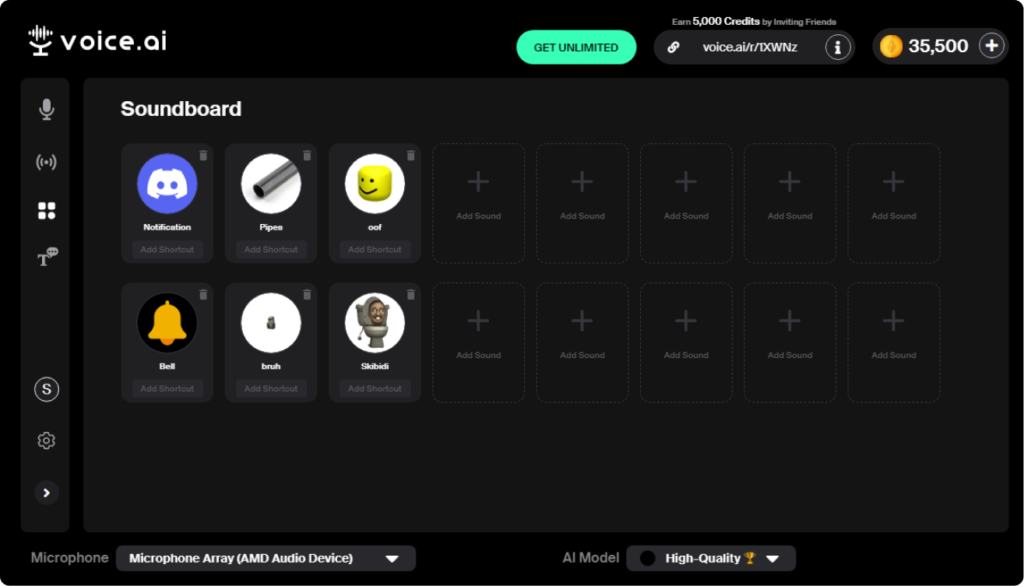
Voice.ai is an AI Voice Changer platform that enables real-time voice transformation, voice cloning, and text-to-speech using advanced AI models. It provides thousands of AI voice options and allows users to generate or modify voices for content creation, gaming, and communication.
How to Use Voice.ai for AI Voice Changers
- Download and install the Voice.ai application
- Select an AI voice model or upload a custom voice
- Set Voice.ai as your microphone input
- Use it in games, apps, or streaming platforms
- Speak in real time or generate voice from text
Key Features of Voice.ai
- Real-time AI voice changing across apps and games
- Large library of AI voice models
- Voice cloning with RVC (voice conversion technology)
- Text-to-speech with realistic output
- Integration with communication and gaming platforms
- API and SDK support for developers
Where Voice.ai is Used
- Gaming and live streaming
- Voice chats and communication apps
- YouTube videos and content creation
- Voiceovers and dubbing
- Character and roleplay voices
Who Should Use Voice.ai
- Gamers and streamers
- Content creators
- Users needing real-time voice changes
- Developers building voice-based apps
Pricing
Free plan available with credits. Paid plans start from around $5 per month and scale based on usage and advanced features.
4) Murf AI
What is Murf AI?
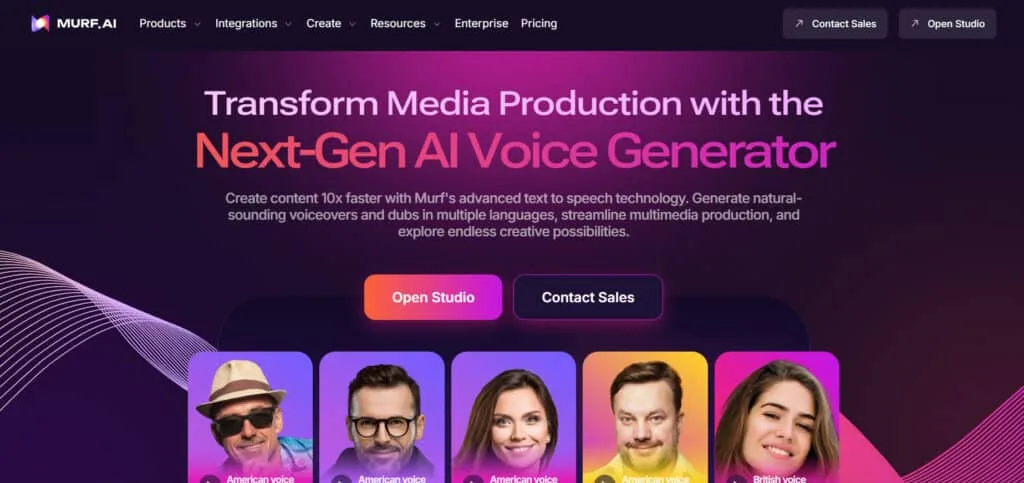
Murf AI is an AI Voice Changer and text-to-speech platform that creates realistic voiceovers and supports voice cloning and dubbing. It uses advanced neural speech models to generate natural, expressive voices with control over tone, pitch, and emotion, making it suitable for professional audio content.
How to Use Murf AI for AI Voice Changers
- Sign up and access Murf Studio
- Enter text or upload your audio
- Select a voice from the library
- Customize pitch, speed, and tone
- Generate and export the voice output
Key Features of Murf AI
- 200+ realistic AI voices across 30+ languages
- Voice changer to convert recorded voice into AI voice
- Voice cloning with high accuracy
- AI dubbing and video translation
- Word-level control for pitch, pauses, and emphasis
- API and voice agent capabilities for automation
Where Murf AI is Used
- YouTube videos and content creation
- E-learning and training content
- Marketing and advertisements
- Presentations and explainer videos
- Audiobooks and podcasts
Who Should Use Murf AI
- Content creators and YouTubers
- Educators and course creators
- Marketing teams and agencies
- Businesses producing voice content
Pricing
Free plan available. Paid plans start from around $19 per month and scale with features, usage, and team collaboration options.
5) Descript AI
What is Descript AI?
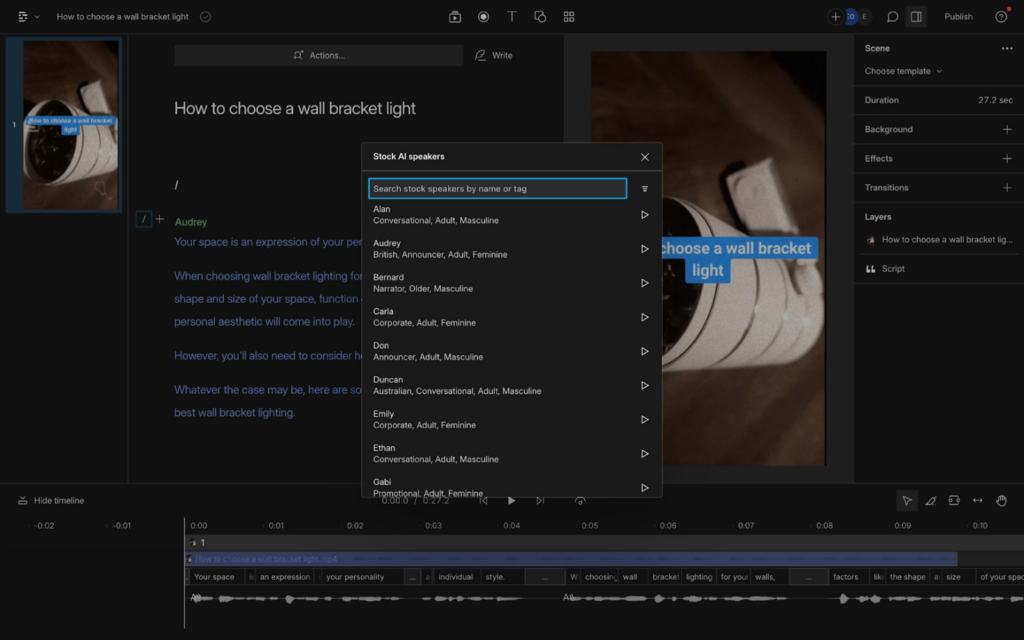
Descript AI is an AI Voice Changer and audio-video editing platform that lets users create, edit, and generate voice content by simply editing text. It combines transcription, voice cloning, and text-to-speech to produce natural audio and streamline content creation workflows.
How to Use Descript for AI Voice Changers
- Upload or record audio/video in Descript
- Convert speech into editable text
- Use Overdub to generate or clone your voice
- Edit words to modify audio automatically
- Export the final voice or video output
Key Features of Descript
- Text-based audio and video editing (edit by typing)
- Overdub AI voice cloning for generating speech
- Studio Sound for improving audio quality
- Automatic filler word removal
- Multi-language transcription support
- Screen recording and video editing tools
Where Descript is Used
- Podcast editing and production
- YouTube video creation
- Online courses and tutorials
- Marketing and social media content
- Team collaboration and media workflows
Who Should Use Descript
- Podcasters and video creators
- YouTubers and educators
- Marketing teams and agencies
- Beginners looking for simple editing tools
Pricing
Free plan available. Paid plans start from around $16 per month and increase based on features, AI credits, and usage limits.
6) Resemble AI
What is Resemble AI?
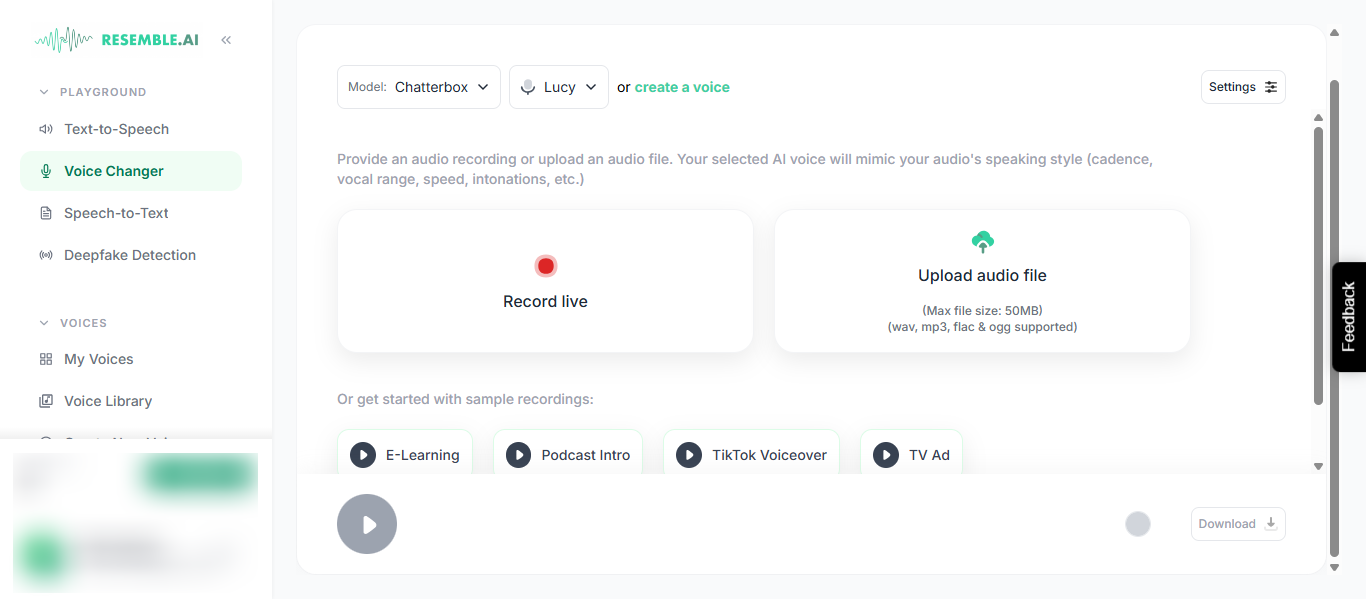
Resemble AI is an AI Voice Changer platform that specializes in voice cloning, text-to-speech, and real-time voice conversion with high accuracy. It uses deep learning to replicate tone, pitch, emotion, and speaking style, allowing users to create realistic AI voices from short audio samples or generate new voices from text.
How to Use Resemble AI for AI Voice Changers
- Sign up and access the platform
- Upload or record a voice sample
- Create a voice clone or choose an AI voice
- Enter text or use speech-to-speech conversion
- Customize tone, emotion, and style
- Generate and export the audio
Key Features of Resemble AI
- High-quality voice cloning with minimal audio input
- Text-to-speech and speech-to-speech voice conversion
- Real-time voice transformation capabilities
- Emotion and tone control for expressive speech
- Multilingual voice generation and localization
- API integration for developers and automation
Where Resemble AI is Used
- Content creation and voiceovers
- Gaming and character voice design
- Film dubbing and media production
- Customer service and AI voice agents
- E-learning and training content
- Personalized voice applications
Who Should Use Resemble AI
- Content creators and media producers
- Game developers and studios
- Businesses using voice automation
- Developers building voice-based applications
Pricing
Free trial available. Paid plans are usage-based and scalable for individuals, teams, and enterprise needs.
7) FineVoice AI
What is FineVoice AI?
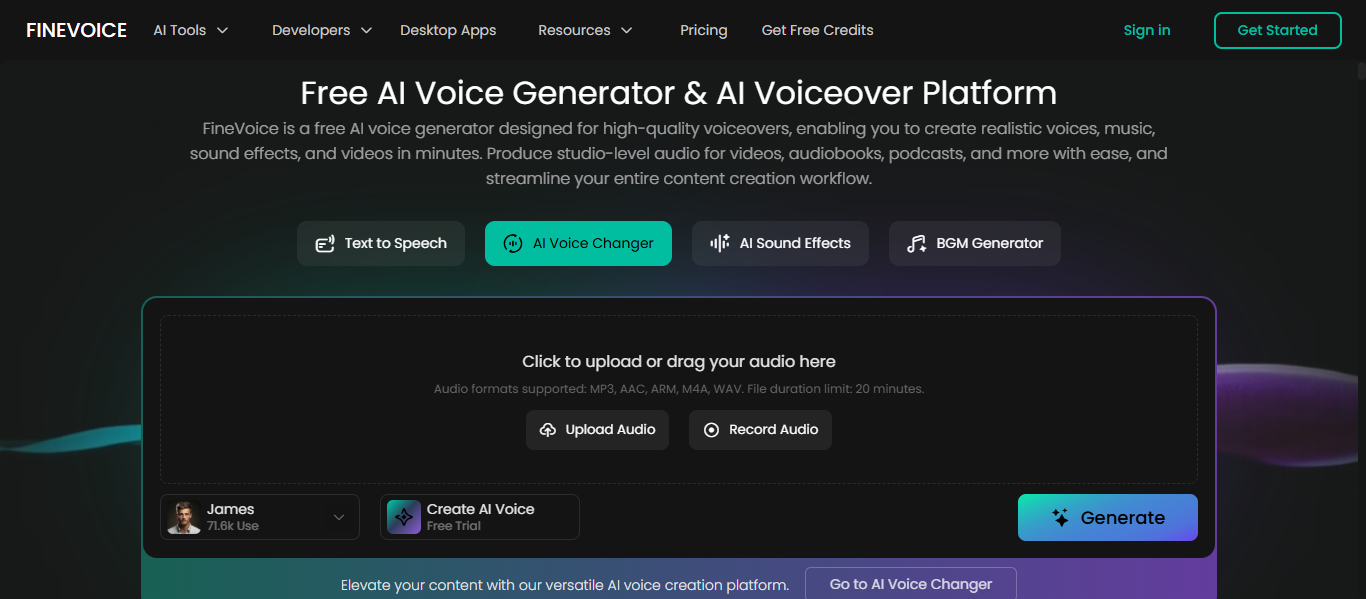
FineVoice AI is an all-in-one AI Voice Changer platform that combines text-to-speech, voice cloning, and voice transformation to create realistic human-like audio. It uses deep learning to generate expressive voices with control over tone, pitch, and emotion, supporting over 1,500 voices in 150+ languages for global content creation.
How to Use FineVoice for AI Voice Changers
- Sign up or access the platform
- Enter text or upload audio
- Select a voice from the library
- Customize pitch, tone, and emotion
- Generate and download the audio output
Key Features of FineVoice
- 1,500+ AI voices with multilingual support
- Text-to-speech, voice cloning, and voice changer in one platform
- Emotion and tone control for realistic output
- Real-time voice changing and audio processing
- Sound effects and voice design tools
- API integration for developers and automation
Where FineVoice is Used
- YouTube videos and content creation
- E-learning and training materials
- Marketing and advertising
- Podcasts and audiobooks
- Gaming and multimedia projects
Who Should Use FineVoice
- Content creators and YouTubers
- Educators and course creators
- Marketers and agencies
- Developers building voice applications
Pricing
Free plan available. Paid plans start from around $5.99 per month and scale with features, usage, and voice capabilities.
8) EaseUS VoiceWave AI
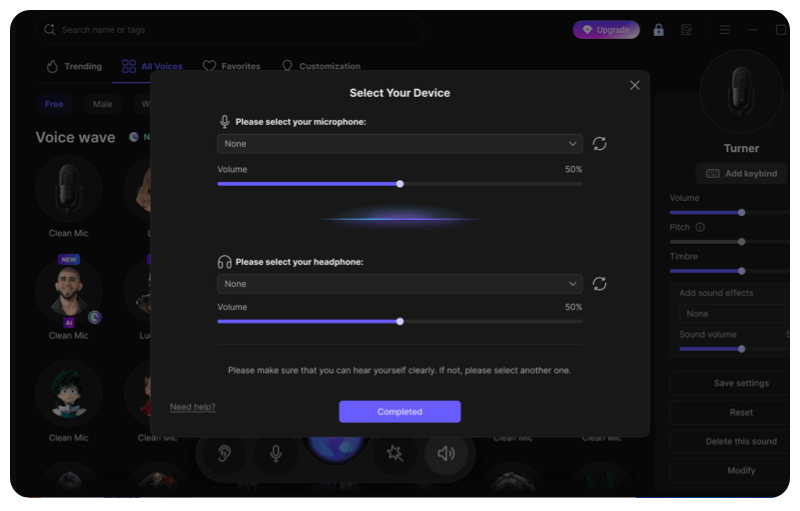
What is EaseUS VoiceWave AI?
EaseUS VoiceWave AI is a real-time AI Voice Changer that allows users to modify their voice instantly using multiple voice effects and filters. It uses AI to adjust pitch, tone, and timbre, enabling natural voice transformation for gaming, streaming, and online communication.
How to Use EaseUS VoiceWave for AI Voice Changers
- Download and install the VoiceWave software
- Launch the app and configure audio settings
- Choose a voice effect or filter
- Set it as your microphone input
- Use it in games, streaming, or chat apps
Key Features of EaseUS VoiceWave
- 100+ voice effects and presets for different styles
- Real-time voice changing with low latency
- 300+ soundboard effects and audio clips
- Integration with Discord, Zoom, OBS, and games
- Voice recording and audio editing capabilities
- Noise reduction and audio enhancement features
Where EaseUS VoiceWave is Used
- Gaming and live streaming
- Online meetings and voice chats
- Content creation and videos
- Roleplay and character voice design
- Privacy protection in communication
Who Should Use EaseUS VoiceWave
- Gamers and streamers
- Beginners and casual users
- Content creators
- Users needing real-time voice effects
Pricing
Free version available with limited features. Paid plans start from around $14.95 per month or offer lifetime options based on usage.
9) Kits AI
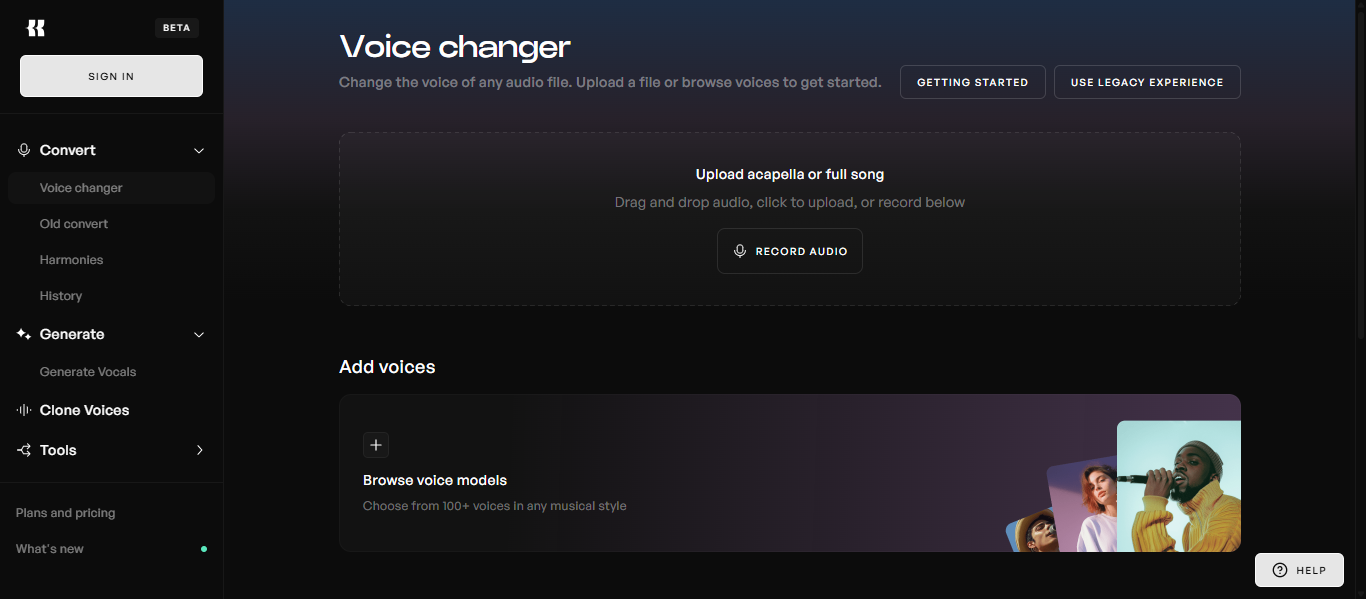
What is Kits AI?
Kits AI is an AI Voice Changer platform focused on music production that allows users to clone voices, transform vocals, and generate AI singing voices. It uses advanced voice conversion and cloning technology to create studio-quality vocals while preserving tone, rhythm, and emotion.
How to Use Kits AI for AI Voice Changers
- Open the Kits AI studio platform
- Upload your audio or input text
- Choose an AI voice or create a custom voice model
- Adjust voice style, pitch, or tone
- Convert and download the generated audio
Key Features of Kits AI
- AI voice cloning and instant voice creation
- Voice-to-voice conversion for transforming vocals
- AI singing voice generation for music production
- Voice blending and custom voice design tools
- Vocal isolation, mastering, and audio tools
- Royalty-free AI voices for commercial use
Where Kits AI is Used
- Music production and songwriting
- Vocal creation for songs and demos
- Audio remixing and sound design
- Content creation with custom voice styles
- Creative experimentation with AI vocals
Who Should Use Kits AI
- Music producers and artists
- Songwriters and vocalists
- Content creators working with audio
- Developers building music or voice tools
Pricing
Free plan available with limited features. Paid plans provide access to advanced voice models, higher quality output, and extended usage.
10) Media.io
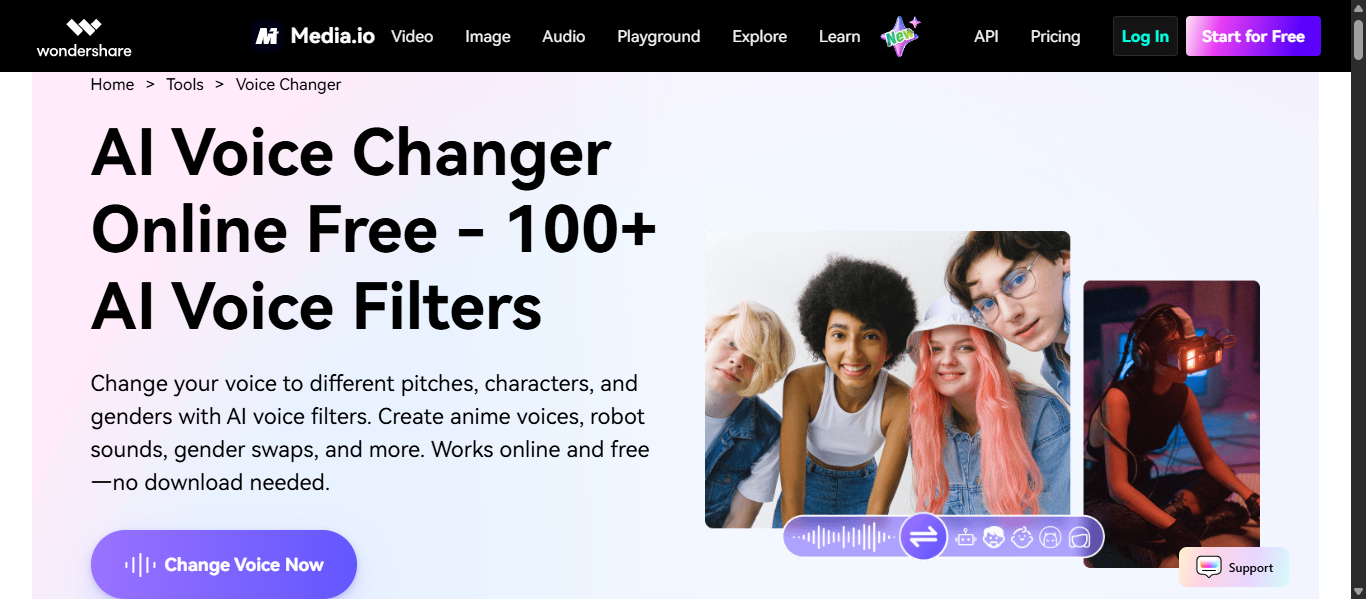
What is Media.io AI?
Media.io AI is an online AI Voice Changer and all-in-one media platform that allows users to transform voices, generate speech, and edit audio directly in the browser. It uses AI to modify tone, pitch, and style, and also supports text-to-speech and voice cloning for content creation.
How to Use Media.io for AI Voice Changers
- Open the online voice changer tool
- Upload audio or record your voice
- Choose a voice effect or AI voice
- Adjust pitch, tone, or style
- Process and download the output
Key Features of Media.io
- Online voice changer with multiple voice effects and filters
- Text-to-speech with natural voice output
- AI voice cloning for personalized voices
- Supports multiple audio formats and browser-based editing
- Additional tools like noise reduction, vocal remover, and audio editing
- Beginner-friendly interface with no installation required
Where Media.io is Used
- YouTube and social media content
- Audio editing and voiceovers
- Marketing and video production
- Music and creative projects
- Educational and presentation content
Who Should Use Media.io
- Content creators and YouTubers
- Beginners looking for simple tools
- Marketers and educators
- Users needing quick online voice editing
Pricing
Free plan available with basic features. Paid plans start from around $9.99 per month and increase based on features, credits, and usage.
11) TopMediAi
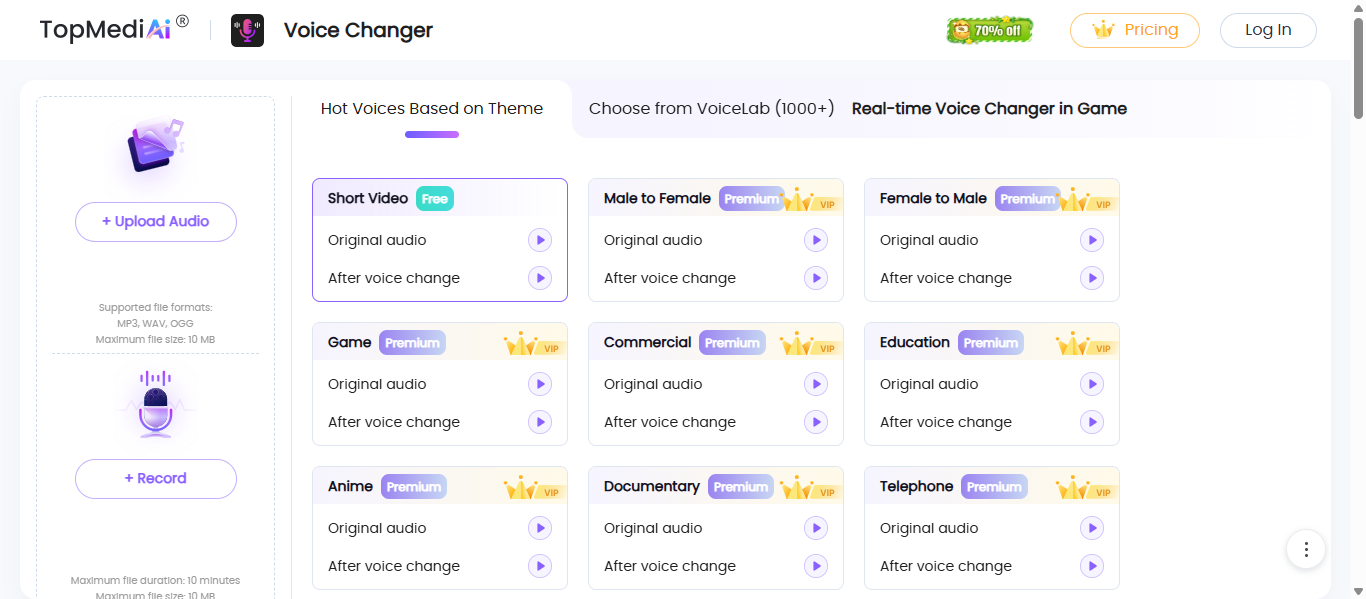
What is TopMediai ?
TopMediai AI is an all-in-one AI Voice Changer platform that allows users to transform voices, generate speech, and clone voices using advanced AI tools. It combines voice changing, text-to-speech, voice cloning, and even music and video generation in a single platform for content creation.
How to Use TopMediai for AI Voice Changers
- Open the online voice changer tool
- Upload or record your audio
- Select a voice effect or AI voice
- Adjust tone, pitch, or style
- Generate and download the output
Key Features of TopMediai
- Online AI voice changer with 50+ voice effects
- 3,200+ AI voices across 190+ languages
- Voice cloning with fast processing
- Text-to-speech with natural voice output
- Additional tools like AI music, video, and dubbing
- API support for developers and automation
Where TopMediai is Used
- YouTube and social media content
- Voiceovers and audio production
- Gaming and entertainment
- Marketing and advertising
- Music and creative projects
Who Should Use TopMediai
- Content creators and YouTubers
- Beginners looking for online tools
- Marketers and educators
- Users needing multi-purpose AI tools
Pricing
Free trial available. Paid plans start from around $8.99 per month using a credit-based system depending on usage and features.
12) iMyFone MagicMic AI
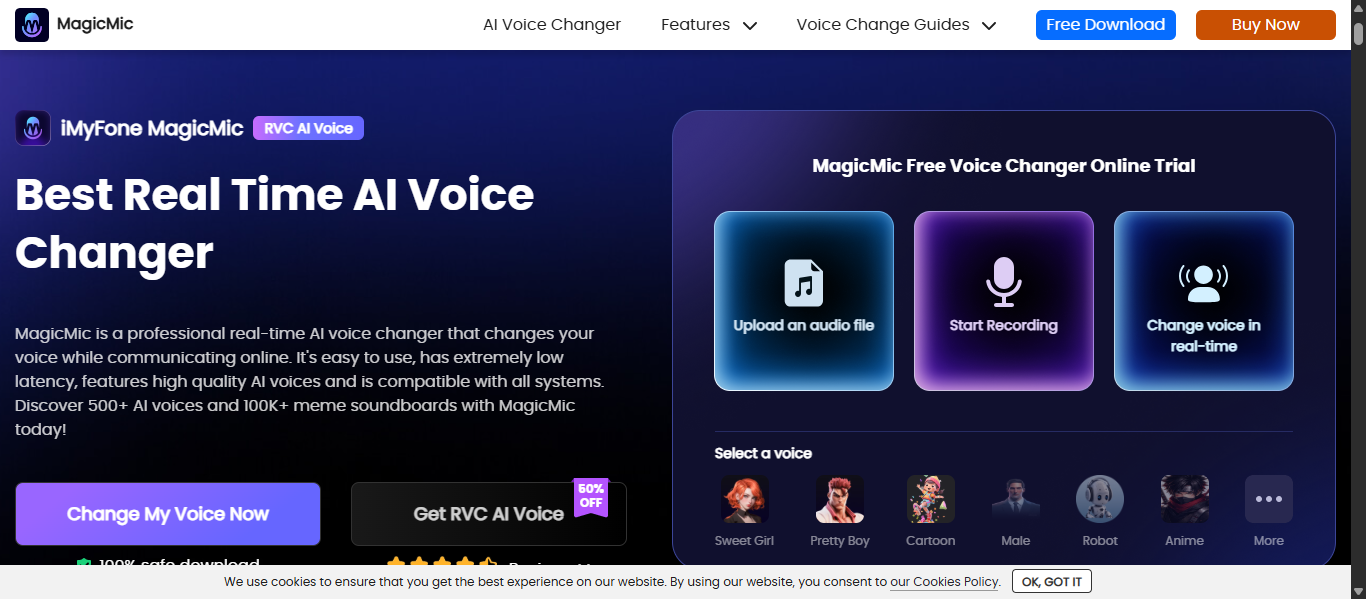
What is iMyFone MagicMic AI?
iMyFone MagicMic AI is a real-time AI Voice Changer that allows users to modify their voice instantly using a wide range of voice effects and soundboards. It uses AI to transform pitch, tone, and style, enabling natural voice changes during gaming, streaming, and online communication.
How to Use iMyFone MagicMic for AI Voice Changers
- Download and install MagicMic
- Set your microphone and output device
- Choose a voice effect or AI voice
- Apply it in apps like Discord or games
- Speak and change your voice in real time
Key Features of iMyFone MagicMic
- Real-time voice changing with low latency
- 300+ voice effects and AI voice filters
- 100K+ soundboard effects and audio clips
- Custom voice creation using Voice Studio
- Works with apps like Discord, Zoom, and games
- Voice recording and audio editing support
Where iMyFone MagicMic is Used
- Gaming and live streaming
- Voice chats and online meetings
- Content creation and videos
- Roleplay and entertainment
- Social media and communication
Who Should Use iMyFone MagicMic
- Gamers and streamers
- Content creators
- Beginners looking for simple tools
- Users needing real-time voice effects
Pricing
Free version available with limited voices. Paid plans start from around $9.99 per month and include access to hundreds of voices and sound effects.
13) Pincel AI
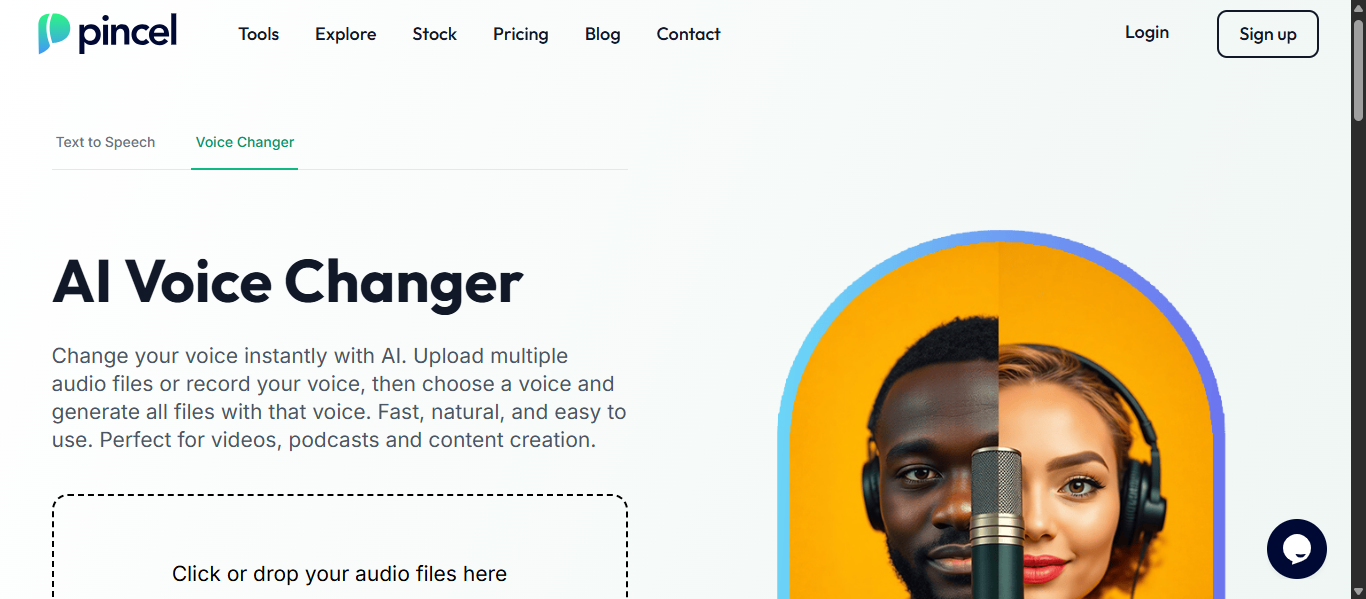
What is Pincel AI?
Pincel AI is an online AI Voice Changer that allows users to transform their voice instantly using speech-to-speech technology. It works directly in the browser and converts uploaded or recorded audio into natural-sounding AI voices while preserving the original speech content.
How to Use Pincel AI for AI Voice Changers
- Open the online voice changer tool
- Upload audio files or record your voice
- Choose an AI voice (male or female)
- Click generate to transform the voice
- Download the processed audio instantly
Key Features of Pincel AI
- Browser-based voice changer with no installation required
- Speech-to-speech voice conversion with natural output
- Multiple AI voices with preview options
- Fast processing and instant download
- Supports batch audio processing
- Simple and beginner-friendly interface
Where Pincel AI is Used
- Content creation and YouTube videos
- Voiceovers and podcasts
- Social media and entertainment
- Privacy and anonymous voice usage
- Quick audio transformations
Who Should Use Pincel AI
- Beginners and casual users
- Content creators needing quick voice edits
- Users looking for simple online tools
- Anyone avoiding software installation
Pricing
Free trial available with credits. Usage is credit-based, typically calculated per minute of audio processed.
14) VoiceChanger.io
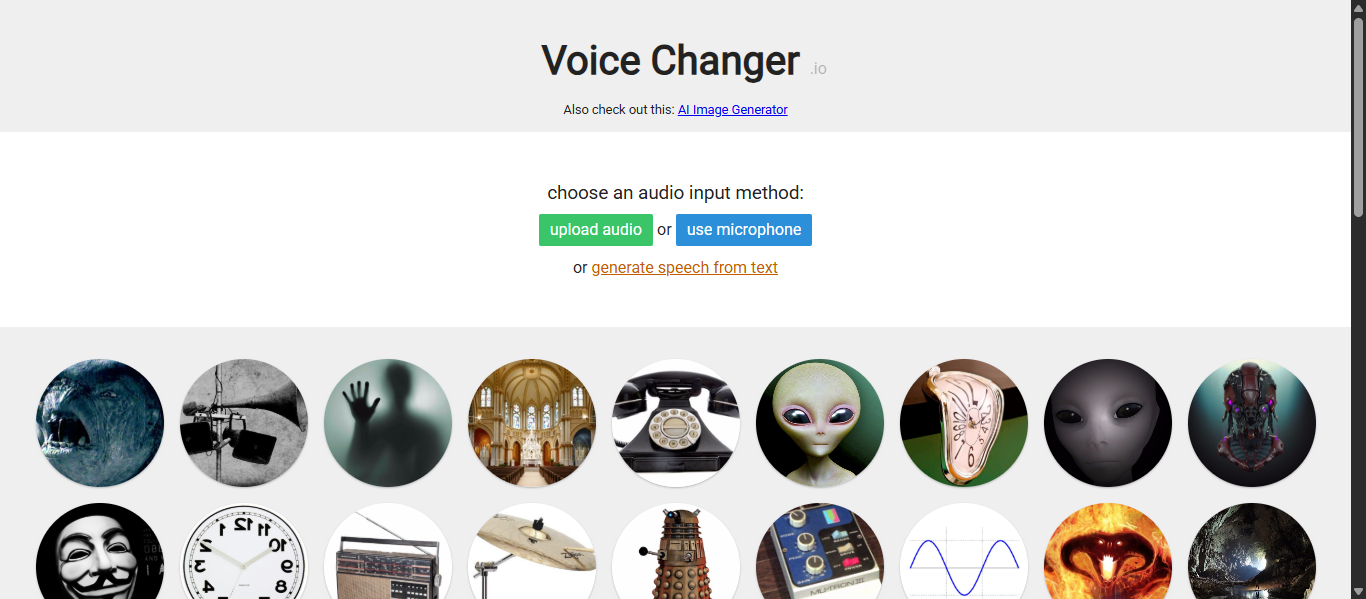
What is VoiceChanger.io AI?
VoiceChanger.io AI is a free online AI Voice Changer that allows users to modify voice recordings using various effects directly in the browser. It supports audio upload, microphone recording, and text-to-speech to create transformed voice clips without any installation.
How to Use VoiceChanger.io for AI Voice Changers
- Open the VoiceChanger.io website
- Record audio or upload a file
- Choose a voice effect or create a custom voice
- Apply the effect and process the audio
- Download the generated voice clip
Key Features of VoiceChanger.io
- Completely browser-based with no download required
- Multiple voice effects like robot, alien, and pitch shifts
- Supports audio upload, recording, and text-to-speech
- Custom voice creation using effect combinations
- Free to use with no mandatory sign-up
- Allows commercial use of generated audio
Where VoiceChanger.io is Used
- Social media and short videos
- Voiceovers and simple audio edits
- Entertainment and prank content
- Podcast and creative audio clips
Who Should Use VoiceChanger.io
- Beginners and casual users
- Content creators needing quick edits
- Users looking for free voice tools
- Anyone avoiding software installation
Pricing
Completely free to use with no subscription required, making it one of the most accessible AI Voice Changers available.
15) MyVoiceMod AI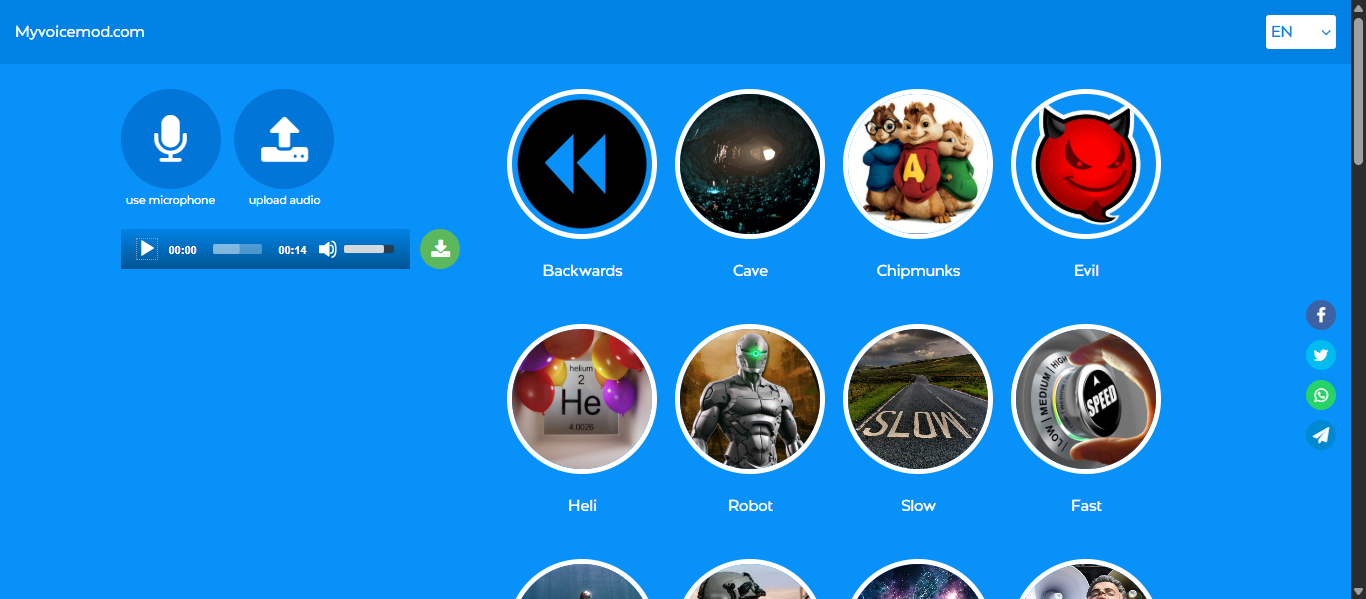
What is MyVoiceMod AI?
MyVoiceMod AI is a browser-based AI Voice Changer that allows users to modify their voice using real-time effects and presets without installing software. It provides simple voice modulation features like pitch, speed, and style changes, making it easy to create fun or creative voice outputs.
How to Use MyVoiceMod for AI Voice Changers
- Open the MyVoiceMod website
- Record audio or upload a voice file
- Choose a voice effect or filter
- Adjust pitch, speed, or tone
- Apply the effect and download the output
Key Features of MyVoiceMod
- Browser-based voice changer with no installation required
- Real-time voice modulation with multiple effects
- Adjustable pitch, speed, and voice style
- Works across devices and platforms
- Simple and beginner-friendly interface
Where MyVoiceMod is Used
- Social media content and short videos
- Gaming and entertainment
- Voiceovers and fun audio clips
- Online communication and chats
Who Should Use MyVoiceMod
- Beginners and casual users
- Content creators needing quick edits
- Gamers and streamers
- Users looking for simple online tools
Pricing
Free to use with basic features. No subscription required for standard voice effects.
AI Voice Changer Agents
AI Voice Changer Agents are AI-powered systems that automate voice generation, modification, and workflow tasks with minimal user input. Unlike basic AI Voice Changers, these agents assist in selecting voices, adjusting tone, and generating audio content automatically based on context.
What Are AI Voice Changer Agents?
AI Voice Changer Agents are semi-automated AI systems that help users create and manage voice content more efficiently.
They can:
- Analyze input (text or audio)
- Select suitable voice styles
- Adjust tone, pitch, and emotion
- Generate voice outputs automatically
They act more like AI assistants, not fully independent agents.
How AI Voice Changer Agents Work
AI Voice Changer Agents use machine learning models to automate voice workflows:
- Take input (text, script, or audio)
- Analyze context and intent
- Select or generate a suitable voice
- Apply tone, emotion, and style
- Produce final voice output automatically
This reduces manual effort and speeds up content creation.
Examples of AI Voice Changer Agents
Some platforms include agent-like capabilities:
- ElevenLabs → Context-aware voice generation
- Murf AI → Automated voiceover creation from scripts
- Descript → Text-based editing with AI voice generation
Tools Offering AI Voice Changer Agent Features
These tools provide agent-like automation:
- Automatic voice selection based on content
- AI dubbing and translation workflows
- Voice cloning with minimal input
- API-based automation for scalable voice systems
How to Choose the Right AI Voice Changer
The best AI Voice Changers depend on your use case, whether you need real-time voice transformation, professional voiceovers, or voice cloning. Choosing the right tool ensures better quality, efficiency, and results.
1. Identify Your Use Case
Start by understanding what you need:
- Real-time voice changing → gaming, streaming
- Voice generation → videos, podcasts
- Voice cloning → branding, personalization
Choosing the right type avoids confusion and saves time.
2. Check Voice Quality
Voice quality is the most important factor.
Look for:
- Natural and human-like output
- Clear pronunciation
- Emotion and tone control
Poor-quality voices sound robotic and reduce content value.
3. Evaluate Features
Different AI Voice Changers offer different capabilities.
Key features to consider:
- Voice cloning
- Text-to-speech
- Real-time voice change
- Language support
- Customization options
4. Consider Ease of Use
Choose tools with:
- Simple interface
- Quick setup
- Minimal learning curve
Especially important for beginners and content creators.
5. Check Compatibility
Make sure the tool works with:
- Your device (Windows, Mac, browser)
- Apps like Discord, Zoom, or editing software
6. Compare Pricing
Look at:
- Free plans or trials
- Monthly vs lifetime pricing
- Features included in each plan
Avoid paying for features you don’t need.
Future of AI Voice Changers
AI Voice Changers are evolving toward more realistic, automated, and intelligent voice generation. Future advancements will focus on improving quality, speed, and integration.
Key Future Trends
- More realistic human-like voices
AI will produce voices with natural emotion, tone, and expression that closely match real human speech - Growth of AI Voice Changer agents
Tools will automate voice selection, tone adjustment, and content generation with minimal input - Improved real-time voice transformation
Faster processing with near-zero latency for gaming, streaming, and live communication - Multilingual voice expansion
Support for more languages, accents, and real-time translation for global content - Integration with AI tools and workflows
Seamless connection with video editing, content creation, and automation platforms - Better customization and control
Users will have more control over voice style, emotion, and personalization.
Conclusion
AI Voice Changers have become essential tools for creating realistic, flexible, and scalable voice content across different use cases. From real-time voice transformation to advanced voice cloning and automation, these tools help creators, businesses, and developers produce high-quality audio with less effort. Choosing the right AI Voice Changer depends on your needs, but the tools listed above offer reliable options for both beginners and professionals.
FAQs
Are AI Voice Changers safe to use?
Yes, AI Voice Changers are generally safe when used responsibly. Avoid sharing sensitive data and ensure the tool follows proper privacy and data protection practices.
Can AI Voice Changers sound completely realistic?
Modern AI Voice Changers can produce highly realistic voices with natural tone and emotion, but results depend on the tool quality and input audio clarity.
Do AI Voice Changers work in real time?
Yes, many AI Voice Changers support real-time voice transformation, allowing users to change their voice instantly during gaming, streaming, or online communication.
Can AI Voice Changers clone my voice?
Some advanced AI Voice Changers offer voice cloning features that replicate your voice using short audio samples, creating personalized and consistent voice outputs.
Are AI Voice Changers free or paid?
Many AI Voice Changers offer free plans with limited features, while advanced tools require paid subscriptions for higher quality voices, cloning, and extended usage.