
Best AI Aggregator Tools combine multiple AI models into one platform, allowing you to switch, compare, and get accurate results without using separate tools. These AI aggregator tools improve productivity by helping you handle research, content creation, coding, and analysis in a single workspace, making workflows faster, more efficient, and easier to manage.
List of Best AI Aggregator Tools
- Aymo AI
- EaseMate AI
- TypingMind
- MagAI
- Mammouth AI
- T3 Chat
- OpenRouter
- TeamAI
- AiZolo
- Galaxy.ai
Comparison Table of AI Aggregator Tools
| Platform | Models Access | Key Features | Best For | Pricing |
|---|---|---|---|---|
| Aymo AI | 40+ models | Multi-model chat, collaboration, file analysis | Teams, developers | Free + paid plans |
| EaseMate AI | Multiple models | Writing, image, video tools | Students, creators | Free + paid |
| TypingMind | API-based models | BYOK, customization, plugins | Developers | One-time + API cost |
| MagAI | 40+ models | Personas, content workflows | Marketers | Subscription |
| Mammouth AI | Multiple models | Voice chat, multi-modal support | Creators | Subscription |
| T3 Chat | Multiple models | Fast UI, answer comparison | Students | Free + paid |
| OpenRouter | 300+ models | Unified API, auto-routing | Developers | Pay-as-you-go |
| TeamAI | Multi-model + agents | Team workflows, automation | Enterprises | Subscription |
| AiZolo | Multiple models | Side-by-side comparison | Professionals | Free + paid |
| Galaxy.ai | Wide tools | Multi-category AI tools | Explorers | Subscription |
1) Aymo AI
What is Aymo AI?
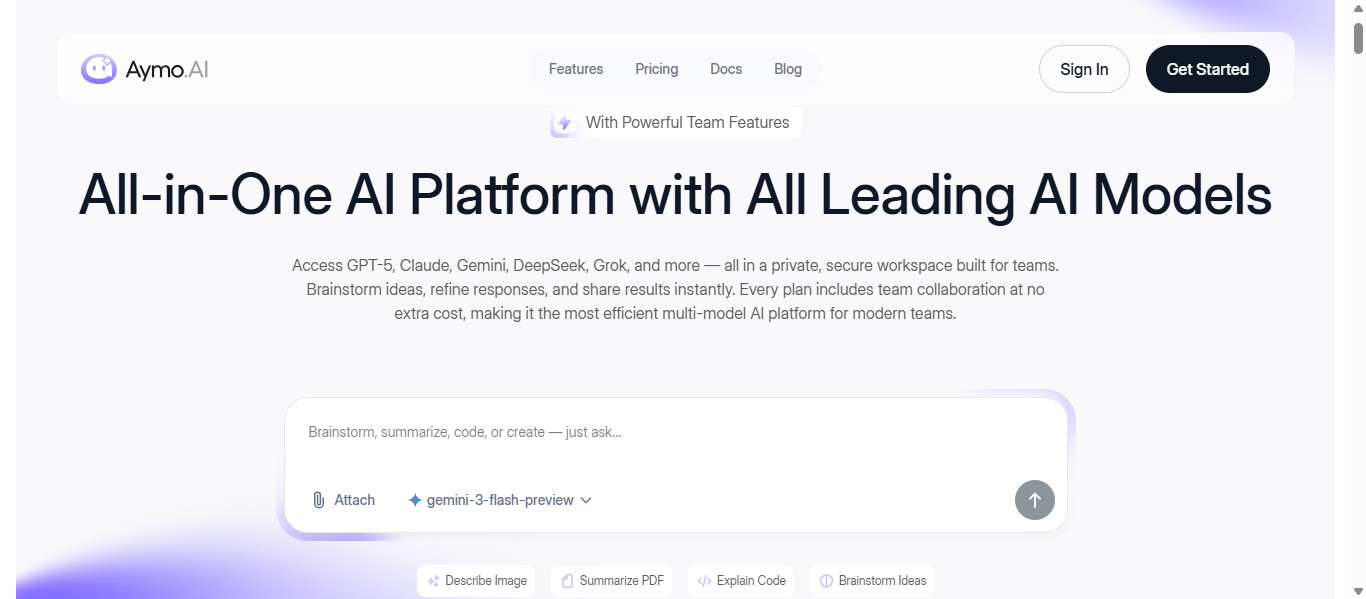
Aymo AI is an AI aggregator tool that brings multiple AI models into a single workspace, allowing users to switch and compare outputs easily. It helps manage tasks like research, content creation, coding, and document analysis without using separate tools. With features like file uploads and team collaboration, it improves workflow efficiency and saves time.
Key Features
- Access to 40+ AI models in one dashboard
- Easy model switching during conversations
- File upload and analysis for documents and code
- Team collaboration with shared workspace
- Secure environment with BYOK support
- Integration with tools like Google Drive and Slack
How to Use Aymo AI?
- Sign up and log in to the platform
- Choose an AI model based on your task
- Enter your prompt or upload files
- Switch between models to compare results
- Save or share outputs with your team
Pros & Cons
Pros
- All-in-one access to multiple AI models
- Simple and user-friendly interface
- Supports team collaboration
- Reduces the need for multiple subscriptions
Cons
- Advanced features require paid plans
- Performance varies by selected model
- Limited customization compared to API-based tools
Pricing
Free plan available, with paid plans starting at a low monthly cost and scaling for advanced and team usage.
Best For
- Individuals managing multiple AI tasks
- Teams working on research and content
- Developers testing different AI models
Why Choose Aymo AI?
Aymo AI is a practical choice among AI aggregator tools for users who want multiple AI models, collaboration features, and file analysis in one simple platform without switching between different tools.
2) EaseMate AI
What is EaseMate AI?
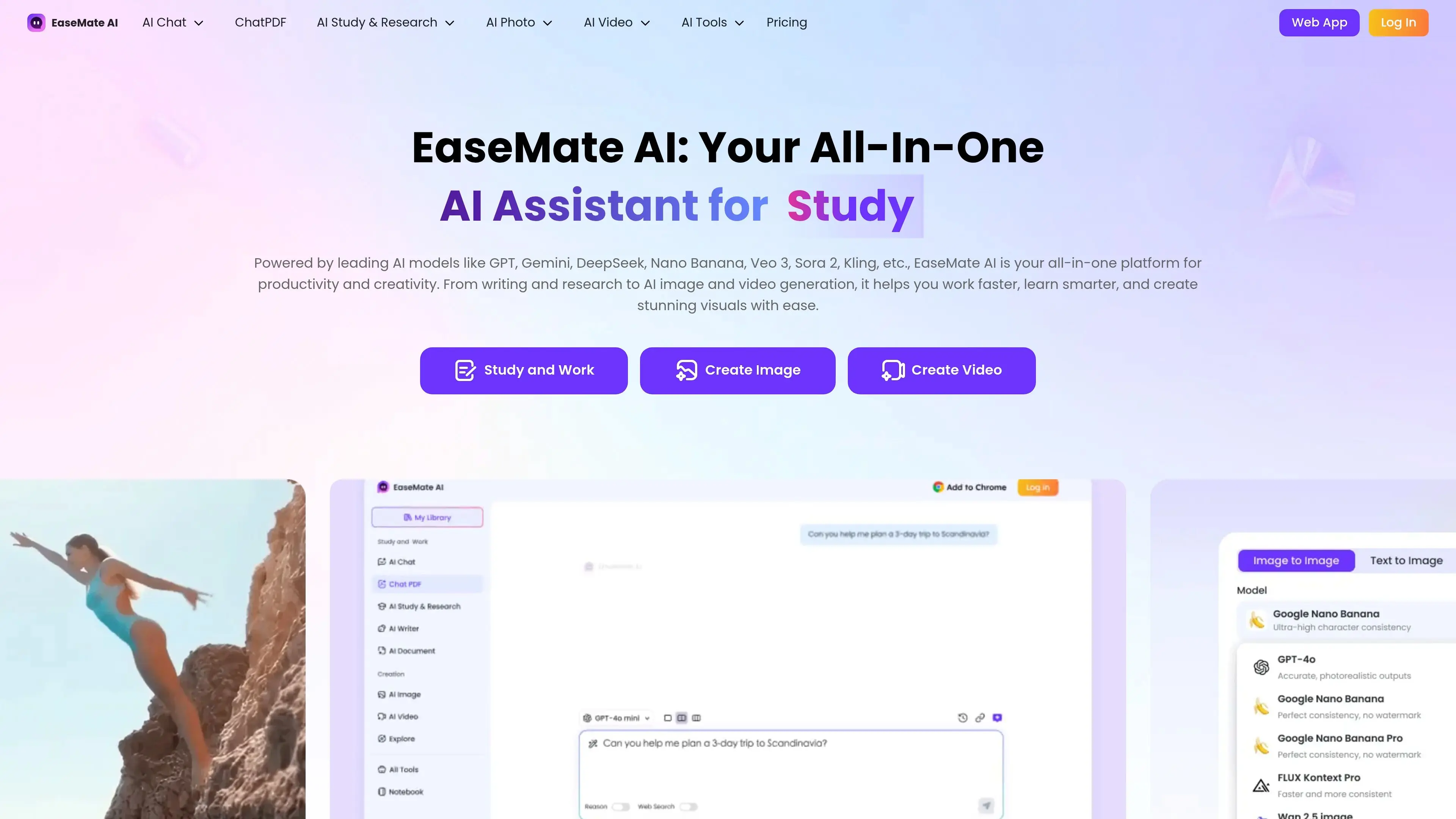
EaseMate AI is an AI aggregator tool that combines multiple AI models and creative tools into one platform. It allows users to handle tasks like writing, research, image generation, and video creation without switching between different tools. The platform is designed to simplify workflows by offering both productivity and creative features in a single workspace.
Key Features
- Access to multiple AI models for chat, writing, and research
- AI-powered image and video generation tools
- Chat with PDFs and document analysis support
- Text-to-video and image-to-video creation
- Browser extension and web-based access
- Built-in tools for translation, summarization, and writing
How to Use EaseMate AI?
- Visit the platform and sign up or use free tools
- Choose a feature like chat, writing, or video generation
- Enter your prompt or upload files
- Select a model or tool based on your task
- Generate and download or refine the output
Pros & Cons
Pros
- All-in-one platform for productivity and creativity
- Supports multiple AI models and tools
- Easy to use for beginners
- Offers free tools with daily credits
Cons
- Credit-based system limits usage
- Advanced features require paid plans
- Output quality depends on selected model
Pricing
Free plan available with credits, and paid plans offer higher usage limits and advanced features.
Best For
- Students and learners
- Content creators and marketers
- Professionals needing both creative and productivity tools
Why Choose EaseMate AI?
EaseMate AI is a practical choice among AI aggregator tools because it combines writing, video generation, and research capabilities in one platform, making it suitable for users who want both creative and productivity tools without managing multiple services.
3) TypingMind AI
What is TypingMind AI?
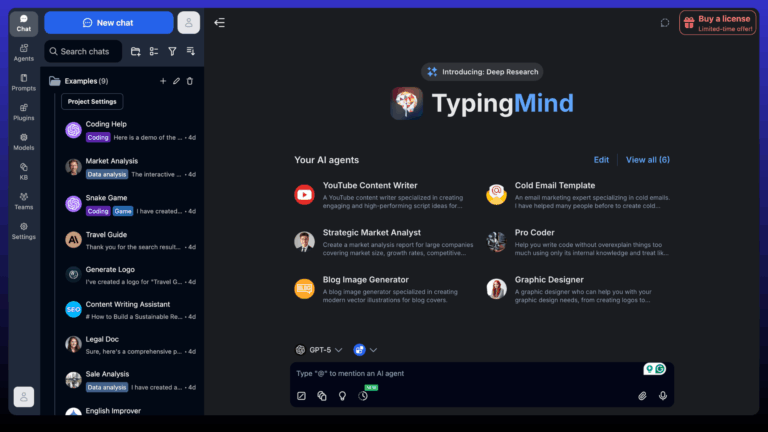
TypingMind is an AI aggregator tool that provides a customizable interface to access multiple AI models like GPT, Claude, and Gemini in one place. It allows users to manage chats, organize workflows, and create custom AI agents using their own API keys, giving full control over usage, privacy, and costs.
Key Features
- Multi-model access with support for GPT, Claude, Gemini, and more
- Bring Your Own API Key for full control over usage
- Custom AI agents and prompt library
- Plugins for web search, automation, and integrations
- Project folders and workspace organization
- Privacy-focused with local data storage
How to Use TypingMind AI?
- Purchase and install the platform
- Add your API keys (OpenAI, Anthropic, etc.)
- Choose a model and start chatting
- Use plugins or agents for advanced tasks
- Organize chats using folders and projects
Pros & Cons
Pros
- Full control with BYOK model access
- No monthly subscription required
- Highly customizable interface
- Strong privacy with local storage
Cons
- Requires API setup for beginners
- Additional API costs based on usage
- Less beginner-friendly compared to simple tools
Pricing
One-time purchase starting around $39, with additional API usage costs based on selected models.
Best For
- Developers and technical users
- Businesses needing custom AI workflows
- Users who want full control over AI usage and privacy
Why Choose TypingMind AI?
TypingMind AI is a strong choice among AI aggregator tools for users who want complete control over models, privacy, and customization. It is best suited for advanced users who prefer flexibility, API-based usage, and the ability to build custom AI workflows rather than relying on fixed subscription platforms.
4) MagAI
What is MagAI?
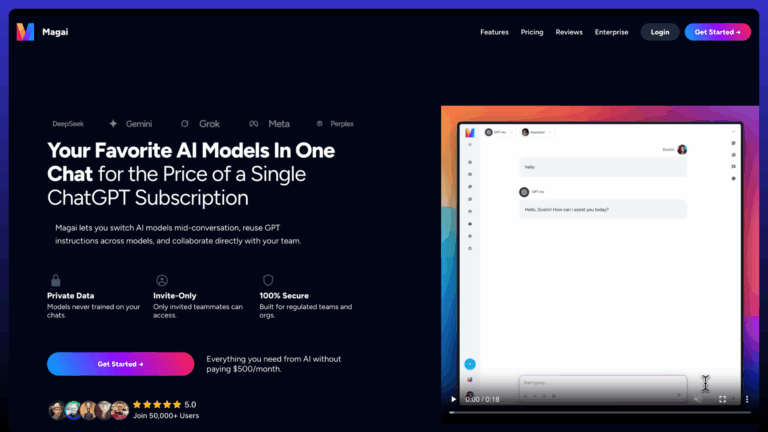
MagAI is an AI aggregator tool that brings multiple AI models into one platform, allowing users to switch between models like GPT, Claude, and Gemini in a single workspace. It is designed for content creation, research, and marketing tasks, helping users generate, edit, and manage outputs efficiently without using multiple tools.
Key Features
- Access to multiple AI models for text and content generation
- Easy model switching within the same conversation
- Built-in personas for different writing styles
- Team workspaces and collaboration tools
- Prompt library for faster content creation
- Chat organization with folders and history
How to Use MagAI?
- Sign up and log in to the platform
- Choose a model or start with a default setup
- Enter your prompt for content or research
- Switch models to compare outputs if needed
- Save, edit, or export your results
Pros & Cons
Pros
- Simple platform for multi-model access
- Strong focus on content creation workflows
- Easy to compare outputs across models
- Supports team collaboration
Cons
- Usage limits based on plan
- Can become costly with higher usage
- Limited customization compared to API-based tools
Pricing
Plans start around $20 per month, with higher tiers offering more usage and team features.
Best For
- Content creators and marketers
- Freelancers and small teams
- Users focused on writing and creative workflows
Why Choose MagAI?
MagAI is a strong choice among AI aggregator tools for users who want a simple, content-focused platform with easy model switching and collaboration features, without dealing with complex setups.
5) Mammouth AI
What is Mammouth AI?
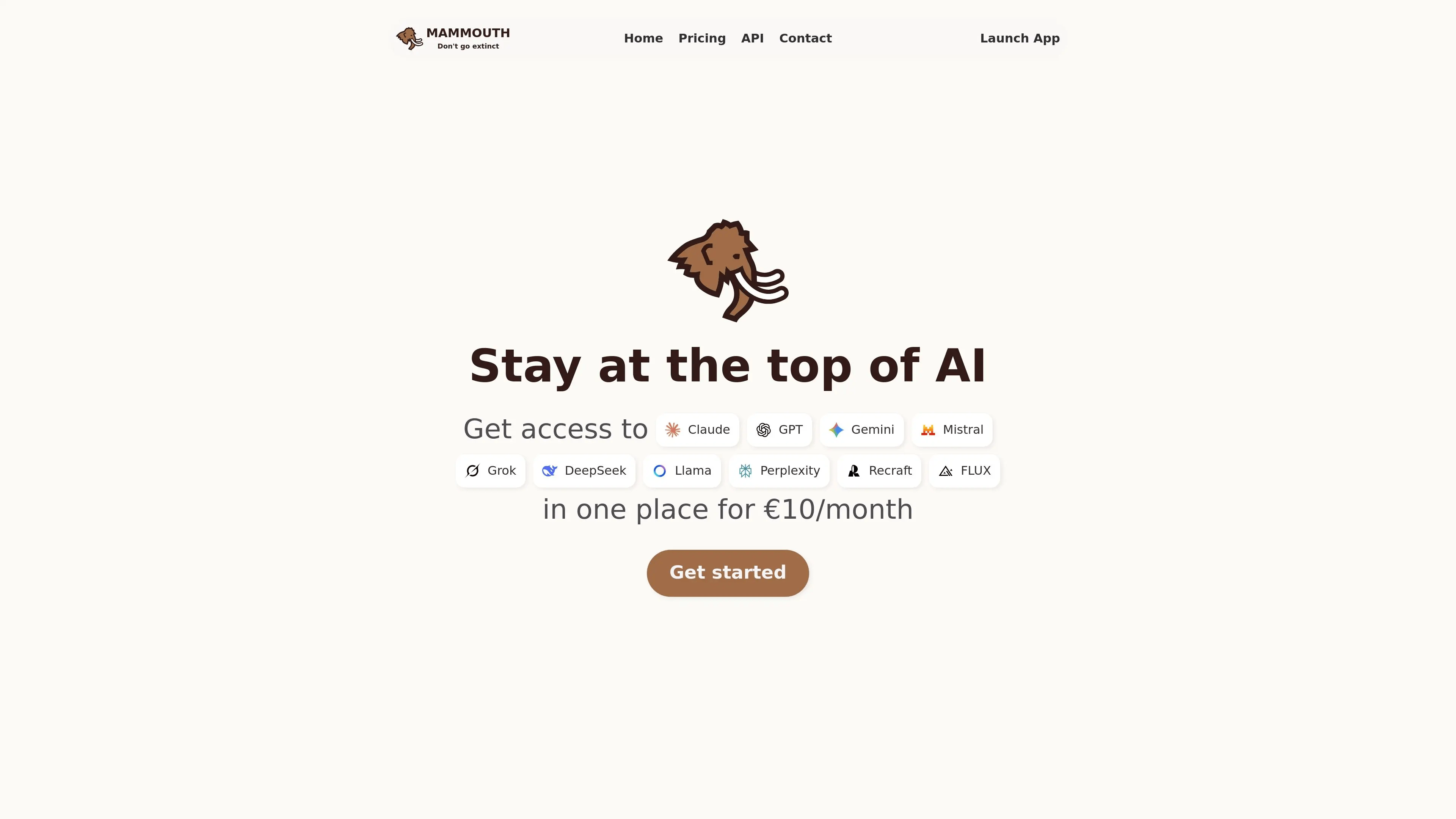
Mammouth AI is an AI aggregator tool that provides access to multiple AI models for text, image, and research tasks in one platform. It allows users to switch between models, compare outputs, and manage projects without using separate tools, making workflows more efficient and organized.
Key Features
- Access to multiple AI models like GPT, Claude, and Gemini
- One-click model switching for easy comparison
- Image and document upload with AI analysis
- Voice chat for real-time interaction
- Project-based workflow organization
- Available on web, mobile, and desktop
How to Use Mammouth AI?
- Sign up and log in to the platform
- Select an AI model based on your task
- Enter your prompt or upload files
- Switch models to compare results
- Save and organize outputs in projects
Pros & Cons
Pros
- Multiple AI models in one platform
- Supports text, image, and research tasks
- Easy model switching
- Helps reduce multiple tool usage
Cons
- Usage limits based on plan
- Output depends on selected model
- Limited advanced customization
Pricing
Plans start at around €10 per month, with higher tiers offering more usage and advanced features.
Best For
- Students and professionals
- Content creators and marketers
- Users managing multiple AI tasks
Why Choose Mammouth AI?
Mammouth AI is a practical choice among AI aggregator tools for users who want multi-model access with added features like voice chat and project organization, helping manage different tasks in one simple workspace.
6) T3 Chat AI
What is T3 Chat AI?
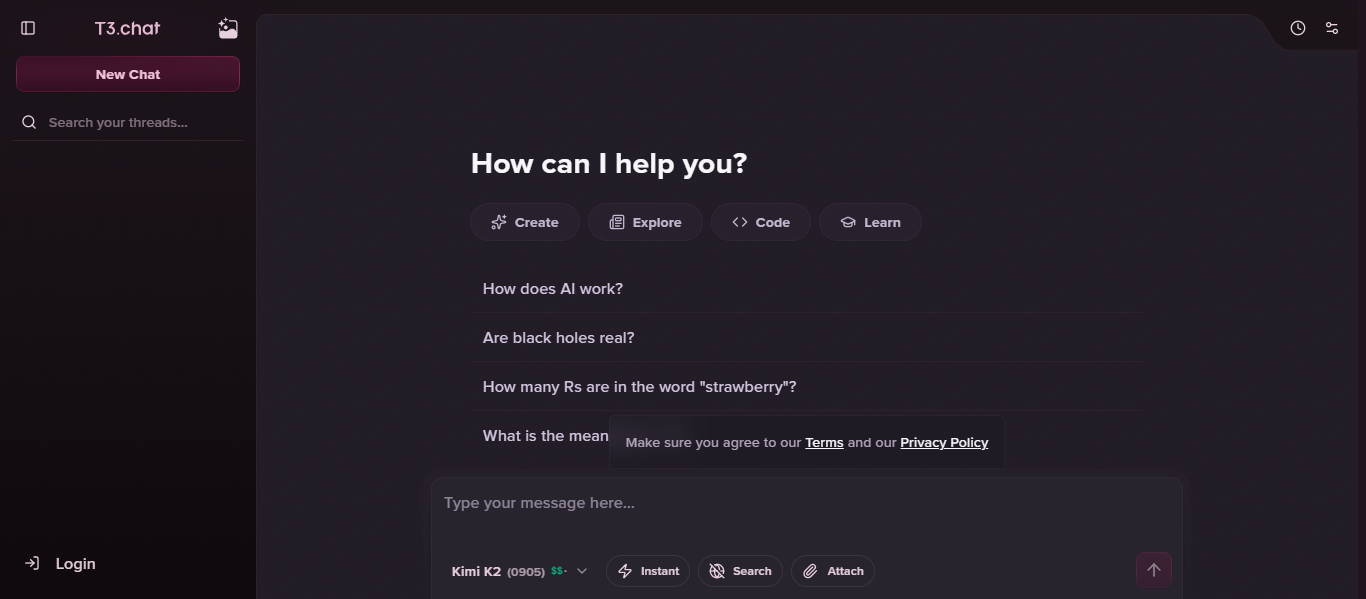
T3 Chat is an AI aggregator tool that provides access to multiple AI models like GPT, Claude, Gemini, and others in a single chat interface. It is designed for fast responses and simple workflows, allowing users to switch between models and compare outputs without using multiple platforms.
Key Features
- Access to multiple leading AI models in one place
- Fast response speed for real-time tasks
- Easy model switching within the same conversation
- Clean and simple chat interface for quick use
- Answer comparison across different models
- Lightweight platform focused on speed and simplicity
How to Use T3 Chat AI?
- Sign up and log in to the platform
- Choose an AI model for your task
- Enter your prompt in the chat interface
- Switch models to compare responses
- Save or reuse outputs as needed
Pros & Cons
Pros
- Fast and responsive performance
- Simple and easy-to-use interface
- Supports multiple AI models
- Good for quick tasks and comparisons
Cons
- Limited advanced features and customization
- Not ideal for complex workflows
- Fewer integrations compared to advanced tools
Pricing
Free plan available, with paid plans starting around $8 per month for extended usage.
Best For
- Students and general users
- Professionals needing quick AI responses
- Users comparing outputs across models
Why Choose T3 Chat AI?
T3 Chat AI is a good choice among AI aggregator tools for users who want a fast, simple, and lightweight platform to access multiple AI models without dealing with complex features or setups.
7) OpenRouter AI
What is OpenRouter?
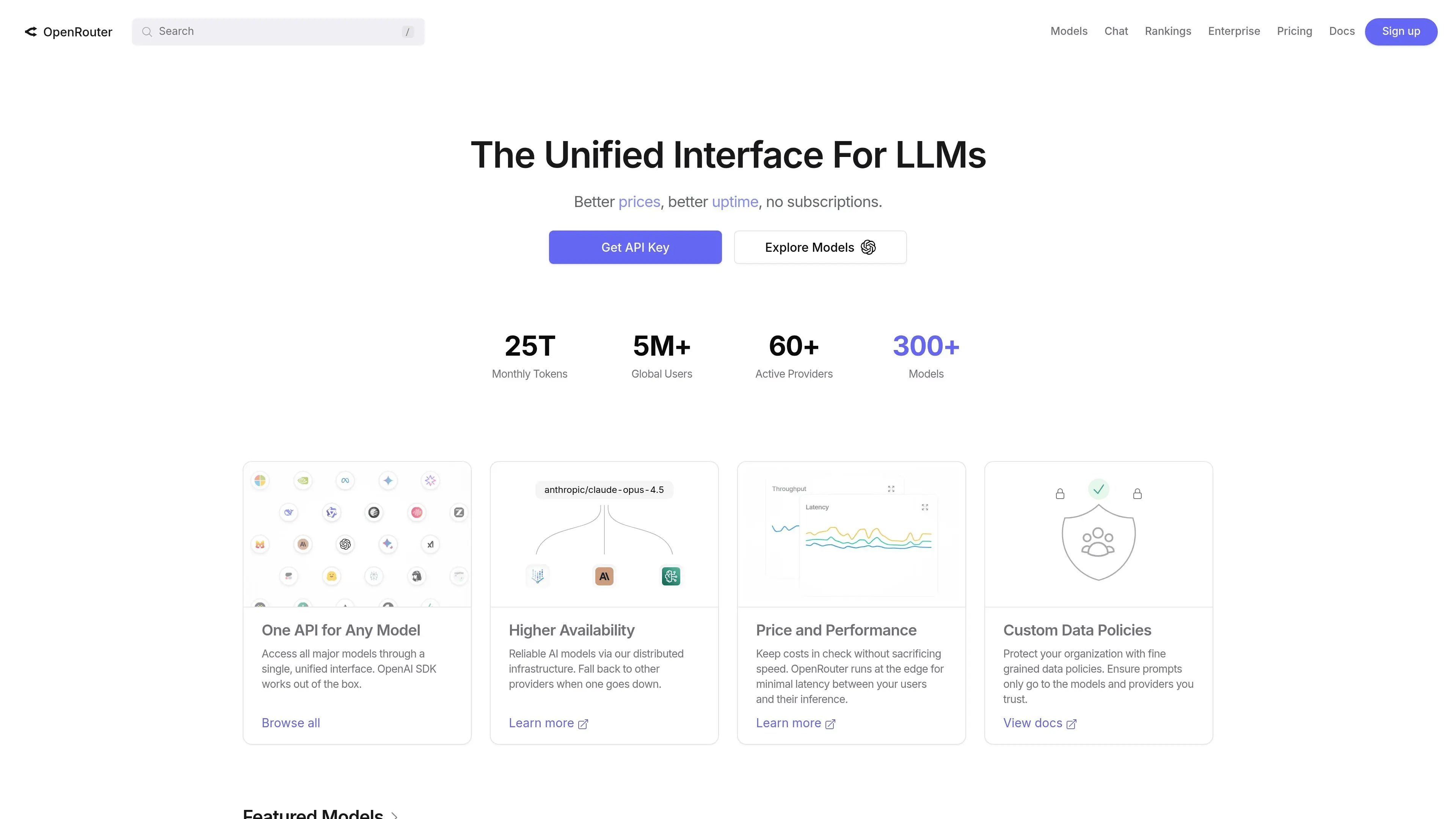
OpenRouter is an AI aggregator platform that provides access to hundreds of AI models from different providers through a single API. It allows developers to switch between models like GPT, Claude, and Gemini using one interface, making it easier to build, test, and scale AI applications without managing multiple APIs.
Key Features
- Access to 300+ AI models from multiple providers
- Unified API compatible with OpenAI SDK
- Auto-routing to select the best model based on cost or performance
- Fallback system for better reliability if a model fails
- Centralized billing and usage tracking
- Supports text, image, and document-based tasks
How to Use OpenRouter?
- Create an account and generate an API key
- Add credits or use free models
- Integrate the API into your application
- Choose a model or enable auto-routing
- Send requests and receive AI responses
Pros & Cons
Pros
- Access to a large number of AI models
- Single API reduces complexity
- Flexible pricing with no lock-in
- High reliability with fallback routing
Cons
- Requires technical knowledge to use
- Not ideal for beginners or non-developers
- Costs depend on model usage
Pricing
Free plan available for limited usage, with pay-as-you-go pricing based on model usage and credits.
Best For
- Developers and engineers
- Startups building AI applications
- Teams needing scalable AI infrastructure
Why Choose OpenRouter?
OpenRouter is a strong choice among AI aggregator tools for developers who need access to multiple AI models through a single API, offering flexibility, scalability, and efficient cost control for building and testing AI-powered applications.
8) TeamAI
What is TeamAI?
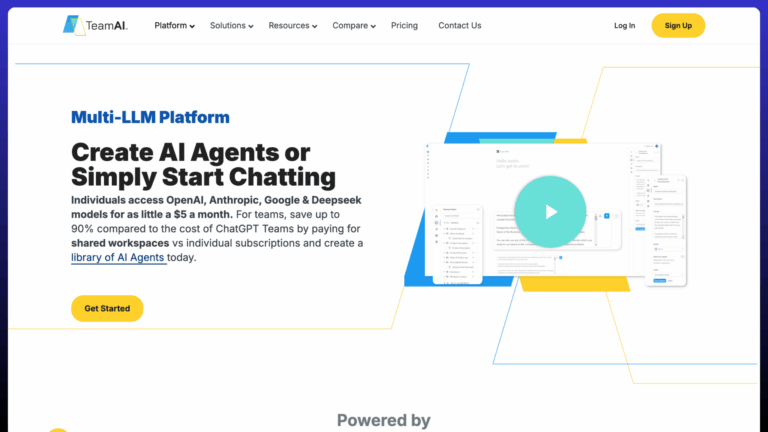
TeamAI is an AI aggregator tool designed for teams that combines multiple AI models like GPT, Claude, and Gemini into a shared workspace. It allows users to collaborate, build custom AI agents, and automate workflows, making it easier to manage projects and tasks in one centralized platform.
Key Features
- Access to multiple AI models in a shared workspace
- Custom AI agents and workflow automation
- Team collaboration with shared chats and prompt libraries
- Document upload and knowledge management
- Role-based access and admin controls
- Integration with plugins and internal tools
How to Use TeamAI?
- Sign up and create a workspace
- Invite team members and assign roles
- Choose AI models for different tasks
- Build custom agents or workflows
- Use shared prompts and collaborate on projects
Pros & Cons
Pros
- Built specifically for teams and collaboration
- Supports AI agents and automation workflows
- Centralized workspace for multiple AI models
- Cost-effective compared to multiple subscriptions
Cons
- Not ideal for individual users
- Learning curve for advanced features
- Requires setup for workflows and agents
Pricing
Plans start around $5 per month with usage-based credits, with higher tiers for teams and enterprise features.
Best For
- Teams and organizations
- Businesses automating workflows
- Users needing collaborative AI workspaces
Why Choose TeamAI?
TeamAI is a strong choice among AI aggregator tools for teams that need collaboration, workflow automation, and AI agents in one platform, helping manage tasks efficiently while reducing the need for multiple AI tools.
9) AiZolo AI
What is AiZolo AI?
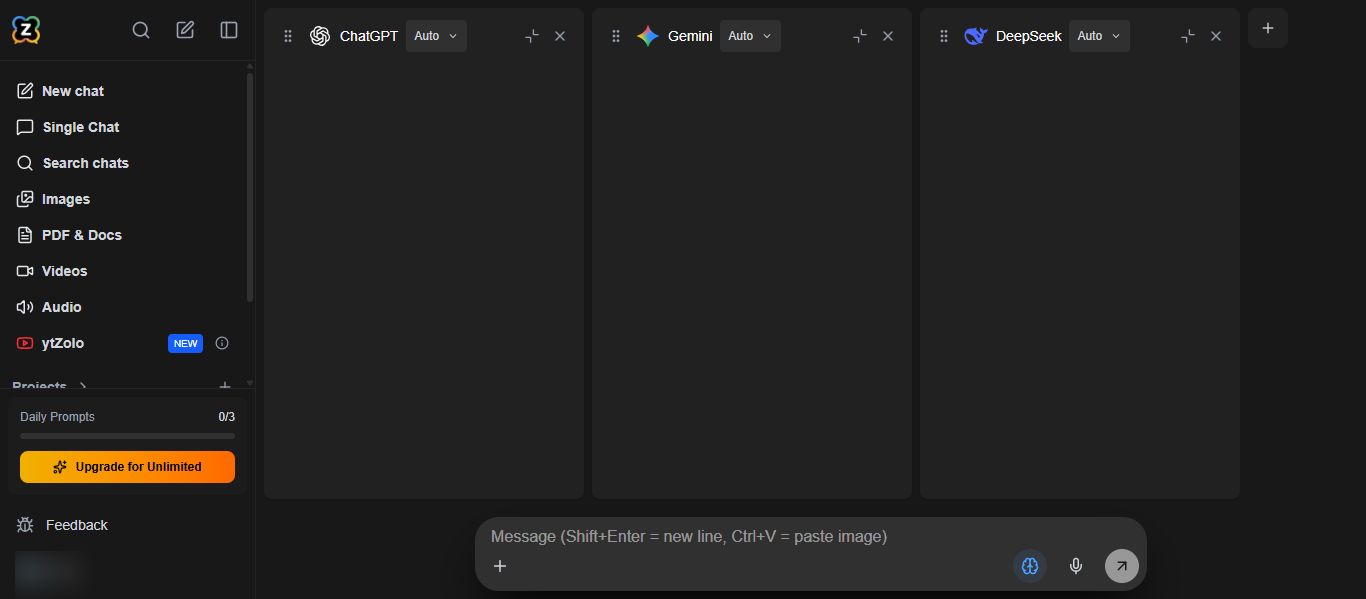
AiZolo AI is an AI aggregator tool that brings multiple AI models like GPT, Claude, and Gemini into a single workspace, allowing users to compare responses and manage tasks efficiently. It supports text, image, video, and audio generation, making it a complete all-in-one platform for productivity and creative workflows.
Key Features
- Access to multiple AI models in one platform
- Side-by-side AI model comparison for better results
- Image, video, and audio generation tools
- Custom API key support for advanced usage
- Prompt management and chat organization
- AI memory and project-based workflow
How to Use AiZolo AI?
- Sign up and log in to the platform
- Choose an AI model or run multiple models together
- Enter your prompt or task
- Compare outputs and select the best result
- Save or organize your work in projects
Pros & Cons
Pros
- All-in-one platform for multiple AI models and tools
- Real-time comparison improves output quality
- Supports creative and productivity tasks
- Cost-effective compared to multiple subscriptions
Cons
- Usage limits based on plan
- Advanced features require paid plans
- May feel complex for beginners
Pricing
Free plan available, with Pro plans starting around $9.90 per month and offering higher usage and advanced features.
Best For
- Content creators and marketers
- Freelancers and professionals
- Users comparing multiple AI model outputs
Why Choose AiZolo AI?
AiZolo AI is a strong choice among AI aggregator tools for users who want real-time model comparison and multi-modal features in one platform, helping improve accuracy and efficiency without switching between different AI tools.
10) Galaxy.ai

What is Galaxy.ai?
Galaxy.ai is an AI aggregator tool that brings a wide range of AI models and tools into one platform, allowing users to access text, image, video, and audio generation in a single workspace. It helps users explore different AI capabilities without switching between multiple tools, making it suitable for both experimentation and daily tasks.
Key Features
- Access to multiple AI models and tools in one platform
- Supports text, image, video, and audio generation
- Wide collection of AI tools across different categories
- Simple interface for exploring and using AI features
- Multi-tasking capabilities within a single workspace
- Regular updates with new AI tools and features
How to Use Galaxy.ai?
- Sign up and log in to the platform
- Browse or search for the AI tool you need
- Select a feature like text, image, or video generation
- Enter your prompt or task
- Generate and save your output
Pros & Cons
Pros
- Large collection of AI tools in one place
- Supports multiple types of AI tasks
- Useful for exploring different AI capabilities
- Reduces need for multiple platforms
Cons
- Can feel overwhelming due to many options
- Depth of features may vary across tools
- Advanced usage may require higher plans
Pricing
Free plan available, with paid plans offering access to more tools and higher usage limits.
Best For
- Users exploring multiple AI tools
- Content creators and professionals
- Beginners testing different AI capabilities
Why Choose Galaxy.ai?
Galaxy.ai is a good choice among AI aggregator tools for users who want access to a wide variety of AI tools in one place, making it easier to explore, test, and use different AI capabilities without switching platforms.
AI Agents in AI Aggregator Tools
What Are AI Agents?
AI agents are automated systems that can perform tasks using AI models without constant manual input. In AI aggregator tools, they act as assistants that can handle workflows like research, content creation, analysis, and task execution by selecting the right model automatically.
How AI Agents Are Changing AI Aggregator Workflows
- Automate multi-step tasks like research to content generation
- Reduce manual model switching by selecting the best model automatically
- Improve productivity by handling repetitive tasks
- Enable smarter workflows with better context and memory
- Help teams collaborate with shared automated processes
Examples of AI Agents
- Research agents that collect and summarize information
- Content agents that generate and refine articles or scripts
- Coding agents that write, debug, and optimize code
- Workflow agents that automate business processes
- Data agents that analyze and extract insights from files
Tools Offering AI Agent-Like Capabilities
- TeamAI for workflow automation and team-based agents
- Motion AI for multi-step task automation
- MagAI for smart model selection and content workflows
- TypingMind for custom agent creation using APIs
- Aymo AI for collaborative workflows and task management
AI Aggregator Tools vs Single AI Tools
AI aggregator tools are better for users who need flexibility, while single AI tools are suitable for focused tasks. The main difference is access, efficiency, and workflow control.
Key Differences
- AI aggregator tools provide access to multiple models, while single AI tools offer only one model
- Aggregators allow model switching and comparison, while single tools do not
- Aggregators reduce the need for multiple subscriptions, while single tools may increase cost
- Single AI tools are simpler, while aggregators offer more advanced features
When to Use AI Aggregator Tools
- When you need to compare outputs from different AI models
- When working on multiple tasks like research, writing, and coding
- When managing workflows or team collaboration
- When you want better flexibility and control
When to Use Single AI Tools
- When you need a simple and focused solution
- When your task depends on one specific AI model
- When you prefer ease of use over flexibility
- When you do not need multi-model comparison
Final Comparison
AI aggregator tools are more suitable for advanced users, teams, and professionals who need flexibility and efficiency, while single AI tools are better for beginners or users with simple, specific tasks.
How to Choose the Right AI Aggregator Tools
Choosing the right AI aggregator tools depends on your use case, budget, and level of experience. Not all platforms offer the same features, so selecting based on your workflow is important.
Key Factors to Consider
- Model access: Choose tools that support multiple AI models you need
- Ease of use: Simple interface for beginners, advanced features for professionals
- Features: Look for file upload, collaboration, automation, or agents
- Pricing: Compare subscription vs pay-as-you-go models
- Performance: Check speed, accuracy, and reliability
- Integrations: Ensure it connects with tools like Slack, Notion, or APIs
Based on Your Needs
- For beginners: Choose simple platforms with easy UI and basic features
- For developers: Choose API-based tools with customization and control
- For teams: Choose tools with collaboration and shared workspace features
- For creators: Choose platforms with content and media generation tools
Future of AI Aggregator Tools
- Multi-model access : Multi-model AI will become standard, allowing users to switch between different AI models seamlessly in one platform for better results.
- AI agents automation : AI agents will handle complex workflows automatically, reducing manual effort and improving productivity.
- Personalization : AI tools will adapt to user behavior, preferences, and past interactions to deliver more accurate and relevant outputs.
- Deeper integrations : AI aggregators will integrate with business tools and apps, making them a core part of daily workflows.
- Cost optimization : Platforms will automatically choose the most efficient model based on cost, speed, and performance.
- Multi-modal capabilities : AI aggregators will combine text, image, video, and audio generation in one unified system.
- Privacy and control : Data privacy and user control will become more important, especially for teams and enterprise use.
- Collaboration features : Real-time collaboration will improve, allowing teams to work together efficiently in shared AI environments.
Conclusion
AI aggregator tools simplify how users interact with multiple AI models by bringing everything into one platform, making workflows faster and more efficient. They are ideal for users who need flexibility, better output comparison, and cost control, especially when handling tasks like research, content creation, and automation in a single workspace.
FAQs
What are AI aggregator tools used for?
AI aggregator tools are used to access multiple AI models in one platform, allowing users to switch, compare, and complete tasks like writing, research, and coding more efficiently.
Are AI aggregator tools better than single AI tools?
AI aggregator tools are better for flexibility and comparison, while single AI tools are simpler. Aggregators help users choose the best model for each task.
Do AI aggregator tools support multiple AI models?
Yes, AI aggregator tools support multiple models like GPT, Claude, and Gemini, enabling users to switch between them and compare outputs within the same workspace.
Are AI aggregator tools suitable for beginners?
Most AI aggregator tools offer simple interfaces, making them suitable for beginners, while also providing advanced features for professionals and developers who need more control.
How do AI aggregator tools save time and cost?
They reduce the need for multiple subscriptions and allow users to complete tasks in one platform, saving time by avoiding tool switching and improving workflow efficiency.