
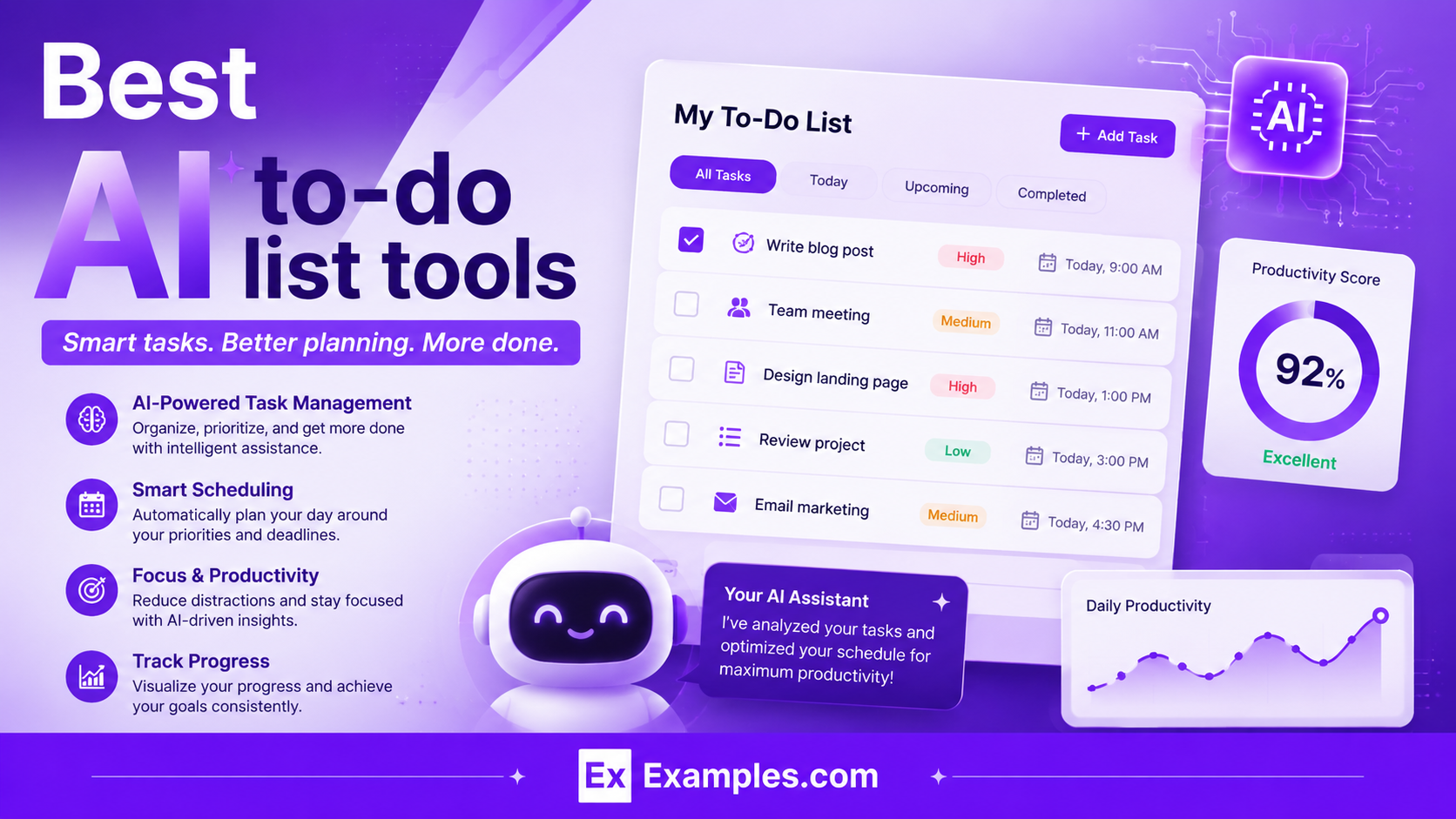
AI To Do Lists help you organize tasks, schedule work, prioritize deadlines, and reduce mental overload without manually planning everything yourself. The best AI To Do Lists can automatically manage your calendar, break large tasks into smaller steps, and adapt when your schedule changes. In this guide, we tested the best AI To Do Lists tools to help you find the right option for productivity, time blocking, collaboration, deep work, and daily planning.
Quick List of the Best AI To Do Lists Tools
- Motion AI
- Todoist AI
- Akiflow AI
- Reclaim.ai AI
- SkedPal AI
- Taskade AI
- FlowSavvy AI
- ClickUp AI
- Trevor AI
- Saner.AI
Best AI To Do Lists Tools Comparison Table
| Tool | Best For | AI Features | Pricing |
|---|---|---|---|
| Motion AI | Automatic daily planning | AI scheduling, auto rescheduling | Paid |
| Todoist AI | Simple task management | AI task suggestions, task breakdowns | Free + Paid |
| Akiflow AI | Unified task inbox | AI planning, task consolidation | Paid |
| Reclaim.ai AI | Calendar management | Smart time blocking, habit scheduling | Free + Paid |
| SkedPal AI | Flexible time blocking | AI scheduling, priority management | Paid |
| Taskade AI | Team collaboration | AI agents, workflow generation | Free + Paid |
| FlowSavvy AI | Personal scheduling | Auto calendar scheduling | Free + Paid |
| ClickUp AI | Project management | AI summaries, task automation | Free + Paid |
| Trevor AI | Time blocking | AI scheduling suggestions | Free + Paid |
| Saner.AI | Notes + tasks | AI task extraction, AI organization | Free + Paid |
1) Motion AI
What Is Motion AI?
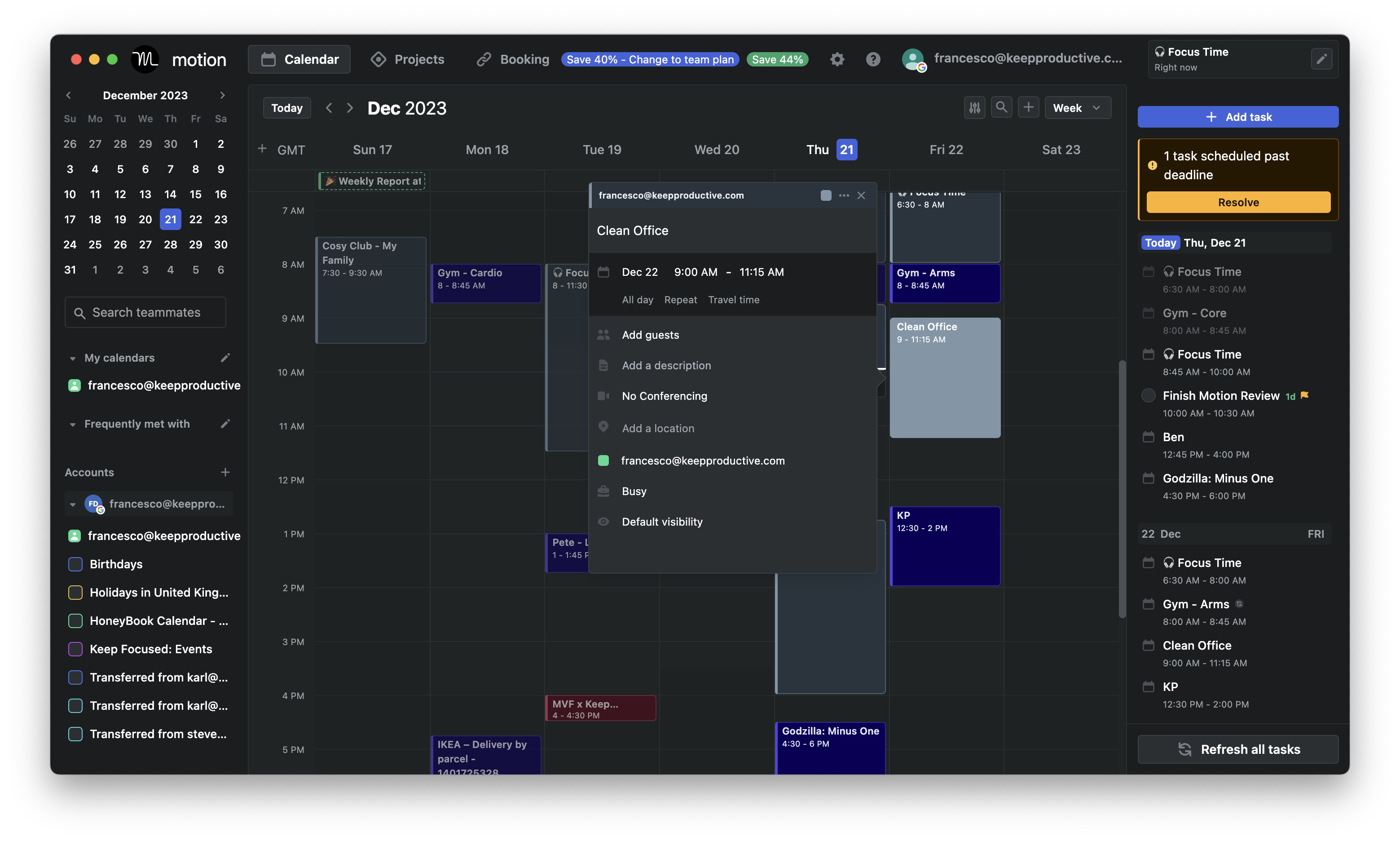
Motion AI is an AI-powered task manager and scheduling tool that automatically plans your tasks, meetings, and calendar events in one place. It helps professionals and teams save time by building a smart daily schedule that adjusts automatically when priorities or deadlines change, making it one of the most advanced AI To Do Lists tools for productivity and time management.
Key Features of Motion AI
- AI task scheduling
- Automatic rescheduling
- Smart calendar management
- AI meeting booking
- Project and task management
- Focus time blocking
- Team collaboration tools
- Deadline prioritization
- Google and Outlook calendar sync
- Cross-platform access
Pros and Cons of Motion AI
Pros
- Automatically organizes your entire workday
- Reduces manual planning and scheduling
- Excellent for busy professionals and teams
- Strong AI-powered calendar automation
- Combines tasks, meetings, and projects in one workspace
Cons
- More expensive than many AI To Do Lists tools
- No permanent free plan
- Can feel overwhelming during initial setup
- Mobile features are more limited than desktop
Best Use Cases for Motion AI
- Entrepreneurs managing multiple projects
- Teams handling shared schedules
- Professionals with meeting-heavy calendars
- Freelancers balancing deadlines
- Users who want automatic time blocking
- People looking for fully automated AI To Do Lists tools
How Does Motion AI Use AI?
- Uses AI to automatically schedule tasks into free calendar slots
- Reschedules work instantly when plans change
- Prioritizes tasks based on deadlines and urgency
- Protects focus time by optimizing workloads
- Suggests the best time for meetings and projects
- Balances team workloads automatically
Pricing
Motion AI offers a 7-day free trial for new users. Paid plans are available for individuals, teams, and enterprises with advanced AI scheduling and productivity features.
2) Todoist AI
What Is Todoist AI?
Todoist AI is an AI-powered task management tool that helps users organize tasks, manage projects, and stay productive with smart automation features. Built into the Todoist platform through Todoist Assist, the AI helps break down tasks, suggest subtasks, organize priorities, and simplify planning, making it one of the most popular AI To Do Lists tools for individuals and teams.
Key Features of Todoist AI
- AI task suggestions
- AI-generated subtasks
- Natural language task input
- Smart task prioritization
- AI Filter Assist
- AI Email Assist
- Voice task capture
- Recurring task management
- Project collaboration tools
- Calendar and productivity integrations
- Cross-platform sync across desktop and mobile
- Productivity tracking and reminders
Pros and Cons of Todoist AI
Pros
- Simple and beginner-friendly interface
- Strong natural language task creation
- AI helps break down complex tasks quickly
- Works across web, desktop, and mobile devices
- Excellent integration ecosystem with 80+ apps
- Affordable compared to many AI To Do Lists tools
Cons
- Advanced AI features require paid plans
- Limited project capacity on the free plan
- Not ideal for advanced project management workflows
- AI features are lighter compared to fully automated schedulers
- Some customization options are limited for power users
Best Use Cases for Todoist AI
- Personal productivity management
- Students organizing assignments and deadlines
- Small teams managing collaborative projects
- Professionals handling recurring tasks
- Users who prefer clean and minimal AI To Do Lists tools
- People wanting AI assistance without complicated setup
How Does Todoist AI Use AI?
- Uses AI to generate subtasks automatically
- Suggests actionable next steps for projects
- Converts natural language into structured tasks
- Creates smart task filters with AI Filter Assist
- Turns emails into tasks using AI Email Assist
- Helps users organize projects and priorities faster
- Provides AI productivity suggestions through Todoist Assist
Pricing
Todoist AI offers a free plan with basic productivity features. Paid plans unlock advanced AI capabilities, reminders, collaboration tools, and additional productivity features for individuals and teams.
3) Akiflow AI
What Is Akiflow AI?
Akiflow AI is an AI-powered productivity and time-blocking tool that combines tasks, calendars, emails, and notifications into one unified workspace. It helps users organize tasks from multiple apps and turn them into a structured daily schedule, making it one of the most efficient AI To Do Lists tools for busy professionals and productivity-focused users.
Key Features of Akiflow AI
- Unified task inbox
- AI planning assistance
- Time blocking and calendar scheduling
- Natural language task input
- Google and Outlook calendar sync
- Keyboard shortcuts and command bar
- Task imports from apps like Slack, Notion, Gmail, and Jira
- Focus mode for distraction-free work
- Cross-platform support
- Smart reminders and notifications
Pros and Cons of Akiflow AI
Pros
- Combines tasks and calendars in one workspace
- Excellent for productivity power users
- Fast task capture with keyboard shortcuts
- Strong integrations with external apps
- Great for structured daily planning
- Reduces app switching and workflow clutter
Cons
- No permanent free plan available
- Higher pricing compared to some AI To Do Lists tools
- Learning curve for beginners
- Mobile app experience is less polished than desktop
- Limited note-taking capabilities compared to workspace tools
Best Use Cases for Akiflow AI
- Professionals managing multiple apps daily
- Entrepreneurs handling busy schedules
- Users who prefer time blocking workflows
- Teams coordinating calendars and tasks
- Productivity enthusiasts wanting centralized planning
- People looking for AI To Do Lists tools with strong integrations
How Does Akiflow AI Use AI?
- Uses AI to help organize and prioritize tasks
- Suggests smarter daily planning workflows
- Converts tasks from emails and apps into actionable items
- Helps automate calendar scheduling and time blocking
- Uses intelligent reminders to reduce missed tasks
- Optimizes productivity workflows across connected apps
Pricing
Akiflow AI offers a free trial for new users. Paid plans include advanced scheduling, integrations, productivity tools, and AI-powered workflow management features.
4) Reclaim AI
What Is Reclaim AI?
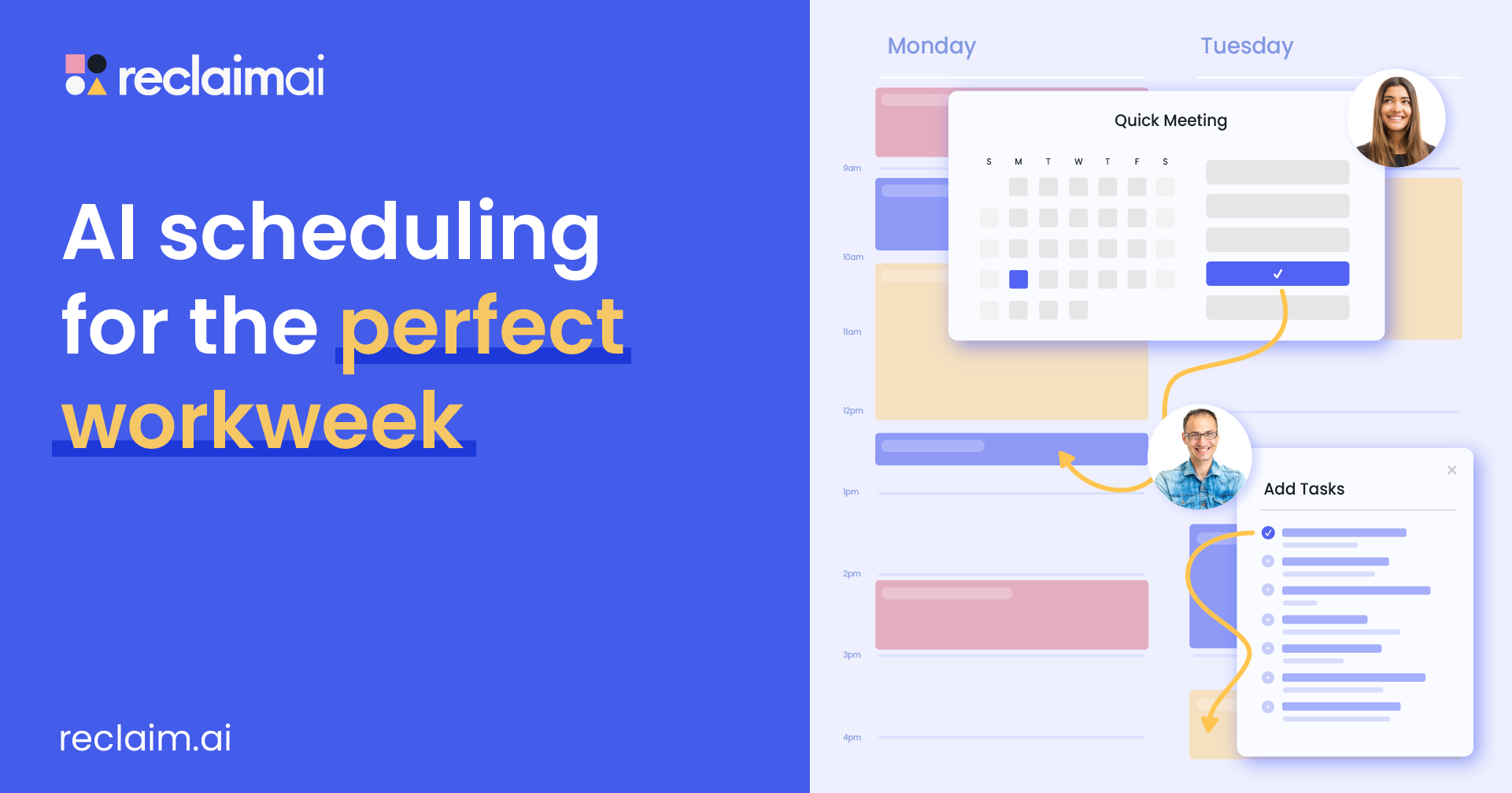
Reclaim AI is an AI-powered calendar and task scheduling tool that automatically organizes your meetings, tasks, habits, and focus time into your calendar. It helps users protect deep work sessions, reduce scheduling conflicts, and balance workloads automatically, making it one of the most useful AI To Do Lists tools for professionals and teams.
Key Features of Reclaim AI
- AI calendar scheduling
- Smart time blocking
- Automatic task scheduling
- Habit and routine planning
- Focus time protection
- Smart meeting scheduling
- Calendar sync across platforms
- Productivity analytics
- Task integrations with Todoist, Asana, Jira, and ClickUp
- Automatic rescheduling when conflicts happen
- Google Calendar and Outlook integration
Pros and Cons of Reclaim AI
Pros
- Excellent AI-powered calendar automation
- Automatically protects focus time and routines
- Strong integration with productivity apps
- Helpful for reducing meeting overload
- Free plan available for individual users
- Great for balancing work and personal schedules
Cons
- Works best mainly with calendar-driven workflows
- Some advanced features require paid plans
- Initial setup takes time for new users
- Outlook integration is less mature than Google Calendar
- Less suitable for note-taking or document-heavy workflows
Best Use Cases for Reclaim AI
- Professionals with busy meeting schedules
- Teams managing shared calendars
- Users who want automatic focus time blocking
- Entrepreneurs balancing work and personal tasks
- Remote workers needing smarter scheduling
- People searching for AI To Do Lists tools with strong calendar automation
How Does Reclaim AI Use AI?
- Uses AI to automatically schedule tasks into available calendar slots
- Reschedules meetings and tasks when conflicts happen
- Protects focus time and personal routines intelligently
- Prioritizes work based on deadlines and importance
- Optimizes team schedules and meeting availability
- Uses productivity analytics to improve time management workflows
Pricing
Reclaim AI offers a free plan with core scheduling features for individuals. Paid plans unlock advanced scheduling, unlimited integrations, analytics, team management, and smarter AI automation features.
5) SkedPal AI
What Is SkedPal AI?
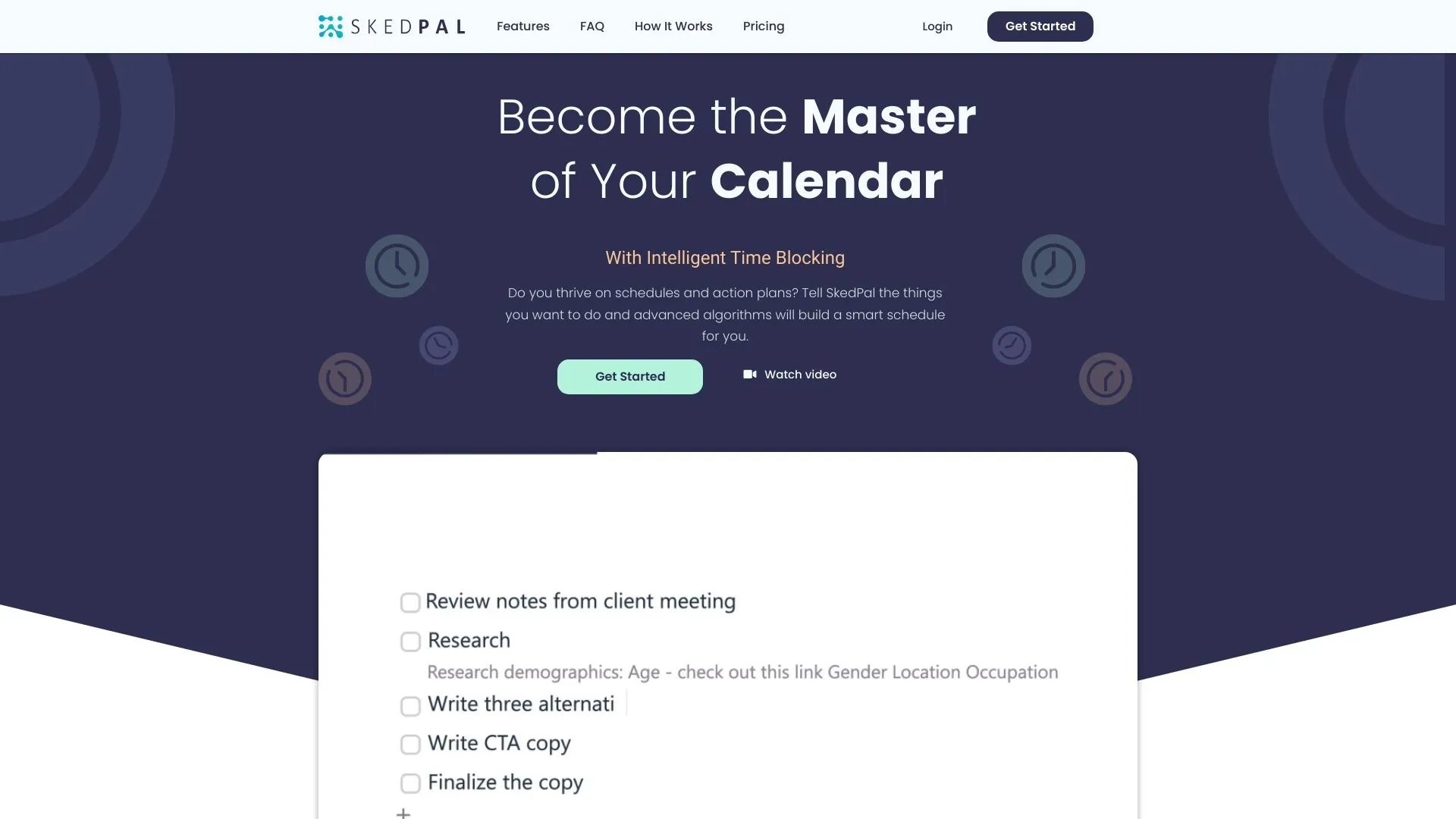
SkedPal AI is an AI-powered scheduling and time-blocking tool that automatically organizes your tasks into your calendar based on priorities, deadlines, and preferred work hours. It helps users build flexible daily schedules without manually planning every task, making it one of the most practical AI To Do Lists tools for deep work and productivity management.
Key Features of SkedPal AI
- AI-powered task scheduling
- Dynamic time blocking
- Smart calendar integration
- Time Maps for work preferences
- Automatic task rescheduling
- Task prioritization system
- Focus and deep work planning
- Google, Outlook, and iCloud calendar sync
- Recurring task management
- Project and subtask organization
- Cross-platform support
Pros and Cons of SkedPal AI
Pros
- Excellent for automatic time blocking
- Flexible scheduling based on work preferences
- Helps reduce planning stress and decision fatigue
- Strong calendar integration features
- Useful for deep work and focus sessions
- Great for freelancers and solo professionals
Cons
- User interface feels outdated compared to newer AI To Do Lists tools
- Learning curve for first-time users
- Mobile app experience is less polished
- Can feel complex for simple task management needs
- No permanent free plan available
Best Use Cases for SkedPal AI
- Freelancers managing flexible schedules
- Entrepreneurs handling multiple priorities
- Users who prefer deep work sessions
- Professionals wanting AI-based time blocking
- Productivity-focused individuals
- People looking for AI To Do Lists tools with adaptive scheduling
How Does SkedPal AI Use AI?
- Uses AI to schedule tasks automatically into available calendar slots
- Prioritizes work based on deadlines and importance
- Adjusts schedules dynamically when tasks are delayed
- Uses Time Maps to schedule work during preferred focus hours
- Optimizes workloads to avoid overbooking
- Helps create balanced and realistic work schedules
Pricing
SkedPal AI offers a free trial for new users. Paid plans include advanced scheduling, calendar integrations, AI automation, and productivity management features for individuals and professionals.
6) Taskade AI
What Is Taskade AI?
Taskade AI is an all-in-one collaborative productivity tool that combines AI To Do Lists, project management, note-taking, and mind mapping. It lets you plan, organize, and collaborate on tasks in real time while using AI to automate workflows, generate content, and improve productivity.
Key Features of Taskade AI
- AI-powered task generation and suggestions
- Real-time collaboration with team chat and video calls
- Multiple project views: list, board, mind map, calendar
- AI writing assistant for content creation
- Templates for task lists, notes, and workflows
- Cross-platform sync (desktop, mobile, and web)
- Nested task lists and mind maps
- AI summarization, translation, and brainstorming
Pros and Cons of Taskade AI
Pros
- Extremely versatile: tasks, notes, mind maps
- Real-time collaboration tools built-in
- AI helps automate repetitive tasks and generate content
- Multiple views fit different project styles
- Easy to use for both individuals and teams
- Frequent updates and new features
Cons
- Advanced AI features require paid plans
- Some users might find the interface busy or overwhelming
- Formatting is less flexible compared to traditional project tools
- Some integrations are limited compared to larger platforms
Best Use Cases for Taskade AI
- Remote teams needing real-time collaboration
- Individuals wanting an all-in-one productivity tool
- Teams managing multiple project types (tasks, notes, mind maps)
- Users who want AI assistance in content creation and organization
- Productivity enthusiasts who enjoy visual planning
How Does Taskade AI Use AI?
- AI helps generate task lists and project outlines from prompts
- Automates repetitive workflow tasks like summarizing notes or generating subtasks
- Suggests content for brainstorming and ideation sessions
- Translates text or rewrites content in different styles
- AI assists in prioritizing tasks and workflows
Pricing
Taskade AI offers a free plan with basic features. Paid plans unlock advanced AI capabilities, collaboration tools, and customization options.
7) FlowSavvy AI
What Is FlowSavvy AI?
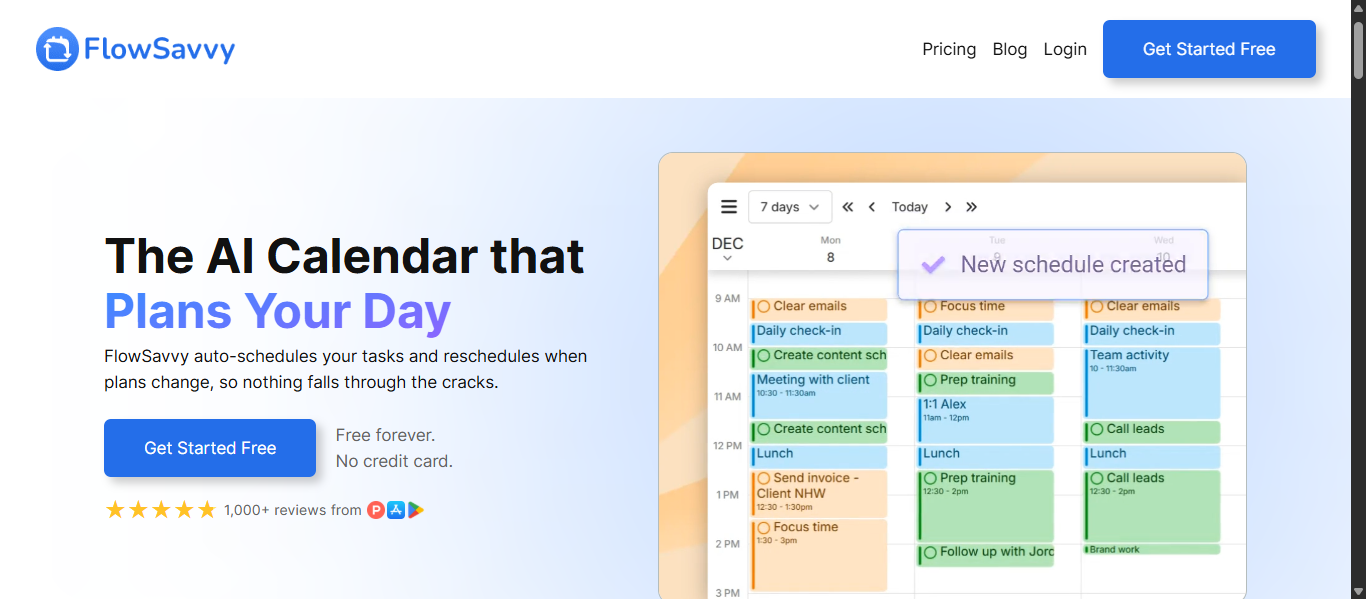
FlowSavvy AI is an AI-powered scheduling and time-blocking app that automatically organizes your tasks into your calendar based on deadlines, priorities, and availability. It helps users manage workloads without manually planning every hour, making it one of the most user-friendly AI To Do Lists tools for personal productivity and daily planning.
Key Features of FlowSavvy AI
- AI auto-scheduling
- Smart calendar time blocking
- Automatic task rescheduling
- Recurring task management
- Priority-based scheduling
- Google Calendar and Outlook sync
- Visual calendar planning
- Drag-and-drop scheduling
- Productivity tracking
- Cross-platform support
- Color-coded task organization
Pros and Cons of FlowSavvy AI
Pros
- Easy-to-use interface for beginners
- Automatically schedules tasks into free time slots
- Helps reduce planning stress and missed deadlines
- Smart rescheduling when plans change
- Affordable compared to many AI To Do Lists tools
- Good visual calendar experience
Cons
- Limited advanced project management features
- Fewer integrations compared to larger productivity platforms
- Best suited for individual users rather than large teams
- Some users may want more customization options
- Mobile performance can occasionally feel slow
Best Use Cases for FlowSavvy AI
- Individuals managing busy schedules
- Students organizing assignments and study sessions
- Freelancers planning flexible workloads
- Users who want automatic time blocking
- People looking for simple AI To Do Lists tools
- Professionals wanting visual calendar planning
How Does FlowSavvy AI Use AI?
- Uses AI to schedule tasks automatically around meetings and events
- Reschedules tasks intelligently when priorities shift
- Prioritizes tasks based on deadlines and urgency
- Optimizes daily schedules to prevent overload
- Helps users balance recurring tasks and routines
- Creates flexible time-blocked calendars automatically
Pricing
FlowSavvy AI offers a free plan with basic scheduling features. Paid plans unlock advanced AI scheduling, smarter automation, recurring task management, and additional productivity features.
8) ClickUp AI
What Is ClickUp AI?
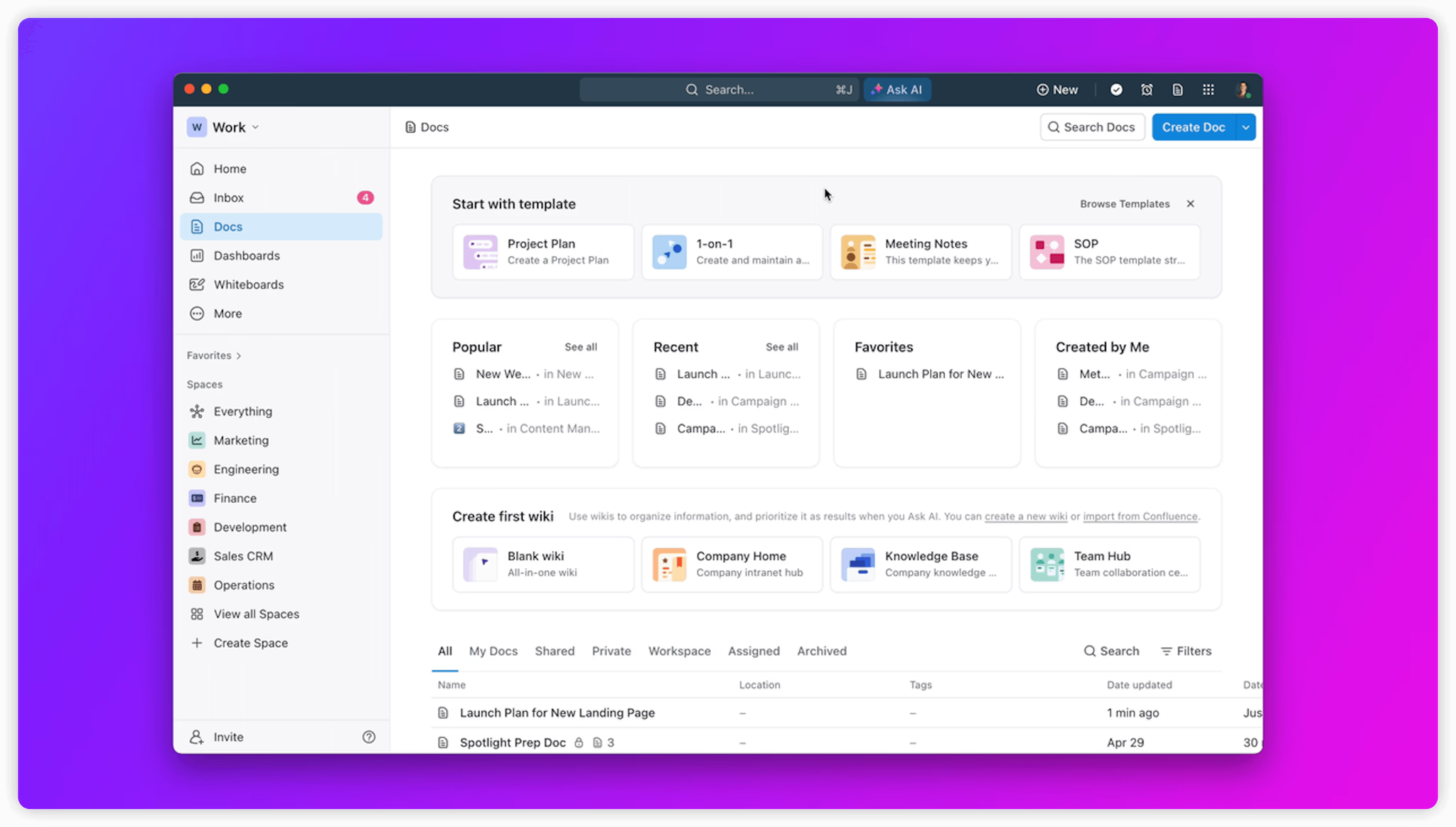
ClickUp AI is an AI-powered productivity and project management platform that combines task management, documents, goals, chat, and workflow automation in one workspace. Through ClickUp Brain, the platform uses AI to help teams manage projects faster, automate repetitive work, summarize information, and improve productivity, making it one of the most advanced AI To Do Lists tools for teams and businesses.
Key Features of ClickUp AI
- AI-powered task management
- ClickUp Brain for AI assistance
- AI task summaries and updates
- AI writing and content generation
- Project and workflow automation
- Smart task prioritization
- Team collaboration tools
- Docs, notes, and whiteboards
- Multiple project views including Kanban and Gantt charts
- Goal and time tracking
- Calendar and app integrations
- Cross-platform support
Pros and Cons of ClickUp AI
Pros
- Combines tasks, docs, chat, and AI in one platform
- Highly customizable for teams and businesses
- Strong automation and workflow management features
- AI helps summarize tasks and generate content quickly
- Supports large-scale project management
- Free plan available with many features
Cons
- Interface can feel overwhelming for new users
- Advanced AI features require paid plans
- Learning curve for customization and setup
- Mobile app is less powerful than desktop experience
- Some users may find too many features unnecessary for simple task management
Best Use Cases for ClickUp AI
- Teams managing complex projects
- Businesses needing workflow automation
- Remote collaboration and productivity tracking
- Agencies handling multiple clients and tasks
- Users wanting all-in-one AI To Do Lists tools
- Professionals managing projects, documents, and communication together
How Does ClickUp AI Use AI?
- Uses ClickUp Brain to summarize tasks, projects, and documents
- Generates task descriptions, updates, and content automatically
- Helps automate repetitive workflows and project management tasks
- Suggests priorities and next actions using AI insights
- Uses AI to improve team collaboration and productivity tracking
- Provides smart search and information retrieval across workspaces
Pricing
ClickUp AI offers a free plan with core productivity features. Paid plans unlock advanced AI tools, automation, project management features, and collaboration capabilities for teams and businesses.
9) Trevor AI
What Is Trevor AI?
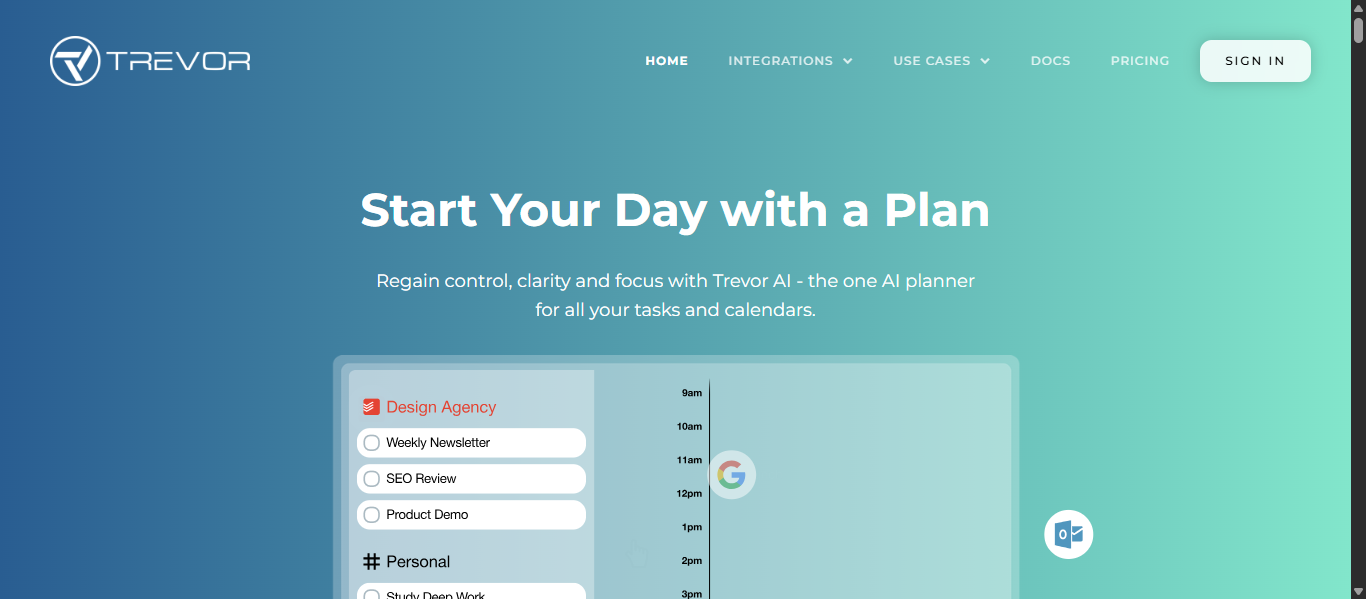
Trevor AI is an AI-powered daily planner and time-blocking tool that combines your tasks and calendar into one smart workspace. It helps users schedule tasks into realistic time slots, organize priorities, and create focused work sessions automatically, making it one of the most flexible AI To Do Lists tools for personal productivity and time management.
Key Features of Trevor AI
- AI-powered time blocking
- Smart task scheduling
- Drag-and-drop calendar planning
- AI task duration prediction
- Intelligent scheduling suggestions
- Calendar and task manager integrations
- Focus and deep work planning
- Automatic overdue task management
- Real-time sync across devices
- Daily productivity insights
- Natural workflow organization
Pros and Cons of Trevor AI
Pros
- Excellent for visual daily planning
- Simple and beginner-friendly interface
- Strong AI time-blocking capabilities
- Helps reduce procrastination and overwhelm
- Integrates with calendars and task managers smoothly
- Flexible manual and AI scheduling options
Cons
- Fewer advanced project management features than larger platforms
- Some integrations are more limited compared to competitors
- Advanced AI features require paid plans
- Better suited for individuals than large teams
- Mobile experience is less advanced than desktop
Best Use Cases for Trevor AI
- Students managing assignments and study schedules
- Freelancers organizing daily workloads
- Solopreneurs balancing multiple responsibilities
- Professionals wanting structured focus sessions
- Users who prefer visual calendar planning
- People searching for AI To Do Lists tools with smart time blocking
How Does Trevor AI Use AI?
- Uses AI to suggest the best time slots for tasks
- Predicts task duration automatically
- Prioritizes work based on deadlines and schedules
- Helps break tasks into smaller actionable steps
- Optimizes focus sessions using time-blocking methods
- Uses intelligent scheduling to reduce overload and procrastination
Pricing
Trevor AI offers a free plan with core planning and scheduling features. Paid plans unlock advanced AI scheduling, integrations, productivity insights, and enhanced time management tools.
10) Saner.ai
What Is Saner.AI?
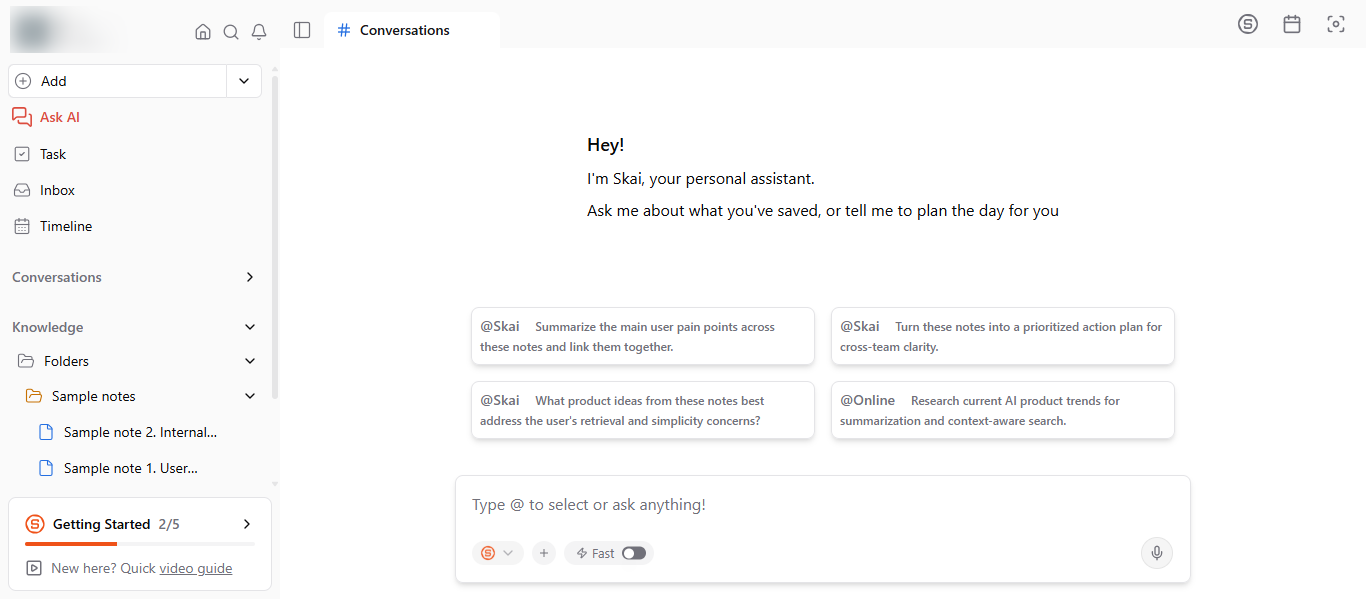
Saner.AI is an AI-powered productivity and knowledge management platform designed to combine notes, tasks, emails, calendars, and AI assistance into one workspace. Unlike traditional AI To Do Lists tools that only manage tasks, Saner.AI focuses on reducing mental overload by automatically organizing information, extracting action items, and helping users plan work intelligently. It is especially popular among entrepreneurs, knowledge workers, and ADHD users who want a distraction-free productivity system.
Key Features of Saner.AI
- AI-powered task and note management
- Smart task extraction from notes and emails
- AI assistant called Skai for planning and organization
- Natural language task creation
- Unified workspace for notes, tasks, and calendars
- Semantic AI search across documents and notes
- AI summaries and knowledge synthesis
- Calendar and inbox integration
- Smart reminders and follow-up suggestions
- Chrome extension and mobile apps
- Focus-friendly and ADHD-friendly workflow design
- AI-powered organization without manual tagging
Pros and Cons of Saner.AI
Pros
- Combines notes, tasks, and AI planning in one place
- Excellent for reducing information overload
- Strong AI organization and search capabilities
- ADHD-friendly and distraction-free interface
- Automatically extracts tasks from emails and documents
- Helpful AI assistant for brainstorming and planning
- Supports natural language interaction
- Good balance between productivity and knowledge management
Cons
- Requires internet connection for most AI features
- Learning curve for new users
- Some advanced features are still evolving
- Better suited for personal productivity than large enterprise project management
- Mobile experience is still improving according to some users
Best Use Cases for Saner.AI
- Entrepreneurs managing multiple projects and ideas
- ADHD users needing structured organization
- Knowledge workers handling large amounts of information
- Professionals wanting AI To Do Lists tools with note-taking features
- Users replacing multiple productivity apps with one system
- Researchers and writers organizing notes and action items
- Teams needing AI-assisted knowledge management
How Does Saner.AI Use AI?
- Uses AI to organize notes and tasks automatically
- Extracts actionable tasks from emails and documents
- Provides AI-powered summaries and insights
- Uses semantic search to find information quickly
- Suggests priorities and follow-up actions intelligently
- Helps users brainstorm and break tasks into smaller steps
- Uses conversational AI through the Skai assistant
- Learns workflows to improve task and knowledge organization over time
Pricing
Saner.AI offers a free plan with limited AI usage and note storage. Paid plans unlock additional AI features, storage, integrations, and advanced productivity tools for professionals and teams.
AI Agents in AI To Do Lists Tools
What Are AI To Do Lists Agents?
AI To Do Lists agents are intelligent AI systems built into productivity tools that can automatically organize tasks, prioritize work, schedule activities, and optimize workflows. Unlike traditional task managers, these AI agents can understand context, adapt to changing schedules, and help users make productivity decisions automatically.
How AI Agents Are Changing AI To Do Lists Workflows
AI agents are transforming how people manage work by reducing manual planning and automating repetitive productivity tasks. Modern AI To Do Lists tools can now build schedules, suggest priorities, reschedule tasks automatically, summarize notes, and even act like virtual assistants that help users stay focused and organized throughout the day.
Examples of AI To Do Lists Agents
- Taskade AI Agents
- ClickUp Brain AI
- Saner.AI Skai Assistant
- Motion AI Scheduler
- Reclaim AI Smart Scheduler
- Notion AI Assistant
- ChatGPT Task Assistant
- Akiflow AI Planning Assistant
Tools Offering AI Agent-Like Capabilities
- Motion AI for automatic scheduling and task optimization
- Saner.AI for AI-powered planning, notes, and task management
- Taskade AI for workflow automation and collaborative AI agents
- ClickUp AI for project automation and smart productivity assistance
- Reclaim AI for intelligent calendar scheduling and focus management
- Notion AI for AI-generated tasks, summaries, and workspace assistance
- OpenAI ChatGPT AI for conversational task planning and productivity help
- Akiflow AI for smart workflow organization and calendar management
How to Choose the Best AI To Do Lists Tools
Choosing the right AI To Do Lists tools depends on how you manage tasks, schedules, and productivity workflows. Some tools focus on AI scheduling, while others specialize in collaboration, note-taking, or workflow automation.
Look for AI Automation Features
The best AI To Do Lists tools should help reduce manual work through features like:
- AI task prioritization
- Automatic scheduling
- Smart reminders
- AI-generated subtasks
- Workflow automation
- Intelligent rescheduling
Check Calendar and App Integrations
A good AI productivity tool should connect easily with the apps you already use, including:
- Google Calendar
- Outlook Calendar
- Slack
- Gmail
- Notion
- Zoom
- Project management tools
Choose Based on Your Workflow
Different AI To Do Lists tools are designed for different users:
- Motion AI and Reclaim AI for scheduling automation
- Saner.AI for notes and knowledge management
- ClickUp AI for team productivity
- Taskade AI for collaboration and AI agents
- Todoist AI for simple task management
- Akiflow AI for centralized productivity workflows
Prioritize Ease of Use
Some AI To Do Lists tools are packed with advanced features but may have a learning curve. Choose a platform that matches your technical comfort level and daily workflow needs.
Consider Pricing and Scalability
Free plans are useful for testing features, but advanced AI tools often require paid subscriptions. Compare:
- AI capabilities
- Team collaboration features
- Automation tools
- Integration limits
- Scalability for future growth
The Future of AI To Do Lists Tools
AI To Do Lists tools are moving beyond simple task management. Modern tools now use AI to understand priorities, predict schedules, automate planning, and even act like personal productivity assistants.
In the future, AI To Do Lists will become more proactive. Instead of waiting for users to organize tasks manually, these tools will automatically suggest schedules, create subtasks, summarize meetings, and adjust plans based on workload and deadlines.
Many platforms are also adding AI agents that can manage workflows, handle recurring tasks, and coordinate across calendars, emails, and collaboration tools. This will make AI To Do Lists more intelligent, personalized, and context-aware.
As AI continues to improve, the focus will shift from managing tasks to helping people reduce mental overload, stay focused, and make better decisions faster.
Conclusion
The best AI To Do Lists tools can help you organize tasks, manage time, reduce mental overload, and stay productive more efficiently. Whether you need smart scheduling, AI task planning, collaboration features, or AI agents, choosing the right tool depends on how you work and what fits naturally into your daily workflow.
FAQs
Which AI To Do Lists tools are best for automatic scheduling?
Tools like Motion AI, Reclaim AI, and FlowSavvy AI automatically schedule tasks based on deadlines, calendar availability, workload, and changing priorities to improve daily productivity.
Can AI To Do Lists tools improve team collaboration?
Yes, many AI To Do Lists tools include shared workspaces, task assignments, real time updates, AI summaries, and collaboration features that help teams manage projects more efficiently.
Are AI To Do Lists tools suitable for freelancers?
AI To Do Lists tools are useful for freelancers because they help manage deadlines, client tasks, schedules, and daily planning without needing complex project management software.
Do AI To Do Lists tools work with Google Calendar?
Most AI To Do Lists tools integrate with Google Calendar, Outlook, and other calendar platforms to sync meetings, tasks, reminders, and scheduling automatically.
What features should I look for in AI To Do Lists tools?
Look for features like AI scheduling, natural language task input, calendar integration, smart prioritization, reminders, collaboration tools, and AI agents for workflow automation.