
The best AI Diagram Generator Tools help users turn ideas, workflows, and complex processes into clear visuals in minutes. If you need faster flowcharts, mind maps, wireframes, or technical diagrams, the right AI Diagram Generator can save time, improve accuracy, and simplify collaboration. This guide covers the top tools worth using for better diagram creation.
List of Best AI Diagram Generator Tools
- Eraser AI
- Miro AI
- Lucidchart AI
- Whimsical AI
- Creately AI
- Relume AI
- Visily AI
- EdrawMind AI
- FigJam AI
- Mapify AI
Comparison Table of Best AI Diagram Generator Tools
| Tool | Best For | AI Features | Free Plan | Key Strength | Pricing |
|---|---|---|---|---|---|
| Eraser AI | Developers | Prompt to architecture diagrams | Yes | Technical system diagrams | Free and Paid Plans |
| Miro AI | Teams | AI flowcharts, mind maps, board assistants | Yes | Team collaboration workspace | Free and Paid Plans |
| Lucidchart AI | Business teams | AI diagrams, automation, templates | Yes | Professional workflows | Free and Paid Plans |
| Whimsical AI | Fast planning | AI flowcharts, mind maps, boards | Yes | Clean and simple interface | Free and Paid Plans |
| Creately AI | Process mapping | AI templates, visual planning | Yes | Business diagrams and workflows | Free and Paid Plans |
| Relume AI | UX teams | AI sitemap and wireframes | Yes | Website planning | Free and Paid Plans |
| Visily AI | Product design | AI wireframes and mockups | Yes | UI and app prototyping | Free and Paid Plans |
| EdrawMind AI | Brainstorming | AI mind maps, summaries | Yes | Idea organization | Free and Paid Plans |
| FigJam AI | Creative teams | AI boards, diagrams, sticky note tools | Yes | Workshops and collaboration | Free and Paid Plans |
| Mapify AI | Students and researchers | AI summaries, mind maps | Yes | Learning and research planning | Free and Paid Plans |
1) Eraser AI
What is Eraser AI?
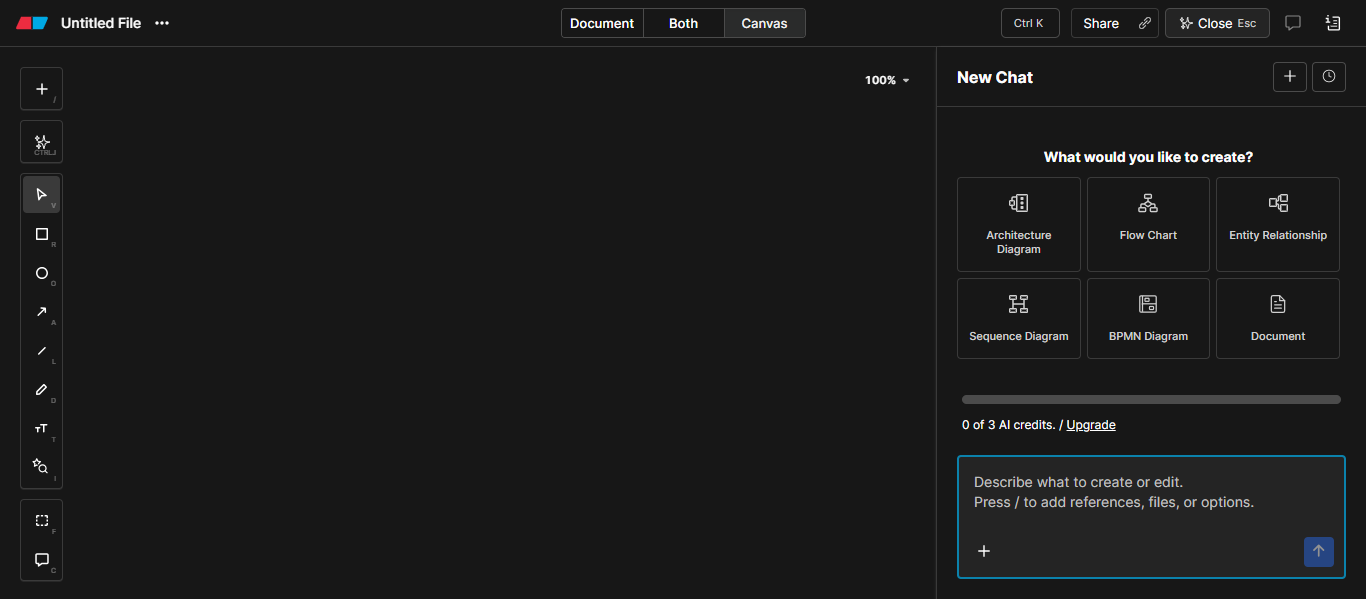
Eraser AI is an AI Diagram Generator designed for developers, engineers, and technical teams that need to create architecture diagrams, flowcharts, data models, and technical documentation faster. It combines prompt based diagram creation with collaborative editing, making it useful for modern software workflows.
Key Features
- AI prompt to diagram generation
- Architecture and system design diagrams
- Flowcharts and technical visuals
- Markdown style documentation support
- Real time collaboration for teams
- Version history and sharing tools
- Code friendly workflow for engineering teams
- Clean canvas with drag and drop editing
How It Helps with Diagram Creation
Eraser AI helps users turn written ideas into structured diagrams in minutes. Instead of building every element manually, users can describe a system, workflow, or architecture, and the tool generates a visual layout automatically. This saves time for software planning, technical presentations, and documentation.
Best For
- Software developers
- Engineering teams
- Startups building system architecture
- Technical documentation teams
- Product teams planning workflows
Pros & Cons
Pros
- Strong AI support for technical diagrams
- Fast architecture diagram creation
- Good collaboration features
- Useful for developer workflows
- Clean and modern interface
Cons
- Better for technical users than casual users
- Fewer creative templates than design tools
- Advanced use cases may need learning time
Pricing
Eraser AI offers a free plan for individuals, along with paid plans for professionals, teams, and businesses that need advanced collaboration and workflow features.
Limitations
Eraser AI is strongest for technical and system diagrams, but it may not be the best choice for users who need presentation graphics, marketing visuals, or highly creative design layouts. Non technical beginners may also need time to understand advanced features.
Try Eraser AI
2) Miro AI
What is Miro AI?
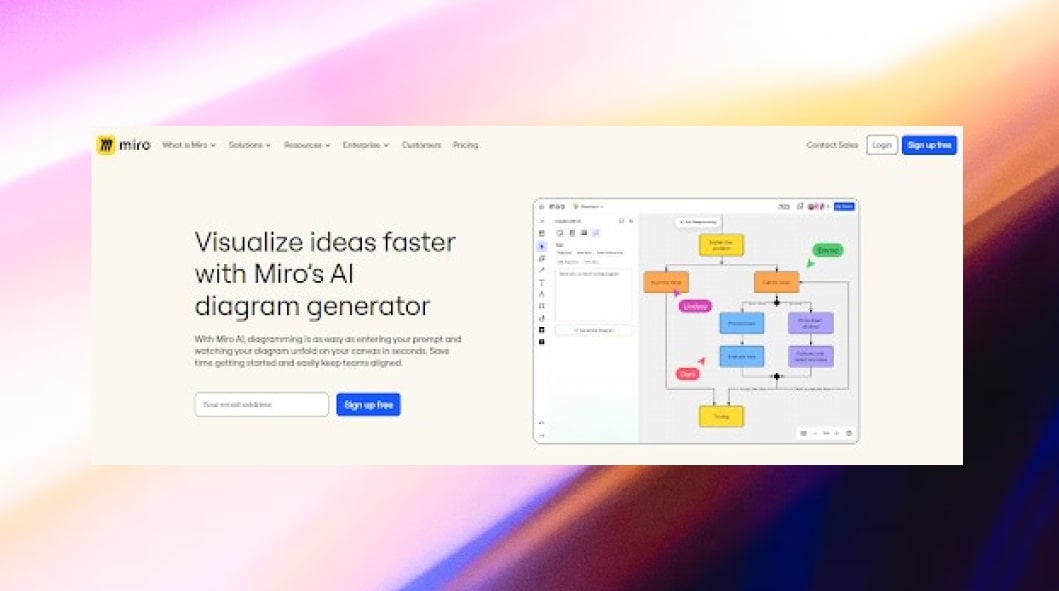
Miro AI is an AI Diagram Generator built for teams that need to brainstorm, plan projects, and create diagrams in one shared workspace. It combines whiteboarding, collaboration, and AI powered automation to help users build flowcharts, mind maps, and process diagrams faster.
Key Features
- AI diagram and flowchart generation
- Mind maps and brainstorming boards
- Smart templates for teams
- Real time collaboration and comments
- Sticky notes and whiteboard tools
- Meeting planning and workshop boards
- Integrations with popular business apps
- Shared workspace for remote teams
How It Helps with Diagram Creation
Miro AI helps users turn ideas, notes, and prompts into clear diagrams quickly. Teams can generate workflows, organize thoughts, and edit diagrams together in real time. This improves speed, communication, and project planning without starting from a blank canvas.
Best For
- Remote teams
- Project managers
- Product teams
- Business planning
- Brainstorming sessions
- Workshop facilitation
Pros & Cons
Pros
- Excellent collaboration features
- Easy to use interface
- Strong whiteboard experience
- Helpful AI automation tools
- Good for team planning
Cons
- Large boards can feel crowded
- Advanced features may need paid plans
- Less focused on deep technical diagrams
Pricing
Miro AI offers a free plan with core features, while paid plans unlock advanced collaboration, security, integrations, and expanded AI capabilities for teams.
Limitations
Miro AI is ideal for teamwork and visual planning, but it may not be the best choice for users who need advanced engineering diagrams, highly technical architecture visuals, or offline focused workflows.
3) Lucidchart AI
What is Lucidchart AI?
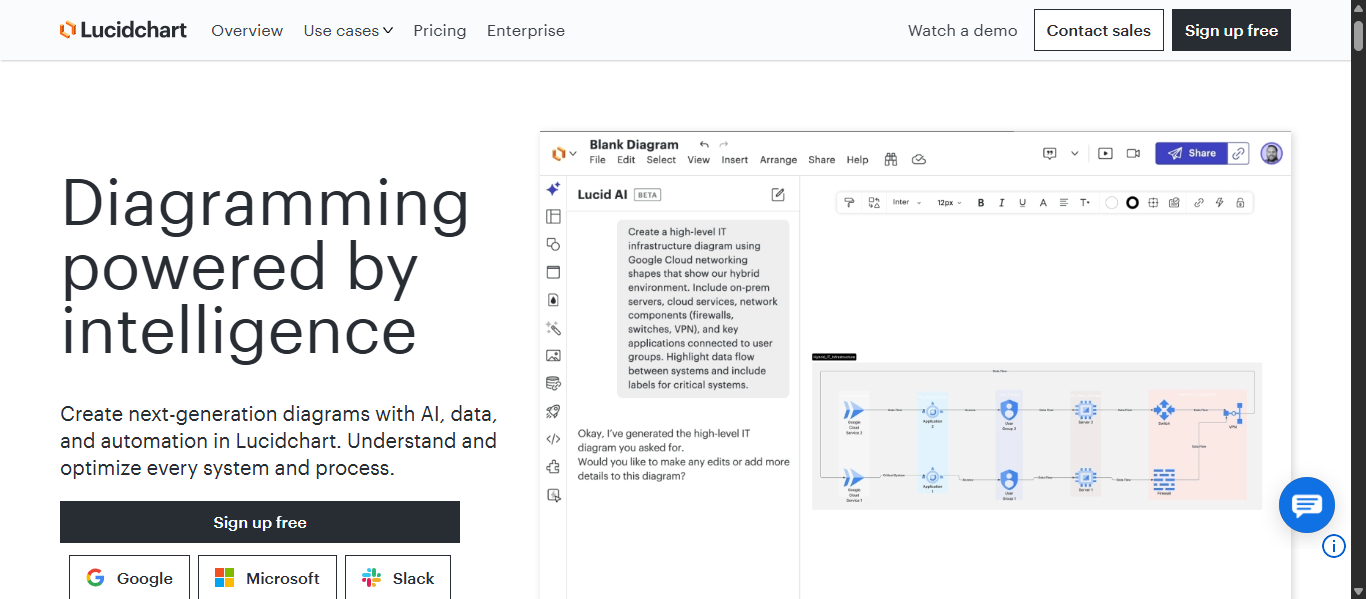
Lucidchart AI is an AI Diagram Generator built for teams that need professional diagrams, process maps, org charts, and technical visuals. It combines intelligent automation, templates, and real time collaboration to help users create diagrams faster with better clarity.
Key Features
- AI prompt to diagram generation
- Flowcharts, org charts, ERD, UML, and network diagrams
- Real time team collaboration
- Smart templates and shape libraries
- Data linking and automation tools
- Diagram summaries with AI
- Integrations with business apps
- Cloud based workspace
How It Helps with Diagram Creation
Lucidchart AI helps users turn text prompts, ideas, and data into polished diagrams quickly. Teams can map workflows, build technical visuals, and edit diagrams together in one workspace. It reduces manual work and improves communication across projects.
Best For
- Business teams
- Project managers
- Operations teams
- IT and engineering teams
- Remote collaboration
- Process documentation
Pros & Cons
Pros
- Professional diagramming platform
- Strong collaboration features
- Wide range of diagram types
- Helpful AI automation tools
- Strong integrations for teams
Cons
- Advanced plans may cost more
- Large files can take time to manage
- Some features may need learning time
Pricing
Lucidchart AI offers a free plan with limited features, along with paid plans for individuals, teams, and enterprises that need advanced collaboration and AI tools.
Limitations
Lucidchart AI is excellent for business and team workflows, but users looking for simple sketch style whiteboards or highly creative design focused visuals may prefer other specialized tools.
4) Whimsical AI

What is Whimsical AI?
Whimsical AI is an AI Diagram Generator designed for fast brainstorming, flowcharts, mind maps, wireframes, and team collaboration. It combines an easy visual workspace with AI powered creation tools that help users turn prompts into editable diagrams in seconds.
Key Features
- AI flowchart generation
- AI mind map creation
- AI sequence diagrams
- Wireframes and whiteboards
- Infinite canvas workspace
- Real time multiplayer collaboration
- Templates for quick setup
- Comments and version history
- Desktop app support
How It Helps with Diagram Creation
Whimsical AI helps users create diagrams from text prompts instead of starting from scratch. Teams can quickly build workflows, user flows, mind maps, and planning boards, then edit them together in real time. This speeds up brainstorming, planning, and product design.
Best For
- Product teams
- Startups
- UX and UI designers
- Remote teams
- Brainstorming sessions
- Fast visual planning
Pros & Cons
Pros
- Very easy to use
- Fast AI diagram generation
- Clean and modern interface
- Strong collaboration tools
- Great for flowcharts and mind maps
Cons
- Less advanced for deep technical engineering diagrams
- Some premium features require paid plans
- Large complex boards may need organization
Pricing
Whimsical AI offers a free plan for individuals and small projects, with paid plans for advanced collaboration, more AI actions, admin controls, and business features.
Limitations
Whimsical AI is excellent for planning and team visuals, but users needing highly technical architecture diagrams, enterprise modeling standards, or advanced engineering documentation may prefer specialized tools.
5) Creately AI
What is Creately AI?
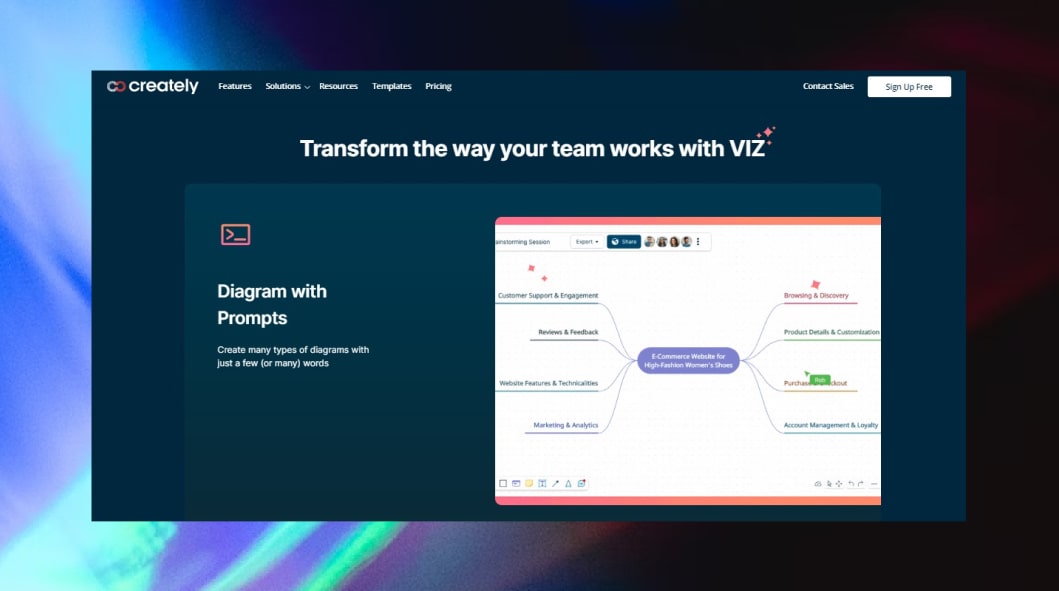
Creately AI is an AI Diagram Generator built for teams that need flowcharts, process maps, org charts, mind maps, and visual planning tools in one workspace. It combines smart automation, templates, and collaboration features to help users create diagrams faster and manage projects more clearly.
Key Features
- AI diagram generation from prompts
- Flowcharts, org charts, mind maps, and process maps
- Infinite visual workspace
- Real time team collaboration
- Smart templates and shape libraries
- Data linked visual databases
- Task and project planning tools
- Integrations with business platforms
How It Helps with Diagram Creation
Creately AI helps users turn ideas, workflows, and structured data into clear diagrams quickly. Teams can build visuals, edit together in real time, and keep diagrams connected with project data. This improves planning, communication, and workflow management.
Best For
- Business teams
- HR teams
- Project managers
- Operations planning
- Remote collaboration
- Process documentation
Pros & Cons
Pros
- Wide range of diagram types
- Strong collaboration tools
- Helpful templates for business use
- Combines diagrams with project planning
- Easy to learn interface
Cons
- Some advanced features need paid plans
- Large workspaces may feel crowded
- Technical users may prefer niche tools
Pricing
Creately AI offers a free plan with core features, while paid plans provide advanced collaboration, premium templates, admin controls, and expanded workspace capabilities.
Limitations
Creately AI is strong for business workflows and team planning, but users needing highly advanced engineering diagrams or code focused architecture visuals may prefer specialized platforms.
6) Relume AI
What is Relume AI?
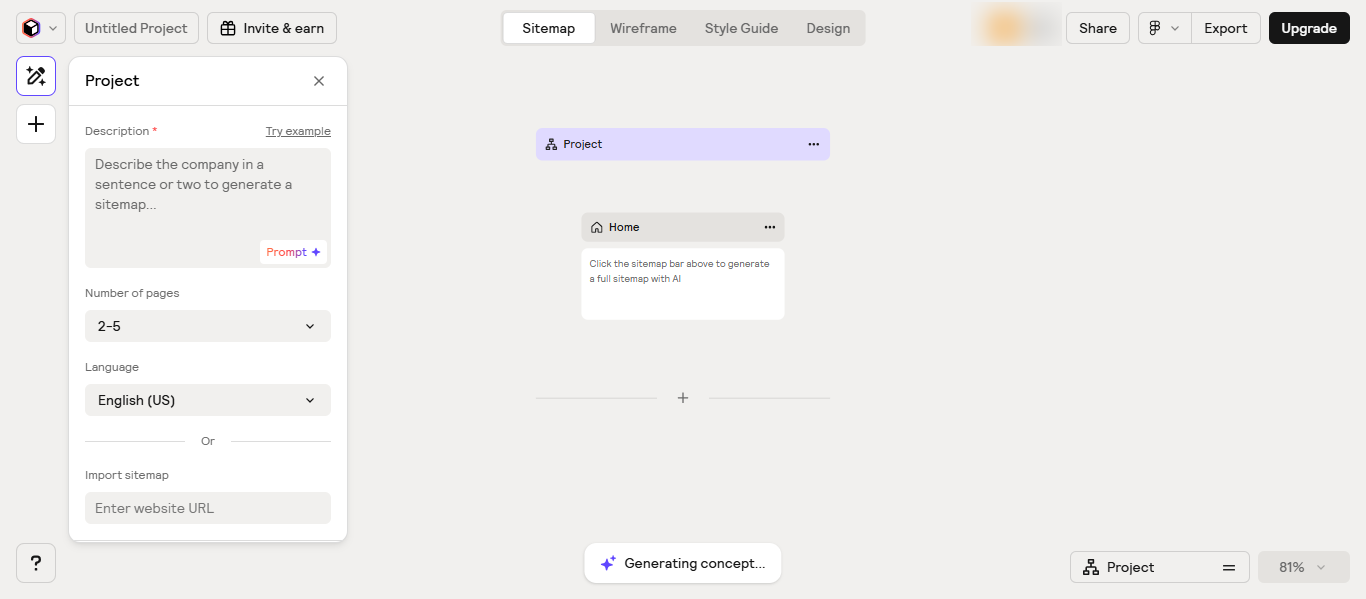
Relume AI is an AI Diagram Generator focused on website planning, sitemaps, wireframes, and page structure creation. It helps designers, agencies, and product teams turn prompts into organized website diagrams and editable wireframes faster.
Key Features
- AI sitemap generation
- AI wireframe creation
- Website page structure planning
- Ready made UI components
- Export to design and development tools
- Real time collaboration
- AI copy assistance for sections
- Style guide support
How It Helps with Diagram Creation
Relume AI helps users create website diagrams such as sitemaps, page flows, and wireframes without starting manually. Users can describe a business or website idea, and the tool builds a clear structure with connected pages and layouts. This saves time during planning and design.
Best For
- Web designers
- UX teams
- Agencies
- Freelancers
- Startups building websites
- Product planning teams
Pros & Cons
Pros
- Excellent for website sitemap creation
- Fast wireframe generation
- Helpful for client projects
- Clean modern interface
- Good export workflow
Cons
- More focused on websites than general diagrams
- Less suitable for technical engineering charts
- Advanced plans may be needed for teams
Pricing
Relume AI offers a free plan with limited usage, while paid plans include more projects, advanced exports, team collaboration, and expanded AI features.
Limitations
Relume AI is best for website structure and wireframes, but it may not be the ideal choice for users who need general business diagrams, network charts, UML diagrams, or advanced technical visuals.
7) Visily AI
What is Visily AI?
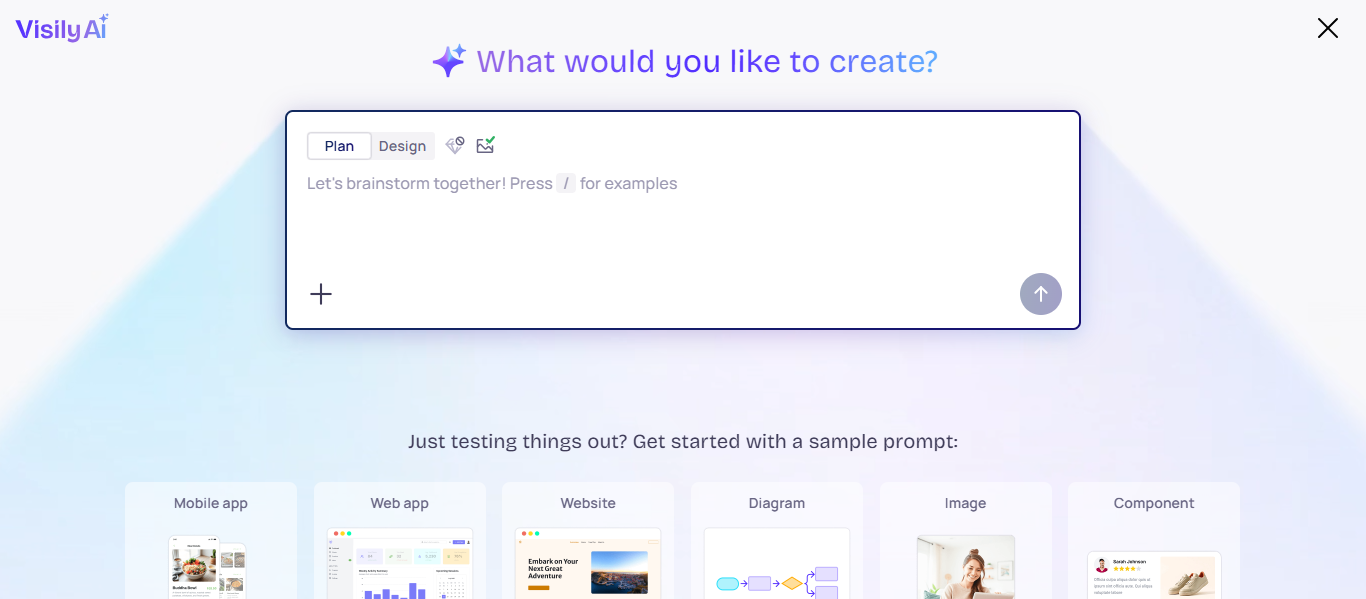
Visily AI is an AI Diagram Generator designed for UI wireframes, app mockups, product flows, and interface planning. It helps teams turn ideas, screenshots, and text prompts into editable designs and structured visuals quickly.
Key Features
- AI wireframe generation
- Screenshot to editable design
- Text prompt to UI layouts
- App and website mockup creation
- Drag and drop editor
- Team collaboration tools
- Ready made templates and components
- Export options for design workflows
How It Helps with Diagram Creation
Visily AI helps users create interface diagrams, user flows, and product wireframes without advanced design skills. Users can describe an idea or upload a reference, and the tool builds editable layouts that speed up planning and prototyping.
Best For
- Product teams
- UX and UI designers
- Startups
- App creators
- Web teams
- Non designers building prototypes
Pros & Cons
Pros
- Easy for beginners
- Fast wireframe creation
- Helpful AI design tools
- Good collaboration features
- Saves prototyping time
Cons
- More focused on UI than general diagrams
- Less suitable for technical architecture charts
- Advanced workflows may need paid plans
Pricing
Visily AI offers a free plan with core features, while paid plans include more projects, premium templates, collaboration tools, and advanced AI capabilities.
Limitations
Visily AI is excellent for UI planning and mockups, but it may not be the best choice for users who need business process diagrams, engineering visuals, ER diagrams, or deep technical system charts.
8) EdrawMind AI

What is EdrawMind AI?
EdrawMind AI is an AI Diagram Generator focused on mind maps, brainstorming, planning, and idea organization. It helps users turn text prompts, documents, and concepts into structured visual maps quickly while also supporting presentations and team collaboration.
Key Features
- AI mind map generation from prompts
- Brainstorming and idea expansion tools
- Outline mode for structured planning
- Mind map to presentation conversion
- Multiple layouts, themes, and templates
- Real time collaboration features
- Export to common file formats
- Cross platform support for desktop, web, and mobile
How It Helps with Diagram Creation
EdrawMind AI helps users create mind maps without starting from scratch. Users can enter a topic, and the tool builds connected branches, subtopics, and organized structures automatically. This saves time for planning projects, studying topics, writing content, and team brainstorming.
Best For
- Students
- Content creators
- Project managers
- Business planning
- Brainstorming teams
- Personal productivity users
Pros & Cons
Pros
- Strong AI mind mapping features
- Easy to organize complex ideas
- Helpful presentation tools
- Good template variety
- Available on multiple devices
Cons
- More focused on mind maps than general diagrams
- Some advanced features need paid plans
- Technical chart users may prefer other tools
Pricing
EdrawMind AI offers a free plan with limited features, while paid plans unlock premium templates, advanced AI tools, cloud collaboration, and expanded export options.
Limitations
EdrawMind AI is excellent for brainstorming and structured thinking, but it may not be the best choice for users who need advanced engineering diagrams, network charts, UML models, or complex technical system visuals.
9) FigJam AI

What is FigJam AI?
FigJam AI is an AI Diagram Generator designed for brainstorming, team collaboration, planning, and visual workshops. It helps users create flowcharts, mind maps, timelines, org charts, and meeting boards faster using AI powered prompts and automation tools.
Key Features
- AI flowchart and diagram generation
- AI mind maps and timelines
- AI org chart creation
- Smart meeting board templates
- Sticky note sorting and summarization
- Real time team collaboration
- Whiteboard workspace with templates
- Comments and multiplayer editing
- AI text rewriting and content tools
How It Helps with Diagram Creation
FigJam AI helps users turn prompts and ideas into editable diagrams without starting from a blank board. Teams can quickly generate workflows, planning boards, and visual structures, then refine them together in real time. This improves brainstorming speed, alignment, and project planning.
Best For
- Product teams
- Designers
- Remote teams
- Workshops and meetings
- Brainstorming sessions
- Startup collaboration
Pros & Cons
Pros
- Strong collaboration experience
- Easy to use interface
- Helpful AI brainstorming tools
- Great for workshops and planning
- Fast diagram generation
Cons
- Less focused on advanced technical diagrams
- Some premium features require paid plans
- Large boards may need better organization
Pricing
FigJam AI offers a free plan with core collaboration features, while paid plans include advanced admin controls, expanded AI usage, and team level workspace features.
Limitations
FigJam AI is excellent for team collaboration and planning visuals, but it may not be the best choice for users who need advanced engineering diagrams, complex system architecture charts, or deep technical documentation.
10) Mapify AI
What is Mapify AI?
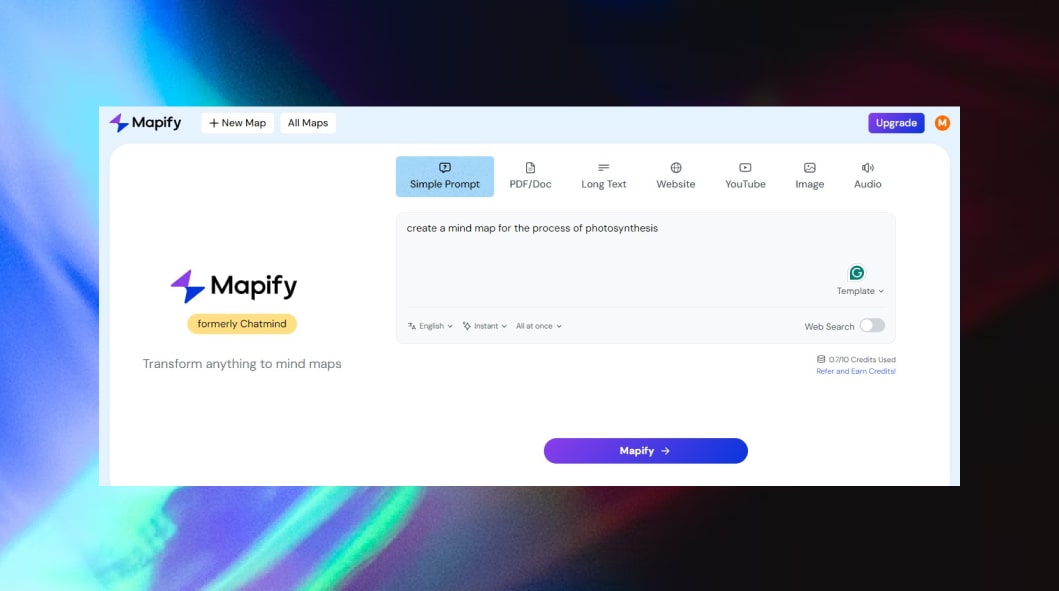
Mapify AI is an AI Diagram Generator focused on mind maps, summaries, research organization, and idea planning. It helps users convert documents, videos, webpages, audio, and text prompts into structured visual mind maps quickly.
Key Features
- AI mind map generation from prompts
- PDF and document to mind map
- YouTube and webpage summarization
- Audio to mind map conversion
- AI chat with uploaded files
- Multi language support
- Export to image, PDF, and Markdown
- Cross platform access on web and apps
How It Helps with Diagram Creation
Mapify AI helps users turn complex information into clean visual maps instead of manually organizing notes. Users can upload content or enter a topic, and the tool creates connected branches with key ideas, summaries, and structure. This saves time for study, research, planning, and brainstorming.
Best For
- Students
- Researchers
- Content creators
- Project planners
- Business users
- Knowledge workers
Pros & Cons
Pros
- Supports many input formats
- Fast AI summarization into mind maps
- Helpful for learning and research
- Easy sharing and export options
- Works across devices
Cons
- More focused on mind maps than general diagrams
- Advanced usage may require credits or paid plans
- Less suitable for technical engineering charts
Pricing
Mapify AI offers a free plan or trial with limited credits, while paid plans add more AI usage, premium features, and expanded workspace access.
Limitations
Mapify AI is excellent for summarization and mind mapping, but it may not be the best choice for users who need UML diagrams, network charts, advanced business process diagrams, or detailed technical architecture visuals.
How to Choose the Right AI Diagram Generator
Choosing the right AI Diagram Generator depends on your goals, workflow, and the type of diagrams you need most. The best tool should save time, improve accuracy, and make diagram creation easier. Follow these key steps before choosing one.
1. Identify the Type of Diagrams You Need
Start with your main use case. Different tools are built for different visuals.
- Flowcharts for processes and workflows
- Mind maps for brainstorming and planning
- Wireframes for websites and apps
- Technical diagrams for systems and architecture
- Whiteboards for collaboration and workshops
Choose a tool that matches your primary diagram type.
2. Check the AI Features
A quality AI Diagram Generator should offer more than basic editing. Look for features such as:
- Prompt to diagram generation
- Auto layout and formatting
- Smart suggestions
- AI summaries
- Template recommendations
These features help reduce manual work and speed up creation.
3. Consider Team Collaboration
If you work with others, collaboration tools are important. Look for:
- Real time editing
- Comments and feedback
- Shared workspaces
- Version history
- Permission controls
This is especially useful for remote teams and project planning.
4. Review Ease of Use
A clean and simple interface helps you work faster. Beginners should choose tools with drag and drop editors, templates, and easy navigation.
5. Compare Pricing and Free Plans
Many tools offer free plans, but paid versions may include:
- More AI usage
- Larger projects
- Premium templates
- Export options
- Team admin controls
Try the free version first before upgrading.
6. Check Integrations
Choose a tool that works with the apps you already use, such as:
- Google Workspace
- Slack
- Jira
- Notion
- Figma
- Microsoft Teams
7. Choose Based on Your Use Case
Quick recommendations:
- Best for teams: Miro AI
- Best for developers: Eraser AI
- Best for business workflows: Lucidchart AI
- Best for UI design: Visily AI
- Best for brainstorming: EdrawMind AI
Future of AI Diagram Generator Tools
- AI Agents for Diagram Creation: Future tools will use AI agents that can understand goals, plan diagrams automatically, and refine layouts without constant user input.
- Text to Advanced Diagrams: Users will create complex flowcharts, system maps, and business visuals using simple natural language prompts.
- Real Time Team Collaboration: AI will help teams brainstorm, edit, summarize feedback, and update diagrams together instantly.
- Auto Updating Diagrams: Diagrams will automatically refresh when connected data, workflows, or project details change.
- Smarter Design Suggestions: AI will recommend better layouts, colors, shapes, and structures for clearer communication.
- Voice to Diagram Generation: Users will speak ideas aloud, and AI will convert voice instructions into editable diagrams.
- Deeper App Integrations: AI Diagram Generator tools will connect more deeply with Slack, Jira, Notion, Figma, and productivity platforms.
- Personalized Workspaces: AI will learn user preferences and generate diagrams based on past projects and working style.
- Higher Accuracy for Technical Diagrams: Engineering, architecture, and process diagrams will become more accurate with industry specific AI models.
- Interactive Smart Diagrams: Future diagrams may become dynamic, clickable, and able to answer questions using built in AI.
- Faster Content to Visual Conversion: Documents, spreadsheets, videos, and notes will turn into diagrams instantly with better context understanding.
- Better Accessibility: AI tools will make diagram creation easier for beginners with guided workflows and simpler interfaces.
Conclusion
The best AI Diagram Generator Tools make it easier to turn ideas, workflows, and complex information into clear visuals faster. Whether you need diagrams for teamwork, planning, design, or technical projects, choosing the right tool depends on your goals, features, and workflow needs. Start with a tool that matches your use case and scale as your needs grow.
FAQs
Can an AI Diagram Generator create diagrams from text prompts?
Yes, most AI Diagram Generator tools can turn simple text prompts into flowcharts, mind maps, wireframes, or process diagrams within seconds.
Are AI Diagram Generator Tools useful for small businesses?
Yes, small businesses use them for planning workflows, presentations, org charts, and team collaboration without needing complex design skills.
Do AI Diagram Generator Tools support exports?
Most tools support exports in formats like PNG, PDF, SVG, or shareable links for presentations, documents, and team use.
Can beginners use an AI Diagram Generator easily?
Yes, many tools are beginner friendly with drag and drop editors, templates, and AI assistance for faster diagram creation.
Are AI Diagram Generator Tools better than manual diagram software?
They are often faster because AI automates layouts, suggestions, and structure, while manual tools usually require more time and effort.