
Free AI Grammar Checker Generator, Real World Grammar Examples
Fix grammar, spelling, and punctuation instantly with our Free AI Grammar Checker.
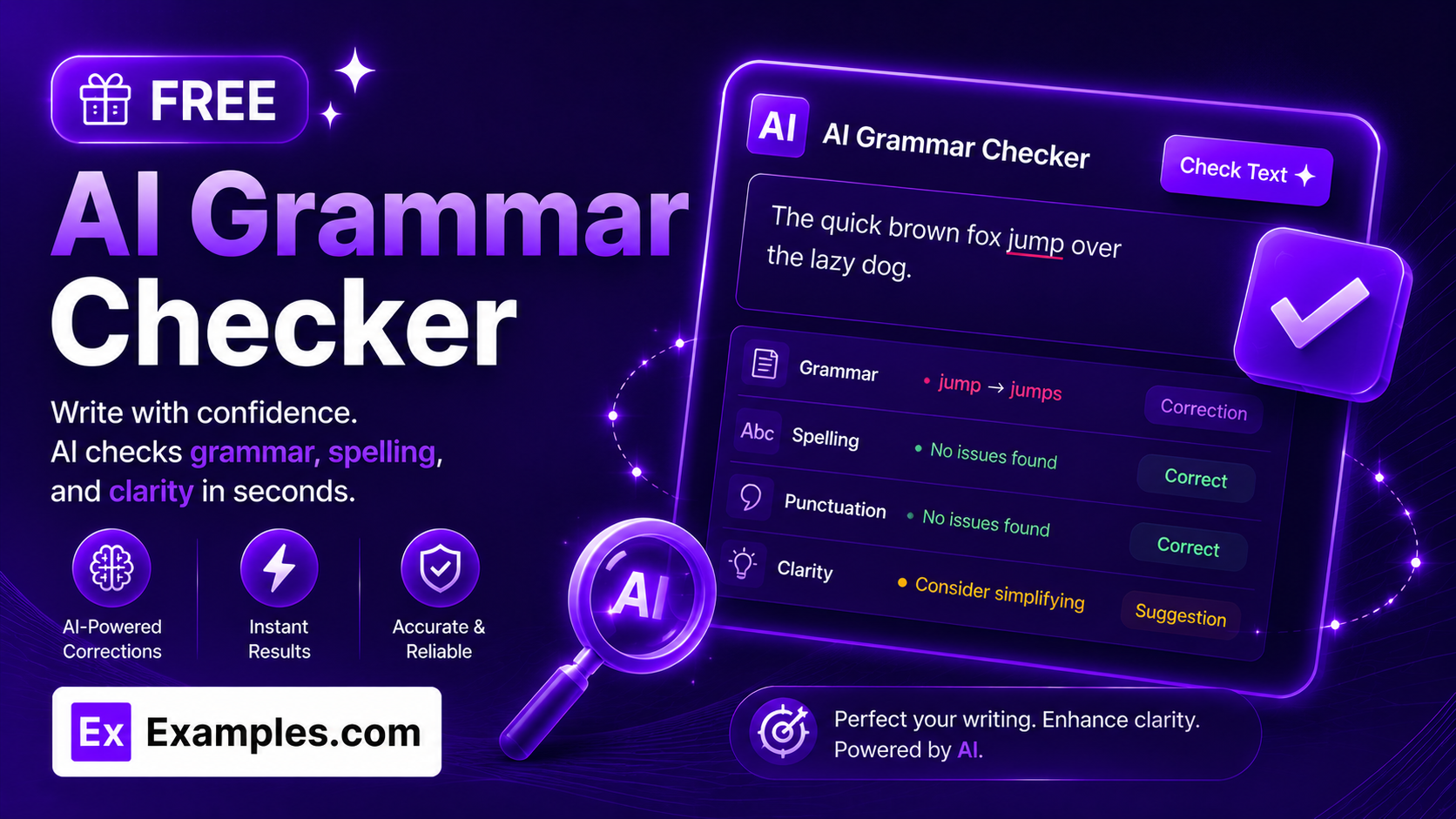
How to Use the AI Grammar Checker
The AI Grammar Checker helps you identify and correct grammar mistakes, spelling errors, punctuation issues, and writing style problems in just a few clicks. Follow the steps below to improve your writing quickly and accurately.
Step 1: Paste, Type, or Upload Your Text
- Text: Enter the content you want to review. You can check essays, emails, reports, blog posts, website copy, resumes, cover letters, assignments, articles, product descriptions, social media captions, or any other text.
- Upload a File (Optional): Instead of typing, upload a document and the tool automatically extracts the text for you. Supported formats include PDF, DOC, DOCX, ODT, TXT, MD, and HTML files, up to 2MB in size. A short loading indicator shows the extraction progress, and you can remove an uploaded file at any time with a single click to start over.
Step 2: Select Your Writing Style
- Writing Style: Choose the writing style that best matches your content, such as General, Professional, Academic, Business, Technical, Creative, Casual, or Formal. The AI adjusts its suggestions based on your selected style.
Step 3: Choose Your English Variant
- English Variant: Select American English, British English, Canadian English, Australian English, or International English to receive region-specific spelling and grammar corrections.
Step 4: Select the Correction Mode
- Correction Mode: Choose whether you want Grammar Only, Grammar & Spelling, Grammar + Style, Fluency Enhancement, or Complete Writing Improvement.
Step 5: Choose the Writing Tone
- Tone: Select the tone you want your writing to reflect, including Professional, Friendly, Formal, Academic, Confident, Polite, Conversational, or Neutral.
Step 6: Review AI Suggestions
- Review Changes: The AI highlights grammar mistakes, spelling corrections, punctuation improvements, sentence rewrites, vocabulary suggestions, and readability enhancements for easy review.
Step 7: Copy the Corrected Text
- Copy Corrected Text: Once you’re satisfied with the improvements, copy the corrected version instantly and use it in emails, documents, presentations, websites, or anywhere else.
Features of the AI Grammar Checker
The AI Grammar Checker is more than a basic proofreading tool. It combines grammar correction, spelling checks, punctuation fixes, readability analysis, and writing enhancement into one intelligent writing assistant. Whether you’re a student, professional, marketer, blogger, or business owner, it helps you create polished, error-free content with confidence.
AI-Powered Grammar Correction
Automatically detect and correct grammar mistakes, including subject-verb agreement, verb tense errors, sentence fragments, misplaced modifiers, pronoun agreement, article usage, and other common writing mistakes.
Advanced Spelling Checker
Identify spelling mistakes instantly with support for multiple English variants. The AI recognizes contextual spelling errors and suggests the most appropriate replacement.
Punctuation Correction
Correct misplaced commas, missing periods, quotation marks, apostrophes, semicolons, colons, question marks, and other punctuation issues that affect readability.
Sentence Structure Improvement
Rewrite awkward or overly complex sentences into clear, natural, and easy-to-read text while preserving your original meaning.
Writing Style Enhancement
Improve clarity, sentence flow, vocabulary, and overall writing quality. The AI suggests stronger word choices and smoother sentence transitions to create professional-quality content.
Readability Analysis
Analyze sentence length, word complexity, and reading flow to make your content easier to understand for your target audience.
Tone Detection and Improvement
Ensure your writing matches your intended tone. Whether you’re writing professionally, academically, casually, or persuasively, the AI recommends adjustments for consistency.
File Upload Support
Skip the copy-paste step entirely by uploading a document instead. The AI Grammar Checker accepts PDF, DOC, DOCX, ODT, TXT, MD, and HTML files up to 2MB and automatically extracts the text into the checker, with a live progress indicator while it works. Picked the wrong file? Remove it instantly with one click and upload another.
Supports Multiple Content Types
Use the AI Grammar Checker for emails, essays, assignments, resumes, cover letters, reports, blog articles, website content, research papers, product descriptions, marketing copy, social media posts, newsletters, and business documents.
Fast AI Processing
Receive grammar corrections and writing suggestions within seconds, allowing you to edit long documents quickly without compromising accuracy.
Suitable for Every Writer
Whether you’re a student submitting assignments, a professional writing business emails, a blogger creating articles, or a marketer developing campaigns, the AI Grammar Checker helps improve every type of written communication.
Copy and Detail View Features
The AI Grammar Checker provides more than simple corrections. Every result includes detailed explanations, readability insights, and writing suggestions to help you understand each improvement and become a better writer.
Copy Corrected Text
- Copy Result: Copy the corrected version of your text with a single click and use it immediately in emails, documents, reports, assignments, blog posts, presentations, or social media content.
Copy All Results
- Copy All: If multiple correction variations are available, copy every version instantly for comparison or collaboration.
Detailed Grammar Analysis
- Detail View: Review every correction with detailed explanations covering grammar rules, punctuation fixes, spelling improvements, sentence structure, readability, and writing style.
Grammar Rule Explanations
- Grammar Explanation: Understand why each correction was made so you can avoid making similar mistakes in future writing.
Writing Quality Assessment
- Writing Score: Evaluate grammar accuracy, spelling, punctuation, readability, vocabulary, sentence flow, and overall writing quality.
Suggestions for Better Writing
- Writing Suggestions: Receive recommendations to improve clarity, conciseness, tone, vocabulary, and overall readability without changing your intended message.
Benefits of Using the AI Grammar Checker
Using an AI Grammar Checker saves time while significantly improving the quality of your writing. Instead of manually proofreading every sentence, artificial intelligence quickly identifies mistakes and recommends accurate corrections.
- Improve grammar accuracy automatically.
- Correct spelling mistakes instantly.
- Fix punctuation errors with confidence.
- Write more clearly and professionally.
- Increase readability for every audience.
- Enhance sentence structure and flow.
- Save editing and proofreading time.
- Upload a document instead of copy-pasting, with automatic text extraction.
- Create polished content for work, school, or personal projects.
- Build confidence in your writing skills.
- Maintain a consistent writing tone across documents.
Types of Grammar Errors the AI Grammar Checker Fixes
The AI Grammar Checker analyzes your writing for hundreds of grammar and language issues to ensure your content is accurate, professional, and easy to read.
- Subject-Verb Agreement: Ensures verbs correctly match singular or plural subjects.
- Verb Tense Errors: Maintains consistent and correct verb tenses throughout your writing.
- Sentence Fragments: Identifies incomplete sentences and suggests complete alternatives.
- Run-on Sentences: Breaks overly long sentences into clearer, well-structured statements.
- Punctuation Errors: Corrects commas, periods, quotation marks, apostrophes, semicolons, and colons.
- Capitalization Mistakes: Ensures proper capitalization of names, titles, and sentence beginnings.
- Word Choice: Recommends stronger, more appropriate vocabulary based on context.
- Redundant Words: Removes unnecessary repetition to improve readability.
- Passive Voice: Suggests active voice where it improves clarity and engagement.
- Awkward Phrasing: Rewrites confusing or unnatural sentences into smoother, more readable text.
AI Grammar Checker Formula
The AI Grammar Checker follows a comprehensive writing improvement process that combines grammar correction with readability enhancement.
Professional Writing = Correct Grammar + Accurate Spelling + Proper Punctuation + Clear Sentence Structure + Strong Vocabulary + Improved Readability
Every sentence is analyzed using advanced artificial intelligence to detect grammar mistakes, improve writing clarity, strengthen vocabulary, optimize sentence flow, and maintain your intended meaning. The result is polished, professional-quality content that’s easier to read and understand.
Examples of AI Grammar Checker
Example 1: Business Email
- Original Text: I hope your doing well. Please send me the documents by tomorrow.
- Writing Style: Professional
- Corrected Text: I hope you’re doing well. Please send me the documents by tomorrow.
- Result: Fixed spelling, grammar, and punctuation while maintaining a professional tone.
Example 2: Academic Assignment
- Original Text: The experiment show significant improvements in students performances.
- Writing Style: Academic
- Corrected Text: The experiment showed significant improvement in student performance.
- Result: Corrected verb tense, noun usage, and grammar for academic writing.
Example 3: Blog Article
- Original Text: Artificial intelligence are changing how peoples create content.
- Writing Style: General
- Corrected Text: Artificial intelligence is changing how people create content.
- Result: Improved grammar, subject-verb agreement, and readability.
Example 4: Resume
- Original Text: Managed multiple projects with excellent communications skill.
- Writing Style: Professional
- Corrected Text: Managed multiple projects with excellent communication skills.
- Result: Corrected noun form and improved resume professionalism.
Example 5: Uploading a File
- Original Input: A 1-page DOCX cover letter uploaded instead of pasted text.
- Writing Style: Professional
- Result: The tool extracted the text automatically, showed an “Extracting text from DOCX…” indicator during processing, then loaded the full text into the checker for review and correction — with no manual copy-pasting required.
What is an AI Grammar Checker?
An AI Grammar Checker is an intelligent writing assistant that automatically identifies and corrects grammar mistakes, spelling errors, punctuation issues, sentence structure problems, and writing style inconsistencies. Using advanced artificial intelligence and natural language processing, it analyzes your text in context to provide accurate, meaningful corrections while preserving your original message. Whether you’re writing a short email or a detailed research paper, an AI Grammar Checker helps you create polished, professional, and error-free content in seconds.
Who Can Use the AI Grammar Checker?
The AI Grammar Checker is designed for anyone who wants to improve their writing. From students and educators to professionals and content creators, the tool makes writing more accurate, readable, and effective.
- Students: Improve essays, assignments, research papers, and college applications.
- Teachers: Review educational materials, lesson plans, and student feedback.
- Professionals: Write polished emails, reports, proposals, and business documents.
- Content Writers: Produce error-free blog posts, articles, and website content.
- Marketers: Improve marketing copy, advertisements, newsletters, and social media posts.
- Job Seekers: Perfect resumes, cover letters, and LinkedIn summaries.
- Business Owners: Create professional customer communications and company documents.
- Non-Native English Speakers: Write more naturally and confidently in English.
AI Grammar Checker vs. Spell Checker
A spell checker only detects and corrects misspelled words. An AI Grammar Checker goes much further by analyzing grammar, punctuation, sentence structure, word choice, readability, and writing style. Instead of simply correcting spelling mistakes, it improves the overall quality and clarity of your writing.
AI Grammar Checker vs. Proofreading
Traditional proofreading focuses on manually identifying writing mistakes before publication. An AI Grammar Checker automates this process by instantly reviewing your content for grammar, spelling, punctuation, readability, and style improvements. It saves time while providing detailed suggestions that help you write more effectively.
Frequently Asked Questions
Is the AI Grammar Checker free to use?
Yes. The AI Grammar Checker is completely free to use and helps you correct grammar, spelling, punctuation, and writing style issues in seconds.
What types of writing can I check?
You can check emails, essays, assignments, reports, resumes, cover letters, blog posts, articles, business documents, website content, social media posts, research papers, and much more.
Can I upload a file instead of typing my text?
Yes. Instead of pasting your text, you can upload a document and the AI Grammar Checker automatically extracts the text for you, showing a short loading indicator while it processes the file.
What file formats does the AI Grammar Checker support?
You can upload PDF, DOC, DOCX, ODT, TXT, MD, and HTML files. The tool reads the file and loads the extracted text directly into the checker for you to review and correct.
Is there a file size limit for uploads?
Yes. Uploaded files must be 2MB or smaller. If a file exceeds this limit, you’ll see a notification asking you to upload a smaller file or paste the text directly instead.
Can I remove an uploaded file and try again?
Yes. You can remove an uploaded file at any time with a single click, which clears the selection so you can upload a different file or paste your own text instead.
Can the AI Grammar Checker fix spelling mistakes?
Yes. In addition to correcting grammar, the tool automatically detects spelling mistakes, punctuation errors, capitalization issues, and incorrect word usage.
Does the tool improve writing style?
Yes. The AI enhances sentence flow, readability, vocabulary, clarity, and tone while preserving the meaning of your original content.
Can I use the AI Grammar Checker for academic writing?
Absolutely. It is suitable for essays, research papers, dissertations, assignments, and other academic documents by improving grammar, clarity, and writing quality.
Is it suitable for professional communication?
Yes. Professionals can use the AI Grammar Checker to improve business emails, reports, proposals, presentations, meeting notes, and customer communications.
Does the AI change the meaning of my writing?
No. The AI focuses on improving grammar, spelling, punctuation, readability, and style while preserving your intended meaning and message.
Can beginners use the AI Grammar Checker?
Yes. The tool is easy to use and provides simple explanations for corrections, making it suitable for writers of all experience levels.
Does it support different English variants?
Yes. The AI Grammar Checker supports American English, British English, Canadian English, Australian English, and International English.
Can I use it for website content?
Yes. Bloggers, marketers, and businesses can use the AI Grammar Checker to improve website copy, landing pages, product descriptions, articles, and SEO content before publishing.
How accurate is the AI Grammar Checker?
The AI Grammar Checker uses advanced language models to identify grammar, spelling, punctuation, and readability issues with high accuracy. Reviewing suggestions before publishing is always recommended for the best results.
Can I check long documents?
Yes. The AI Grammar Checker can review everything from single sentences to lengthy reports, articles, research papers, and business documents.
Why should I use an AI Grammar Checker?
An AI Grammar Checker saves time, improves writing quality, eliminates grammar mistakes, enhances readability, and helps you communicate more clearly and professionally across every type of written content.
Conclusion
The AI Grammar Checker is a complete writing assistant that helps you produce clear, accurate, and professional content with minimal effort. By correcting grammar, spelling, punctuation, sentence structure, and writing style, it enables students, professionals, writers, marketers, and businesses to communicate more effectively. Whether you’re preparing an academic paper, composing an important email, uploading a document for automatic text extraction, creating website content, or publishing a blog post, the AI Grammar Checker ensures your writing is polished, readable, and ready to share.