
Free AI Spell Checker, Real World Spell Checker Examples
Use our Free AI Spell Checker to instantly detect and correct spelling mistakes, improve writing accuracy, and create error-free content in seconds.
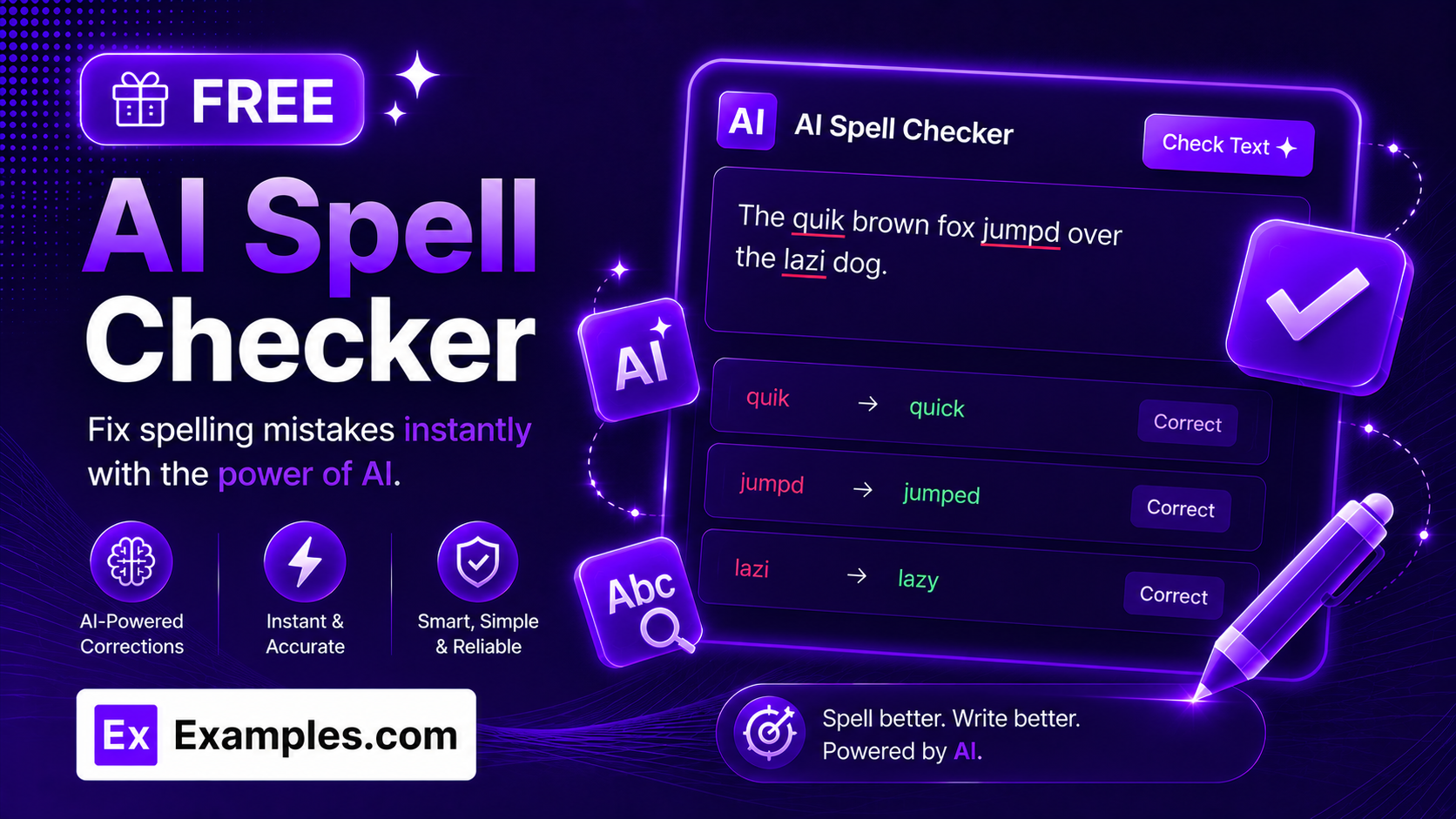
How to Use the AI Spell Checker
The AI Spell Checker helps you find and fix misspelled words, typos, wrong homophones, and misused proper nouns in just a few clicks. Follow the steps below to clean up your spelling quickly and accurately.
Step 1: Paste, Type, or Upload Your Text
- Text: Enter the content you want checked for spelling. You can check essays, emails, reports, blog posts, website copy, resumes, cover letters, assignments, articles, product descriptions, social media captions, or any other text.
- Upload a File (Optional): Instead of typing, upload a document and the tool automatically extracts the text for you. Supported formats include PDF, DOC, DOCX, ODT, TXT, MD, and HTML files, up to 2MB in size. A loading spinner appears right on the upload button while the file is being read or converted, plus a short progress indicator over the text box, and you can remove an uploaded file at any time with a single click to start over.
Step 2: Choose Your Language / Dialect
- Language / Dialect: Select US English, UK English, Australian English, or Canadian English to receive region-specific spelling corrections (for example, “color” vs “colour” or “organize” vs “organise”).
Step 3: Select the Check Type (Advanced Options)
- Check Type: Choose whether you want All Misspellings, Common Typos Only, Homophones Only, or Proper Nouns & Names Only, depending on what kind of spelling issue you want the AI to focus on.
Step 4: Choose a Correction Style
- Correction Style: Select Auto-Correct (best guess), Suggest Alternatives, Formal Spelling, or Casual / Text-Speak Aware, so corrections match how you actually want your text to read.
Step 5: Pick Your Explanation Detail
- Explanation Detail: Choose Brief or Detailed to control how much explanation the AI gives for each spelling correction it makes.
Step 6: Review the Misspellings Found
- Review Changes: The AI lists every misspelling it found, showing the original (incorrect) word struck through next to the corrected spelling, along with the issue type and severity.
Step 7: Copy the Corrected Text
- Copy Corrected Text: Once you’re satisfied with the corrections, copy the fully corrected version instantly and use it in emails, documents, presentations, websites, or anywhere else.
Features of the AI Spell Checker
The AI Spell Checker is a focused, purpose-built proofreading tool. Instead of trying to rewrite your grammar or style, it concentrates entirely on catching misspelled words, typos, wrong homophones, and misused proper nouns. Whether you’re a student, professional, marketer, blogger, or business owner, it helps you catch spelling mistakes before anyone else sees them.
AI-Powered Misspelling Detection
Automatically detect misspelled words in context, not just against a static dictionary. The AI understands the surrounding sentence, so it can catch spelling mistakes that basic spell checkers miss.
Typo Detection
Catch small slips like transposed letters, missing letters, or double-typed characters — the kind of fast-typing mistakes that are easy to miss when you proofread your own work.
Homophone Correction
Flag words that are spelled correctly but used incorrectly, such as “their” vs “there” vs “they’re,” or “its” vs “it’s,” based on the meaning of the sentence.
Proper Noun & Name Checking
Identify misspelled names, places, brands, and other proper nouns, and suggest the standard spelling so your writing stays accurate and credible.
Multiple English Dialects
Choose US English, UK English, Australian English, or Canadian English so the AI applies the correct regional spelling conventions instead of flagging valid regional spellings as errors.
Adjustable Check Type
Narrow the scan to exactly what you need: All Misspellings, Common Typos Only, Homophones Only, or Proper Nouns & Names Only.
Flexible Correction Style
Pick Auto-Correct for the AI’s best guess, Suggest Alternatives to see options, Formal Spelling for polished writing, or Casual / Text-Speak Aware so it doesn’t over-correct informal writing.
Spelling Accuracy Score
Get an overall spelling accuracy score based on your original text, along with a short summary of the overall spelling quality, so you can quickly gauge how clean your draft is.
File Upload Support
Skip the copy-paste step entirely by uploading a document instead. The AI Spell Checker accepts PDF, DOC, DOCX, ODT, TXT, MD, and HTML files up to 2MB and automatically extracts the text into the checker, with a loading spinner shown directly on the upload control and a progress overlay on the text box while it works. Picked the wrong file? Remove it instantly with one click and upload another.
Supports Multiple Content Types
Use the AI Spell Checker for emails, essays, assignments, resumes, cover letters, reports, blog articles, website content, research papers, product descriptions, marketing copy, social media posts, newsletters, and business documents.
Fast AI Processing
Receive spelling corrections within seconds, allowing you to check long documents quickly without slowing down your workflow.
Grammar and Style Left Untouched
The AI Spell Checker only corrects spelling. It deliberately leaves your grammar, sentence structure, and personal writing style alone, so your voice stays exactly as you intended.
Copy and Detail View Features
The AI Spell Checker provides more than a list of corrections. Every result includes a plain-language explanation, a type and severity tag, and an overall spelling score to help you understand each fix and spell more confidently in the future.
Copy Corrected Text
- Copy Result: Copy the fully corrected version of your text with a single click and use it immediately in emails, documents, reports, assignments, blog posts, presentations, or social media content.
Copy All Corrected Text
- Copy All: Copy the entire corrected text in one click for quick pasting anywhere, without needing to copy each fix individually.
Detailed Spelling Analysis
- Detail View: Click into any misspelling to see the original word, the correction, and a full plain-language explanation of the mistake.
Spelling Rule Explanations
- Spelling Explanation: Understand why a word was misspelled — whether it’s a typo, a homophone mix-up, a proper noun error, or a repeated word — so you can avoid the same mistake next time.
Spelling Accuracy Score
- Spelling Score: See a 0–100 score based on your original text’s spelling accuracy, plus a short summary of overall spelling quality.
Benefits of Using the AI Spell Checker
Using an AI Spell Checker saves time while significantly reducing embarrassing spelling mistakes in your writing. Instead of manually re-reading every word, artificial intelligence quickly finds misspellings and suggests accurate corrections.
- Catch misspelled words instantly, even ones spell-check-as-you-type tools miss.
- Fix typos before you send an email or publish content.
- Correct homophone mix-ups like “your” vs “you’re.”
- Spot misspelled names, brands, and places.
- Choose the exact type of spelling check you need.
- Get corrections that match your chosen English dialect.
- Save proofreading time on long documents.
- Upload a document instead of copy-pasting, with automatic text extraction.
- Understand why a word was wrong, not just what to change it to.
- Keep your grammar and personal style exactly as you wrote it.
- Build confidence in your spelling over time.
Types of Spelling Errors the AI Spell Checker Fixes
The AI Spell Checker analyzes your writing for the spelling issues that matter most, so your content reads as accurate and polished.
- Misspellings: Words that are spelled incorrectly according to standard dictionary spelling.
- Typos: Fast-typing slips like transposed, missing, or doubled letters.
- Homophones: Correctly spelled words used in the wrong context, such as “there” vs “their” vs “they’re.”
- Proper Nouns & Names: Misspelled names, brands, places, and titles.
- Repeated Words: Accidentally duplicated words, such as “the the” or “is is.”
- Regional Spelling Variants: Mismatched spelling conventions between US, UK, Australian, and Canadian English.
- Text-Speak Inconsistencies: Informal shorthand flagged or left alone depending on your chosen Correction Style.
AI Spell Checker Formula
The AI Spell Checker follows a focused, spelling-first correction process rather than trying to rewrite your grammar or voice.
Accurate Spelling = Correct Word Forms + Fixed Typos + Correct Homophones + Correct Proper Nouns + No Repeated Words + Your Chosen Dialect
Every word is checked in context using artificial intelligence to catch spelling mistakes a basic dictionary-based checker would miss, while leaving your grammar, sentence structure, and personal style untouched. The result is spelling-accurate content that still sounds like you.
Examples of AI Spell Checker
Example 1: Business Email
- Original Text: Please recieve the attached invoice and let me no if you have any questions.
- Language / Dialect: US English
- Corrected Text: Please receive the attached invoice and let me know if you have any questions.
- Result: Fixed a misspelling (“recieve”) and a homophone mix-up (“no” vs “know”) without changing the sentence structure.
Example 2: Academic Assignment
- Original Text: The seperate experiments were conducted in Febuary at the University of Cambrige.
- Language / Dialect: UK English
- Corrected Text: The separate experiments were conducted in February at the University of Cambridge.
- Result: Corrected two common misspellings and a misspelled proper noun.
Example 3: Blog Article
- Original Text: Its important to proofread you’re writing before you publish it.
- Check Type: Homophones Only
- Corrected Text: It’s important to proofread your writing before you publish it.
- Result: Fixed two homophone errors (“Its” vs “It’s” and “you’re” vs “your”) while leaving the rest of the sentence untouched.
Example 4: Resume
- Original Text: Managed multiple projects and colaborated with cross-functional tean members.
- Correction Style: Formal Spelling
- Corrected Text: Managed multiple projects and collaborated with cross-functional team members.
- Result: Fixed two misspellings (“colaborated,” “tean”) to keep the resume looking polished and professional.
Example 5: Uploading a File
- Original Input: A 1-page DOCX cover letter uploaded instead of pasted text.
- Language / Dialect: US English
- Result: The tool showed a loading spinner directly on the upload button while extracting the text, along with an “Extracting text from DOCX…” overlay on the text box, then loaded the full text into the checker for spelling review — with no manual copy-pasting required.
What is an AI Spell Checker?
An AI Spell Checker is a writing tool that automatically finds and corrects misspelled words, typos, wrong homophones, and misused proper nouns using artificial intelligence. Unlike a basic dictionary-based spell checker, it reads your text in context, so it can catch spelling mistakes that are technically valid words but wrong for the sentence, like “their” instead of “there.” It focuses only on spelling — leaving your grammar, tone, and personal writing style exactly as you wrote them.
Who Can Use the AI Spell Checker?
The AI Spell Checker is designed for anyone who wants clean, accurately spelled writing without changing their voice. From students and educators to professionals and content creators, the tool makes spelling checks fast and reliable.
- Students: Catch misspellings in essays, assignments, research papers, and college applications.
- Teachers: Proofread educational materials, lesson plans, and feedback for students.
- Professionals: Check emails, reports, proposals, and business documents before sending.
- Content Writers: Catch spelling slips in blog posts, articles, and website content.
- Marketers: Proofread marketing copy, ads, newsletters, and social media posts.
- Job Seekers: Perfect the spelling in resumes, cover letters, and LinkedIn summaries.
- Business Owners: Keep customer communications and company documents free of spelling mistakes.
- Non-Native English Speakers: Catch spelling mistakes and homophone mix-ups with confidence.
AI Spell Checker vs. Grammar Checker
A grammar checker analyzes sentence structure, verb tense, subject-verb agreement, punctuation, and writing style — and often rewrites sentences for clarity. An AI Spell Checker is narrower by design: it only flags and fixes misspelled words, typos, wrong homophones, and misused proper nouns, leaving your grammar and sentence structure untouched. Use a spell checker when you want spelling-only corrections without any rewriting.
AI Spell Checker vs. Manual Proofreading
Manual proofreading relies on a human re-reading text carefully to spot spelling mistakes, which is time-consuming and easy to get wrong, especially with words your eyes are used to skipping over. An AI Spell Checker automates this process, instantly scanning your entire text for misspellings, typos, and homophone errors, and explaining each one so you understand exactly what was wrong.
Frequently Asked Questions
Is the AI Spell Checker free to use?
Yes. The AI Spell Checker is completely free to use and helps you find and fix misspelled words, typos, and homophone errors in seconds.
Does the AI Spell Checker also fix grammar?
No. The AI Spell Checker focuses only on spelling — misspellings, typos, homophones, proper nouns, and repeated words. It intentionally leaves grammar, sentence structure, and writing style untouched. If you also want grammar corrections, use a dedicated grammar checker instead.
What types of writing can I check?
You can check emails, essays, assignments, reports, resumes, cover letters, blog posts, articles, business documents, website content, social media posts, research papers, and much more.
Can I upload a file instead of typing my text?
Yes. Instead of pasting your text, you can upload a document and the AI Spell Checker automatically extracts the text for you, showing a loading spinner on the upload button and a progress overlay on the text box while it processes the file.
What file formats does the AI Spell Checker support?
You can upload PDF, DOC, DOCX, ODT, TXT, MD, and HTML files. The tool reads the file and loads the extracted text directly into the checker for you to review and correct.
Is there a file size limit for uploads?
Yes. Uploaded files must be 2MB or smaller. If a file exceeds this limit, you’ll see a notification asking you to upload a smaller file or paste the text directly instead.
Can I remove an uploaded file and try again?
Yes. You can remove an uploaded file at any time with a single click, which clears the selection so you can upload a different file or paste your own text instead.
Can the AI Spell Checker catch homophones like “their” vs “there”?
Yes. Because the AI reads your text in context, it can flag correctly spelled words used in the wrong place, such as “their” vs “there” vs “they’re,” or “its” vs “it’s.”
Can it check the spelling of names and brands?
Yes. Selecting the “Proper Nouns & Names Only” Check Type focuses the AI specifically on misspelled names, places, and brands in your text.
Does it support different English dialects?
Yes. The AI Spell Checker supports US English, UK English, Australian English, and Canadian English, so region-specific spellings aren’t incorrectly flagged as errors.
Will the AI change the meaning or tone of my writing?
No. The AI Spell Checker only corrects spelling. It does not rewrite sentences, change your tone, or alter your intended meaning.
Can beginners use the AI Spell Checker?
Yes. The tool is easy to use and provides a plain-language explanation for every correction, making it suitable for writers of all experience levels.
Can I use it for website content?
Yes. Bloggers, marketers, and businesses can use the AI Spell Checker to catch spelling mistakes in website copy, landing pages, product descriptions, and articles before publishing.
How accurate is the AI Spell Checker?
The AI Spell Checker uses advanced language models to identify misspellings, typos, homophones, and proper noun errors with high accuracy. Reviewing suggestions before publishing is always recommended for the best results.
Can I check long documents?
Yes. The AI Spell Checker can review everything from single sentences to lengthy reports, articles, research papers, and business documents.
Why should I use an AI Spell Checker instead of my browser’s built-in spell check?
Browser spell checkers typically only catch words that don’t exist in a dictionary. An AI Spell Checker also catches correctly spelled words used in the wrong context, such as homophones, and misspelled proper nouns, which built-in spell checkers usually miss.
Conclusion
The AI Spell Checker is a focused writing assistant that helps you catch misspellings, typos, homophone mix-ups, and misspelled proper nouns with minimal effort, while leaving your grammar and personal writing style exactly as you wrote them. Whether you’re preparing an academic paper, composing an important email, uploading a document for automatic text extraction, creating website content, or publishing a blog post, the AI Spell Checker ensures your spelling is accurate and ready to share.